Featured in:Best AI Education Tools
Get featured →🚀 Zaprep: Your Socials on Steroids. Start free — automate 1,000 DMs/month & turn engagement into leads. with 1,000 automated DMs/month.
Word Finder App


✦
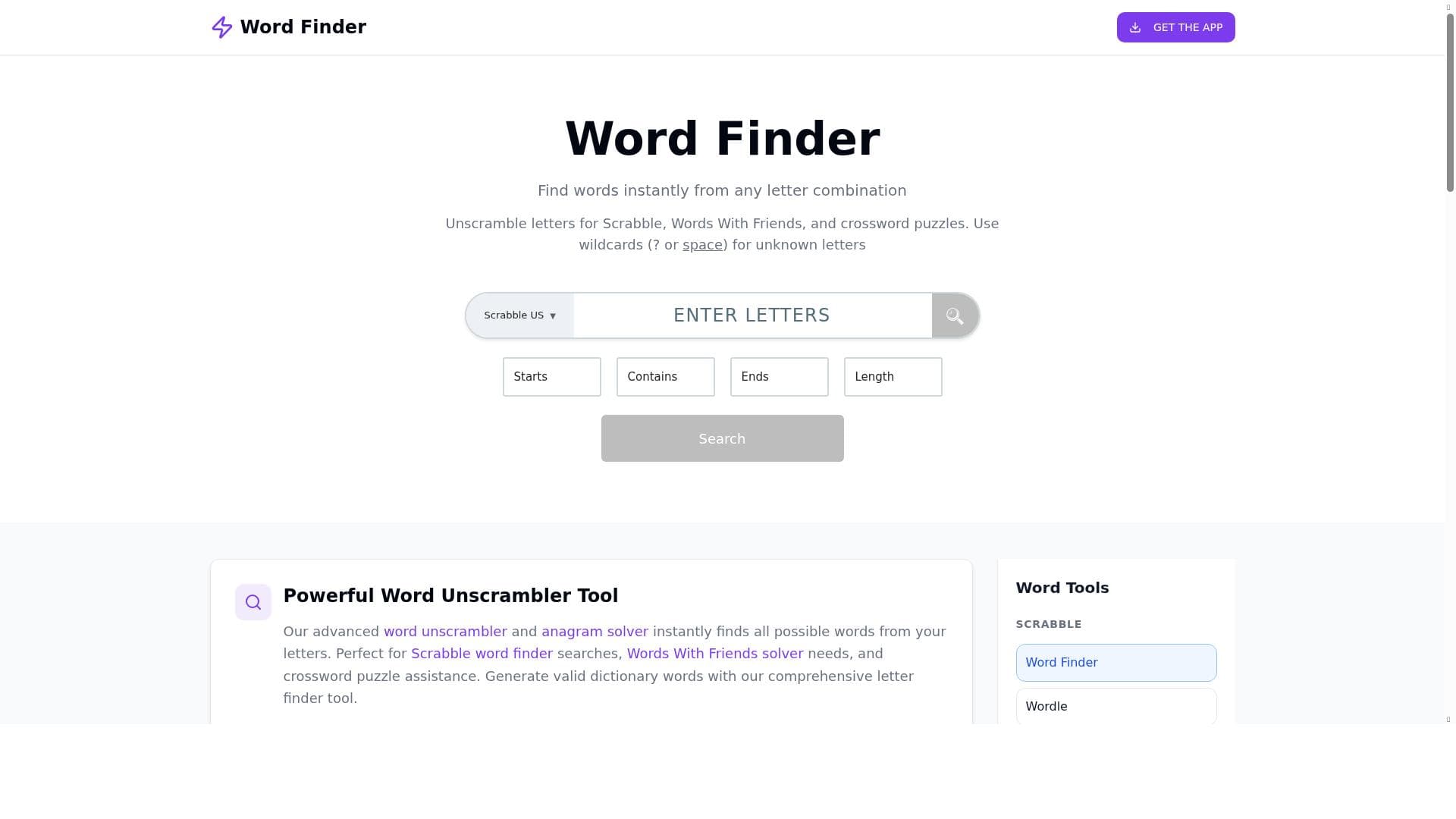
Word Finder App is a fast, browser-based word search tool designed for word game enthusiasts seeking quick, accurate word solutions from any letter set. Its advanced filters and wildcard support make it ideal for Scrabble, Words With Friends, and crossword players looking to sharpen their skills and enjoy fair play without downloads or fees.

Description
Word Finder App is a fast and reliable tool for word game lovers. Whether you play Scrabble, Wordfeud, Words With Friends, or crossword puzzles, the app helps you instantly discover valid words from any set of letters. You can filter by word length, board fit, or dictionary. Designed for speed, clarity, and fair play, Word Finder App is more than a “cheat tool” — it’s a way to sharpen your vocabulary, learn new strategies, and enjoy your favorite word games even more.
Detailed Description
Word Finder App is a specialized online tool designed to assist word game enthusiasts in quickly and accurately finding valid words from any given set of letters. Its core purpose is to enhance the experience of playing popular word games such as Scrabble, Wordfeud, Words With Friends, and crossword puzzles by providing instant access to all possible word combinations. Unlike simple cheat tools, Word Finder App is crafted to support fair play and skill development, helping users expand their vocabulary and develop new strategies for their favorite games. The tool operates entirely within a web browser, requiring no downloads or installations, making it accessible and convenient for users on any device. At the heart of Word Finder App’s functionality is its powerful word search engine that supports up to 15 letters, enabling users to input a wide range of letter combinations. The app features a wildcard search capability using the '?' character, allowing users to represent unknown or blank tiles, which is particularly useful in games like Scrabble where blank tiles can be substituted for any letter. Users can also apply pattern matching filters such as 'starts with,' 'ends with,' and 'contains' to narrow down search results based on specific letter placements, which is invaluable for fitting words onto a game board or solving crossword clues. The app’s extensive word database ensures that results are comprehensive and accurate, delivering instant responses to user queries. Advanced filters allow for precise word finding by enabling users to specify word length, dictionary preference, and board fit criteria. This level of customization supports a wide range of gameplay styles and rule sets. Since the tool is web-based, it eliminates the need for app downloads or updates, providing seamless access from any modern browser. Word Finder App is ideal for casual players, competitive gamers, educators, and anyone looking to improve their word skills. Casual players can use it to enhance their enjoyment and success in social games, while competitive players benefit from its speed and advanced filtering to gain a strategic edge. Educators and learners can leverage the tool to build vocabulary and explore word patterns in an interactive way. Specific use cases include preparing for tournaments, solving challenging crossword puzzles, or simply exploring new word possibilities during leisure play. The app is completely free to use, making it an attractive option for users who want a reliable word-finding tool without any financial commitment. Unlike some competitors that require subscriptions or in-app purchases, Word Finder App provides full access to its features at no cost, supported by ads. This approach ensures that all users can benefit from its capabilities without barriers. Compared to alternative word finder tools, Word Finder App stands out for its combination of speed, accuracy, and user-friendly interface. Many similar tools offer limited letter input or lack advanced filtering options, whereas Word Finder App supports up to 15 letters and multiple pattern matching filters. Its browser-based design also means it is more accessible than apps that require installation or are platform-specific. However, some alternatives may offer additional features such as multiplayer integration or mobile app versions, which Word Finder App currently does not provide. One notable consideration is that while Word Finder App is powerful and versatile, it relies on an internet connection to function since it is web-based. Users seeking offline access or mobile app functionality may need to look elsewhere. Additionally, as the tool is free and ad-supported, some users might encounter advertisements during use, which could be a minor distraction. Despite these factors, Word Finder App remains a top choice for anyone looking to quickly find valid words and improve their word game performance with a straightforward, no-cost solution.
Tool Features
- Instantly unscramble letters to find all possible words
- Supports up to 15 letters for word searches
- Wildcard search using ? for unknown letters
- Pattern matching with starts with, ends with, and contains filters
- Instant results powered by a large word database
- Advanced filters for precise word finding
- No app download required, works in any browser
Description
✦
Word Finder App is a fast, browser-based word search tool designed for word game enthusiasts seeking quick, accurate word solutions from any letter set. Its advanced filters and wildcard support make it ideal for Scrabble, Words With Friends, and crossword players looking to sharpen their skills and enjoy fair play without downloads or fees.
Word Finder App is a fast and reliable tool for word game lovers. Whether you play Scrabble, Wordfeud, Words With Friends, or crossword puzzles, the app helps you instantly discover valid words from any set of letters. You can filter by word length, board fit, or dictionary. Designed for speed, clarity, and fair play, Word Finder App is more than a “cheat tool” — it’s a way to sharpen your vocabulary, learn new strategies, and enjoy your favorite word games even more.
Detailed Description
Word Finder App is a specialized online tool designed to assist word game enthusiasts in quickly and accurately finding valid words from any given set of letters. Its core purpose is to enhance the experience of playing popular word games such as Scrabble, Wordfeud, Words With Friends, and crossword puzzles by providing instant access to all possible word combinations. Unlike simple cheat tools, Word Finder App is crafted to support fair play and skill development, helping users expand their vocabulary and develop new strategies for their favorite games. The tool operates entirely within a web browser, requiring no downloads or installations, making it accessible and convenient for users on any device. At the heart of Word Finder App’s functionality is its powerful word search engine that supports up to 15 letters, enabling users to input a wide range of letter combinations. The app features a wildcard search capability using the '?' character, allowing users to represent unknown or blank tiles, which is particularly useful in games like Scrabble where blank tiles can be substituted for any letter. Users can also apply pattern matching filters such as 'starts with,' 'ends with,' and 'contains' to narrow down search results based on specific letter placements, which is invaluable for fitting words onto a game board or solving crossword clues. The app’s extensive word database ensures that results are comprehensive and accurate, delivering instant responses to user queries. Advanced filters allow for precise word finding by enabling users to specify word length, dictionary preference, and board fit criteria. This level of customization supports a wide range of gameplay styles and rule sets. Since the tool is web-based, it eliminates the need for app downloads or updates, providing seamless access from any modern browser. Word Finder App is ideal for casual players, competitive gamers, educators, and anyone looking to improve their word skills. Casual players can use it to enhance their enjoyment and success in social games, while competitive players benefit from its speed and advanced filtering to gain a strategic edge. Educators and learners can leverage the tool to build vocabulary and explore word patterns in an interactive way. Specific use cases include preparing for tournaments, solving challenging crossword puzzles, or simply exploring new word possibilities during leisure play. The app is completely free to use, making it an attractive option for users who want a reliable word-finding tool without any financial commitment. Unlike some competitors that require subscriptions or in-app purchases, Word Finder App provides full access to its features at no cost, supported by ads. This approach ensures that all users can benefit from its capabilities without barriers. Compared to alternative word finder tools, Word Finder App stands out for its combination of speed, accuracy, and user-friendly interface. Many similar tools offer limited letter input or lack advanced filtering options, whereas Word Finder App supports up to 15 letters and multiple pattern matching filters. Its browser-based design also means it is more accessible than apps that require installation or are platform-specific. However, some alternatives may offer additional features such as multiplayer integration or mobile app versions, which Word Finder App currently does not provide. One notable consideration is that while Word Finder App is powerful and versatile, it relies on an internet connection to function since it is web-based. Users seeking offline access or mobile app functionality may need to look elsewhere. Additionally, as the tool is free and ad-supported, some users might encounter advertisements during use, which could be a minor distraction. Despite these factors, Word Finder App remains a top choice for anyone looking to quickly find valid words and improve their word game performance with a straightforward, no-cost solution.
Frequently Asked Questions
What is Word Finder App?
Word Finder App is an online tool that helps users instantly find valid words from any set of letters, supporting popular word games like Scrabble, Wordfeud, Words With Friends, and crossword puzzles.
How much does Word Finder App cost?
Word Finder App is completely free to use, supported by ads, with no subscription or payment required.
Who is Word Finder App best for?
It is best suited for word game players of all levels, including casual gamers, competitive players, educators, and anyone looking to improve their vocabulary and word game strategies.
What are the main features of Word Finder App?
Key features include instant unscrambling of letters, support for up to 15 letters, wildcard searches using '?', pattern matching filters (starts with, ends with, contains), advanced filters for precise word finding, and no app download required.
Does Word Finder App offer a free trial?
Since Word Finder App is free to use, there is no need for a free trial; all features are accessible without payment.
What integrations does Word Finder App support?
Word Finder App is a standalone web-based tool and does not currently offer integrations with other apps or platforms.
How does Word Finder App work?
Users input their letters into the search field, optionally use wildcards or pattern filters, and the app instantly generates a list of valid words from its extensive database that match the criteria.
Reviews
0 reviews
No reviews yet. Be the first to share your experience.
Sponsored Tools







































Recommended Tools
Stay updated on latest Ai tools
Get the latest insights, Join our newsletter
Read and trusted by 50,000+ readers
Join the biggest AI Community
Our community and staff are here to help!
Your feedback will help Alice AI improve in future versions.







Submit your Tool


PoweredByAI.app is an AI Tools Directory helping individuals, businesses, and creators discover the best AI tools for writing, coding, design, productivity, and more.
© 2026 , Product of011BQ. All rights reserved.