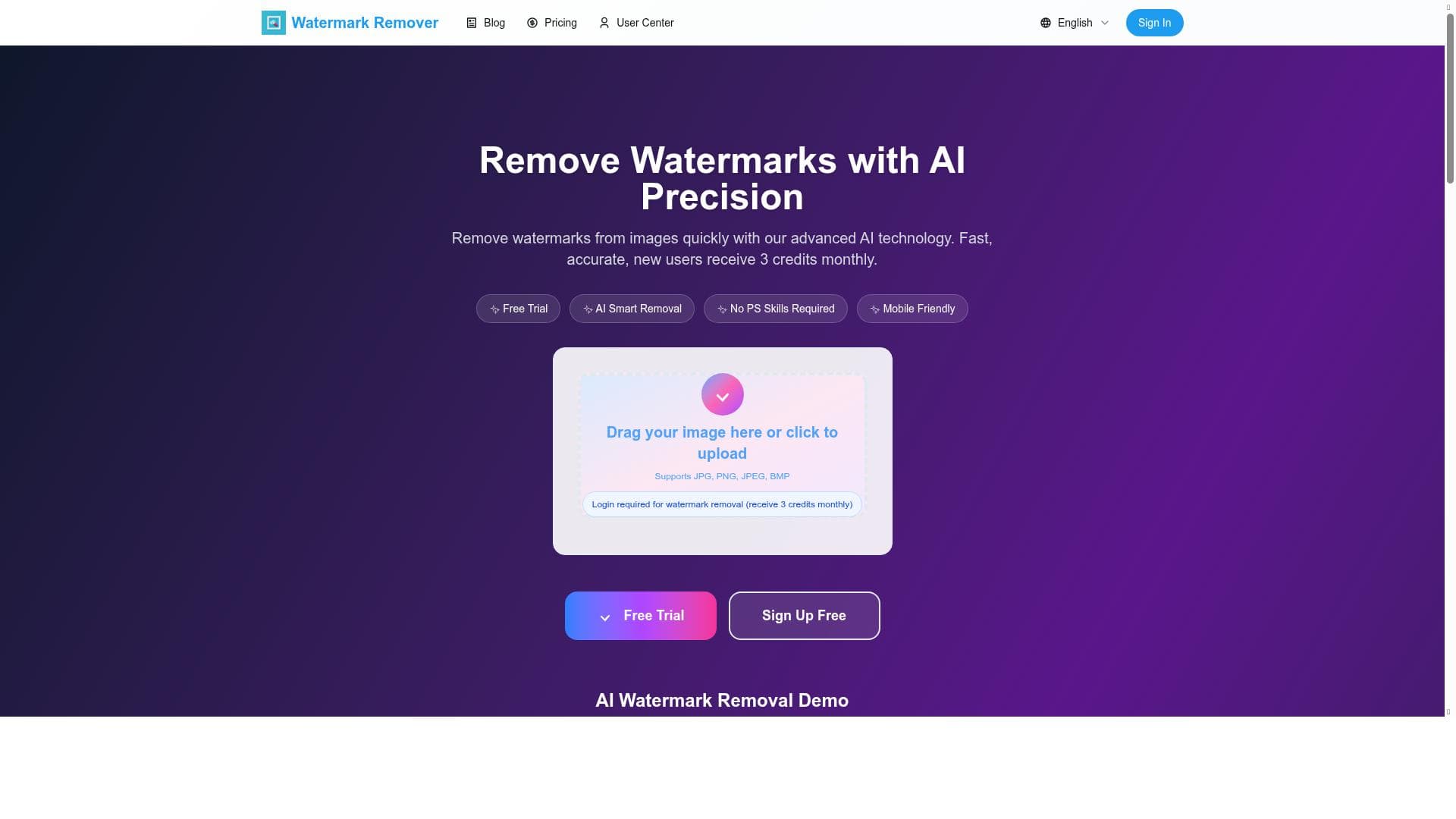


Watermark Remover harnesses advanced AI technology to swiftly and seamlessly remove watermarks from images, delivering professional-grade results with minimal effort. Ideal for photographers, marketers, and content creators, it offers an easy-to-use interface and monthly free credits, making high-quality image cleaning accessible to all.

Description
AI-powered high-quality image cleaner
Detailed Description
Watermark Remover is an AI-powered image cleaning tool designed to efficiently remove watermarks from photos and images while maintaining high-quality results. Its core purpose is to provide users with a fast, reliable, and professional solution for eliminating unwanted watermarks, logos, or text overlays from images without compromising the original image's integrity. Leveraging advanced artificial intelligence algorithms, Watermark Remover intelligently identifies and removes watermarks, seamlessly reconstructing the underlying image content to produce clean, natural-looking results. This makes it an essential tool for photographers, designers, marketers, and content creators who require watermark-free images for various purposes. One of the standout features of Watermark Remover is its AI-powered watermark removal capability. Unlike traditional manual editing methods that can be time-consuming and often leave visible traces, this tool uses sophisticated AI models to analyze the image and accurately erase watermarks while filling in the background with contextually appropriate pixels. This results in a smooth and professional finish that looks as if the watermark was never there. Additionally, the tool boasts fast processing speeds, enabling users to clean images quickly without long wait times, which is particularly beneficial for those working with large batches of images. The interface of Watermark Remover is designed to be user-friendly and intuitive, making it accessible even to those without prior photo editing experience. Users can upload images easily and apply watermark removal with minimal effort. New users also benefit from monthly free credits, allowing them to try the service and remove watermarks from a limited number of images at no cost before deciding on a paid plan. This freemium pricing model ensures that users can evaluate the tool’s effectiveness without upfront investment. Watermark Remover is best suited for professionals and hobbyists who frequently work with images that contain watermarks they need to remove. Photographers who want to clean up sample images, marketers who need watermark-free visuals for campaigns, and graphic designers who require pristine images for their projects will find this tool particularly useful. It is also valuable for social media managers and content creators who often repurpose images and require clean visuals for posts and advertisements. In terms of pricing, Watermark Remover operates on a freemium model. New users receive monthly free credits to remove watermarks from a limited number of images, providing a risk-free opportunity to test the tool’s capabilities. For users requiring more extensive use, paid plans are available that offer additional credits and faster processing options. This flexible pricing structure makes it accessible for casual users as well as professionals with higher volume needs. Compared to alternative watermark removal tools, Watermark Remover stands out due to its combination of AI-driven precision, speed, and ease of use. Many competing tools rely on manual editing or less advanced algorithms, which can result in less natural outcomes or require more user input. Watermark Remover’s AI models automate the process, reducing the need for technical skills and saving significant time. However, while it excels in most scenarios, extremely complex watermarks or images with intricate backgrounds may still pose challenges, occasionally requiring manual touch-ups post-processing. Users should also consider that while the tool offers monthly free credits, heavy users will need to subscribe to paid plans to meet their demands. Additionally, the tool is primarily focused on watermark removal and does not offer extensive photo editing features beyond this scope. Overall, Watermark Remover provides a highly effective, AI-powered solution for watermark removal that balances quality, speed, and user accessibility, making it a valuable asset for anyone needing clean, watermark-free images.
Tool Features
- AI-powered watermark removal
- Fast processing
- Professional quality results
- Easy to use interface
- Monthly free credits for new users
Description
Watermark Remover harnesses advanced AI technology to swiftly and seamlessly remove watermarks from images, delivering professional-grade results with minimal effort. Ideal for photographers, marketers, and content creators, it offers an easy-to-use interface and monthly free credits, making high-quality image cleaning accessible to all.
AI-powered high-quality image cleaner
Detailed Description
Watermark Remover is an AI-powered image cleaning tool designed to efficiently remove watermarks from photos and images while maintaining high-quality results. Its core purpose is to provide users with a fast, reliable, and professional solution for eliminating unwanted watermarks, logos, or text overlays from images without compromising the original image's integrity. Leveraging advanced artificial intelligence algorithms, Watermark Remover intelligently identifies and removes watermarks, seamlessly reconstructing the underlying image content to produce clean, natural-looking results. This makes it an essential tool for photographers, designers, marketers, and content creators who require watermark-free images for various purposes. One of the standout features of Watermark Remover is its AI-powered watermark removal capability. Unlike traditional manual editing methods that can be time-consuming and often leave visible traces, this tool uses sophisticated AI models to analyze the image and accurately erase watermarks while filling in the background with contextually appropriate pixels. This results in a smooth and professional finish that looks as if the watermark was never there. Additionally, the tool boasts fast processing speeds, enabling users to clean images quickly without long wait times, which is particularly beneficial for those working with large batches of images. The interface of Watermark Remover is designed to be user-friendly and intuitive, making it accessible even to those without prior photo editing experience. Users can upload images easily and apply watermark removal with minimal effort. New users also benefit from monthly free credits, allowing them to try the service and remove watermarks from a limited number of images at no cost before deciding on a paid plan. This freemium pricing model ensures that users can evaluate the tool’s effectiveness without upfront investment. Watermark Remover is best suited for professionals and hobbyists who frequently work with images that contain watermarks they need to remove. Photographers who want to clean up sample images, marketers who need watermark-free visuals for campaigns, and graphic designers who require pristine images for their projects will find this tool particularly useful. It is also valuable for social media managers and content creators who often repurpose images and require clean visuals for posts and advertisements. In terms of pricing, Watermark Remover operates on a freemium model. New users receive monthly free credits to remove watermarks from a limited number of images, providing a risk-free opportunity to test the tool’s capabilities. For users requiring more extensive use, paid plans are available that offer additional credits and faster processing options. This flexible pricing structure makes it accessible for casual users as well as professionals with higher volume needs. Compared to alternative watermark removal tools, Watermark Remover stands out due to its combination of AI-driven precision, speed, and ease of use. Many competing tools rely on manual editing or less advanced algorithms, which can result in less natural outcomes or require more user input. Watermark Remover’s AI models automate the process, reducing the need for technical skills and saving significant time. However, while it excels in most scenarios, extremely complex watermarks or images with intricate backgrounds may still pose challenges, occasionally requiring manual touch-ups post-processing. Users should also consider that while the tool offers monthly free credits, heavy users will need to subscribe to paid plans to meet their demands. Additionally, the tool is primarily focused on watermark removal and does not offer extensive photo editing features beyond this scope. Overall, Watermark Remover provides a highly effective, AI-powered solution for watermark removal that balances quality, speed, and user accessibility, making it a valuable asset for anyone needing clean, watermark-free images.
Frequently Asked Questions
What is Watermark Remover?
Watermark Remover is an AI-powered tool designed to remove watermarks, logos, and text overlays from images quickly and with professional-quality results.
How much does Watermark Remover cost?
Watermark Remover operates on a freemium model, offering monthly free credits for new users and paid plans for those needing higher usage or faster processing.
Who is Watermark Remover best for?
It is best suited for photographers, graphic designers, marketers, social media managers, and content creators who require clean, watermark-free images for their projects.
What are the main features of Watermark Remover?
Key features include AI-powered watermark removal, fast processing speeds, professional-quality output, an easy-to-use interface, and monthly free credits for new users.
Does Watermark Remover offer a free trial?
Yes, new users receive monthly free credits that allow them to remove watermarks from a limited number of images at no cost.
What integrations does Watermark Remover support?
Currently, Watermark Remover is a standalone web-based tool and does not list specific integrations with other platforms or software.
How does Watermark Remover work?
It uses advanced AI algorithms to detect and remove watermarks from images by intelligently reconstructing the background, resulting in clean, natural-looking photos.
Reviews
No reviews yet. Be the first to share your experience.















































