
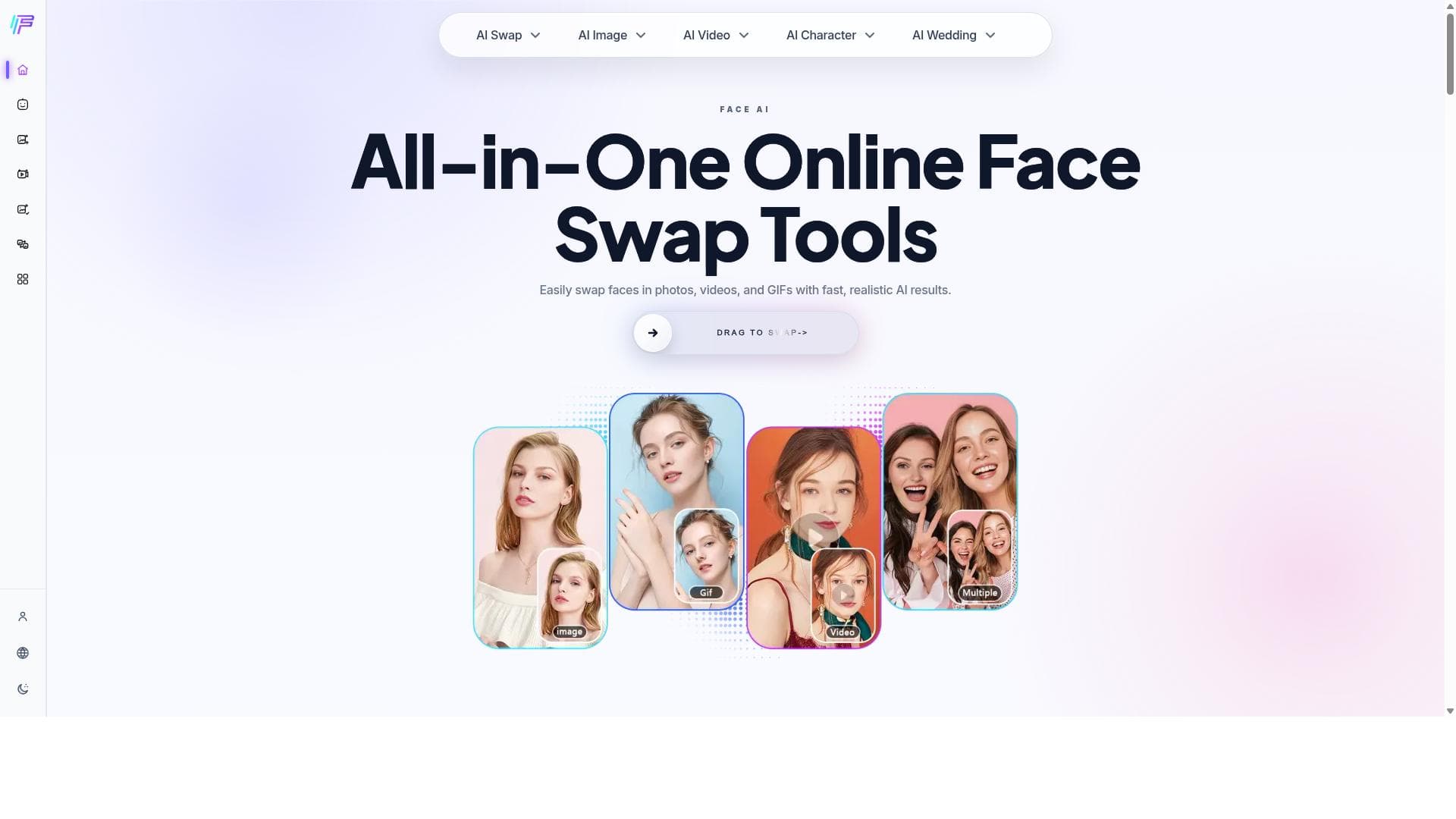


Face AI is a versatile online platform that offers fast, realistic AI-powered face swapping and multiple face changing for images and videos. Ideal for digital creators, marketers, and casual users alike, it delivers high-quality results through free, easy-to-use tools accessible directly in the browser.
Description
Face AI offers a comprehensive suite of online face swap tools that allow users to perform AI-powered face swaps, video swaps, and multiple face changes with fast and realistic results. It is designed to be an all-in-one solution for face manipulation using AI technology.
Detailed Description
Face AI is an advanced online platform designed to revolutionize the way users manipulate and transform faces in both images and videos. Its core purpose is to provide an all-in-one solution for face swapping, video face swapping, and multiple face changing, leveraging cutting-edge AI technology to deliver fast, realistic, and high-quality results. The platform is accessible directly through a web browser, making it easy for users to perform complex face transformations without the need for specialized software or technical expertise. By combining ease of use with powerful AI algorithms, Face AI caters to a wide range of creative, entertainment, and professional needs. One of the standout features of Face AI is its free AI face swap tool, which allows users to seamlessly swap faces in photos with impressive accuracy and detail. This tool is optimized for speed and realism, ensuring that the swapped faces blend naturally with the original image context. Beyond static images, Face AI also supports video face swapping, enabling users to replace faces in video clips while maintaining smooth motion and consistent facial expressions. This capability is particularly useful for content creators, filmmakers, and social media enthusiasts who want to create engaging and personalized video content. Additionally, Face AI offers a multiple face changer feature, which lets users swap or modify several faces within a single image or video simultaneously. This is ideal for group photos or scenes with multiple subjects, providing a versatile toolset for creative experimentation or professional editing. The platform emphasizes delivering fast processing times without compromising output quality, making it suitable for users who need quick turnaround times. Face AI is best suited for a diverse audience including digital artists, social media influencers, marketers, filmmakers, and anyone interested in creative face manipulation. For digital artists and content creators, it offers a powerful yet accessible tool to enhance their projects with realistic face swaps and transformations. Marketers and advertisers can use Face AI to create eye-catching promotional materials, while filmmakers and video editors benefit from its video face swapping capabilities for special effects or dubbing purposes. The platform’s user-friendly interface also makes it appealing to casual users who want to experiment with face swapping for fun or personal use. Regarding pricing, Face AI provides free access to its core face swapping tools, allowing users to try and utilize the platform without any upfront cost. This free tier includes access to the AI face swap tool and basic video face swapping features. While detailed information about premium plans or additional paid features is not explicitly provided, the availability of free tools makes it an attractive option for users seeking cost-effective face manipulation solutions. When compared to alternatives, Face AI stands out due to its comprehensive suite of face transformation tools all in one online platform, eliminating the need for multiple separate applications. Its focus on delivering fast, realistic results powered by AI technology gives it an edge over simpler or less sophisticated face swap tools. Unlike some competitors that require downloads or complex setups, Face AI’s web-based approach ensures easy accessibility and convenience. However, some specialized software may offer more advanced editing controls or integration options, which could be a consideration for professional users with specific workflow requirements. Notable limitations of Face AI include the potential variability in output quality depending on the input images or videos, as extremely low-resolution or poorly lit media may affect the realism of the swaps. Additionally, while the platform offers free tools, the absence of detailed information on premium plans or enterprise features may limit its appeal for large-scale commercial use. Users should also be mindful of ethical considerations and legal restrictions related to face swapping, especially when using images or videos of individuals without consent. Overall, Face AI provides a powerful, accessible, and versatile solution for face swapping and transformation, ideal for a broad spectrum of users looking to harness AI-driven creativity.
Tool Features
- Free AI face swap tool
- Video face swap capabilities
- Multiple face changer
- Fast and realistic results
Description
Face AI is a versatile online platform that offers fast, realistic AI-powered face swapping and multiple face changing for images and videos. Ideal for digital creators, marketers, and casual users alike, it delivers high-quality results through free, easy-to-use tools accessible directly in the browser.
Face AI offers a comprehensive suite of online face swap tools that allow users to perform AI-powered face swaps, video swaps, and multiple face changes with fast and realistic results. It is designed to be an all-in-one solution for face manipulation using AI technology.
Detailed Description
Face AI is an advanced online platform designed to revolutionize the way users manipulate and transform faces in both images and videos. Its core purpose is to provide an all-in-one solution for face swapping, video face swapping, and multiple face changing, leveraging cutting-edge AI technology to deliver fast, realistic, and high-quality results. The platform is accessible directly through a web browser, making it easy for users to perform complex face transformations without the need for specialized software or technical expertise. By combining ease of use with powerful AI algorithms, Face AI caters to a wide range of creative, entertainment, and professional needs. One of the standout features of Face AI is its free AI face swap tool, which allows users to seamlessly swap faces in photos with impressive accuracy and detail. This tool is optimized for speed and realism, ensuring that the swapped faces blend naturally with the original image context. Beyond static images, Face AI also supports video face swapping, enabling users to replace faces in video clips while maintaining smooth motion and consistent facial expressions. This capability is particularly useful for content creators, filmmakers, and social media enthusiasts who want to create engaging and personalized video content. Additionally, Face AI offers a multiple face changer feature, which lets users swap or modify several faces within a single image or video simultaneously. This is ideal for group photos or scenes with multiple subjects, providing a versatile toolset for creative experimentation or professional editing. The platform emphasizes delivering fast processing times without compromising output quality, making it suitable for users who need quick turnaround times. Face AI is best suited for a diverse audience including digital artists, social media influencers, marketers, filmmakers, and anyone interested in creative face manipulation. For digital artists and content creators, it offers a powerful yet accessible tool to enhance their projects with realistic face swaps and transformations. Marketers and advertisers can use Face AI to create eye-catching promotional materials, while filmmakers and video editors benefit from its video face swapping capabilities for special effects or dubbing purposes. The platform’s user-friendly interface also makes it appealing to casual users who want to experiment with face swapping for fun or personal use. Regarding pricing, Face AI provides free access to its core face swapping tools, allowing users to try and utilize the platform without any upfront cost. This free tier includes access to the AI face swap tool and basic video face swapping features. While detailed information about premium plans or additional paid features is not explicitly provided, the availability of free tools makes it an attractive option for users seeking cost-effective face manipulation solutions. When compared to alternatives, Face AI stands out due to its comprehensive suite of face transformation tools all in one online platform, eliminating the need for multiple separate applications. Its focus on delivering fast, realistic results powered by AI technology gives it an edge over simpler or less sophisticated face swap tools. Unlike some competitors that require downloads or complex setups, Face AI’s web-based approach ensures easy accessibility and convenience. However, some specialized software may offer more advanced editing controls or integration options, which could be a consideration for professional users with specific workflow requirements. Notable limitations of Face AI include the potential variability in output quality depending on the input images or videos, as extremely low-resolution or poorly lit media may affect the realism of the swaps. Additionally, while the platform offers free tools, the absence of detailed information on premium plans or enterprise features may limit its appeal for large-scale commercial use. Users should also be mindful of ethical considerations and legal restrictions related to face swapping, especially when using images or videos of individuals without consent. Overall, Face AI provides a powerful, accessible, and versatile solution for face swapping and transformation, ideal for a broad spectrum of users looking to harness AI-driven creativity.
Frequently Asked Questions
What is Face AI?
Face AI is an all-in-one online platform that enables users to perform face swapping, video face swapping, and multiple face changing using advanced AI technology to produce fast and realistic results.
How much does Face AI cost?
Face AI offers free access to its core face swapping and video swapping tools, allowing users to utilize the platform without any upfront cost. Details about premium plans or additional paid features are not explicitly provided.
Who is Face AI best for?
Face AI is ideal for digital artists, social media influencers, marketers, filmmakers, video editors, and casual users who want to create realistic face swaps and transformations in images and videos quickly and easily.
What are the main features of Face AI?
The main features include a free AI face swap tool for images, video face swapping capabilities, a multiple face changer for swapping or modifying several faces simultaneously, and fast, realistic AI-powered results.
Does Face AI offer a free trial?
Face AI provides free access to its core tools, effectively allowing users to try and use the platform without a paid subscription or trial period.
What integrations does Face AI support?
Face AI is a web-based platform primarily accessed through a browser and does not currently specify integrations with other software or services.
How does Face AI work?
Face AI uses advanced artificial intelligence algorithms to analyze facial features in images and videos, then seamlessly swap or modify faces while maintaining natural expressions and context for realistic and high-quality results.
Socials
Use ToolReviews
No reviews yet. Be the first to share your experience.




















































