
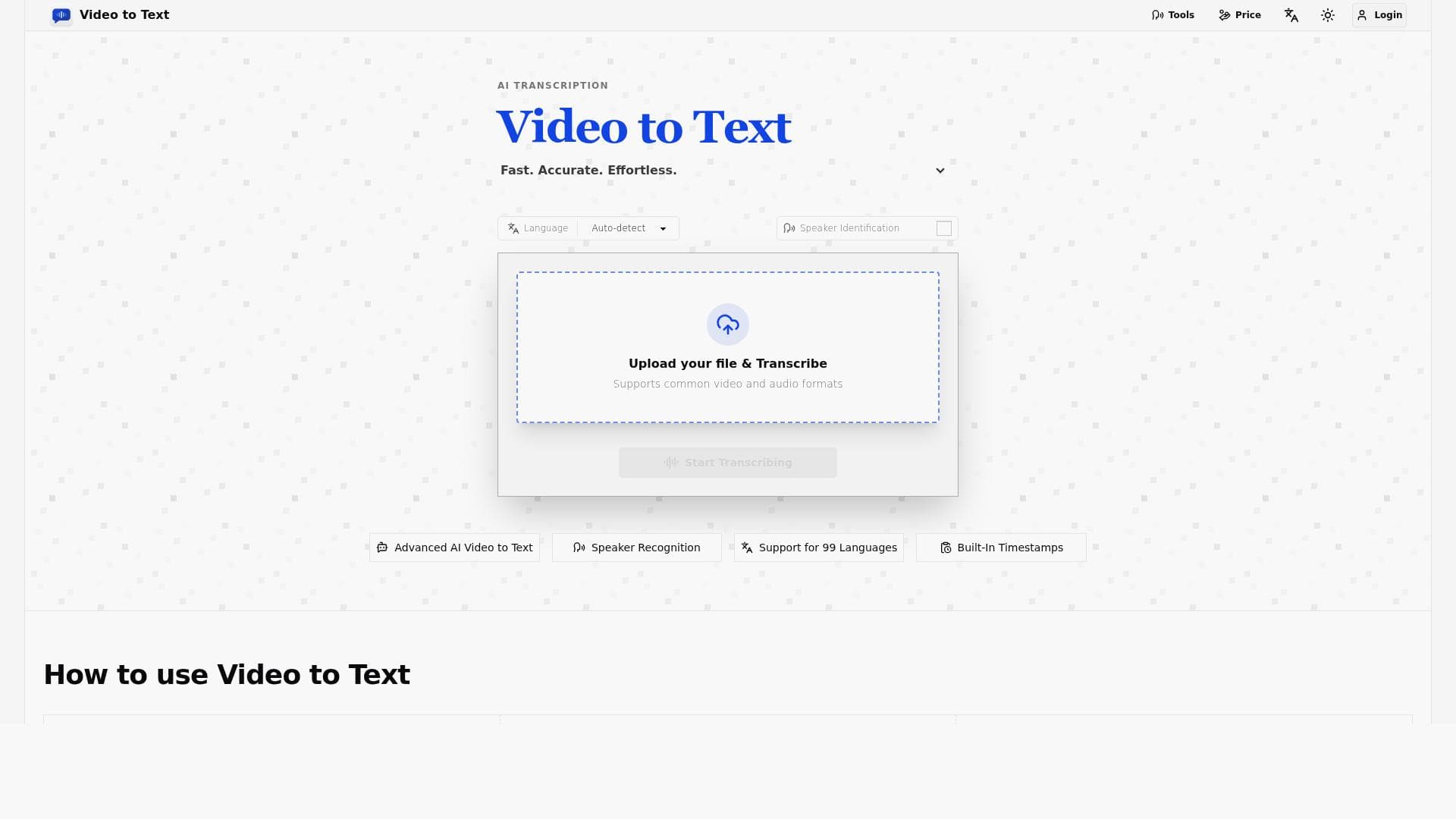


Video to Text is a versatile online transcription tool that converts video and audio content into text across 99 languages, featuring speaker labels, timestamps, and multiple export formats. Ideal for content creators, educators, and businesses, it streamlines the transcription process while enhancing accessibility and usability.

Description
Video to Text is an online tool that transcribes video and audio content into text. It supports transcription in 99 languages and includes features such as speaker labels, timestamps, and multiple export formats including TXT, CSV, SRT, and VTT. This makes it a versatile solution for converting multimedia content into readable text for various uses.
Detailed Description
Video to Text is a comprehensive online transcription tool designed to convert video and audio content into accurate, readable text. Its core purpose is to facilitate the transformation of multimedia files into text transcripts, making content more accessible, searchable, and usable across various applications. Whether you have interviews, lectures, podcasts, webinars, or any form of recorded speech, Video to Text enables seamless transcription with minimal effort. The platform supports an impressive 99 languages, making it a global solution for users needing multilingual transcription services. This broad language support ensures that users from diverse linguistic backgrounds can rely on the tool for their transcription needs without worrying about language barriers. One of the standout features of Video to Text is its ability to include speaker labels, which identify and differentiate between multiple speakers in a conversation or recording. This is particularly useful for transcribing interviews, panel discussions, or meetings where understanding who said what is crucial. Additionally, the tool incorporates timestamps throughout the transcript, allowing users to easily navigate the original audio or video by referencing specific moments in the text. This feature enhances usability, especially for content creators, editors, and researchers who need to locate particular segments quickly. Video to Text offers multiple export formats including TXT, CSV, SRT, and VTT. This versatility means users can choose the format that best suits their workflow or project requirements. For example, SRT and VTT are widely used subtitle formats compatible with most video players and platforms, making it easy to add captions to videos. TXT and CSV exports are ideal for documentation, analysis, or integration with other software tools. The online nature of the tool means there is no need for software installation, and users can upload files directly from their devices or cloud storage. This tool is best suited for content creators, journalists, educators, marketers, and businesses that regularly work with audio and video content. Podcasters and video producers can quickly generate transcripts to improve accessibility and SEO. Educators can transcribe lectures for students with hearing impairments or for easier note-taking. Journalists can efficiently transcribe interviews, saving hours of manual effort. Additionally, businesses can use the tool to transcribe meetings, webinars, and training sessions for record-keeping and internal communication. Regarding pricing, Video to Text typically offers a range of plans tailored to different user needs, including pay-as-you-go options and subscription plans for frequent users. While specific pricing details are available on their website, the platform often provides a free trial or limited free tier to allow users to test the service before committing financially. This approach ensures that users can evaluate transcription accuracy and features without upfront costs. When compared to alternatives, Video to Text stands out due to its extensive language support and the inclusion of advanced features like speaker labeling and timestamping. Many transcription tools either support fewer languages or lack detailed speaker differentiation, which can be critical for complex audio files. Its multiple export options also provide flexibility not always found in competing services. However, as with any automated transcription tool, accuracy can vary depending on audio quality, accents, and background noise. Users should be prepared to review and edit transcripts for optimal results. A notable limitation is that while Video to Text supports a vast number of languages, the quality of transcription may differ among less common languages or dialects. Additionally, the tool relies on internet connectivity since it is web-based, which might be a consideration for users with limited or unstable connections. Finally, while the platform offers powerful features, users requiring extremely high accuracy or specialized transcription (such as legal or medical terminology) might need to supplement the tool with manual proofreading or professional transcription services. In summary, Video to Text is a powerful, versatile, and user-friendly transcription tool that caters to a wide audience by supporting numerous languages and offering features that enhance transcript usability. Its combination of speaker labels, timestamps, and multiple export formats makes it an excellent choice for anyone looking to convert multimedia content into text efficiently and effectively.
Tool Features
- Transcribe video and audio to text online
- Support for 99 languages
- Speaker labels
- Timestamps
- Export in TXT, CSV, SRT, or VTT formats
Description
Video to Text is a versatile online transcription tool that converts video and audio content into text across 99 languages, featuring speaker labels, timestamps, and multiple export formats. Ideal for content creators, educators, and businesses, it streamlines the transcription process while enhancing accessibility and usability.
Video to Text is an online tool that transcribes video and audio content into text. It supports transcription in 99 languages and includes features such as speaker labels, timestamps, and multiple export formats including TXT, CSV, SRT, and VTT. This makes it a versatile solution for converting multimedia content into readable text for various uses.
Detailed Description
Video to Text is a comprehensive online transcription tool designed to convert video and audio content into accurate, readable text. Its core purpose is to facilitate the transformation of multimedia files into text transcripts, making content more accessible, searchable, and usable across various applications. Whether you have interviews, lectures, podcasts, webinars, or any form of recorded speech, Video to Text enables seamless transcription with minimal effort. The platform supports an impressive 99 languages, making it a global solution for users needing multilingual transcription services. This broad language support ensures that users from diverse linguistic backgrounds can rely on the tool for their transcription needs without worrying about language barriers. One of the standout features of Video to Text is its ability to include speaker labels, which identify and differentiate between multiple speakers in a conversation or recording. This is particularly useful for transcribing interviews, panel discussions, or meetings where understanding who said what is crucial. Additionally, the tool incorporates timestamps throughout the transcript, allowing users to easily navigate the original audio or video by referencing specific moments in the text. This feature enhances usability, especially for content creators, editors, and researchers who need to locate particular segments quickly. Video to Text offers multiple export formats including TXT, CSV, SRT, and VTT. This versatility means users can choose the format that best suits their workflow or project requirements. For example, SRT and VTT are widely used subtitle formats compatible with most video players and platforms, making it easy to add captions to videos. TXT and CSV exports are ideal for documentation, analysis, or integration with other software tools. The online nature of the tool means there is no need for software installation, and users can upload files directly from their devices or cloud storage. This tool is best suited for content creators, journalists, educators, marketers, and businesses that regularly work with audio and video content. Podcasters and video producers can quickly generate transcripts to improve accessibility and SEO. Educators can transcribe lectures for students with hearing impairments or for easier note-taking. Journalists can efficiently transcribe interviews, saving hours of manual effort. Additionally, businesses can use the tool to transcribe meetings, webinars, and training sessions for record-keeping and internal communication. Regarding pricing, Video to Text typically offers a range of plans tailored to different user needs, including pay-as-you-go options and subscription plans for frequent users. While specific pricing details are available on their website, the platform often provides a free trial or limited free tier to allow users to test the service before committing financially. This approach ensures that users can evaluate transcription accuracy and features without upfront costs. When compared to alternatives, Video to Text stands out due to its extensive language support and the inclusion of advanced features like speaker labeling and timestamping. Many transcription tools either support fewer languages or lack detailed speaker differentiation, which can be critical for complex audio files. Its multiple export options also provide flexibility not always found in competing services. However, as with any automated transcription tool, accuracy can vary depending on audio quality, accents, and background noise. Users should be prepared to review and edit transcripts for optimal results. A notable limitation is that while Video to Text supports a vast number of languages, the quality of transcription may differ among less common languages or dialects. Additionally, the tool relies on internet connectivity since it is web-based, which might be a consideration for users with limited or unstable connections. Finally, while the platform offers powerful features, users requiring extremely high accuracy or specialized transcription (such as legal or medical terminology) might need to supplement the tool with manual proofreading or professional transcription services. In summary, Video to Text is a powerful, versatile, and user-friendly transcription tool that caters to a wide audience by supporting numerous languages and offering features that enhance transcript usability. Its combination of speaker labels, timestamps, and multiple export formats makes it an excellent choice for anyone looking to convert multimedia content into text efficiently and effectively.
Frequently Asked Questions
What is Video to Text?
Video to Text is an online transcription tool that converts video and audio files into text transcripts. It supports 99 languages and includes features such as speaker labels, timestamps, and multiple export formats to facilitate easy and accurate transcription.
How much does Video to Text cost?
Video to Text offers various pricing plans including pay-as-you-go and subscription options tailored to different user needs. Specific pricing details are available on their website, and they often provide a free trial or limited free tier for new users.
Who is Video to Text best for?
Video to Text is ideal for content creators, podcasters, educators, journalists, marketers, and businesses that need to transcribe audio or video content quickly and accurately across multiple languages.
What are the main features of Video to Text?
Key features include transcription of video and audio in 99 languages, speaker labeling to identify different speakers, timestamping for easy navigation, and export options in TXT, CSV, SRT, and VTT formats.
Does Video to Text offer a free trial?
Yes, Video to Text typically offers a free trial or a limited free tier that allows users to test the transcription service before purchasing a subscription or additional credits.
What integrations does Video to Text support?
While Video to Text primarily functions as a standalone online tool, it supports uploading files from local devices and cloud storage. Specific third-party integrations are not prominently featured but may be available through API access or future updates.
How does Video to Text work?
Users upload their video or audio files to the Video to Text platform, which then processes the content using advanced speech recognition technology to generate a text transcript. The tool applies speaker labels and timestamps, and users can export the transcript in various formats.
Reviews
No reviews yet. Be the first to share your experience.




















































