
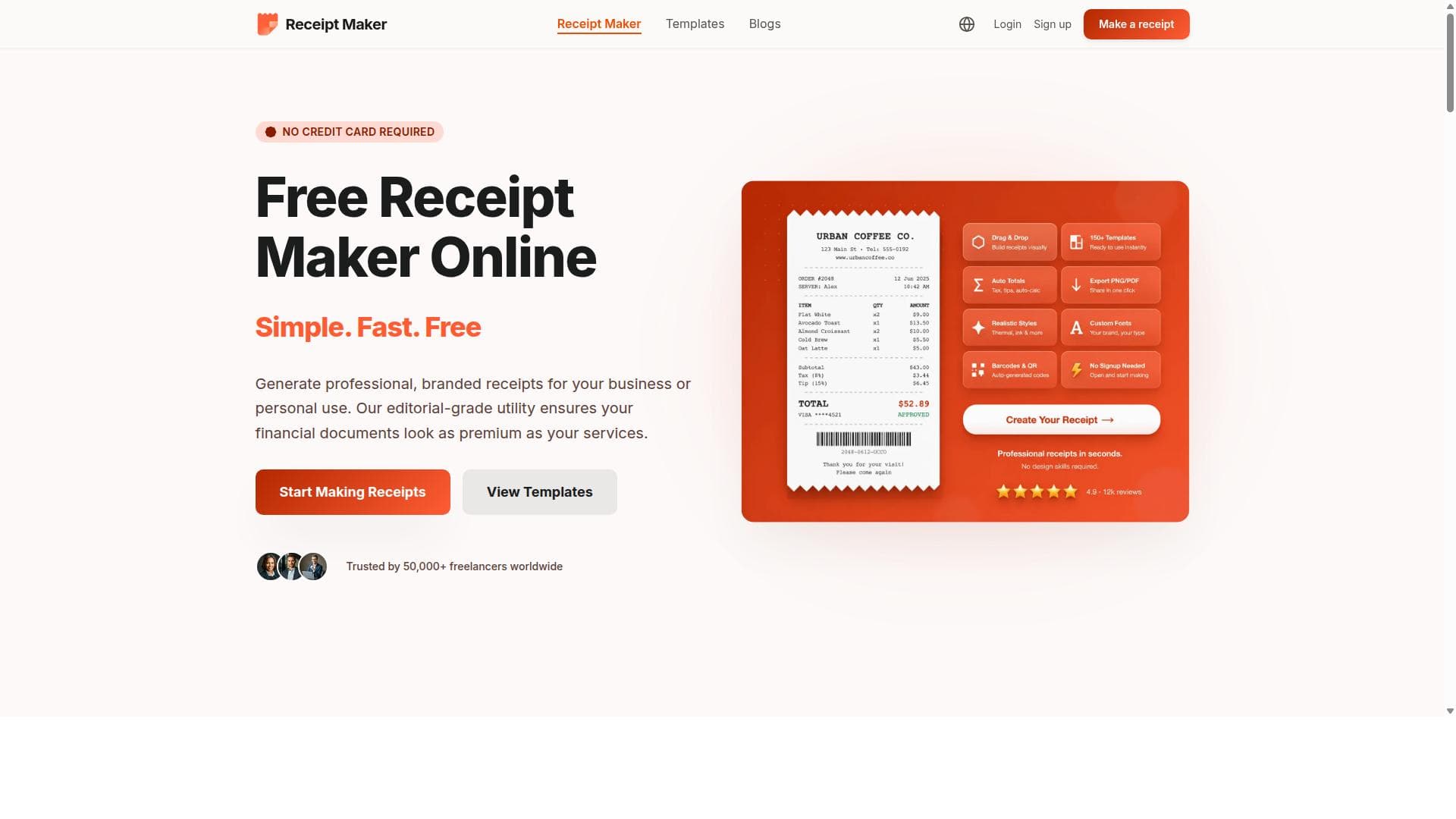


Free Receipt Maker is a fast, free, and privacy-focused browser tool that lets professionals create polished, brand-customizable receipts in minutes without any signup. Ideal for freelancers, e-commerce sellers, and contractors, it combines ease of use with professional templates and multi-format exports to deliver credible receipts instantly.
Description
Receipt Maker is a free, browser-based receipt generator built for professionals who need fast, reliable, and professional-looking receipts without the complexity of accounting software. Whether you're a freelancer billing a client, an e-commerce seller documenting a sale, or a contractor providing proof of service, Receipt Maker helps you create polished receipts in just three steps: choose a template, add your details, and download. ✨100+ Customizable Templates Choose from receipt styles modeled after well-known brands - Amazon, Costco, Walmart, Starbucks, Apple Store, Uber, Nike, and more - or build your own from scratch. Every template is fully editable, so you can adjust fonts, colors, logos, and layouts to match your brand. ✨Real-Time Editing See your changes instantly as you type. Add business information, itemize products or services, select payment methods, apply taxes, and include custom notes - all with a live preview that shows exactly how your receipt will look. ✨Multi-Format Export Download your receipts as high-resolution PDFs for archiving, PNGs for email sharing, or JPGs for quick uploads. All formats are print-ready and designed for professional use. ✨No Signup Required We respect your time. You can start creating receipts immediately without creating an account, entering a credit card, or dealing with subscription prompts. ✨Private & Secure All receipt generation happens directly in your browser. We don't store, track, or upload your data, ensuring complete privacy and control over your financial documents. ✨Who Uses Receipt Maker? Freelancers who need quick invoices and billing documents for client projects; E-commerce sellers managing orders, returns, and customer receipts; Contractors like handymen, drivers, and service providers who need on-the-spot proof of payment; Individuals tracking expenses, recreating lost receipts, or organizing reimbursement claims. ✨Why Choose Receipt Maker? Unlike complex invoicing platforms or generic templates, Receipt Maker delivers professional results with zero friction. It's fast, flexible, and designed for real-world scenarios where you need a clean, credible receipt immediately. With support for multiple currencies, customizable branding, and realistic formatting, your receipts will look as legitimate and polished as those from major retailers. #1 Free receipt generator for professionals who value speed, privacy, and quality.
Detailed Description
Free Receipt Maker is a browser-based tool designed to help professionals quickly generate polished, professional-looking receipts without the need for complex accounting software. Its core purpose is to simplify the process of creating receipts for freelancers, e-commerce sellers, contractors, and individuals who require fast, reliable documentation of transactions or proof of service. By streamlining receipt creation into three simple steps—selecting a template, entering details, and downloading the finished receipt—the tool eliminates the typical friction associated with invoicing or receipt generation, making it accessible to users with varying levels of technical expertise. One of the standout features of Free Receipt Maker is its extensive library of over 100 customizable templates. These templates are inspired by well-known brands such as Amazon, Costco, Walmart, Starbucks, Apple Store, Uber, and Nike, providing users with familiar, credible formats that can be tailored to their own branding needs. Users can modify fonts, colors, logos, and layouts, ensuring that each receipt aligns with their business identity. The real-time editing capability allows users to see changes instantly as they input business information, itemize products or services, select payment methods, apply taxes, and add custom notes. This live preview ensures accuracy and professional presentation before finalizing the receipt. Free Receipt Maker supports multi-format exports, enabling users to download receipts as high-resolution PDFs for archiving, PNGs for email sharing, or JPGs for quick uploads. All output formats are print-ready and designed to meet professional standards. Additionally, the tool requires no signup, credit card, or subscription, allowing users to start creating receipts immediately without any barriers. Privacy is a key consideration, as all receipt generation occurs locally in the user's browser, with no data stored, tracked, or uploaded to external servers. This approach ensures complete control over sensitive financial documents. The tool is ideal for a diverse range of users. Freelancers benefit from the ability to quickly generate invoices and billing documents for client projects without investing in expensive software. E-commerce sellers can efficiently manage orders, returns, and customer receipts, maintaining clear transaction records. Contractors such as handymen, drivers, and service providers can produce on-the-spot proof of payment, enhancing professionalism and client trust. Individuals also find value in tracking expenses, recreating lost receipts, or organizing reimbursement claims. Free Receipt Maker is completely free to use, with no hidden fees or premium plans. This contrasts with many invoicing platforms that require subscriptions or impose usage limits. Its simplicity and zero-cost model make it an attractive choice for users who need straightforward receipt generation without additional financial commitment. Compared to alternatives, Free Receipt Maker offers a unique blend of speed, customization, and privacy. Unlike generic receipt templates or complex invoicing software, it delivers realistic, brand-inspired receipts with minimal effort. The local browser-based operation ensures data security, a feature often lacking in cloud-based competitors. However, it does not currently support integrations with accounting or payment platforms, which may be a limitation for users seeking automated bookkeeping workflows. In summary, Free Receipt Maker is a powerful yet easy-to-use tool for anyone needing fast, professional receipts without the overhead of traditional accounting software. Its extensive template library, real-time editing, multi-format exports, and privacy-first design make it a standout solution for freelancers, sellers, contractors, and individuals alike. While it lacks integration features and advanced invoicing capabilities, its free, no-signup model and high-quality output provide exceptional value for straightforward receipt generation needs.
Tool Features
- Customizable Templates
- Real-Time Editing
- Multi-Format Export
- No Signup Required
- Private & Secure
Description
Free Receipt Maker is a fast, free, and privacy-focused browser tool that lets professionals create polished, brand-customizable receipts in minutes without any signup. Ideal for freelancers, e-commerce sellers, and contractors, it combines ease of use with professional templates and multi-format exports to deliver credible receipts instantly.
Receipt Maker is a free, browser-based receipt generator built for professionals who need fast, reliable, and professional-looking receipts without the complexity of accounting software. Whether you're a freelancer billing a client, an e-commerce seller documenting a sale, or a contractor providing proof of service, Receipt Maker helps you create polished receipts in just three steps: choose a template, add your details, and download. ✨100+ Customizable Templates Choose from receipt styles modeled after well-known brands - Amazon, Costco, Walmart, Starbucks, Apple Store, Uber, Nike, and more - or build your own from scratch. Every template is fully editable, so you can adjust fonts, colors, logos, and layouts to match your brand. ✨Real-Time Editing See your changes instantly as you type. Add business information, itemize products or services, select payment methods, apply taxes, and include custom notes - all with a live preview that shows exactly how your receipt will look. ✨Multi-Format Export Download your receipts as high-resolution PDFs for archiving, PNGs for email sharing, or JPGs for quick uploads. All formats are print-ready and designed for professional use. ✨No Signup Required We respect your time. You can start creating receipts immediately without creating an account, entering a credit card, or dealing with subscription prompts. ✨Private & Secure All receipt generation happens directly in your browser. We don't store, track, or upload your data, ensuring complete privacy and control over your financial documents. ✨Who Uses Receipt Maker? Freelancers who need quick invoices and billing documents for client projects; E-commerce sellers managing orders, returns, and customer receipts; Contractors like handymen, drivers, and service providers who need on-the-spot proof of payment; Individuals tracking expenses, recreating lost receipts, or organizing reimbursement claims. ✨Why Choose Receipt Maker? Unlike complex invoicing platforms or generic templates, Receipt Maker delivers professional results with zero friction. It's fast, flexible, and designed for real-world scenarios where you need a clean, credible receipt immediately. With support for multiple currencies, customizable branding, and realistic formatting, your receipts will look as legitimate and polished as those from major retailers. #1 Free receipt generator for professionals who value speed, privacy, and quality.
Detailed Description
Free Receipt Maker is a browser-based tool designed to help professionals quickly generate polished, professional-looking receipts without the need for complex accounting software. Its core purpose is to simplify the process of creating receipts for freelancers, e-commerce sellers, contractors, and individuals who require fast, reliable documentation of transactions or proof of service. By streamlining receipt creation into three simple steps—selecting a template, entering details, and downloading the finished receipt—the tool eliminates the typical friction associated with invoicing or receipt generation, making it accessible to users with varying levels of technical expertise. One of the standout features of Free Receipt Maker is its extensive library of over 100 customizable templates. These templates are inspired by well-known brands such as Amazon, Costco, Walmart, Starbucks, Apple Store, Uber, and Nike, providing users with familiar, credible formats that can be tailored to their own branding needs. Users can modify fonts, colors, logos, and layouts, ensuring that each receipt aligns with their business identity. The real-time editing capability allows users to see changes instantly as they input business information, itemize products or services, select payment methods, apply taxes, and add custom notes. This live preview ensures accuracy and professional presentation before finalizing the receipt. Free Receipt Maker supports multi-format exports, enabling users to download receipts as high-resolution PDFs for archiving, PNGs for email sharing, or JPGs for quick uploads. All output formats are print-ready and designed to meet professional standards. Additionally, the tool requires no signup, credit card, or subscription, allowing users to start creating receipts immediately without any barriers. Privacy is a key consideration, as all receipt generation occurs locally in the user's browser, with no data stored, tracked, or uploaded to external servers. This approach ensures complete control over sensitive financial documents. The tool is ideal for a diverse range of users. Freelancers benefit from the ability to quickly generate invoices and billing documents for client projects without investing in expensive software. E-commerce sellers can efficiently manage orders, returns, and customer receipts, maintaining clear transaction records. Contractors such as handymen, drivers, and service providers can produce on-the-spot proof of payment, enhancing professionalism and client trust. Individuals also find value in tracking expenses, recreating lost receipts, or organizing reimbursement claims. Free Receipt Maker is completely free to use, with no hidden fees or premium plans. This contrasts with many invoicing platforms that require subscriptions or impose usage limits. Its simplicity and zero-cost model make it an attractive choice for users who need straightforward receipt generation without additional financial commitment. Compared to alternatives, Free Receipt Maker offers a unique blend of speed, customization, and privacy. Unlike generic receipt templates or complex invoicing software, it delivers realistic, brand-inspired receipts with minimal effort. The local browser-based operation ensures data security, a feature often lacking in cloud-based competitors. However, it does not currently support integrations with accounting or payment platforms, which may be a limitation for users seeking automated bookkeeping workflows. In summary, Free Receipt Maker is a powerful yet easy-to-use tool for anyone needing fast, professional receipts without the overhead of traditional accounting software. Its extensive template library, real-time editing, multi-format exports, and privacy-first design make it a standout solution for freelancers, sellers, contractors, and individuals alike. While it lacks integration features and advanced invoicing capabilities, its free, no-signup model and high-quality output provide exceptional value for straightforward receipt generation needs.
Frequently Asked Questions
What is Free Receipt Maker?
Free Receipt Maker is a browser-based tool that allows users to quickly create professional, customizable receipts without the need for complex accounting software or signups. It offers a wide range of templates and real-time editing to generate polished receipts for various professional and personal uses.
How much does Free Receipt Maker cost?
Free Receipt Maker is completely free to use with no hidden fees, subscriptions, or premium plans. Users can create and download receipts without any cost or account registration.
Who is Free Receipt Maker best for?
It is best suited for freelancers needing quick invoices, e-commerce sellers managing sales and returns, contractors requiring proof of payment on the spot, and individuals tracking expenses or recreating lost receipts.
What are the main features of Free Receipt Maker?
Key features include over 100 customizable receipt templates inspired by major brands, real-time editing with live preview, multi-format export options (PDF, PNG, JPG), no signup required, and full privacy with all data processed locally in the browser.
Does Free Receipt Maker offer a free trial?
Since Free Receipt Maker is entirely free with no subscription or paid tiers, there is no need for a free trial. Users can access all features immediately without any limitations.
What integrations does Free Receipt Maker support?
Currently, Free Receipt Maker does not support integrations with other software or platforms. It focuses on standalone receipt creation within the browser for privacy and simplicity.
How does Free Receipt Maker work?
Users select a receipt template, enter their business and transaction details with real-time preview, customize branding elements if desired, and then download the receipt in their preferred format—all directly in their web browser without any account or data upload.
Socials
Use ToolReviews
No reviews yet. Be the first to share your experience.


















































