
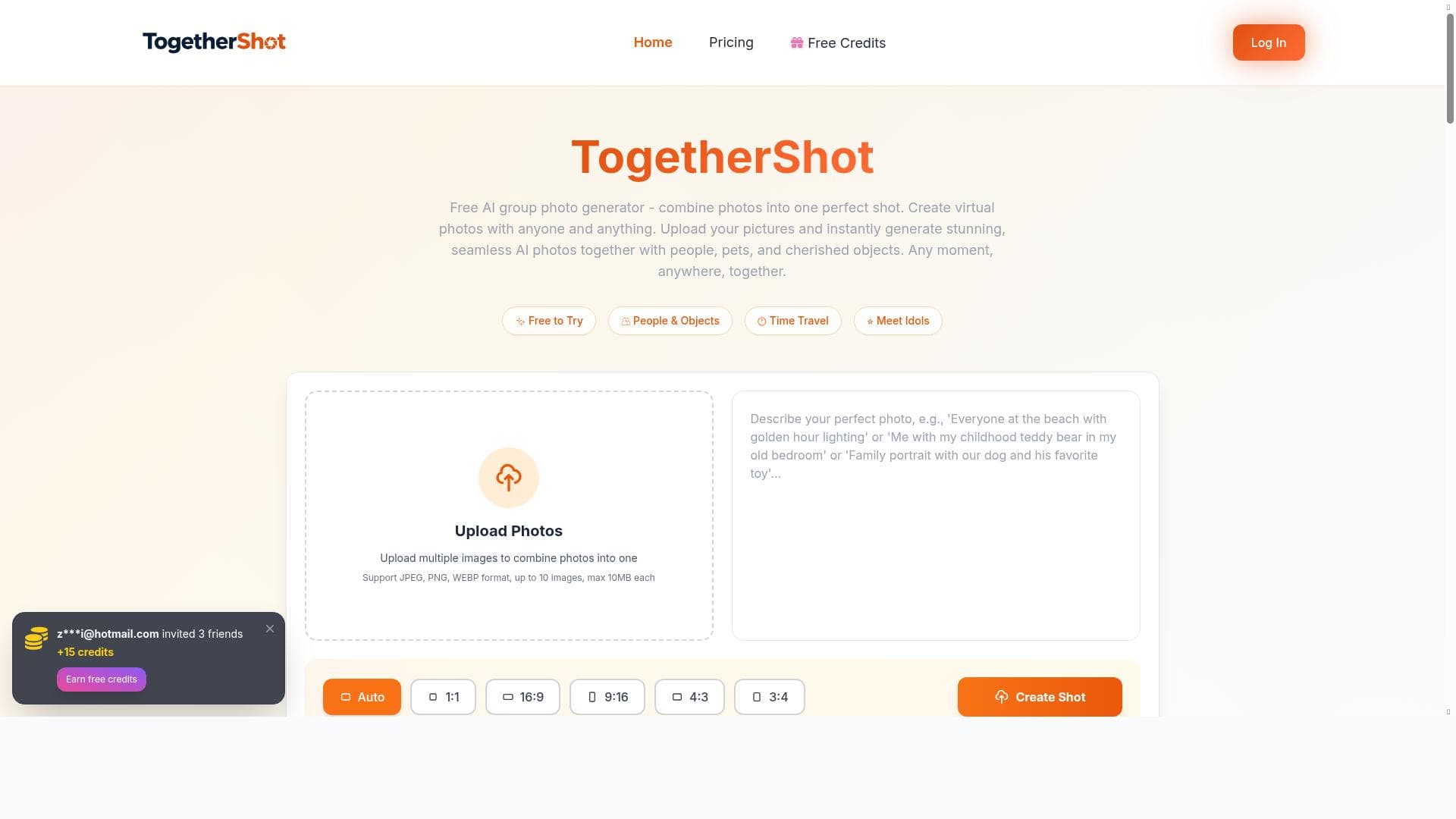


TogetherShot is a free AI-powered photo generator that instantly creates seamless group photos by combining your uploaded images. Perfect for social media users, families, and marketers, it effortlessly brings together anyone and anything into one stunning, natural-looking picture.

Description
TogetherShot is a free AI photo together generator. Upload your pictures and instantly create stunning, seamless group photos with anyone and anything. Any moment, anywhere, together.
Detailed Description
TogetherShot is an innovative AI-powered photo generator designed to seamlessly combine multiple images into stunning group photos. Its core purpose is to enable users to create realistic, cohesive group pictures by uploading individual photos and instantly merging them into one flawless image. Whether you want to bring together friends, family members, celebrities, or even pets and objects, TogetherShot makes it possible to capture any moment, anywhere, together. This tool leverages advanced AI algorithms to ensure that the final composite looks natural, with consistent lighting, shadows, and positioning, eliminating the need for complex manual editing or professional software. The key features of TogetherShot revolve around its simplicity and powerful AI capabilities. First, it is completely free to use, making it accessible to anyone interested in creating group photos without any cost barriers. Users can upload their own pictures directly through the platform, which supports a variety of image formats and resolutions. Once uploaded, the AI engine analyzes each photo, detects subjects, and intelligently blends them into a single image that appears as if everyone was captured together in the same frame. The process is instant, allowing users to see their results within moments. Additionally, TogetherShot is highly versatile, enabling combinations of any individuals or objects, regardless of when or where the original photos were taken. This flexibility means you can create memorable group shots for events, reunions, social media posts, marketing materials, or personal keepsakes. TogetherShot is ideal for a wide range of users. Social media enthusiasts and content creators can use it to produce engaging visuals that feature multiple people or characters who were never physically together. Families and friends separated by distance can create virtual group photos to celebrate special occasions. Marketers and event organizers can generate promotional images that showcase diverse participants or highlight key figures in a single frame. Photographers and designers who want a quick and easy way to compose group shots without extensive editing will also find this tool valuable. Its user-friendly interface and instant results make it suitable for both casual users and professionals looking for fast, high-quality composites. In terms of pricing, TogetherShot stands out by offering its full functionality completely free of charge. There are no subscription plans, hidden fees, or premium tiers, which makes it an excellent choice for budget-conscious users or those who want to experiment with AI photo generation without financial commitment. This free access does not compromise on quality or features, providing a robust experience that rivals many paid alternatives. Compared to other photo editing or AI image generation tools, TogetherShot specializes specifically in creating group photos by merging multiple individual images. While many platforms offer general photo editing or collage creation, TogetherShot’s AI-driven approach ensures seamless integration and natural-looking results that are difficult to achieve manually. Unlike traditional photo editing software that requires skill and time, TogetherShot automates the process, making it accessible to users of all experience levels. However, it is focused on group photo generation rather than broader image manipulation or artistic creation, which distinguishes it from multi-purpose AI art tools. Despite its strengths, there are some limitations to consider. The quality of the final image depends on the input photos; images with vastly different lighting, angles, or resolutions may require some trial and error to achieve the best results. While the AI does an impressive job blending subjects, extremely complex backgrounds or overlapping poses might challenge the seamlessness of the composite. Additionally, TogetherShot currently does not offer advanced customization options such as manual adjustments or background editing, which some professional users might seek. Finally, as a free tool, it may have usage limits or slower processing during peak times, although these are not explicitly stated. Overall, TogetherShot is a powerful, user-friendly AI tool that democratizes the creation of group photos by enabling anyone to combine images effortlessly. Its free access, instant results, and natural-looking composites make it a standout choice for individuals and professionals alike who want to capture moments together, regardless of physical distance or timing.
Tool Features
- Free AI photo together generator
- Upload your pictures
- Create seamless group photos instantly
- Combine anyone and anything in photos
- Capture any moment, anywhere
Description
TogetherShot is a free AI-powered photo generator that instantly creates seamless group photos by combining your uploaded images. Perfect for social media users, families, and marketers, it effortlessly brings together anyone and anything into one stunning, natural-looking picture.
TogetherShot is a free AI photo together generator. Upload your pictures and instantly create stunning, seamless group photos with anyone and anything. Any moment, anywhere, together.
Detailed Description
TogetherShot is an innovative AI-powered photo generator designed to seamlessly combine multiple images into stunning group photos. Its core purpose is to enable users to create realistic, cohesive group pictures by uploading individual photos and instantly merging them into one flawless image. Whether you want to bring together friends, family members, celebrities, or even pets and objects, TogetherShot makes it possible to capture any moment, anywhere, together. This tool leverages advanced AI algorithms to ensure that the final composite looks natural, with consistent lighting, shadows, and positioning, eliminating the need for complex manual editing or professional software. The key features of TogetherShot revolve around its simplicity and powerful AI capabilities. First, it is completely free to use, making it accessible to anyone interested in creating group photos without any cost barriers. Users can upload their own pictures directly through the platform, which supports a variety of image formats and resolutions. Once uploaded, the AI engine analyzes each photo, detects subjects, and intelligently blends them into a single image that appears as if everyone was captured together in the same frame. The process is instant, allowing users to see their results within moments. Additionally, TogetherShot is highly versatile, enabling combinations of any individuals or objects, regardless of when or where the original photos were taken. This flexibility means you can create memorable group shots for events, reunions, social media posts, marketing materials, or personal keepsakes. TogetherShot is ideal for a wide range of users. Social media enthusiasts and content creators can use it to produce engaging visuals that feature multiple people or characters who were never physically together. Families and friends separated by distance can create virtual group photos to celebrate special occasions. Marketers and event organizers can generate promotional images that showcase diverse participants or highlight key figures in a single frame. Photographers and designers who want a quick and easy way to compose group shots without extensive editing will also find this tool valuable. Its user-friendly interface and instant results make it suitable for both casual users and professionals looking for fast, high-quality composites. In terms of pricing, TogetherShot stands out by offering its full functionality completely free of charge. There are no subscription plans, hidden fees, or premium tiers, which makes it an excellent choice for budget-conscious users or those who want to experiment with AI photo generation without financial commitment. This free access does not compromise on quality or features, providing a robust experience that rivals many paid alternatives. Compared to other photo editing or AI image generation tools, TogetherShot specializes specifically in creating group photos by merging multiple individual images. While many platforms offer general photo editing or collage creation, TogetherShot’s AI-driven approach ensures seamless integration and natural-looking results that are difficult to achieve manually. Unlike traditional photo editing software that requires skill and time, TogetherShot automates the process, making it accessible to users of all experience levels. However, it is focused on group photo generation rather than broader image manipulation or artistic creation, which distinguishes it from multi-purpose AI art tools. Despite its strengths, there are some limitations to consider. The quality of the final image depends on the input photos; images with vastly different lighting, angles, or resolutions may require some trial and error to achieve the best results. While the AI does an impressive job blending subjects, extremely complex backgrounds or overlapping poses might challenge the seamlessness of the composite. Additionally, TogetherShot currently does not offer advanced customization options such as manual adjustments or background editing, which some professional users might seek. Finally, as a free tool, it may have usage limits or slower processing during peak times, although these are not explicitly stated. Overall, TogetherShot is a powerful, user-friendly AI tool that democratizes the creation of group photos by enabling anyone to combine images effortlessly. Its free access, instant results, and natural-looking composites make it a standout choice for individuals and professionals alike who want to capture moments together, regardless of physical distance or timing.
Frequently Asked Questions
What is TogetherShot?
TogetherShot is a free AI photo generator that allows users to upload individual pictures and instantly create seamless, realistic group photos by combining anyone and anything into one image.
How much does TogetherShot cost?
TogetherShot is completely free to use with no subscription fees or premium plans.
Who is TogetherShot best for?
TogetherShot is ideal for social media enthusiasts, families, friends, marketers, event organizers, photographers, and anyone looking to create natural-looking group photos without complex editing.
What are the main features of TogetherShot?
Its main features include free AI-powered photo generation, the ability to upload your own pictures, instant creation of seamless group photos, combining any individuals or objects, and capturing moments from anywhere.
Does TogetherShot offer a free trial?
TogetherShot is fully free to use and does not require a trial period.
What integrations does TogetherShot support?
TogetherShot operates as a standalone web-based tool and does not currently offer integrations with other platforms or software.
How does TogetherShot work?
Users upload individual photos, and TogetherShot’s AI analyzes and merges the images by detecting subjects and blending them into a single, natural-looking group photo instantly.
Reviews
No reviews yet. Be the first to share your experience.















































