Featured in:Best AI Education Tools
Get featured →🚀 Zaprep: Your Socials on Steroids. Start free — automate 1,000 DMs/month & turn engagement into leads. with 1,000 automated DMs/month.


✦
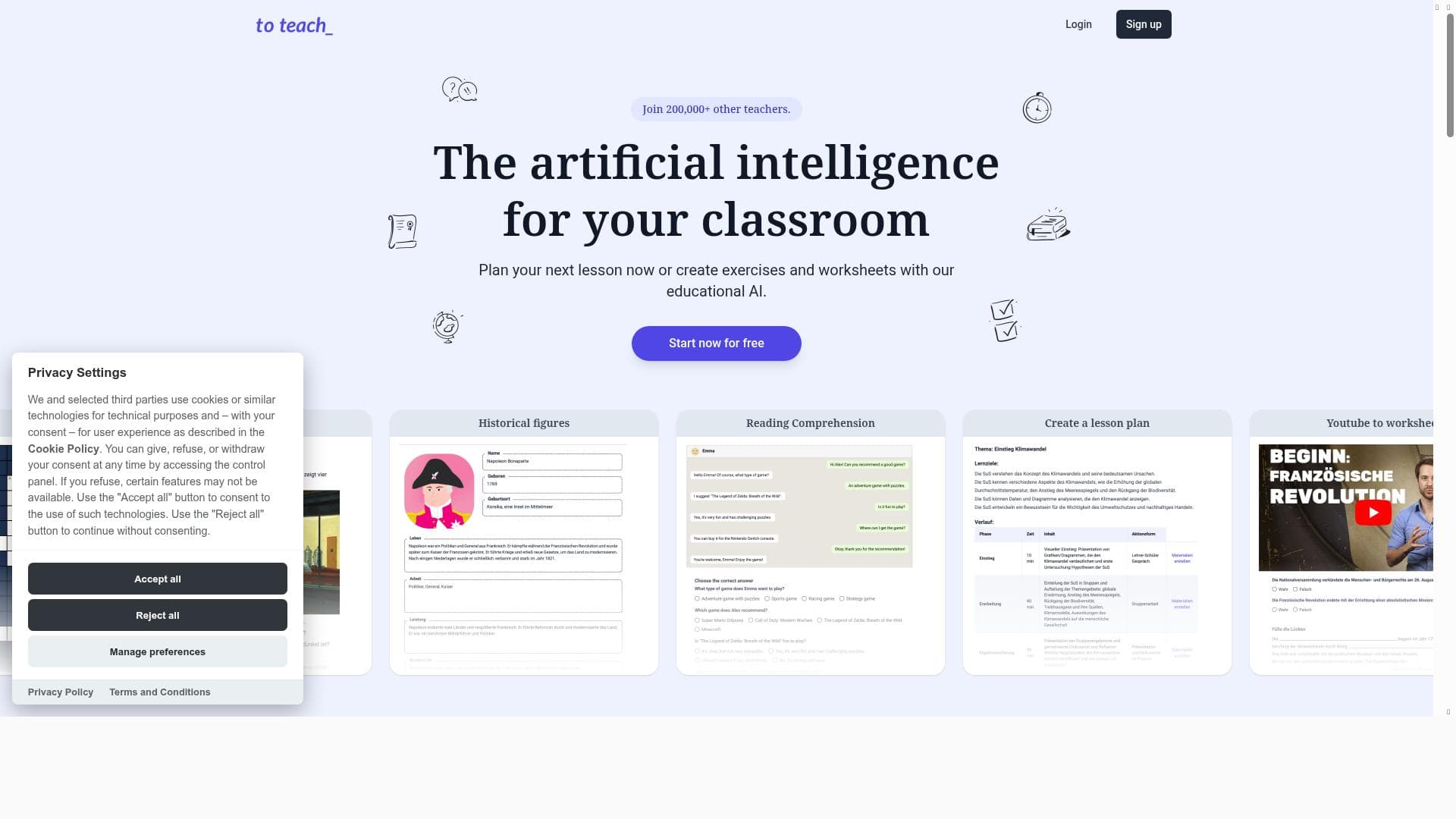
To Teach AI empowers educators to create personalized lessons, exercises, and worksheets in seconds using advanced AI technology. Ideal for teachers across multiple subjects, it streamlines lesson planning and content creation, making it a must-have tool for efficient and tailored classroom instruction.

Description
With the help of artificial intelligence, create personalized learning experiences for you and your class in seconds.
Detailed Description
To Teach AI is an innovative educational technology tool designed to harness the power of artificial intelligence to create personalized learning experiences quickly and efficiently. Its core purpose is to assist educators in planning lessons, generating exercises, and creating worksheets tailored to the unique needs of their students, all within seconds. By leveraging AI, To Teach AI streamlines the often time-consuming process of lesson preparation, enabling teachers to focus more on instruction and student engagement rather than administrative tasks. The platform supports multiple subjects, making it a versatile solution for diverse educational environments. One of the standout features of To Teach AI is its lesson planning capability. Educators can input their curriculum goals or topics, and the AI generates a structured lesson plan that aligns with educational standards and student learning objectives. This feature saves valuable time and ensures that lessons are coherent and comprehensive. Additionally, the tool allows users to create exercises that reinforce the lesson content. These exercises are customizable and can be adapted to different difficulty levels, catering to students with varying abilities. The ability to generate worksheets automatically is another key functionality, providing ready-to-use materials that complement lessons and exercises. The educational AI assistance feature acts as a virtual teaching aide, offering suggestions, explanations, and resources to enhance the learning experience further. To Teach AI is best suited for educators across all levels—from primary school teachers to high school instructors—who seek to enhance their teaching efficiency and effectiveness. It is particularly beneficial for teachers managing large classes or multiple subjects, as it supports a wide range of disciplines. The tool is also useful for homeschooling parents and tutors who require quick access to quality educational content without extensive preparation time. Specific use cases include creating differentiated lesson plans for mixed-ability classrooms, generating practice worksheets for homework assignments, and designing interactive exercises to engage students during remote or in-person learning sessions. Regarding pricing, To Teach AI offers a freemium model, allowing users to access basic features at no cost while providing premium options for advanced functionalities. This approach makes the tool accessible to educators with varying budgets and needs. The free tier typically includes essential lesson planning and exercise creation tools, while paid plans may unlock additional subjects, more extensive worksheet generation, and enhanced AI assistance capabilities. This tiered pricing structure ensures that users can scale their usage according to their requirements. When compared to alternative educational AI tools, To Teach AI stands out due to its comprehensive feature set focused specifically on lesson planning and content generation. Unlike some platforms that specialize solely in quiz creation or content curation, To Teach AI offers an integrated approach that covers multiple aspects of teaching preparation. Its support for multiple subjects and personalized learning experiences also distinguishes it from more generic AI assistants. However, some competitors may offer deeper integrations with learning management systems (LMS) or more extensive analytics features, which could be a consideration for institutions seeking those capabilities. Notable limitations of To Teach AI include the potential need for internet connectivity to access AI-powered features, which may restrict usage in low-bandwidth environments. Additionally, while the AI generates content quickly, educators should review and customize the materials to ensure alignment with their specific curriculum and teaching style. The freemium pricing model means that some advanced features are locked behind a paywall, which may limit functionality for users relying solely on the free version. Lastly, as with any AI-generated educational content, there is a need for critical evaluation to maintain accuracy and appropriateness for the target student group. In summary, To Teach AI is a powerful and user-friendly tool that leverages artificial intelligence to revolutionize lesson planning and educational content creation. Its robust features, ease of use, and support for multiple subjects make it an invaluable resource for educators aiming to deliver personalized and effective learning experiences while saving time on preparation tasks.
Tool Features
- Plan your next lesson
- Create exercises
- Generate worksheets
- Educational AI assistance
- Supports multiple subjects
Description
✦
To Teach AI empowers educators to create personalized lessons, exercises, and worksheets in seconds using advanced AI technology. Ideal for teachers across multiple subjects, it streamlines lesson planning and content creation, making it a must-have tool for efficient and tailored classroom instruction.
With the help of artificial intelligence, create personalized learning experiences for you and your class in seconds.
Detailed Description
To Teach AI is an innovative educational technology tool designed to harness the power of artificial intelligence to create personalized learning experiences quickly and efficiently. Its core purpose is to assist educators in planning lessons, generating exercises, and creating worksheets tailored to the unique needs of their students, all within seconds. By leveraging AI, To Teach AI streamlines the often time-consuming process of lesson preparation, enabling teachers to focus more on instruction and student engagement rather than administrative tasks. The platform supports multiple subjects, making it a versatile solution for diverse educational environments. One of the standout features of To Teach AI is its lesson planning capability. Educators can input their curriculum goals or topics, and the AI generates a structured lesson plan that aligns with educational standards and student learning objectives. This feature saves valuable time and ensures that lessons are coherent and comprehensive. Additionally, the tool allows users to create exercises that reinforce the lesson content. These exercises are customizable and can be adapted to different difficulty levels, catering to students with varying abilities. The ability to generate worksheets automatically is another key functionality, providing ready-to-use materials that complement lessons and exercises. The educational AI assistance feature acts as a virtual teaching aide, offering suggestions, explanations, and resources to enhance the learning experience further. To Teach AI is best suited for educators across all levels—from primary school teachers to high school instructors—who seek to enhance their teaching efficiency and effectiveness. It is particularly beneficial for teachers managing large classes or multiple subjects, as it supports a wide range of disciplines. The tool is also useful for homeschooling parents and tutors who require quick access to quality educational content without extensive preparation time. Specific use cases include creating differentiated lesson plans for mixed-ability classrooms, generating practice worksheets for homework assignments, and designing interactive exercises to engage students during remote or in-person learning sessions. Regarding pricing, To Teach AI offers a freemium model, allowing users to access basic features at no cost while providing premium options for advanced functionalities. This approach makes the tool accessible to educators with varying budgets and needs. The free tier typically includes essential lesson planning and exercise creation tools, while paid plans may unlock additional subjects, more extensive worksheet generation, and enhanced AI assistance capabilities. This tiered pricing structure ensures that users can scale their usage according to their requirements. When compared to alternative educational AI tools, To Teach AI stands out due to its comprehensive feature set focused specifically on lesson planning and content generation. Unlike some platforms that specialize solely in quiz creation or content curation, To Teach AI offers an integrated approach that covers multiple aspects of teaching preparation. Its support for multiple subjects and personalized learning experiences also distinguishes it from more generic AI assistants. However, some competitors may offer deeper integrations with learning management systems (LMS) or more extensive analytics features, which could be a consideration for institutions seeking those capabilities. Notable limitations of To Teach AI include the potential need for internet connectivity to access AI-powered features, which may restrict usage in low-bandwidth environments. Additionally, while the AI generates content quickly, educators should review and customize the materials to ensure alignment with their specific curriculum and teaching style. The freemium pricing model means that some advanced features are locked behind a paywall, which may limit functionality for users relying solely on the free version. Lastly, as with any AI-generated educational content, there is a need for critical evaluation to maintain accuracy and appropriateness for the target student group. In summary, To Teach AI is a powerful and user-friendly tool that leverages artificial intelligence to revolutionize lesson planning and educational content creation. Its robust features, ease of use, and support for multiple subjects make it an invaluable resource for educators aiming to deliver personalized and effective learning experiences while saving time on preparation tasks.
Frequently Asked Questions
What is To Teach AI?
To Teach AI is an educational tool that uses artificial intelligence to help educators quickly create personalized lesson plans, exercises, and worksheets across multiple subjects.
How much does To Teach AI cost?
To Teach AI operates on a freemium pricing model, offering basic features for free with premium plans available that unlock advanced functionalities and additional subject support.
Who is To Teach AI best for?
It is best suited for teachers, tutors, and homeschooling parents who want to efficiently create customized learning materials and lesson plans across various subjects.
What are the main features of To Teach AI?
Key features include AI-powered lesson planning, exercise creation, worksheet generation, educational AI assistance, and support for multiple subjects.
Does To Teach AI offer a free trial?
Yes, the freemium model allows users to access basic features for free, effectively serving as a free trial with optional upgrades for premium features.
What integrations does To Teach AI support?
Currently, To Teach AI focuses on standalone educational content creation and does not specify integrations with external learning management systems or platforms.
How does To Teach AI work?
Users input their educational goals or topics, and the AI generates personalized lesson plans, exercises, and worksheets tailored to their needs, streamlining lesson preparation.
Socials
Use ToolReviews
0 reviews
No reviews yet. Be the first to share your experience.
Sponsored Tools











































Recommended Tools
Stay updated on latest Ai tools
Get the latest insights, Join our newsletter
Read and trusted by 50,000+ readers
Join the biggest AI Community
Our community and staff are here to help!
Your feedback will help Alice AI improve in future versions.








Submit your Tool


PoweredByAI.app is an AI Tools Directory helping individuals, businesses, and creators discover the best AI tools for writing, coding, design, productivity, and more.
© 2026 , Product of011BQ. All rights reserved.