
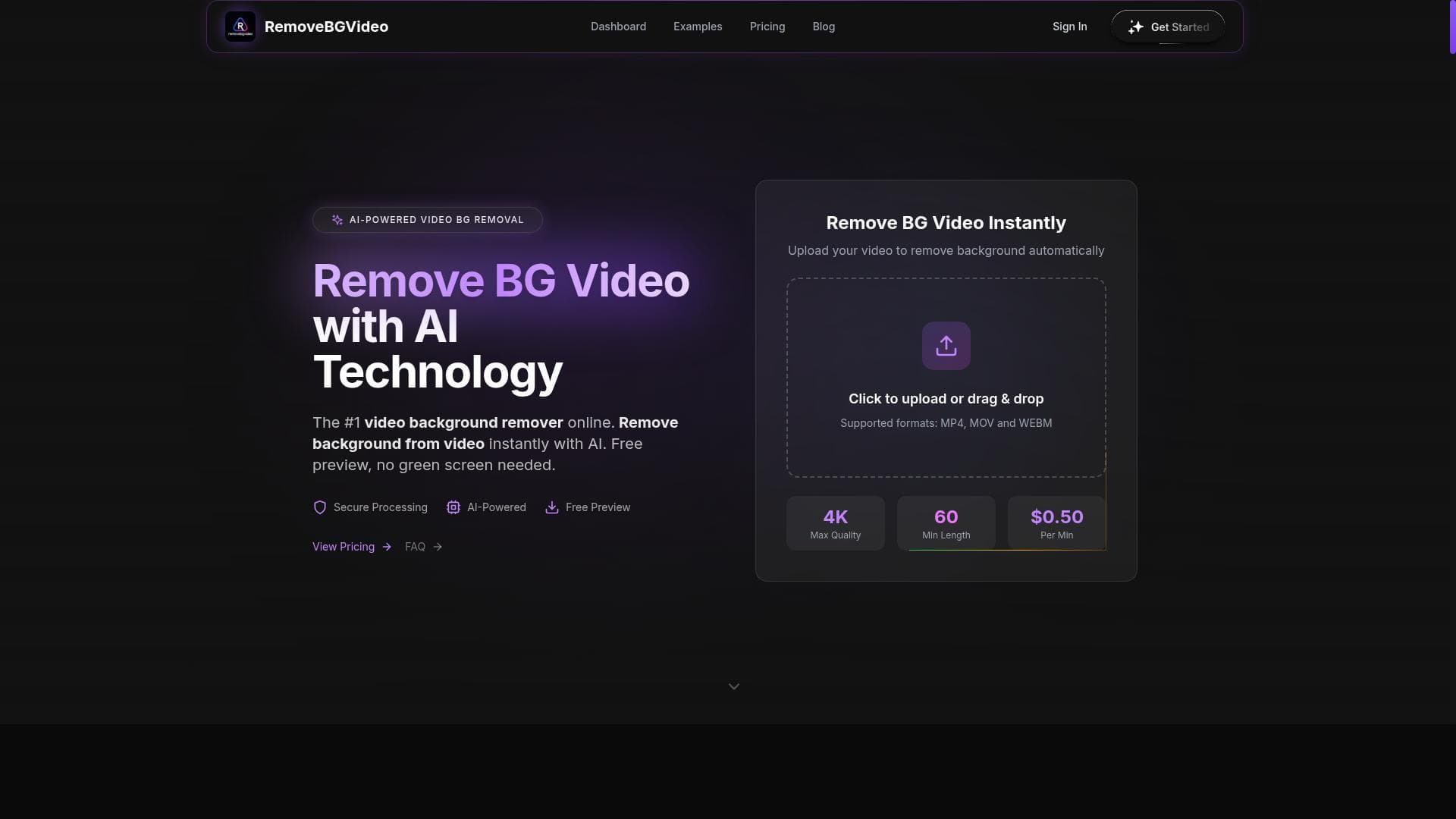


RemoveBGVideo is an AI-driven video background remover that instantly eliminates the need for green screens, offering transparent exports and custom background replacements in HD quality. Ideal for YouTubers, TikTok creators, and video marketers, it streamlines professional video editing with fast, online processing and free previews.

Description
RemoveBGVideo is an AI-powered video background remover that allows users to instantly remove video backgrounds without the need for a green screen. It offers free previews on all videos and supports professional video background removal for platforms like YouTube and TikTok. The tool provides transparent video export, custom background replacement, and HD video quality with online processing.
Detailed Description
RemoveBGVideo is an advanced AI-powered video background removal tool designed to simplify the process of isolating subjects from their video backgrounds without requiring a green screen. Its core purpose is to enable content creators, marketers, and video editors to quickly and effortlessly remove or replace video backgrounds, enhancing the visual appeal and professionalism of their videos. By leveraging cutting-edge AI models, RemoveBGVideo processes videos online, allowing users to upload footage and receive transparent background videos or videos with custom backgrounds seamlessly. This eliminates the traditional need for complex setups involving green screens or manual editing, making high-quality video background manipulation accessible to a broad audience. The tool boasts several key features that set it apart. First and foremost, its AI-powered background removal technology accurately detects and separates the subject from the background in various video formats and lighting conditions. This capability works without any green screen, which is a significant advantage for users who lack access to professional studio equipment. RemoveBGVideo also supports transparent video export, allowing users to download videos with clear backgrounds suitable for layering or further editing in other software. Additionally, it offers custom background replacement, enabling creators to insert any image or video as the new background, which is ideal for branding, storytelling, or thematic purposes. RemoveBGVideo ensures HD video quality output, preserving the resolution and clarity of the original footage, which is crucial for professional content creators on platforms like YouTube and TikTok. The entire process is conducted online, meaning users do not need to install software or have high-end hardware, making it highly accessible and convenient. The tool also provides free previews on all videos, allowing users to verify the background removal quality before committing to downloads or purchases. This tool is best suited for a wide range of users including social media influencers, video marketers, educators, and small business owners who want to create engaging video content without investing in expensive equipment or software. For YouTubers and TikTok creators, RemoveBGVideo offers a quick way to enhance video aesthetics and maintain viewer interest by seamlessly integrating custom backgrounds or transparent overlays. Video editors and production professionals can also benefit from its fast processing and high-quality output for projects requiring background manipulation. RemoveBGVideo operates on a freemium pricing model, offering free previews and limited usage for users to test its capabilities. Paid plans unlock higher resolution exports, more processing time, and additional features like batch processing or priority support. This pricing structure makes it accessible for casual users while providing scalability for professionals needing more extensive usage. Compared to traditional video editing software that requires manual masking or green screen setups, RemoveBGVideo offers a more intuitive and time-efficient solution. While some competitors may offer similar AI background removal, RemoveBGVideo’s combination of transparent video export, custom background replacement, and HD quality with online processing distinguishes it as a versatile and user-friendly option. However, users should consider that AI-based background removal can occasionally struggle with complex backgrounds or fast-moving subjects, which might require manual touch-ups in some cases. In summary, RemoveBGVideo is a powerful and accessible AI tool that democratizes professional video background removal. Its ease of use, combined with advanced AI capabilities and flexible export options, makes it an invaluable asset for anyone looking to enhance their video content quickly and effectively. While it may have limitations in handling highly complex scenes, its overall performance and feature set provide excellent value for content creators across various domains.
Tool Features
- AI-powered background removal
- No green screen required
- Transparent video export
- Custom background replacement
- HD video quality
- Online processing
Description
RemoveBGVideo is an AI-driven video background remover that instantly eliminates the need for green screens, offering transparent exports and custom background replacements in HD quality. Ideal for YouTubers, TikTok creators, and video marketers, it streamlines professional video editing with fast, online processing and free previews.
RemoveBGVideo is an AI-powered video background remover that allows users to instantly remove video backgrounds without the need for a green screen. It offers free previews on all videos and supports professional video background removal for platforms like YouTube and TikTok. The tool provides transparent video export, custom background replacement, and HD video quality with online processing.
Detailed Description
RemoveBGVideo is an advanced AI-powered video background removal tool designed to simplify the process of isolating subjects from their video backgrounds without requiring a green screen. Its core purpose is to enable content creators, marketers, and video editors to quickly and effortlessly remove or replace video backgrounds, enhancing the visual appeal and professionalism of their videos. By leveraging cutting-edge AI models, RemoveBGVideo processes videos online, allowing users to upload footage and receive transparent background videos or videos with custom backgrounds seamlessly. This eliminates the traditional need for complex setups involving green screens or manual editing, making high-quality video background manipulation accessible to a broad audience. The tool boasts several key features that set it apart. First and foremost, its AI-powered background removal technology accurately detects and separates the subject from the background in various video formats and lighting conditions. This capability works without any green screen, which is a significant advantage for users who lack access to professional studio equipment. RemoveBGVideo also supports transparent video export, allowing users to download videos with clear backgrounds suitable for layering or further editing in other software. Additionally, it offers custom background replacement, enabling creators to insert any image or video as the new background, which is ideal for branding, storytelling, or thematic purposes. RemoveBGVideo ensures HD video quality output, preserving the resolution and clarity of the original footage, which is crucial for professional content creators on platforms like YouTube and TikTok. The entire process is conducted online, meaning users do not need to install software or have high-end hardware, making it highly accessible and convenient. The tool also provides free previews on all videos, allowing users to verify the background removal quality before committing to downloads or purchases. This tool is best suited for a wide range of users including social media influencers, video marketers, educators, and small business owners who want to create engaging video content without investing in expensive equipment or software. For YouTubers and TikTok creators, RemoveBGVideo offers a quick way to enhance video aesthetics and maintain viewer interest by seamlessly integrating custom backgrounds or transparent overlays. Video editors and production professionals can also benefit from its fast processing and high-quality output for projects requiring background manipulation. RemoveBGVideo operates on a freemium pricing model, offering free previews and limited usage for users to test its capabilities. Paid plans unlock higher resolution exports, more processing time, and additional features like batch processing or priority support. This pricing structure makes it accessible for casual users while providing scalability for professionals needing more extensive usage. Compared to traditional video editing software that requires manual masking or green screen setups, RemoveBGVideo offers a more intuitive and time-efficient solution. While some competitors may offer similar AI background removal, RemoveBGVideo’s combination of transparent video export, custom background replacement, and HD quality with online processing distinguishes it as a versatile and user-friendly option. However, users should consider that AI-based background removal can occasionally struggle with complex backgrounds or fast-moving subjects, which might require manual touch-ups in some cases. In summary, RemoveBGVideo is a powerful and accessible AI tool that democratizes professional video background removal. Its ease of use, combined with advanced AI capabilities and flexible export options, makes it an invaluable asset for anyone looking to enhance their video content quickly and effectively. While it may have limitations in handling highly complex scenes, its overall performance and feature set provide excellent value for content creators across various domains.
Frequently Asked Questions
What is RemoveBGVideo?
RemoveBGVideo is an AI-powered online tool that allows users to remove or replace video backgrounds instantly without the need for a green screen. It uses advanced AI models to separate subjects from backgrounds, enabling transparent video exports and custom background insertion.
How much does RemoveBGVideo cost?
RemoveBGVideo operates on a freemium model, offering free previews and limited usage for free. Paid plans provide access to higher resolution exports, additional features, and increased processing capacity. Specific pricing details can be found on their website.
Who is RemoveBGVideo best for?
RemoveBGVideo is ideal for content creators such as YouTubers, TikTok influencers, video marketers, educators, and small business owners who want to enhance their videos by removing or replacing backgrounds without complex setups or expensive equipment.
What are the main features of RemoveBGVideo?
Key features include AI-powered background removal without green screens, transparent video export, custom background replacement, HD video quality output, online processing with no software installation, and free previews on all videos.
Does RemoveBGVideo offer a free trial?
Yes, RemoveBGVideo offers free previews on all videos, allowing users to test the background removal quality before purchasing or downloading the final video.
What integrations does RemoveBGVideo support?
RemoveBGVideo primarily functions as an online standalone tool and does not currently advertise direct integrations with other platforms. However, exported videos can be used across various video editing software and social media platforms.
How does RemoveBGVideo work?
Users upload their video to RemoveBGVideo’s online platform, where AI algorithms analyze the footage to detect and separate the subject from the background. The tool then processes the video to remove the background, allowing users to download it with a transparent background or replace it with a custom background.
Reviews
No reviews yet. Be the first to share your experience.















































