Featured in:Best AI Education Tools
Get featured →🚀 Zaprep: Your Socials on Steroids. Start free — automate 1,000 DMs/month & turn engagement into leads. with 1,000 automated DMs/month.


✦
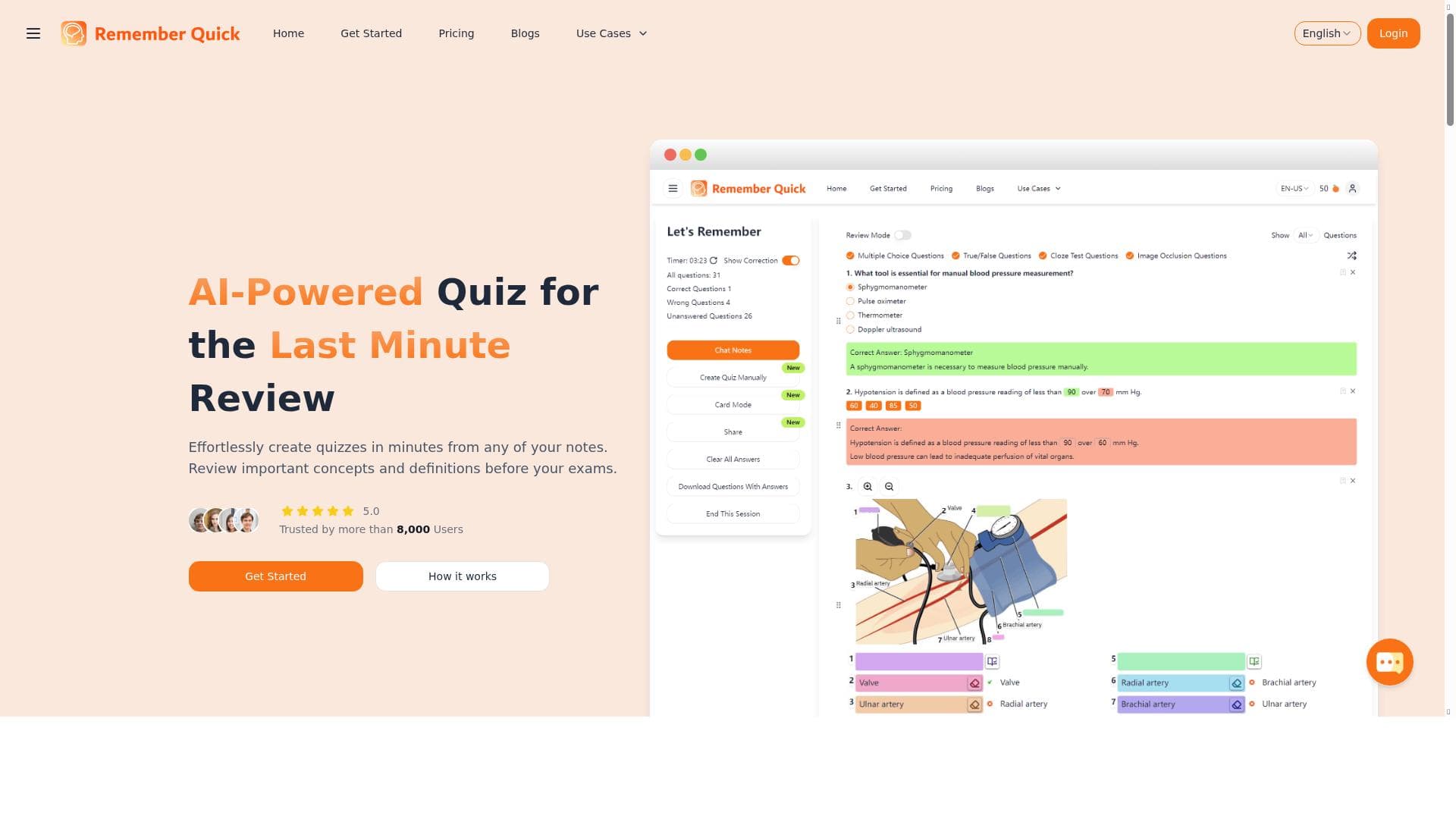
Remember Quick uniquely transforms your notes into interactive quizzes, harnessing active recall to boost memory retention and study efficiency. Ideal for students and professionals needing quick, effective review sessions, it streamlines learning by automating quiz creation from your own notes.

Description
Remember Quick is a tool that turns your notes into interactive quizzes, helping you retain information faster. Upload your notes, and the platform generates questions to enhance your memory retention through active recall.
Detailed Description
Remember Quick is an innovative educational tool designed to transform your static notes into dynamic, interactive quizzes that significantly enhance your ability to retain information. At its core, Remember Quick leverages the science of active recall—a proven memory technique—to help users engage with their study material more effectively. By uploading your notes into the platform, Remember Quick automatically generates relevant questions that challenge your understanding and reinforce learning, making study sessions more productive and less monotonous. This approach not only aids in long-term retention but also prepares users for exams or presentations by simulating real test conditions through quiz-based review. One of the standout features of Remember Quick is its last-minute review assistance, which is particularly useful for students or professionals who need to quickly refresh their knowledge before an important deadline. The tool streamlines the review process by converting large volumes of notes into manageable, bite-sized quizzes, allowing users to focus on key concepts without feeling overwhelmed. This efficient study method maximizes time spent reviewing and reduces cognitive overload. Additionally, the platform's ability to generate diverse question types—from multiple choice to fill-in-the-blank—ensures a comprehensive understanding of the material from different angles. Remember Quick is ideally suited for students across all levels, educators looking to create engaging revision materials, and professionals who need to retain complex information such as technical details or procedural knowledge. Specific use cases include exam preparation, certification study, language learning, and corporate training. For example, a medical student can upload lecture notes and receive quizzes that help memorize anatomy terms, while a language learner can reinforce vocabulary through targeted questions. The flexibility of Remember Quick makes it a valuable companion for anyone seeking to improve their memory retention through active engagement with their notes. In terms of pricing, Remember Quick offers a freemium model that allows users to access basic features at no cost, making it accessible to a wide audience. The free tier typically includes the ability to upload notes and generate quizzes with some limitations on the volume or advanced functionalities. For users requiring enhanced capabilities—such as increased note upload limits, advanced question customization, or priority support—premium plans are available at competitive rates. This tiered pricing structure ensures that both casual users and power users can find a plan that fits their needs and budget. When compared to alternative study tools, Remember Quick stands out due to its seamless note-to-quiz conversion process and focus on active recall. Unlike traditional flashcard apps that require manual input or pre-made decks, Remember Quick automates quiz creation directly from your own notes, saving time and ensuring personalized content. While other platforms may offer spaced repetition or gamification, Remember Quick’s strength lies in its simplicity and targeted approach to last-minute review and efficient study sessions. However, users should consider that the quality of generated questions depends on the clarity and structure of the uploaded notes, and some manual editing may be necessary for optimal results. Notable limitations include the current lack of extensive integrations with other educational platforms or note-taking apps, which might require users to manually upload their notes. Additionally, while the freemium model is generous, heavy users or those needing advanced features may find the premium subscription necessary to fully leverage the tool’s potential. Despite these considerations, Remember Quick remains a powerful and user-friendly solution for anyone looking to boost their learning efficiency through interactive quizzes generated directly from their own study materials.
Tool Features
- Last-minute review assistance
- Streamlined review process
- Maximizes study efficiency
Description
✦
Remember Quick uniquely transforms your notes into interactive quizzes, harnessing active recall to boost memory retention and study efficiency. Ideal for students and professionals needing quick, effective review sessions, it streamlines learning by automating quiz creation from your own notes.
Remember Quick is a tool that turns your notes into interactive quizzes, helping you retain information faster. Upload your notes, and the platform generates questions to enhance your memory retention through active recall.
Detailed Description
Remember Quick is an innovative educational tool designed to transform your static notes into dynamic, interactive quizzes that significantly enhance your ability to retain information. At its core, Remember Quick leverages the science of active recall—a proven memory technique—to help users engage with their study material more effectively. By uploading your notes into the platform, Remember Quick automatically generates relevant questions that challenge your understanding and reinforce learning, making study sessions more productive and less monotonous. This approach not only aids in long-term retention but also prepares users for exams or presentations by simulating real test conditions through quiz-based review. One of the standout features of Remember Quick is its last-minute review assistance, which is particularly useful for students or professionals who need to quickly refresh their knowledge before an important deadline. The tool streamlines the review process by converting large volumes of notes into manageable, bite-sized quizzes, allowing users to focus on key concepts without feeling overwhelmed. This efficient study method maximizes time spent reviewing and reduces cognitive overload. Additionally, the platform's ability to generate diverse question types—from multiple choice to fill-in-the-blank—ensures a comprehensive understanding of the material from different angles. Remember Quick is ideally suited for students across all levels, educators looking to create engaging revision materials, and professionals who need to retain complex information such as technical details or procedural knowledge. Specific use cases include exam preparation, certification study, language learning, and corporate training. For example, a medical student can upload lecture notes and receive quizzes that help memorize anatomy terms, while a language learner can reinforce vocabulary through targeted questions. The flexibility of Remember Quick makes it a valuable companion for anyone seeking to improve their memory retention through active engagement with their notes. In terms of pricing, Remember Quick offers a freemium model that allows users to access basic features at no cost, making it accessible to a wide audience. The free tier typically includes the ability to upload notes and generate quizzes with some limitations on the volume or advanced functionalities. For users requiring enhanced capabilities—such as increased note upload limits, advanced question customization, or priority support—premium plans are available at competitive rates. This tiered pricing structure ensures that both casual users and power users can find a plan that fits their needs and budget. When compared to alternative study tools, Remember Quick stands out due to its seamless note-to-quiz conversion process and focus on active recall. Unlike traditional flashcard apps that require manual input or pre-made decks, Remember Quick automates quiz creation directly from your own notes, saving time and ensuring personalized content. While other platforms may offer spaced repetition or gamification, Remember Quick’s strength lies in its simplicity and targeted approach to last-minute review and efficient study sessions. However, users should consider that the quality of generated questions depends on the clarity and structure of the uploaded notes, and some manual editing may be necessary for optimal results. Notable limitations include the current lack of extensive integrations with other educational platforms or note-taking apps, which might require users to manually upload their notes. Additionally, while the freemium model is generous, heavy users or those needing advanced features may find the premium subscription necessary to fully leverage the tool’s potential. Despite these considerations, Remember Quick remains a powerful and user-friendly solution for anyone looking to boost their learning efficiency through interactive quizzes generated directly from their own study materials.
Frequently Asked Questions
What is Remember Quick?
Remember Quick is an AI-powered tool that converts your notes into interactive quizzes to help improve memory retention and make studying more efficient through active recall.
How much does Remember Quick cost?
Remember Quick operates on a freemium model, offering basic features for free with optional premium plans that unlock advanced capabilities and higher usage limits.
Who is Remember Quick best for?
It is best suited for students, educators, and professionals who want to enhance their study sessions by turning notes into quizzes for more effective review and retention.
What are the main features of Remember Quick?
Key features include last-minute review assistance, streamlined quiz generation from notes, and tools designed to maximize study efficiency through active recall.
Does Remember Quick offer a free trial?
Yes, Remember Quick offers a free tier that allows users to try core functionalities without cost, enabling them to generate quizzes from their notes before opting for premium plans.
What integrations does Remember Quick support?
Currently, Remember Quick primarily supports manual note uploads and does not have extensive integrations with other note-taking or educational platforms.
How does Remember Quick work?
Users upload their notes to the platform, which then uses AI to automatically generate interactive quiz questions that help reinforce learning through active recall.
Socials
Use ToolReviews
0 reviews
No reviews yet. Be the first to share your experience.
Sponsored Tools











































Recommended Tools
Stay updated on latest Ai tools
Get the latest insights, Join our newsletter
Read and trusted by 50,000+ readers
Join the biggest AI Community
Our community and staff are here to help!
Your feedback will help Alice AI improve in future versions.








Submit your Tool


PoweredByAI.app is an AI Tools Directory helping individuals, businesses, and creators discover the best AI tools for writing, coding, design, productivity, and more.
© 2026 , Product of011BQ. All rights reserved.