
OnlineImageUpscaler
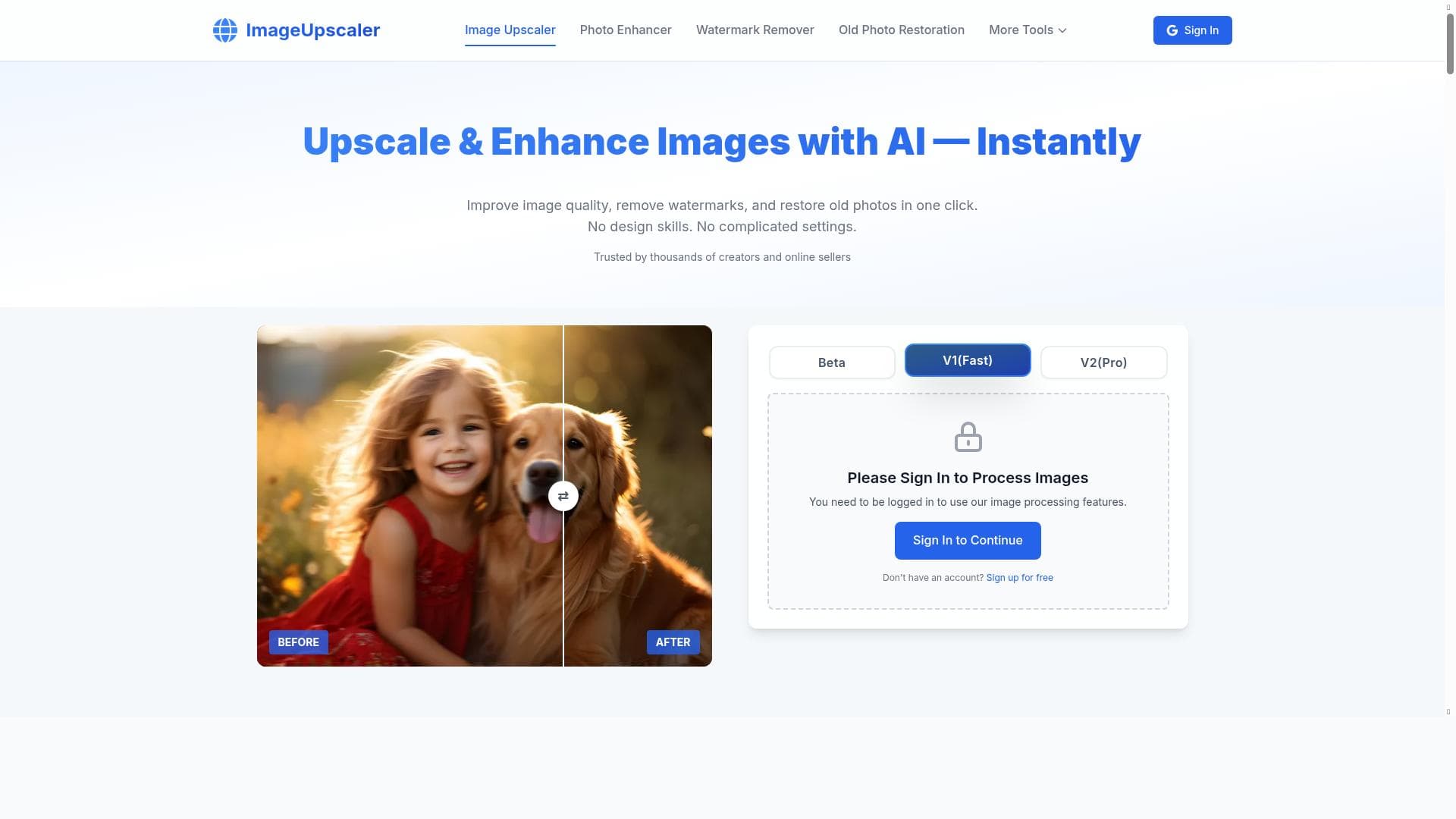


OnlineImageUpscaler is a free, browser-based AI tool that transforms low-resolution images into stunning high-quality outputs up to 16K resolution in seconds, with no signup or watermarks. Perfect for photographers, designers, and casual users alike, it delivers fast, professional-grade upscaling without any cost or hassle.

Description
Free AI-powered online image upscaling platform that transforms low-resolution images into stunning high-quality outputs up to 16K resolution in seconds. No signup required, works entirely in your browser.
Detailed Description
OnlineImageUpscaler is a free, AI-powered online platform designed to enhance the resolution of low-quality images quickly and efficiently. Its core purpose is to transform blurry, pixelated, or low-resolution photos, artwork, and graphics into stunning high-definition images with resolutions up to 16K. The tool operates entirely within a web browser, requiring no software downloads or installations, and importantly, no user registration or signup. This makes it an accessible and convenient solution for anyone needing to upscale images without the hassle of complicated setups or subscriptions. The platform leverages advanced AI models specifically trained for image enhancement tasks. Users can upscale images to four different resolution tiers: 2K, 4K, 8K, and 16K, depending on their quality needs and the original image size. The AI algorithms intelligently fill in missing details and smooth out pixelation, producing clear, crisp results that maintain the integrity of the original image. Unlike many other free tools, OnlineImageUpscaler does not add watermarks to the processed images, allowing users to use the outputs for professional or personal projects without restrictions. The processing speed is another standout feature, with typical upscaling times ranging from 10 to 60 seconds based on the image size, ensuring users receive their enhanced images promptly. OnlineImageUpscaler is ideal for photographers, graphic designers, digital artists, marketers, and anyone who frequently works with images that require quality enhancement. For example, photographers can restore old or low-resolution photos, artists can improve digital artwork for printing, and marketers can upscale images for high-resolution campaigns or presentations. The tool’s browser-based nature also makes it perfect for casual users who want to improve personal photos without investing in expensive software or learning complex editing techniques. The platform is completely free to use, with no hidden fees or premium tiers. This zero-cost model, combined with no requirement for account creation, lowers the barrier to entry and encourages widespread use. Users simply upload their image, select the desired upscale resolution, and receive the enhanced image within seconds. This straightforward approach contrasts with many competitors that require subscriptions, impose usage limits, or add watermarks unless paid plans are purchased. Compared to alternative image upscaling tools, OnlineImageUpscaler stands out due to its combination of high maximum resolution (up to 16K), no watermarks, and no signup requirement. Many other free tools either limit resolution, add watermarks, or require user accounts. While desktop software solutions may offer more advanced editing features, they often come with higher costs and steeper learning curves. OnlineImageUpscaler’s browser-based, user-friendly interface offers a great balance of quality, speed, and accessibility. However, there are some limitations to consider. Since the tool operates entirely online, image upload and download speeds depend on the user’s internet connection, which may affect processing time for very large files. Additionally, while the AI does an excellent job enhancing details, extremely low-quality or heavily compressed images may not achieve perfect results. The platform also does not currently offer batch processing or integration with other software, which could be a drawback for users needing to upscale large volumes of images regularly. Despite these minor considerations, OnlineImageUpscaler remains a powerful and convenient solution for most users seeking quick, high-quality image upscaling without cost or complexity.
Tool Features
- Upscale images to 2K, 4K, 8K, or 16K resolution
- No registration required
- No watermarks on upscaled images
- High-quality results for photos, artwork, and graphics
- Fast processing time (10-60 seconds depending on image size)
Description
OnlineImageUpscaler is a free, browser-based AI tool that transforms low-resolution images into stunning high-quality outputs up to 16K resolution in seconds, with no signup or watermarks. Perfect for photographers, designers, and casual users alike, it delivers fast, professional-grade upscaling without any cost or hassle.
Free AI-powered online image upscaling platform that transforms low-resolution images into stunning high-quality outputs up to 16K resolution in seconds. No signup required, works entirely in your browser.
Detailed Description
OnlineImageUpscaler is a free, AI-powered online platform designed to enhance the resolution of low-quality images quickly and efficiently. Its core purpose is to transform blurry, pixelated, or low-resolution photos, artwork, and graphics into stunning high-definition images with resolutions up to 16K. The tool operates entirely within a web browser, requiring no software downloads or installations, and importantly, no user registration or signup. This makes it an accessible and convenient solution for anyone needing to upscale images without the hassle of complicated setups or subscriptions. The platform leverages advanced AI models specifically trained for image enhancement tasks. Users can upscale images to four different resolution tiers: 2K, 4K, 8K, and 16K, depending on their quality needs and the original image size. The AI algorithms intelligently fill in missing details and smooth out pixelation, producing clear, crisp results that maintain the integrity of the original image. Unlike many other free tools, OnlineImageUpscaler does not add watermarks to the processed images, allowing users to use the outputs for professional or personal projects without restrictions. The processing speed is another standout feature, with typical upscaling times ranging from 10 to 60 seconds based on the image size, ensuring users receive their enhanced images promptly. OnlineImageUpscaler is ideal for photographers, graphic designers, digital artists, marketers, and anyone who frequently works with images that require quality enhancement. For example, photographers can restore old or low-resolution photos, artists can improve digital artwork for printing, and marketers can upscale images for high-resolution campaigns or presentations. The tool’s browser-based nature also makes it perfect for casual users who want to improve personal photos without investing in expensive software or learning complex editing techniques. The platform is completely free to use, with no hidden fees or premium tiers. This zero-cost model, combined with no requirement for account creation, lowers the barrier to entry and encourages widespread use. Users simply upload their image, select the desired upscale resolution, and receive the enhanced image within seconds. This straightforward approach contrasts with many competitors that require subscriptions, impose usage limits, or add watermarks unless paid plans are purchased. Compared to alternative image upscaling tools, OnlineImageUpscaler stands out due to its combination of high maximum resolution (up to 16K), no watermarks, and no signup requirement. Many other free tools either limit resolution, add watermarks, or require user accounts. While desktop software solutions may offer more advanced editing features, they often come with higher costs and steeper learning curves. OnlineImageUpscaler’s browser-based, user-friendly interface offers a great balance of quality, speed, and accessibility. However, there are some limitations to consider. Since the tool operates entirely online, image upload and download speeds depend on the user’s internet connection, which may affect processing time for very large files. Additionally, while the AI does an excellent job enhancing details, extremely low-quality or heavily compressed images may not achieve perfect results. The platform also does not currently offer batch processing or integration with other software, which could be a drawback for users needing to upscale large volumes of images regularly. Despite these minor considerations, OnlineImageUpscaler remains a powerful and convenient solution for most users seeking quick, high-quality image upscaling without cost or complexity.
Frequently Asked Questions
What is OnlineImageUpscaler?
OnlineImageUpscaler is a free AI-powered online platform that enhances low-resolution images by upscaling them to higher resolutions up to 16K, producing clear and detailed results directly in your browser without requiring any software installation or registration.
How much does OnlineImageUpscaler cost?
OnlineImageUpscaler is completely free to use with no hidden fees, subscription plans, or premium tiers.
Who is OnlineImageUpscaler best for?
It is ideal for photographers, graphic designers, digital artists, marketers, and anyone who needs to quickly improve the quality of photos, artwork, or graphics without complicated software or costs.
What are the main features of OnlineImageUpscaler?
Key features include upscaling images to 2K, 4K, 8K, or 16K resolution, no registration required, no watermarks on output images, high-quality enhancement for photos and artwork, and fast processing times ranging from 10 to 60 seconds.
Does OnlineImageUpscaler offer a free trial?
Since OnlineImageUpscaler is entirely free to use, there is no need for a free trial or paid subscription.
What integrations does OnlineImageUpscaler support?
OnlineImageUpscaler currently operates as a standalone web-based tool and does not offer integrations with other software or platforms.
How does OnlineImageUpscaler work?
It uses advanced AI models to analyze and enhance low-resolution images by intelligently adding detail and smoothing pixelation, allowing users to upload an image, select a desired upscale resolution, and receive a high-quality, enlarged version within seconds.
Socials
Use ToolReviews
No reviews yet. Be the first to share your experience.















































