

Is this your AI tool? Claim it today.
Verify ownership, manage your profile, and unlock growth features.
NovaVoice is a powerful voice operating system that lets you dictate and control your desktop at over 200 words per minute with AI-powered context awareness. Perfect for professionals and multitaskers, it eliminates typing and app-switching delays by executing real actions via voice commands across macOS, Windows, and Linux—all for free.

Description
NovaVoice is Your Voice OS that lets you work at the speed of thought. Typing is slow. Switching apps breaks focus. Formatting wastes time. Speak at 200+ wpm, get context-aware text. Hit hotkey, ask anything without googling. Execute actions without switching apps (just with voice commands). NovaVoice remembers contacts, addresses, links. NovaVoice writes, answers, and acts across your desktop.
Detailed Description
NovaVoice is an innovative voice operating system designed to revolutionize how users interact with their computers by enabling them to work at the speed of thought. Traditional typing is often slow and cumbersome, and constantly switching between applications can disrupt focus and productivity. NovaVoice addresses these challenges by allowing users to dictate text at over 200 words per minute with context-aware formatting, eliminating the need for manual corrections and formatting adjustments. Beyond simple dictation, NovaVoice empowers users to execute real actions across multiple applications using voice commands, effectively transforming the desktop experience into a seamless, hands-free workflow. At its core, NovaVoice functions as a powerful AI assistant that integrates deeply with your desktop environment. It remembers important details such as contacts, addresses, and links, enabling quick retrieval and use without manual searching. By hitting a hotkey, users can instantly ask questions or request actions without the need to open a browser or perform a Google search. This feature streamlines information retrieval and task execution, saving valuable time and maintaining focus. The tool supports smart dictation, which not only transcribes speech but also understands context to apply appropriate formatting and punctuation automatically. NovaVoice’s key features include dictation speeds up to ten times faster than traditional typing, context-aware text formatting, and the ability to control and interact with multiple applications via voice commands. It supports major operating systems including macOS, Windows, and Linux, making it accessible to a broad range of users. The AI assistant capabilities extend beyond dictation to include answering questions, writing content, and performing actions across the desktop environment. This level of integration allows users to stay within their workflow without interruption, enhancing productivity and reducing cognitive load. This tool is particularly beneficial for professionals who rely heavily on writing, multitasking, and rapid information access. Writers, coders, customer support agents, and knowledge workers can all leverage NovaVoice to speed up their work processes. For example, writers can dictate articles or emails quickly with minimal editing, while developers might use voice commands to navigate and control coding environments. Additionally, users with accessibility needs or those who prefer voice interaction over typing will find NovaVoice especially valuable. NovaVoice is currently available for free, making it an attractive option for individuals and teams looking to enhance productivity without upfront costs. Unlike many voice recognition tools that require subscriptions or have limited free tiers, NovaVoice offers comprehensive functionality at no cost, lowering the barrier to adoption. When compared to alternatives, NovaVoice stands out due to its deep desktop integration and ability to execute real actions across apps rather than just transcribing speech. Many voice assistants focus on simple commands or dictation but lack the capability to control multiple applications contextually. NovaVoice’s cross-platform support and context-aware formatting further differentiate it from competitors. However, as a relatively new tool, users might encounter occasional limitations in handling highly specialized commands or complex workflows that require manual intervention. Users should also consider that voice recognition accuracy can vary depending on microphone quality and ambient noise levels. While NovaVoice’s AI assistant is powerful, it may require some initial training or adaptation to individual speech patterns for optimal performance. Additionally, privacy-conscious users should review NovaVoice’s data handling policies to ensure compliance with their security requirements. In summary, NovaVoice offers a cutting-edge voice OS experience that dramatically accelerates productivity by combining fast, smart dictation with comprehensive voice control across desktop applications. Its free availability, cross-platform compatibility, and AI-driven context awareness make it a compelling choice for professionals seeking to minimize typing and app-switching interruptions. While it may not yet replace all manual workflows, NovaVoice represents a significant step forward in voice-driven computing.
Tool Features
- Dictate 10× faster than typing with context-aware formatting
- Execute real actions across apps by voice commands
- Works on macOS, Windows, and Linux
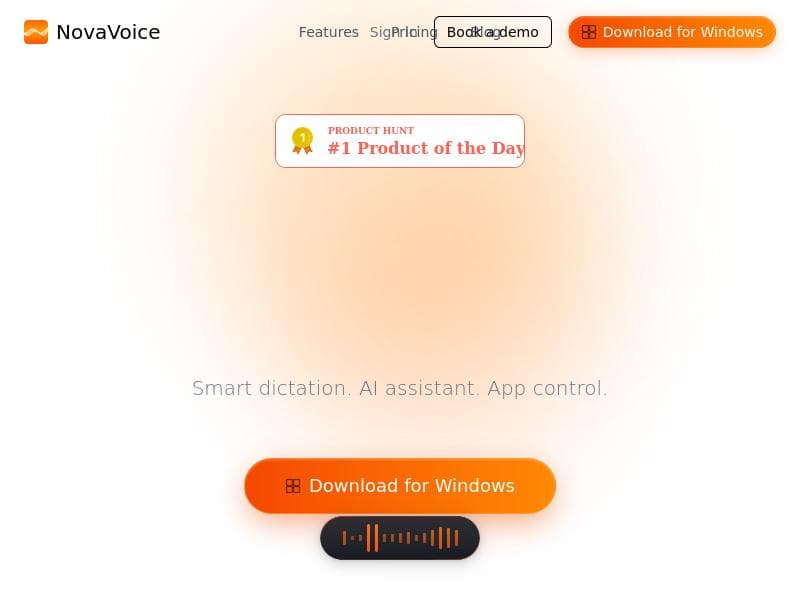
- Smart dictation
- AI assistant
- App control via voice
Description
NovaVoice is a powerful voice operating system that lets you dictate and control your desktop at over 200 words per minute with AI-powered context awareness. Perfect for professionals and multitaskers, it eliminates typing and app-switching delays by executing real actions via voice commands across macOS, Windows, and Linux—all for free.
NovaVoice is Your Voice OS that lets you work at the speed of thought. Typing is slow. Switching apps breaks focus. Formatting wastes time. Speak at 200+ wpm, get context-aware text. Hit hotkey, ask anything without googling. Execute actions without switching apps (just with voice commands). NovaVoice remembers contacts, addresses, links. NovaVoice writes, answers, and acts across your desktop.
Detailed Description
NovaVoice is an innovative voice operating system designed to revolutionize how users interact with their computers by enabling them to work at the speed of thought. Traditional typing is often slow and cumbersome, and constantly switching between applications can disrupt focus and productivity. NovaVoice addresses these challenges by allowing users to dictate text at over 200 words per minute with context-aware formatting, eliminating the need for manual corrections and formatting adjustments. Beyond simple dictation, NovaVoice empowers users to execute real actions across multiple applications using voice commands, effectively transforming the desktop experience into a seamless, hands-free workflow. At its core, NovaVoice functions as a powerful AI assistant that integrates deeply with your desktop environment. It remembers important details such as contacts, addresses, and links, enabling quick retrieval and use without manual searching. By hitting a hotkey, users can instantly ask questions or request actions without the need to open a browser or perform a Google search. This feature streamlines information retrieval and task execution, saving valuable time and maintaining focus. The tool supports smart dictation, which not only transcribes speech but also understands context to apply appropriate formatting and punctuation automatically. NovaVoice’s key features include dictation speeds up to ten times faster than traditional typing, context-aware text formatting, and the ability to control and interact with multiple applications via voice commands. It supports major operating systems including macOS, Windows, and Linux, making it accessible to a broad range of users. The AI assistant capabilities extend beyond dictation to include answering questions, writing content, and performing actions across the desktop environment. This level of integration allows users to stay within their workflow without interruption, enhancing productivity and reducing cognitive load. This tool is particularly beneficial for professionals who rely heavily on writing, multitasking, and rapid information access. Writers, coders, customer support agents, and knowledge workers can all leverage NovaVoice to speed up their work processes. For example, writers can dictate articles or emails quickly with minimal editing, while developers might use voice commands to navigate and control coding environments. Additionally, users with accessibility needs or those who prefer voice interaction over typing will find NovaVoice especially valuable. NovaVoice is currently available for free, making it an attractive option for individuals and teams looking to enhance productivity without upfront costs. Unlike many voice recognition tools that require subscriptions or have limited free tiers, NovaVoice offers comprehensive functionality at no cost, lowering the barrier to adoption. When compared to alternatives, NovaVoice stands out due to its deep desktop integration and ability to execute real actions across apps rather than just transcribing speech. Many voice assistants focus on simple commands or dictation but lack the capability to control multiple applications contextually. NovaVoice’s cross-platform support and context-aware formatting further differentiate it from competitors. However, as a relatively new tool, users might encounter occasional limitations in handling highly specialized commands or complex workflows that require manual intervention. Users should also consider that voice recognition accuracy can vary depending on microphone quality and ambient noise levels. While NovaVoice’s AI assistant is powerful, it may require some initial training or adaptation to individual speech patterns for optimal performance. Additionally, privacy-conscious users should review NovaVoice’s data handling policies to ensure compliance with their security requirements. In summary, NovaVoice offers a cutting-edge voice OS experience that dramatically accelerates productivity by combining fast, smart dictation with comprehensive voice control across desktop applications. Its free availability, cross-platform compatibility, and AI-driven context awareness make it a compelling choice for professionals seeking to minimize typing and app-switching interruptions. While it may not yet replace all manual workflows, NovaVoice represents a significant step forward in voice-driven computing.
Frequently Asked Questions
What is NovaVoice?
NovaVoice is an AI-powered voice operating system that enables users to dictate text quickly and control multiple desktop applications using voice commands. It provides context-aware formatting, remembers important details like contacts and links, and allows users to work hands-free across macOS, Windows, and Linux.
How much does NovaVoice cost?
NovaVoice is currently available for free, offering full access to its dictation, AI assistant, and voice control features without any subscription fees.
Who is NovaVoice best for?
NovaVoice is ideal for writers, developers, customer support agents, knowledge workers, and anyone who wants to increase productivity by reducing typing and app-switching. It’s also beneficial for users with accessibility needs or those who prefer voice interaction.
What are the main features of NovaVoice?
Key features include dictation at over 200 words per minute with context-aware formatting, executing real actions across apps via voice commands, smart dictation, an AI assistant for answering questions and writing, and cross-platform support for macOS, Windows, and Linux.
Does NovaVoice offer a free trial?
NovaVoice is offered entirely for free, so there is no need for a trial period. Users can access all features without cost.
What integrations does NovaVoice support?
NovaVoice integrates with multiple desktop applications across macOS, Windows, and Linux, allowing users to control and execute actions within these apps using voice commands. Specific app integrations depend on the user's desktop environment.
How does NovaVoice work?
NovaVoice works by listening to your voice through a microphone, transcribing speech into text with AI-powered context-aware formatting, and executing commands across your desktop applications. Users activate it via a hotkey, then speak naturally to dictate text, ask questions, or control apps without switching contexts.
Socials
Use ToolReviews
No reviews yet. Be the first to share your experience.




















































