Featured in:Best AI Education Tools
Get featured →🚀 Zaprep: Your Socials on Steroids. Start free — automate 1,000 DMs/month & turn engagement into leads. with 1,000 automated DMs/month.


Is this your AI tool? Claim it today.
Verify ownership, manage your profile, and unlock growth features.
✦
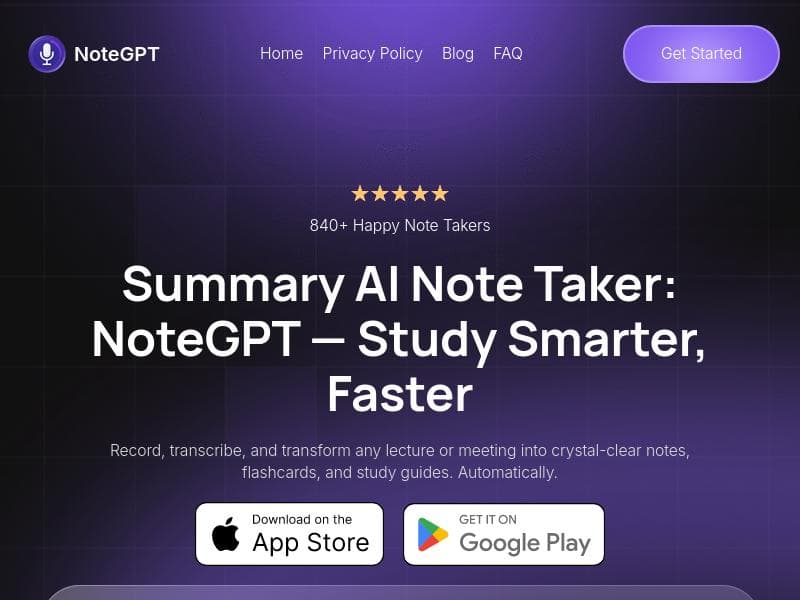
NoteGPT is a versatile AI-powered note taker that records, transcribes, and summarizes audio and text content into custom notes, flashcards, and study guides. Perfect for students, professionals, and content consumers, it helps users stay present while effortlessly building a personalized second brain.

Description
NoteGPT is an AI-powered note taker that records, transcribes, and summarizes anything: meetings, lectures, podcasts, YT videos, newsletters, articles, etc. It's creating custom notes, flashcards, study guides, building your 2nd 🧠 while you chill 🍸
Detailed Description
NoteGPT is an innovative AI-powered note-taking tool designed to transform the way individuals capture, process, and retain information from various audio and text sources. Its core purpose is to serve as a reliable second brain, helping users effortlessly record, transcribe, and summarize content from meetings, lectures, podcasts, YouTube videos, newsletters, articles, and more. By automating the creation of comprehensive notes, flashcards, and study guides, NoteGPT enables users to focus fully on the moment without the distraction of manual note-taking, thereby enhancing comprehension and retention of material. At the heart of NoteGPT's capabilities is its advanced recording and transcription technology. It accurately captures every spoken word during classes, meetings, or any audio content, ensuring that no detail is missed. This transcription is then intelligently processed to generate polished study materials automatically, including summaries and flashcards tailored to the user's learning needs. This feature is particularly valuable for students, professionals, and lifelong learners who need to review and internalize large volumes of information efficiently. Additionally, NoteGPT's ability to help users stay fully present during lectures or discussions by removing the burden of manual note-taking is a significant productivity booster. NoteGPT is ideally suited for a broad audience. Students can leverage it to record and summarize lectures, creating personalized study guides and flashcards that aid in exam preparation. Professionals can use it to capture meeting discussions and generate actionable summaries, improving follow-up and project management. Content consumers such as podcast listeners or YouTube viewers can also benefit by converting lengthy audio or video content into concise notes and highlights, saving time and enhancing understanding. Educators may find it useful for preparing teaching materials or reviewing recorded sessions. The tool operates on a freemium pricing model, making it accessible to a wide range of users. The free tier likely offers basic recording and transcription features, while premium plans may unlock advanced functionalities such as longer recording durations, enhanced transcription accuracy, more sophisticated summarization options, and additional customization for study materials. This pricing structure allows users to try the core features risk-free and upgrade as their needs grow. Compared to alternative note-taking and transcription tools, NoteGPT stands out due to its comprehensive approach to transforming raw audio into actionable study resources automatically. While many apps focus solely on transcription or note organization, NoteGPT combines recording, transcription, summarization, and study aid generation in one seamless platform. This integration reduces the need for multiple tools and manual effort. However, users should consider factors such as language support, integration with other productivity apps, and the accuracy of transcription in noisy environments when evaluating it against competitors. Some limitations to consider include the potential for transcription errors in cases of heavy accents, overlapping speech, or poor audio quality, which are common challenges for AI transcription tools. Additionally, the effectiveness of automatic summarization and flashcard generation may vary depending on the complexity of the source material. Users should also review privacy policies regarding recorded content, especially when handling sensitive information. Despite these considerations, NoteGPT offers a powerful, user-friendly solution for anyone looking to enhance their note-taking and learning efficiency through AI.
Tool Features
- Records your classes
- Transcribes every word with remarkable accuracy
- Turns recordings into polished study materials automatically
- Helps you stay fully present during lectures
- Enhances understanding of taught material
Description
✦
NoteGPT is a versatile AI-powered note taker that records, transcribes, and summarizes audio and text content into custom notes, flashcards, and study guides. Perfect for students, professionals, and content consumers, it helps users stay present while effortlessly building a personalized second brain.
NoteGPT is an AI-powered note taker that records, transcribes, and summarizes anything: meetings, lectures, podcasts, YT videos, newsletters, articles, etc. It's creating custom notes, flashcards, study guides, building your 2nd 🧠 while you chill 🍸
Detailed Description
NoteGPT is an innovative AI-powered note-taking tool designed to transform the way individuals capture, process, and retain information from various audio and text sources. Its core purpose is to serve as a reliable second brain, helping users effortlessly record, transcribe, and summarize content from meetings, lectures, podcasts, YouTube videos, newsletters, articles, and more. By automating the creation of comprehensive notes, flashcards, and study guides, NoteGPT enables users to focus fully on the moment without the distraction of manual note-taking, thereby enhancing comprehension and retention of material. At the heart of NoteGPT's capabilities is its advanced recording and transcription technology. It accurately captures every spoken word during classes, meetings, or any audio content, ensuring that no detail is missed. This transcription is then intelligently processed to generate polished study materials automatically, including summaries and flashcards tailored to the user's learning needs. This feature is particularly valuable for students, professionals, and lifelong learners who need to review and internalize large volumes of information efficiently. Additionally, NoteGPT's ability to help users stay fully present during lectures or discussions by removing the burden of manual note-taking is a significant productivity booster. NoteGPT is ideally suited for a broad audience. Students can leverage it to record and summarize lectures, creating personalized study guides and flashcards that aid in exam preparation. Professionals can use it to capture meeting discussions and generate actionable summaries, improving follow-up and project management. Content consumers such as podcast listeners or YouTube viewers can also benefit by converting lengthy audio or video content into concise notes and highlights, saving time and enhancing understanding. Educators may find it useful for preparing teaching materials or reviewing recorded sessions. The tool operates on a freemium pricing model, making it accessible to a wide range of users. The free tier likely offers basic recording and transcription features, while premium plans may unlock advanced functionalities such as longer recording durations, enhanced transcription accuracy, more sophisticated summarization options, and additional customization for study materials. This pricing structure allows users to try the core features risk-free and upgrade as their needs grow. Compared to alternative note-taking and transcription tools, NoteGPT stands out due to its comprehensive approach to transforming raw audio into actionable study resources automatically. While many apps focus solely on transcription or note organization, NoteGPT combines recording, transcription, summarization, and study aid generation in one seamless platform. This integration reduces the need for multiple tools and manual effort. However, users should consider factors such as language support, integration with other productivity apps, and the accuracy of transcription in noisy environments when evaluating it against competitors. Some limitations to consider include the potential for transcription errors in cases of heavy accents, overlapping speech, or poor audio quality, which are common challenges for AI transcription tools. Additionally, the effectiveness of automatic summarization and flashcard generation may vary depending on the complexity of the source material. Users should also review privacy policies regarding recorded content, especially when handling sensitive information. Despite these considerations, NoteGPT offers a powerful, user-friendly solution for anyone looking to enhance their note-taking and learning efficiency through AI.
Frequently Asked Questions
What is NoteGPT?
NoteGPT is an AI-powered note-taking tool that records, transcribes, and summarizes various types of content such as meetings, lectures, podcasts, videos, newsletters, and articles, transforming them into custom notes, flashcards, and study guides.
How much does NoteGPT cost?
NoteGPT offers a freemium pricing model, providing basic recording and transcription features for free, with premium plans available that unlock advanced functionalities and enhanced capabilities.
Who is NoteGPT best for?
NoteGPT is ideal for students, professionals, educators, and anyone who consumes large amounts of audio or text content and wants to efficiently capture, understand, and retain information without manual note-taking.
What are the main features of NoteGPT?
Key features include accurate recording and transcription of classes and meetings, automatic conversion of recordings into polished study materials like notes and flashcards, and tools that help users stay focused and enhance comprehension.
Does NoteGPT offer a free trial?
Yes, NoteGPT operates on a freemium model, allowing users to access core features for free and try the tool before deciding to upgrade to premium plans.
What integrations does NoteGPT support?
While specific integrations are not detailed, NoteGPT is designed to work with a variety of content sources including podcasts, YouTube videos, newsletters, and articles, and may support exporting notes to common productivity platforms.
How does NoteGPT work?
NoteGPT records audio content, transcribes it with high accuracy using AI, and then automatically generates summarized notes, flashcards, and study guides, enabling users to review and learn efficiently without manual effort.
Socials
Use ToolReviews
0 reviews
No reviews yet. Be the first to share your experience.
Sponsored Tools







































Recommended Tools
Stay updated on latest Ai tools
Get the latest insights, Join our newsletter
Read and trusted by 50,000+ readers
Join the biggest AI Community
Our community and staff are here to help!
Your feedback will help Alice AI improve in future versions.







Submit your Tool


PoweredByAI.app is an AI Tools Directory helping individuals, businesses, and creators discover the best AI tools for writing, coding, design, productivity, and more.
© 2026 , Product of011BQ. All rights reserved.