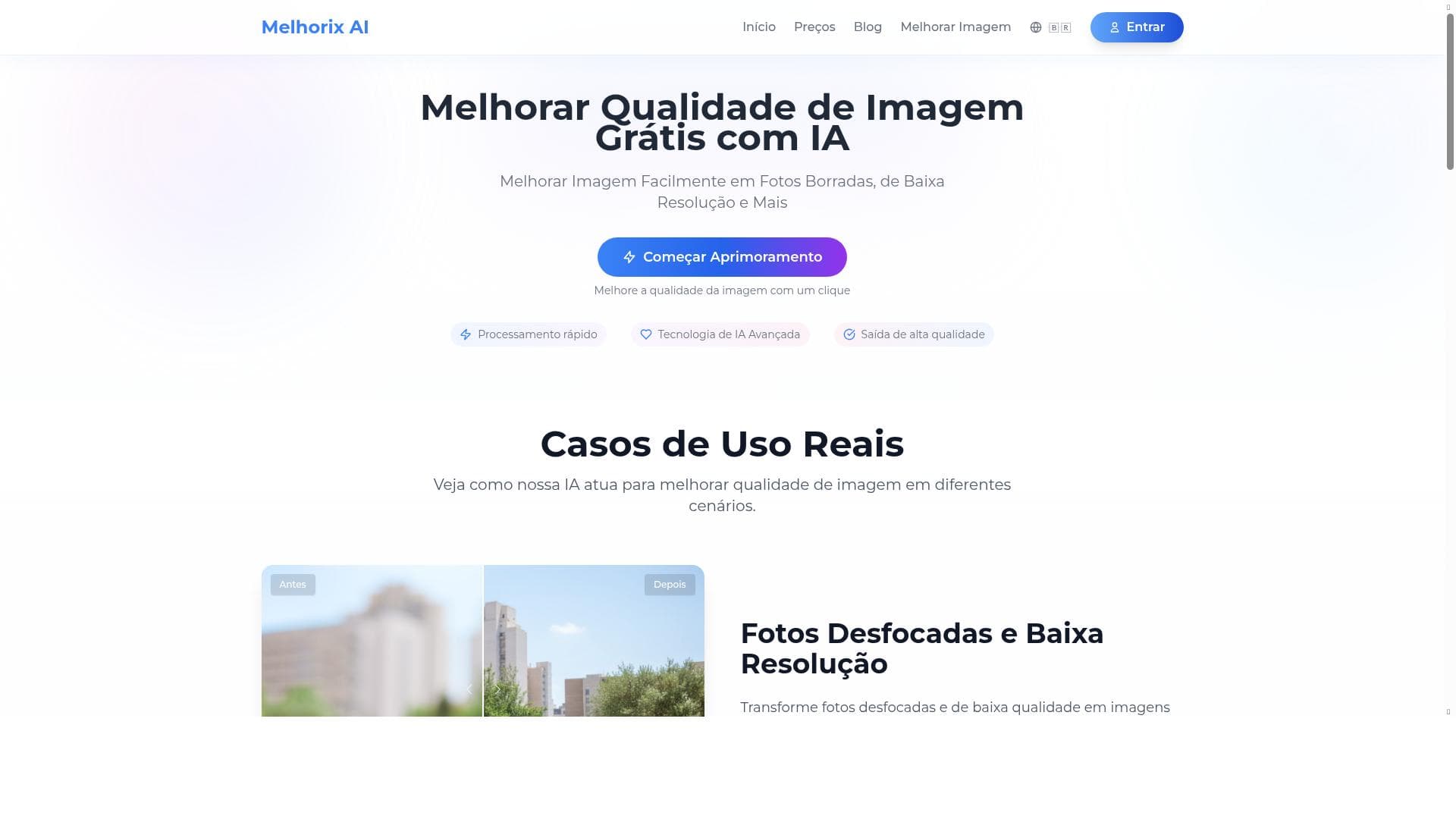


Melhorix AI is a fast, browser-based photo enhancement tool that uses advanced AI to fix blurry images, upscale to 4K, and restore old photos with just one click. Perfect for photographers, designers, and casual users alike, it delivers professional-quality results instantly and for free.

Description
Melhorix AI is a simple yet powerful online tool that uses artificial intelligence to enhance your photos. Whether you need to fix blurry images, upscale low-resolution pictures to 4K, or restore old photos, our AI handles it in seconds directly in your browser.
Detailed Description
Melhorix AI is an innovative online photo enhancement tool designed to leverage artificial intelligence to improve image quality quickly and effortlessly. Its core purpose is to help users fix common photo issues such as blurriness, low resolution, and degradation in old photographs, all within a simple web-based interface. By utilizing advanced AI algorithms, Melhorix AI can upscale images to 4K resolution, restore faded or damaged photos, and sharpen details that were previously lost, making it an ideal solution for both casual users and professionals who want to enhance images without complex software or technical expertise. The tool operates entirely in the browser, which means no downloads or installations are required, and users can see results in seconds, making it highly accessible and convenient for immediate use. One of the standout features of Melhorix AI is its fast processing speed. The AI models powering the tool are optimized to deliver high-quality enhancements rapidly, ensuring users do not have to wait long for their images to be improved. This is particularly beneficial for users working with multiple photos or those who need quick fixes for urgent projects. The tool also boasts advanced AI technology that intelligently analyzes each image to apply the most suitable enhancements, whether it's sharpening edges, increasing resolution, or restoring color and detail in old photographs. Additionally, Melhorix AI offers a one-click image quality improvement feature, simplifying the enhancement process to a single action. This ease of use makes it accessible to users with no prior experience in photo editing or AI technology. Melhorix AI is best suited for a wide range of users including photographers, graphic designers, social media managers, and everyday individuals who want to improve their personal photo collections. For photographers and designers, it provides a quick way to upscale images for print or digital use without compromising quality. Social media managers can use it to enhance images before posting, ensuring their content looks professional and eye-catching. Moreover, people looking to restore old family photos or fix blurry smartphone pictures will find Melhorix AI particularly valuable due to its restoration capabilities and user-friendly interface. Its browser-based nature means it can be accessed from any device with internet connectivity, adding to its versatility. In terms of pricing, Melhorix AI is currently offered for free, making it an attractive option for users who want to enhance photos without financial commitment. This free access lowers the barrier to entry and allows users to try out the tool extensively before considering any future paid plans, should they be introduced. The lack of cost combined with powerful AI-driven features positions Melhorix AI as a competitive choice in the photo enhancement market. Compared to alternative photo enhancement tools, Melhorix AI stands out due to its simplicity and speed. Many other AI-based image enhancers require software downloads, subscriptions, or have complicated interfaces, whereas Melhorix AI delivers professional-grade results directly in the browser with minimal user input. While some competitors may offer more advanced manual controls or batch processing, Melhorix AI’s focus on one-click automation and fast results makes it ideal for users who prioritize convenience and efficiency. However, there are some considerations to keep in mind. Since it is a free online tool, users should be aware of potential limitations related to file size, image formats supported, or the maximum number of images processed at a time, which are common constraints for browser-based AI tools. Additionally, while the AI performs impressively on many types of images, extremely damaged or highly complex photos may require more specialized restoration software. Users should also consider privacy and data security when uploading personal images to any online platform, although Melhorix AI operates with standard web security protocols. Overall, Melhorix AI offers a powerful, accessible, and cost-effective solution for enhancing and restoring photos using cutting-edge artificial intelligence technology. Its ease of use, rapid processing, and high-quality output make it a valuable tool for anyone looking to improve their images without the hassle of traditional photo editing software.
Tool Features
- Fast processing
- Advanced AI technology
- One-click image quality improvement
Description
Melhorix AI is a fast, browser-based photo enhancement tool that uses advanced AI to fix blurry images, upscale to 4K, and restore old photos with just one click. Perfect for photographers, designers, and casual users alike, it delivers professional-quality results instantly and for free.
Melhorix AI is a simple yet powerful online tool that uses artificial intelligence to enhance your photos. Whether you need to fix blurry images, upscale low-resolution pictures to 4K, or restore old photos, our AI handles it in seconds directly in your browser.
Detailed Description
Melhorix AI is an innovative online photo enhancement tool designed to leverage artificial intelligence to improve image quality quickly and effortlessly. Its core purpose is to help users fix common photo issues such as blurriness, low resolution, and degradation in old photographs, all within a simple web-based interface. By utilizing advanced AI algorithms, Melhorix AI can upscale images to 4K resolution, restore faded or damaged photos, and sharpen details that were previously lost, making it an ideal solution for both casual users and professionals who want to enhance images without complex software or technical expertise. The tool operates entirely in the browser, which means no downloads or installations are required, and users can see results in seconds, making it highly accessible and convenient for immediate use. One of the standout features of Melhorix AI is its fast processing speed. The AI models powering the tool are optimized to deliver high-quality enhancements rapidly, ensuring users do not have to wait long for their images to be improved. This is particularly beneficial for users working with multiple photos or those who need quick fixes for urgent projects. The tool also boasts advanced AI technology that intelligently analyzes each image to apply the most suitable enhancements, whether it's sharpening edges, increasing resolution, or restoring color and detail in old photographs. Additionally, Melhorix AI offers a one-click image quality improvement feature, simplifying the enhancement process to a single action. This ease of use makes it accessible to users with no prior experience in photo editing or AI technology. Melhorix AI is best suited for a wide range of users including photographers, graphic designers, social media managers, and everyday individuals who want to improve their personal photo collections. For photographers and designers, it provides a quick way to upscale images for print or digital use without compromising quality. Social media managers can use it to enhance images before posting, ensuring their content looks professional and eye-catching. Moreover, people looking to restore old family photos or fix blurry smartphone pictures will find Melhorix AI particularly valuable due to its restoration capabilities and user-friendly interface. Its browser-based nature means it can be accessed from any device with internet connectivity, adding to its versatility. In terms of pricing, Melhorix AI is currently offered for free, making it an attractive option for users who want to enhance photos without financial commitment. This free access lowers the barrier to entry and allows users to try out the tool extensively before considering any future paid plans, should they be introduced. The lack of cost combined with powerful AI-driven features positions Melhorix AI as a competitive choice in the photo enhancement market. Compared to alternative photo enhancement tools, Melhorix AI stands out due to its simplicity and speed. Many other AI-based image enhancers require software downloads, subscriptions, or have complicated interfaces, whereas Melhorix AI delivers professional-grade results directly in the browser with minimal user input. While some competitors may offer more advanced manual controls or batch processing, Melhorix AI’s focus on one-click automation and fast results makes it ideal for users who prioritize convenience and efficiency. However, there are some considerations to keep in mind. Since it is a free online tool, users should be aware of potential limitations related to file size, image formats supported, or the maximum number of images processed at a time, which are common constraints for browser-based AI tools. Additionally, while the AI performs impressively on many types of images, extremely damaged or highly complex photos may require more specialized restoration software. Users should also consider privacy and data security when uploading personal images to any online platform, although Melhorix AI operates with standard web security protocols. Overall, Melhorix AI offers a powerful, accessible, and cost-effective solution for enhancing and restoring photos using cutting-edge artificial intelligence technology. Its ease of use, rapid processing, and high-quality output make it a valuable tool for anyone looking to improve their images without the hassle of traditional photo editing software.
Frequently Asked Questions
What is Melhorix AI?
Melhorix AI is an online photo enhancement tool that uses artificial intelligence to improve image quality by fixing blurriness, upscaling resolution to 4K, and restoring old or damaged photos directly in your browser.
How much does Melhorix AI cost?
Melhorix AI is currently available for free, allowing users to enhance their photos without any subscription or payment.
Who is Melhorix AI best for?
It is ideal for photographers, graphic designers, social media managers, and everyday users who want to quickly improve photo quality without complex software or technical skills.
What are the main features of Melhorix AI?
Key features include fast processing speeds, advanced AI technology for intelligent image enhancement, and a one-click image quality improvement process that simplifies photo editing.
Does Melhorix AI offer a free trial?
Yes, Melhorix AI is free to use with no trial required, providing full access to its photo enhancement capabilities at no cost.
What integrations does Melhorix AI support?
Melhorix AI operates as a standalone web-based tool and does not currently offer integrations with other software or platforms.
How does Melhorix AI work?
It uses advanced AI algorithms to analyze uploaded images and automatically apply enhancements such as sharpening, upscaling, and restoration, all processed quickly within your web browser.
Reviews
No reviews yet. Be the first to share your experience.















































