🚀 Zaprep: Your Socials on Steroids. Start free — automate 1,000 DMs/month & turn engagement into leads. with 1,000 automated DMs/month.
Jotform Sign for ChatGPT and Claude


Is this your AI tool? Claim it today.
Verify ownership, manage your profile, and unlock growth features.
Jotform Sign is a free, easy-to-use electronic signature software that enables fast, legally binding document signing from anywhere. Perfect for businesses and individuals seeking to streamline workflows and eliminate paperwork, it combines simplicity with powerful automation features to accelerate contract and form signing processes.

Description
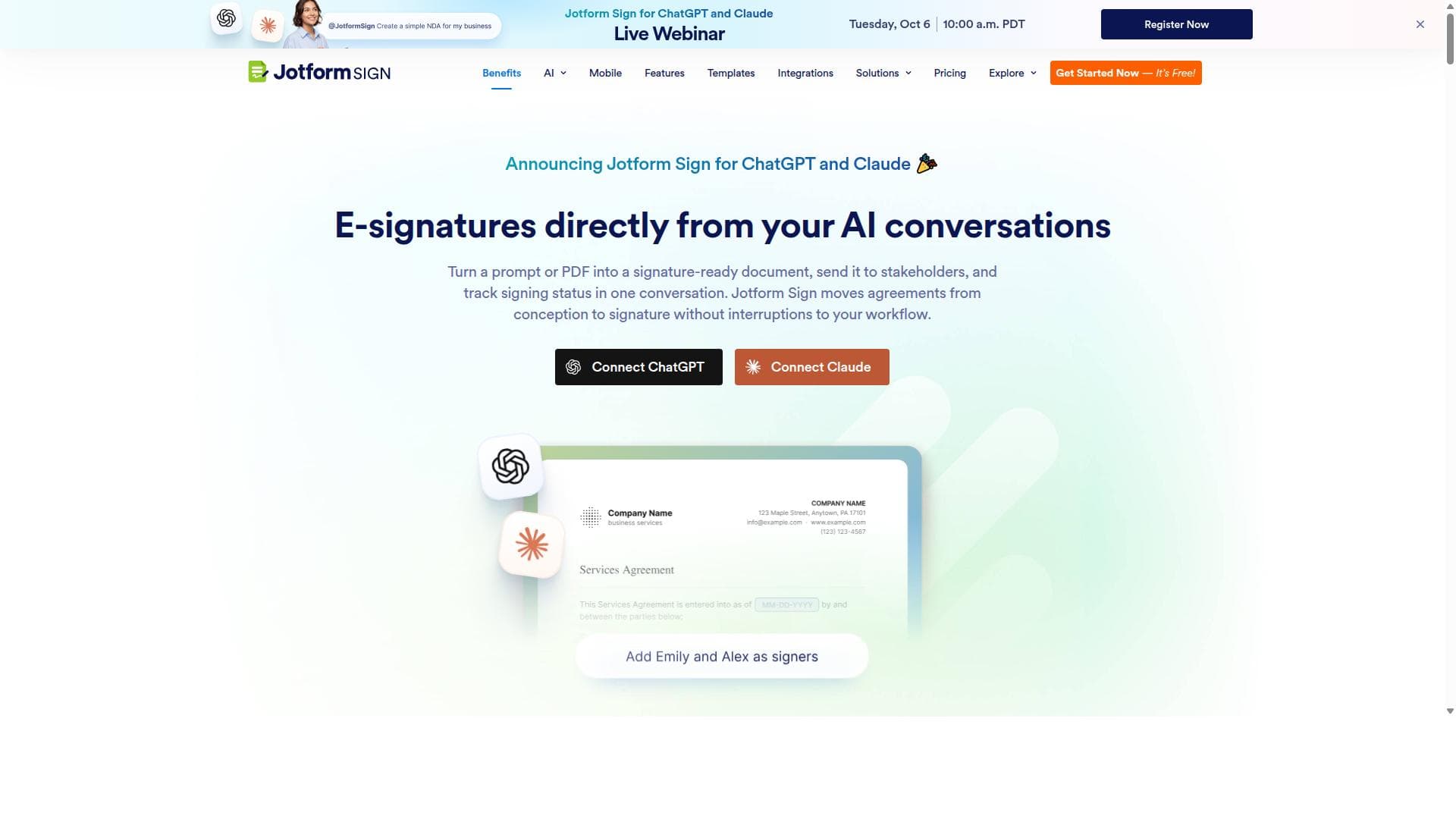
Jotform Sign for ChatGPT and Claude brings document creation and e-signatures directly into your AI workspace. Create signature-ready documents from a prompt or uploaded file, edit content and signing fields, manage recipients and signing order, send documents for signature, and track their progress without switching tools. Existing Jotform Sign users can also access and manage their workflows right from ChatGPT or Claude.
Detailed Description
Jotform Sign is a comprehensive electronic signature software designed to simplify and accelerate the process of signing documents digitally. Its core purpose is to enable individuals and businesses to create, share, and electronically sign documents quickly and securely, eliminating the need for physical paperwork and in-person signatures. By automating workflows with legally binding digital documents, Jotform Sign streamlines administrative tasks, improves efficiency, and supports remote and mobile signing capabilities, making it an essential tool in today’s increasingly digital and distributed work environments. One of the standout features of Jotform Sign is its ease of use, allowing users to create and send documents for signature within minutes. The platform supports legally binding electronic and digital signatures, ensuring compliance with global e-signature laws such as ESIGN and eIDAS. Users can upload documents, customize signature fields, and send them to recipients who can sign from any device, anywhere. This flexibility is particularly valuable for businesses that operate across multiple locations or have remote teams. Additionally, Jotform Sign automates the entire signing workflow, including reminders and status tracking, which helps reduce delays and keeps all parties informed throughout the process. Jotform Sign is ideal for a wide range of users, including small to medium-sized businesses, freelancers, legal professionals, HR departments, and anyone needing to manage contracts, agreements, or forms requiring signatures. Common use cases include onboarding new employees, closing sales contracts, processing vendor agreements, and collecting consent forms. Its free electronic signature offering makes it accessible to individuals and startups looking to digitize their document signing without upfront costs. The platform’s intuitive interface and robust functionality also appeal to enterprises seeking to integrate e-signatures into their existing workflows seamlessly. Regarding pricing, Jotform Sign offers a free plan that provides essential e-signature capabilities without any cost, making it highly attractive for users with basic needs. For more advanced features, such as increased document limits, team collaboration tools, and enhanced security options, paid plans are available. These plans are competitively priced compared to other electronic signature solutions, providing good value for businesses that require scalable and feature-rich e-signature services. When compared to alternatives like DocuSign, Adobe Sign, or HelloSign, Jotform Sign stands out due to its user-friendly design, free tier availability, and integration within the broader Jotform ecosystem, which includes form building and data collection tools. While some competitors may offer more extensive enterprise features or deeper integrations with specific CRM and ERP systems, Jotform Sign’s simplicity and affordability make it an excellent choice for users prioritizing ease of use and cost-effectiveness. However, there are some considerations to keep in mind. Jotform Sign’s free plan has limitations on the number of documents and signatures per month, which may not be sufficient for high-volume users. Additionally, while it supports essential integrations, it may lack the extensive third-party app ecosystem found in more mature platforms. Users with highly specialized compliance requirements or those needing advanced workflow automation might find these limitations relevant. Nonetheless, for most small to medium-sized businesses and individuals, Jotform Sign offers a robust, secure, and efficient e-signature solution that significantly reduces the friction of document signing and management.
Tool Features
- Create, share, and e-sign documents in minutes
- Automate your workflow with legally binding documents
- Sign documents anywhere
- Free electronic signature software
- Supports digital signatures
Description
Jotform Sign is a free, easy-to-use electronic signature software that enables fast, legally binding document signing from anywhere. Perfect for businesses and individuals seeking to streamline workflows and eliminate paperwork, it combines simplicity with powerful automation features to accelerate contract and form signing processes.
Jotform Sign for ChatGPT and Claude brings document creation and e-signatures directly into your AI workspace. Create signature-ready documents from a prompt or uploaded file, edit content and signing fields, manage recipients and signing order, send documents for signature, and track their progress without switching tools. Existing Jotform Sign users can also access and manage their workflows right from ChatGPT or Claude.
Detailed Description
Jotform Sign is a comprehensive electronic signature software designed to simplify and accelerate the process of signing documents digitally. Its core purpose is to enable individuals and businesses to create, share, and electronically sign documents quickly and securely, eliminating the need for physical paperwork and in-person signatures. By automating workflows with legally binding digital documents, Jotform Sign streamlines administrative tasks, improves efficiency, and supports remote and mobile signing capabilities, making it an essential tool in today’s increasingly digital and distributed work environments. One of the standout features of Jotform Sign is its ease of use, allowing users to create and send documents for signature within minutes. The platform supports legally binding electronic and digital signatures, ensuring compliance with global e-signature laws such as ESIGN and eIDAS. Users can upload documents, customize signature fields, and send them to recipients who can sign from any device, anywhere. This flexibility is particularly valuable for businesses that operate across multiple locations or have remote teams. Additionally, Jotform Sign automates the entire signing workflow, including reminders and status tracking, which helps reduce delays and keeps all parties informed throughout the process. Jotform Sign is ideal for a wide range of users, including small to medium-sized businesses, freelancers, legal professionals, HR departments, and anyone needing to manage contracts, agreements, or forms requiring signatures. Common use cases include onboarding new employees, closing sales contracts, processing vendor agreements, and collecting consent forms. Its free electronic signature offering makes it accessible to individuals and startups looking to digitize their document signing without upfront costs. The platform’s intuitive interface and robust functionality also appeal to enterprises seeking to integrate e-signatures into their existing workflows seamlessly. Regarding pricing, Jotform Sign offers a free plan that provides essential e-signature capabilities without any cost, making it highly attractive for users with basic needs. For more advanced features, such as increased document limits, team collaboration tools, and enhanced security options, paid plans are available. These plans are competitively priced compared to other electronic signature solutions, providing good value for businesses that require scalable and feature-rich e-signature services. When compared to alternatives like DocuSign, Adobe Sign, or HelloSign, Jotform Sign stands out due to its user-friendly design, free tier availability, and integration within the broader Jotform ecosystem, which includes form building and data collection tools. While some competitors may offer more extensive enterprise features or deeper integrations with specific CRM and ERP systems, Jotform Sign’s simplicity and affordability make it an excellent choice for users prioritizing ease of use and cost-effectiveness. However, there are some considerations to keep in mind. Jotform Sign’s free plan has limitations on the number of documents and signatures per month, which may not be sufficient for high-volume users. Additionally, while it supports essential integrations, it may lack the extensive third-party app ecosystem found in more mature platforms. Users with highly specialized compliance requirements or those needing advanced workflow automation might find these limitations relevant. Nonetheless, for most small to medium-sized businesses and individuals, Jotform Sign offers a robust, secure, and efficient e-signature solution that significantly reduces the friction of document signing and management.
Frequently Asked Questions
What is Jotform Sign?
Jotform Sign is a free electronic signature software that allows users to create, share, and e-sign documents quickly and securely. It automates document workflows with legally binding digital signatures that can be completed anywhere, helping businesses and individuals streamline their signing processes.
How much does Jotform Sign cost?
Jotform Sign offers a free plan with essential electronic signature features. For users needing more advanced capabilities, higher document limits, or team collaboration tools, there are paid plans available at competitive prices.
Who is Jotform Sign best for?
Jotform Sign is ideal for small to medium-sized businesses, freelancers, legal professionals, HR teams, and anyone who needs to manage contracts, agreements, or forms requiring signatures efficiently and remotely.
What are the main features of Jotform Sign?
Key features include quick creation and sharing of documents, legally binding electronic and digital signatures, mobile-friendly signing, workflow automation with reminders and status tracking, and a free electronic signature option.
Does Jotform Sign offer a free trial?
Yes, Jotform Sign provides a free plan that allows users to access core electronic signature features without any time-limited trial, making it accessible for ongoing use at no cost.
What integrations does Jotform Sign support?
Jotform Sign integrates well within the Jotform ecosystem and supports essential integrations for workflow automation. While it may not have as extensive a third-party app ecosystem as some competitors, it covers key needs for document management and signing.
How does Jotform Sign work?
Users upload or create documents within Jotform Sign, add signature fields, and send them to recipients who can sign electronically from any device. The platform tracks the signing status, sends reminders, and ensures that all signatures are legally binding and secure.
Socials
Use ToolReviews
No reviews yet. Be the first to share your experience.
Sponsored Tools











































Recommended Tools
Stay updated on latest Ai tools
Get the latest insights, Join our newsletter
Read and trusted by 50,000+ readers
Join the biggest AI Community
Our community and staff are here to help!
Your feedback will help Alice AI improve in future versions.








Submit your Tool


PoweredByAI.app is an AI Tools Directory helping individuals, businesses, and creators discover the best AI tools for writing, coding, design, productivity, and more.
© 2026 , Product of011BQ. All rights reserved.