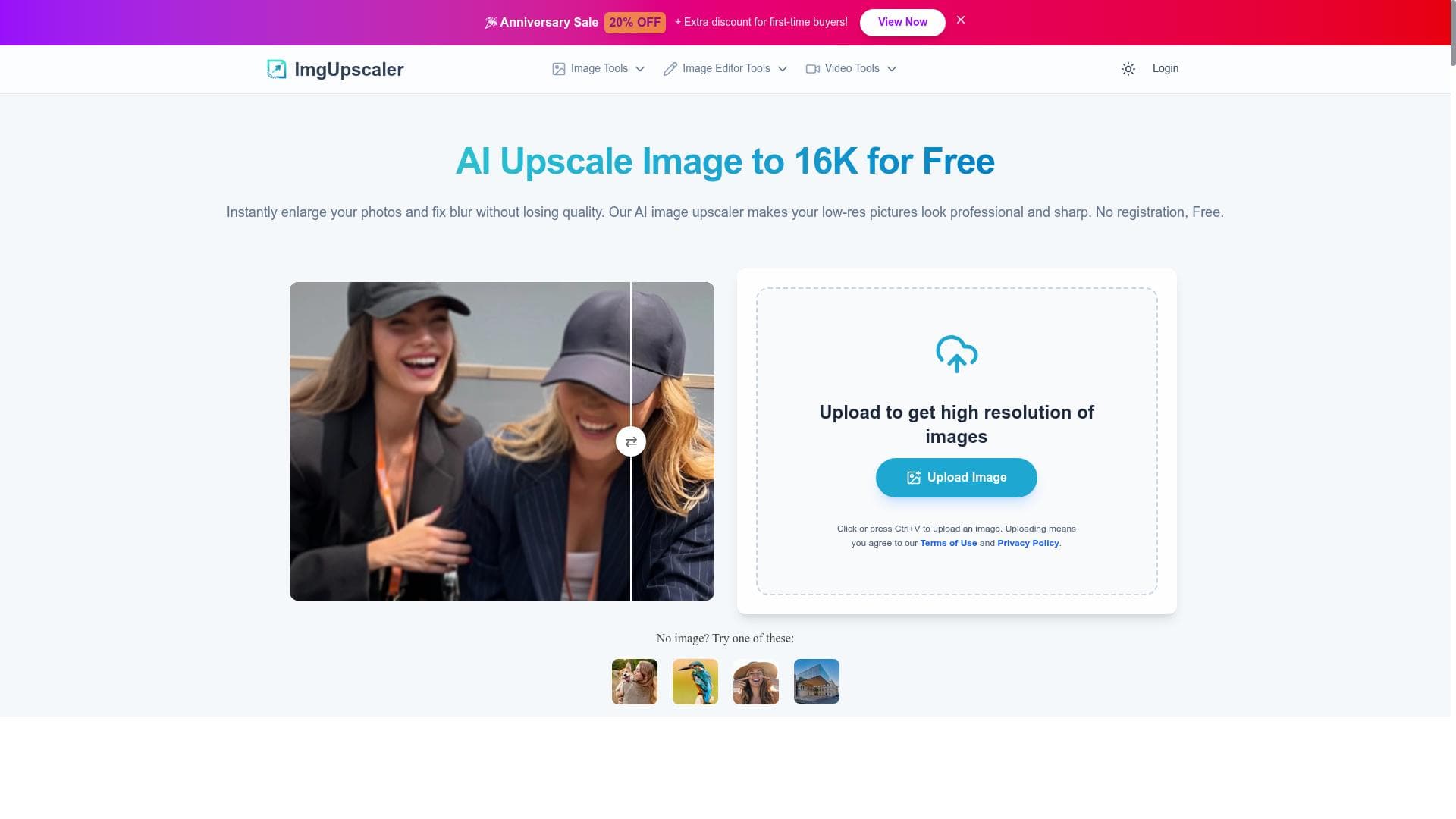


ImgUpscaler AI is a powerful online tool that enhances and upscales images and videos up to 16K resolution, delivering sharper, more detailed visuals with ease. Perfect for professionals and casual users alike, it combines advanced AI technology with a simple interface to preserve image quality without any cost.

Description
ImgUpscaler AI is a powerful tool for enhancing and upscaling images and videos, delivering sharper and more detailed visuals. It offers a user-friendly platform that meets both professional and personal needs.
Detailed Description
ImgUpscaler AI is a cutting-edge online tool designed to enhance and upscale images and videos, transforming low-resolution visuals into sharp, high-quality outputs with remarkable detail preservation. Its core purpose is to provide users—ranging from casual individuals to professionals—with an accessible platform that significantly improves image clarity and resolution without requiring advanced technical skills or expensive software. By leveraging advanced AI algorithms, ImgUpscaler AI intelligently reconstructs and refines image details, enabling upscaling up to an impressive 16K resolution. This capability makes it ideal for restoring old photos, improving digital artwork, enhancing product images, or preparing visuals for large-format printing and presentations. The tool's key features include its ability to upscale images to ultra-high resolutions, specifically up to 16K, which is far beyond standard HD or 4K quality. This ensures that even small or pixelated images can be transformed into crisp, detailed visuals suitable for professional use. ImgUpscaler AI operates entirely online, requiring no downloads or installations, which simplifies access and usability. Its user-friendly interface allows users to quickly upload images or videos and receive enhanced results with minimal effort. Importantly, the AI technology behind ImgUpscaler AI focuses on preserving the original image's details and quality, avoiding common pitfalls such as blurring or unnatural artifacts that can occur with traditional upscaling methods. This results in natural-looking, vibrant images that maintain the integrity of the original content. ImgUpscaler AI is best suited for a wide range of users. Photographers and graphic designers can use it to improve the resolution of their images for print or digital portfolios. E-commerce businesses benefit by enhancing product photos to attract customers with clearer visuals. Content creators, including YouTubers and social media influencers, can upscale thumbnails and video stills to improve viewer engagement. Additionally, individuals looking to restore old family photos or enhance personal images will find ImgUpscaler AI an invaluable tool. The platform’s ease of use makes it accessible to users without technical expertise, while its powerful AI capabilities satisfy professional demands. One of the standout advantages of ImgUpscaler AI is its pricing model—it is offered for free, making high-quality image upscaling accessible to everyone without financial barriers. This contrasts with many professional-grade image enhancement tools that require costly subscriptions or one-time purchases. The free access encourages experimentation and frequent use, although users should review any usage limits or restrictions that may apply. When compared to alternatives, ImgUpscaler AI stands out due to its combination of ultra-high resolution support, ease of use, and online accessibility. While some competitors may offer similar upscaling features, many require software downloads, have steeper learning curves, or do not support resolutions as high as 16K. ImgUpscaler AI’s focus on preserving image quality during upscaling also differentiates it from simpler interpolation-based tools that often produce less natural results. However, users should consider certain limitations. As an online tool, ImgUpscaler AI’s performance depends on internet connectivity and may have file size restrictions. Processing very large images or videos might take longer compared to desktop applications optimized for high-performance hardware. Additionally, while the AI does an excellent job preserving details, extremely low-quality or heavily compressed images may still have limitations in the final output quality. Users seeking batch processing or advanced editing features might need to complement ImgUpscaler AI with other software solutions. Overall, ImgUpscaler AI offers a robust, accessible, and free solution for anyone needing to enhance and upscale images and videos with professional-grade results. Its advanced AI technology, high-resolution capabilities, and user-friendly online platform make it a valuable tool across diverse creative and commercial applications.
Tool Features
- Upscale images to 16K resolution
- Online and easy to use
- Preserves image details and quality
Description
ImgUpscaler AI is a powerful online tool that enhances and upscales images and videos up to 16K resolution, delivering sharper, more detailed visuals with ease. Perfect for professionals and casual users alike, it combines advanced AI technology with a simple interface to preserve image quality without any cost.
ImgUpscaler AI is a powerful tool for enhancing and upscaling images and videos, delivering sharper and more detailed visuals. It offers a user-friendly platform that meets both professional and personal needs.
Detailed Description
ImgUpscaler AI is a cutting-edge online tool designed to enhance and upscale images and videos, transforming low-resolution visuals into sharp, high-quality outputs with remarkable detail preservation. Its core purpose is to provide users—ranging from casual individuals to professionals—with an accessible platform that significantly improves image clarity and resolution without requiring advanced technical skills or expensive software. By leveraging advanced AI algorithms, ImgUpscaler AI intelligently reconstructs and refines image details, enabling upscaling up to an impressive 16K resolution. This capability makes it ideal for restoring old photos, improving digital artwork, enhancing product images, or preparing visuals for large-format printing and presentations. The tool's key features include its ability to upscale images to ultra-high resolutions, specifically up to 16K, which is far beyond standard HD or 4K quality. This ensures that even small or pixelated images can be transformed into crisp, detailed visuals suitable for professional use. ImgUpscaler AI operates entirely online, requiring no downloads or installations, which simplifies access and usability. Its user-friendly interface allows users to quickly upload images or videos and receive enhanced results with minimal effort. Importantly, the AI technology behind ImgUpscaler AI focuses on preserving the original image's details and quality, avoiding common pitfalls such as blurring or unnatural artifacts that can occur with traditional upscaling methods. This results in natural-looking, vibrant images that maintain the integrity of the original content. ImgUpscaler AI is best suited for a wide range of users. Photographers and graphic designers can use it to improve the resolution of their images for print or digital portfolios. E-commerce businesses benefit by enhancing product photos to attract customers with clearer visuals. Content creators, including YouTubers and social media influencers, can upscale thumbnails and video stills to improve viewer engagement. Additionally, individuals looking to restore old family photos or enhance personal images will find ImgUpscaler AI an invaluable tool. The platform’s ease of use makes it accessible to users without technical expertise, while its powerful AI capabilities satisfy professional demands. One of the standout advantages of ImgUpscaler AI is its pricing model—it is offered for free, making high-quality image upscaling accessible to everyone without financial barriers. This contrasts with many professional-grade image enhancement tools that require costly subscriptions or one-time purchases. The free access encourages experimentation and frequent use, although users should review any usage limits or restrictions that may apply. When compared to alternatives, ImgUpscaler AI stands out due to its combination of ultra-high resolution support, ease of use, and online accessibility. While some competitors may offer similar upscaling features, many require software downloads, have steeper learning curves, or do not support resolutions as high as 16K. ImgUpscaler AI’s focus on preserving image quality during upscaling also differentiates it from simpler interpolation-based tools that often produce less natural results. However, users should consider certain limitations. As an online tool, ImgUpscaler AI’s performance depends on internet connectivity and may have file size restrictions. Processing very large images or videos might take longer compared to desktop applications optimized for high-performance hardware. Additionally, while the AI does an excellent job preserving details, extremely low-quality or heavily compressed images may still have limitations in the final output quality. Users seeking batch processing or advanced editing features might need to complement ImgUpscaler AI with other software solutions. Overall, ImgUpscaler AI offers a robust, accessible, and free solution for anyone needing to enhance and upscale images and videos with professional-grade results. Its advanced AI technology, high-resolution capabilities, and user-friendly online platform make it a valuable tool across diverse creative and commercial applications.
Frequently Asked Questions
What is ImgUpscaler AI?
ImgUpscaler AI is an online AI-powered tool designed to enhance and upscale images and videos, improving their resolution and detail up to 16K while preserving original quality.
How much does ImgUpscaler AI cost?
ImgUpscaler AI is available for free, allowing users to upscale images and videos without any subscription or payment.
Who is ImgUpscaler AI best for?
It is ideal for photographers, graphic designers, e-commerce businesses, content creators, and anyone looking to improve image or video quality easily and effectively.
What are the main features of ImgUpscaler AI?
Key features include upscaling images up to 16K resolution, an easy-to-use online platform, and AI technology that preserves image details and quality during enhancement.
Does ImgUpscaler AI offer a free trial?
ImgUpscaler AI is completely free to use, so there is no need for a trial period or subscription to access its features.
What integrations does ImgUpscaler AI support?
ImgUpscaler AI is a standalone online tool and does not currently offer integrations with other software or platforms.
How does ImgUpscaler AI work?
It uses advanced AI algorithms to analyze and reconstruct image and video details, intelligently enhancing resolution and sharpness while maintaining natural quality.
Reviews
No reviews yet. Be the first to share your experience.















































