
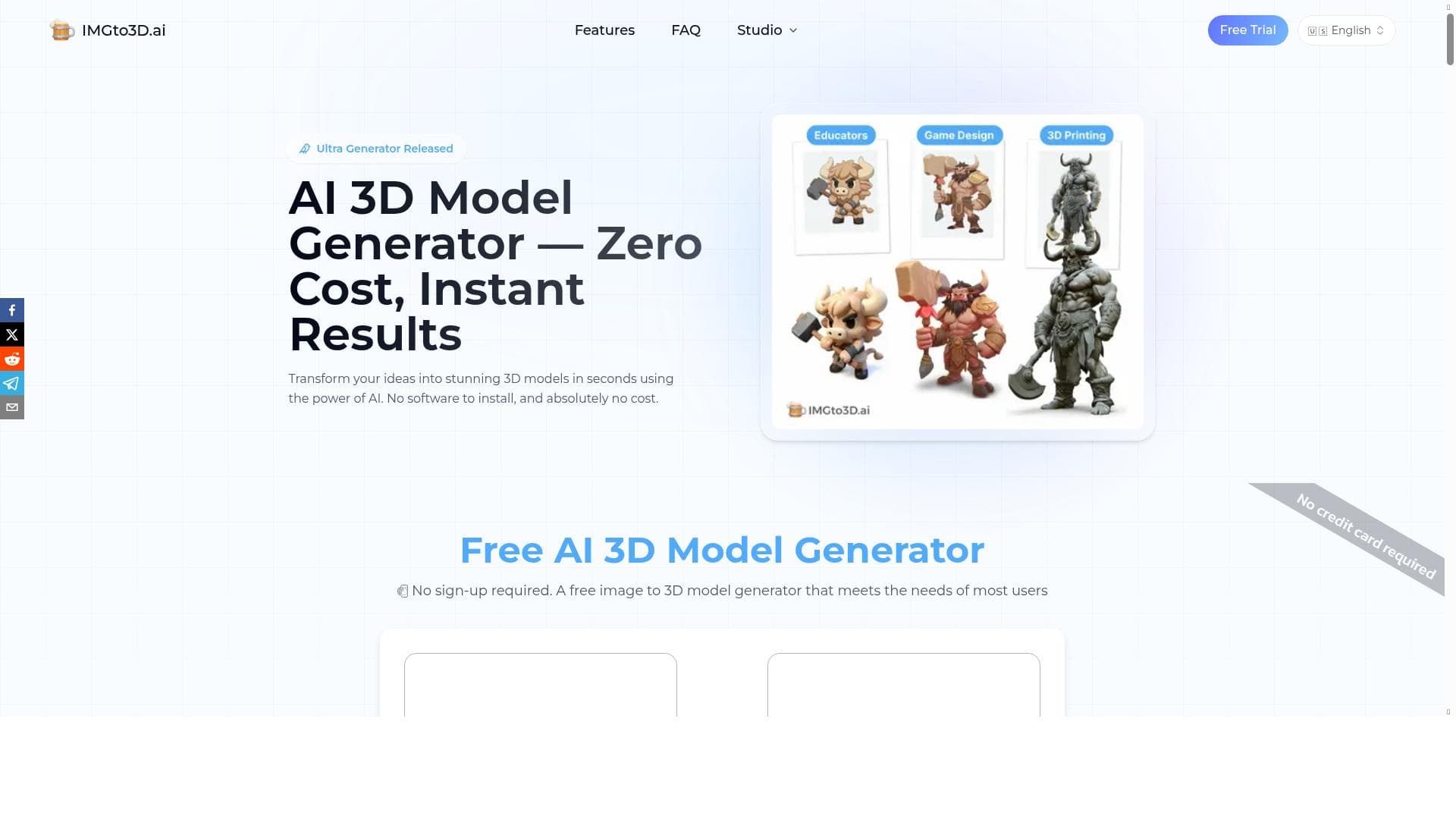


Imgto3D.ai transforms 2D photos into high-quality 3D models instantly, making 3D asset creation accessible to everyone from game developers to e-commerce sellers. With no software installation and free usage, it offers fast, realistic 3D exports compatible with popular platforms and 3D printers.

Description
Imgto3D.ai is an image to 3d ai platform that turns 2D photos into high-fidelity 3D assets. It simplifies the image to 3d model process for creators of all levels. Features: - Instant AI: Generate models in seconds. - Pro Textures: Auto UV mapping & realistic textures. - Exports: Download .OBJ, .GLB, or .STL for Blender, Unity, or 3D printing. How to Use: 1. Upload a 2D image. 2. Generate via AI engine. 3. Preview & Download your 3D file. Use Cases: Perfect for game dev, e-commerce AR, 3D printing, and graphic design. Fast, easy, and no modeling skills required.
Detailed Description
Image to 3D AI, accessible via Imgto3D.ai, is an innovative platform designed to transform ordinary 2D photos into high-fidelity 3D assets with remarkable ease and speed. Its core purpose is to democratize 3D modeling by simplifying what traditionally has been a complex and time-consuming process, making it accessible to creators of all skill levels. Whether you are a game developer, e-commerce entrepreneur, graphic designer, or 3D printing enthusiast, this tool enables you to generate detailed 3D models without requiring any prior modeling expertise or software installation. The platform boasts several standout features that contribute to its efficiency and user-friendliness. First, its Instant AI capability allows users to generate 3D models within seconds, significantly reducing the turnaround time compared to manual modeling. This is powered by an advanced AI engine that interprets the 2D image and reconstructs it into a three-dimensional form with impressive accuracy. Second, Imgto3D.ai includes Pro Textures functionality, which automatically applies UV mapping and realistic textures to the generated models. This ensures that the 3D assets not only have accurate shapes but also visually appealing surfaces, enhancing their usability in various applications. Third, the platform supports multiple export formats, including .OBJ, .GLB, and .STL files. These formats are compatible with popular 3D software like Blender and Unity, as well as 3D printers, making it versatile for different workflows. The tool is exceptionally well-suited for a broad range of users and use cases. Game developers can quickly create 3D assets for characters, props, or environments without investing extensive time in modeling. E-commerce businesses can enhance their product listings with interactive 3D models for augmented reality experiences, improving customer engagement and conversion rates. Graphic designers can incorporate 3D elements into their projects without needing specialized skills. Additionally, hobbyists and professionals interested in 3D printing can convert images into printable models effortlessly. The platform’s zero-cost usage model further lowers barriers, allowing anyone to experiment and create without financial commitment. Pricing for Image to 3D AI is straightforward and highly accessible, as the service is offered completely free of charge. This no-cost approach makes it an attractive option for individuals and small businesses looking to explore 3D modeling without upfront investment. Unlike many competitors that require subscriptions or pay-per-use fees, Imgto3D.ai provides unlimited access to its core features, making it ideal for frequent use or experimentation. When compared to alternative solutions, Image to 3D AI stands out due to its combination of speed, ease of use, and zero cost. Many traditional 3D modeling tools require significant expertise and manual effort, while other AI-based services may have limited export options or require software downloads. Imgto3D.ai’s web-based platform eliminates installation hassles and supports multiple export formats compatible with industry-standard tools and devices. However, as with any AI-driven conversion, the quality of the output can depend on the complexity and quality of the input image. Highly detailed or ambiguous photos might require additional refinement in external software. Notable considerations include the fact that while the tool excels at generating base 3D models quickly, it may not replace professional modeling software for highly customized or complex projects. Users seeking intricate animations or advanced rigging will still need specialized tools. Additionally, as a free platform, Imgto3D.ai may have limitations in terms of customer support or advanced feature sets found in premium offerings. Nonetheless, for most users needing fast, easy, and cost-effective 3D model generation from images, it provides a compelling solution that bridges the gap between 2D photography and 3D content creation.
Tool Features
- Transforms 2D images into 3D models instantly
- No software installation required
- Exports OBJ files compatible with games, 3D printing, and VR/AR
- Zero cost usage
Description
Imgto3D.ai transforms 2D photos into high-quality 3D models instantly, making 3D asset creation accessible to everyone from game developers to e-commerce sellers. With no software installation and free usage, it offers fast, realistic 3D exports compatible with popular platforms and 3D printers.
Imgto3D.ai is an image to 3d ai platform that turns 2D photos into high-fidelity 3D assets. It simplifies the image to 3d model process for creators of all levels. Features: - Instant AI: Generate models in seconds. - Pro Textures: Auto UV mapping & realistic textures. - Exports: Download .OBJ, .GLB, or .STL for Blender, Unity, or 3D printing. How to Use: 1. Upload a 2D image. 2. Generate via AI engine. 3. Preview & Download your 3D file. Use Cases: Perfect for game dev, e-commerce AR, 3D printing, and graphic design. Fast, easy, and no modeling skills required.
Detailed Description
Image to 3D AI, accessible via Imgto3D.ai, is an innovative platform designed to transform ordinary 2D photos into high-fidelity 3D assets with remarkable ease and speed. Its core purpose is to democratize 3D modeling by simplifying what traditionally has been a complex and time-consuming process, making it accessible to creators of all skill levels. Whether you are a game developer, e-commerce entrepreneur, graphic designer, or 3D printing enthusiast, this tool enables you to generate detailed 3D models without requiring any prior modeling expertise or software installation. The platform boasts several standout features that contribute to its efficiency and user-friendliness. First, its Instant AI capability allows users to generate 3D models within seconds, significantly reducing the turnaround time compared to manual modeling. This is powered by an advanced AI engine that interprets the 2D image and reconstructs it into a three-dimensional form with impressive accuracy. Second, Imgto3D.ai includes Pro Textures functionality, which automatically applies UV mapping and realistic textures to the generated models. This ensures that the 3D assets not only have accurate shapes but also visually appealing surfaces, enhancing their usability in various applications. Third, the platform supports multiple export formats, including .OBJ, .GLB, and .STL files. These formats are compatible with popular 3D software like Blender and Unity, as well as 3D printers, making it versatile for different workflows. The tool is exceptionally well-suited for a broad range of users and use cases. Game developers can quickly create 3D assets for characters, props, or environments without investing extensive time in modeling. E-commerce businesses can enhance their product listings with interactive 3D models for augmented reality experiences, improving customer engagement and conversion rates. Graphic designers can incorporate 3D elements into their projects without needing specialized skills. Additionally, hobbyists and professionals interested in 3D printing can convert images into printable models effortlessly. The platform’s zero-cost usage model further lowers barriers, allowing anyone to experiment and create without financial commitment. Pricing for Image to 3D AI is straightforward and highly accessible, as the service is offered completely free of charge. This no-cost approach makes it an attractive option for individuals and small businesses looking to explore 3D modeling without upfront investment. Unlike many competitors that require subscriptions or pay-per-use fees, Imgto3D.ai provides unlimited access to its core features, making it ideal for frequent use or experimentation. When compared to alternative solutions, Image to 3D AI stands out due to its combination of speed, ease of use, and zero cost. Many traditional 3D modeling tools require significant expertise and manual effort, while other AI-based services may have limited export options or require software downloads. Imgto3D.ai’s web-based platform eliminates installation hassles and supports multiple export formats compatible with industry-standard tools and devices. However, as with any AI-driven conversion, the quality of the output can depend on the complexity and quality of the input image. Highly detailed or ambiguous photos might require additional refinement in external software. Notable considerations include the fact that while the tool excels at generating base 3D models quickly, it may not replace professional modeling software for highly customized or complex projects. Users seeking intricate animations or advanced rigging will still need specialized tools. Additionally, as a free platform, Imgto3D.ai may have limitations in terms of customer support or advanced feature sets found in premium offerings. Nonetheless, for most users needing fast, easy, and cost-effective 3D model generation from images, it provides a compelling solution that bridges the gap between 2D photography and 3D content creation.
Frequently Asked Questions
What is Image to 3D AI?
Image to 3D AI is a web-based platform that converts 2D images into high-fidelity 3D models using advanced AI technology. It simplifies the 3D modeling process by allowing users to upload a photo and instantly generate a textured 3D asset without any prior modeling skills.
How much does Image to 3D AI cost?
Image to 3D AI is completely free to use, with no hidden fees or subscription plans. Users can generate and download unlimited 3D models at zero cost.
Who is Image to 3D AI best for?
This tool is ideal for game developers, e-commerce businesses looking to create AR product models, graphic designers, 3D printing enthusiasts, and anyone who wants to quickly convert 2D images into 3D assets without needing modeling expertise.
What are the main features of Image to 3D AI?
Key features include instant AI-powered 3D model generation, automatic UV mapping and realistic texture application, and the ability to export models in .OBJ, .GLB, and .STL formats compatible with Blender, Unity, and 3D printers.
Does Image to 3D AI offer a free trial?
Yes, the entire platform is free to use with no trial limitations, allowing users to generate and download 3D models without any payment or subscription.
What integrations does Image to 3D AI support?
Image to 3D AI supports exporting 3D models in formats compatible with popular tools and platforms such as Blender, Unity, and various 3D printing software, enabling seamless integration into existing workflows.
How does Image to 3D AI work?
Users upload a 2D image to the platform, which then uses an AI engine to analyze and reconstruct the image into a 3D model. The system automatically applies textures and UV mapping, allowing users to preview and download the finished 3D asset in their preferred format.
Reviews
No reviews yet. Be the first to share your experience.















































