Featured in:Best AI Education Tools
Get featured →🚀 Zaprep: Your Socials on Steroids. Start free — automate 1,000 DMs/month & turn engagement into leads. with 1,000 automated DMs/month.


✦
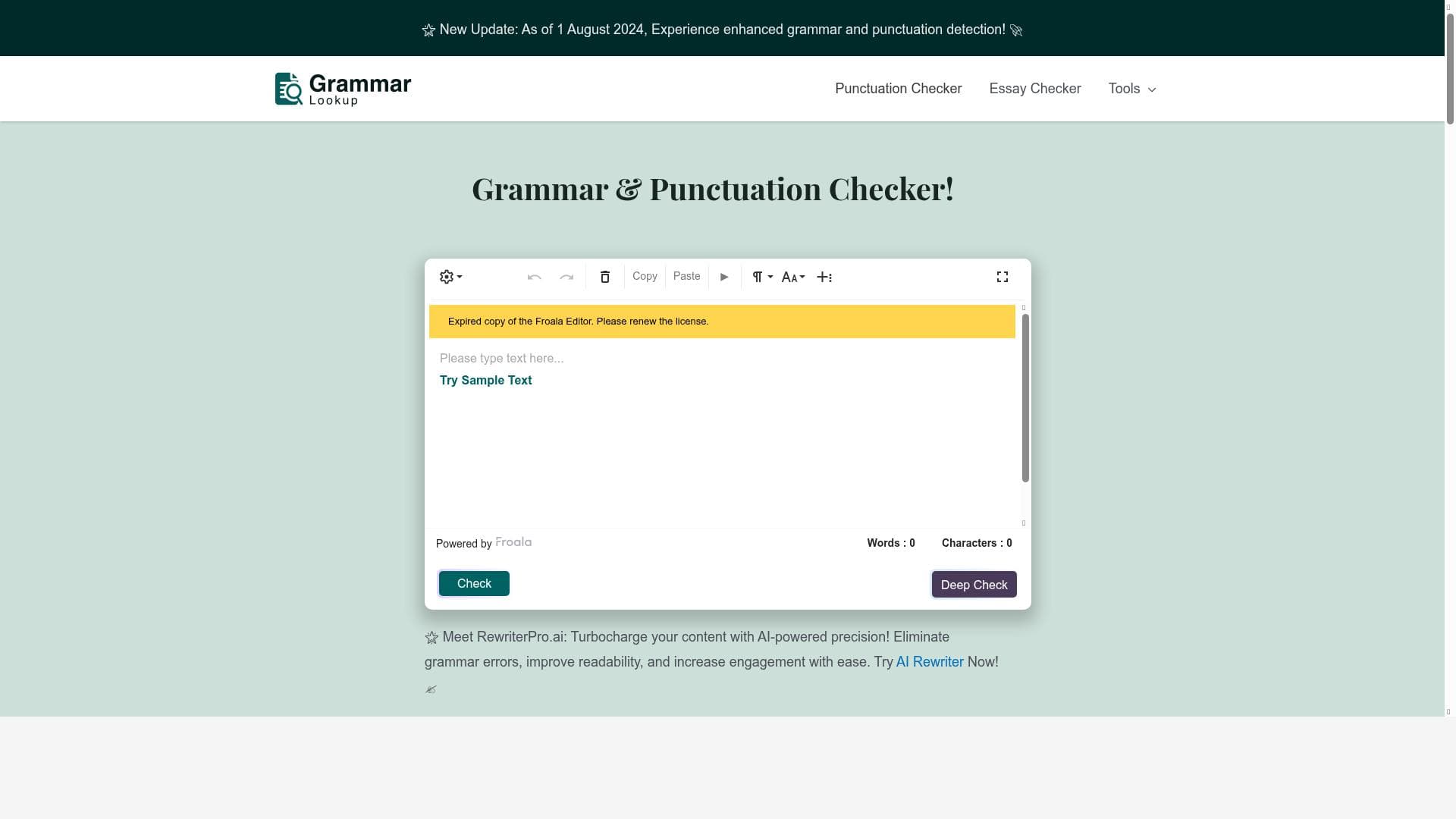
GrammarLookup is a free, AI-powered grammar and punctuation checker featuring a user-friendly rich text editor that makes editing accessible to everyone. Ideal for students, professionals, and writers, it offers advanced grammar analysis, detailed explanations, and multiple writing style support to help users produce polished, error-free content effortlessly.

Description
Grammarlookup is a free tool that checks grammar and punctuation. With its user-friendly rich text editor, it becomes the ultimate editing tool for everyone.
Detailed Description
GrammarLookup is a comprehensive, free-to-use online tool designed to help users improve their writing by checking grammar, punctuation, and spelling errors with precision and ease. Its core purpose is to serve as an accessible, reliable assistant for anyone looking to polish their written content, whether for academic, professional, or personal use. By leveraging advanced AI-powered algorithms, GrammarLookup scans text for a wide range of grammatical mistakes and stylistic inconsistencies, providing users with detailed explanations and actionable suggestions to enhance clarity and correctness. The inclusion of a user-friendly rich text editor makes the editing process seamless, allowing users to write, edit, and correct their text all within one intuitive interface without needing additional software or plugins. One of the standout features of GrammarLookup is its advanced grammar checking capability, which goes beyond simple spell check to identify complex issues such as subject-verb agreement, tense consistency, sentence structure errors, and misplaced modifiers. Alongside grammar, it also offers robust spelling and punctuation correction, ensuring that every comma, period, and apostrophe is in its proper place. The tool provides detailed explanations for each suggested correction, which not only helps users fix errors but also educates them on the underlying grammar rules. This educational aspect makes GrammarLookup particularly valuable for language learners and writers aiming to improve their command of English. Additionally, the platform supports multiple writing styles, allowing users to tailor their corrections based on the context—be it formal, informal, academic, or creative writing. The interface is designed to be intuitive and accessible, catering to users of all skill levels, from students and educators to business professionals and casual writers. GrammarLookup is ideal for a broad audience. Students can use it to refine essays and assignments, ensuring their work is polished before submission. Professionals benefit from its ability to enhance emails, reports, and presentations, helping maintain a high standard of communication. Content creators and bloggers can rely on it to produce error-free articles that engage readers effectively. Because it supports multiple writing styles, it adapts well to various domains and purposes. The tool is especially useful for non-native English speakers who want to improve their writing accuracy and confidence. Its freemium pricing model makes it accessible to everyone; users can utilize the basic grammar and punctuation checks for free, while premium plans unlock additional features and more in-depth analysis. When compared to other grammar checking tools, GrammarLookup stands out for its combination of a rich text editor and detailed, educational feedback. While many competitors offer grammar checking, GrammarLookup’s user-friendly interface and multi-style support provide a more versatile and engaging experience. Unlike some tools that require downloads or browser extensions, GrammarLookup is fully web-based, making it convenient and easy to access from any device with internet connectivity. However, its freemium model means that some advanced features are reserved for paying users, which is a common approach in this space. Users looking for highly specialized or industry-specific grammar checks might find other tools with niche capabilities more suitable, but for general use, GrammarLookup offers an excellent balance of functionality and accessibility. One limitation to consider is that, as with any automated grammar checker, GrammarLookup may occasionally miss nuanced errors or context-specific issues that require human judgment. It is best used as a complementary tool alongside manual proofreading, especially for critical documents. Additionally, while the free version is quite capable, users who need extensive document processing or advanced style customization might need to upgrade to a premium plan. Despite these considerations, GrammarLookup remains a powerful and user-friendly option for anyone seeking to improve their writing quickly and effectively without incurring costs upfront.
Tool Features
- Advanced grammar checking
- Spelling and punctuation correction
- Detailed explanations and suggestions
- User-friendly interface
- Supports multiple writing styles
Description
✦
GrammarLookup is a free, AI-powered grammar and punctuation checker featuring a user-friendly rich text editor that makes editing accessible to everyone. Ideal for students, professionals, and writers, it offers advanced grammar analysis, detailed explanations, and multiple writing style support to help users produce polished, error-free content effortlessly.
Grammarlookup is a free tool that checks grammar and punctuation. With its user-friendly rich text editor, it becomes the ultimate editing tool for everyone.
Detailed Description
GrammarLookup is a comprehensive, free-to-use online tool designed to help users improve their writing by checking grammar, punctuation, and spelling errors with precision and ease. Its core purpose is to serve as an accessible, reliable assistant for anyone looking to polish their written content, whether for academic, professional, or personal use. By leveraging advanced AI-powered algorithms, GrammarLookup scans text for a wide range of grammatical mistakes and stylistic inconsistencies, providing users with detailed explanations and actionable suggestions to enhance clarity and correctness. The inclusion of a user-friendly rich text editor makes the editing process seamless, allowing users to write, edit, and correct their text all within one intuitive interface without needing additional software or plugins. One of the standout features of GrammarLookup is its advanced grammar checking capability, which goes beyond simple spell check to identify complex issues such as subject-verb agreement, tense consistency, sentence structure errors, and misplaced modifiers. Alongside grammar, it also offers robust spelling and punctuation correction, ensuring that every comma, period, and apostrophe is in its proper place. The tool provides detailed explanations for each suggested correction, which not only helps users fix errors but also educates them on the underlying grammar rules. This educational aspect makes GrammarLookup particularly valuable for language learners and writers aiming to improve their command of English. Additionally, the platform supports multiple writing styles, allowing users to tailor their corrections based on the context—be it formal, informal, academic, or creative writing. The interface is designed to be intuitive and accessible, catering to users of all skill levels, from students and educators to business professionals and casual writers. GrammarLookup is ideal for a broad audience. Students can use it to refine essays and assignments, ensuring their work is polished before submission. Professionals benefit from its ability to enhance emails, reports, and presentations, helping maintain a high standard of communication. Content creators and bloggers can rely on it to produce error-free articles that engage readers effectively. Because it supports multiple writing styles, it adapts well to various domains and purposes. The tool is especially useful for non-native English speakers who want to improve their writing accuracy and confidence. Its freemium pricing model makes it accessible to everyone; users can utilize the basic grammar and punctuation checks for free, while premium plans unlock additional features and more in-depth analysis. When compared to other grammar checking tools, GrammarLookup stands out for its combination of a rich text editor and detailed, educational feedback. While many competitors offer grammar checking, GrammarLookup’s user-friendly interface and multi-style support provide a more versatile and engaging experience. Unlike some tools that require downloads or browser extensions, GrammarLookup is fully web-based, making it convenient and easy to access from any device with internet connectivity. However, its freemium model means that some advanced features are reserved for paying users, which is a common approach in this space. Users looking for highly specialized or industry-specific grammar checks might find other tools with niche capabilities more suitable, but for general use, GrammarLookup offers an excellent balance of functionality and accessibility. One limitation to consider is that, as with any automated grammar checker, GrammarLookup may occasionally miss nuanced errors or context-specific issues that require human judgment. It is best used as a complementary tool alongside manual proofreading, especially for critical documents. Additionally, while the free version is quite capable, users who need extensive document processing or advanced style customization might need to upgrade to a premium plan. Despite these considerations, GrammarLookup remains a powerful and user-friendly option for anyone seeking to improve their writing quickly and effectively without incurring costs upfront.
Frequently Asked Questions
What is GrammarLookup?
GrammarLookup is a free online tool that checks grammar, spelling, and punctuation errors in your writing. It uses advanced AI technology to provide detailed explanations and suggestions, helping users improve the clarity and correctness of their text through an easy-to-use rich text editor.
How much does GrammarLookup cost?
GrammarLookup operates on a freemium model. The basic grammar and punctuation checking features are available for free, while premium plans offer additional advanced features and more in-depth analysis for users who require enhanced capabilities.
Who is GrammarLookup best for?
GrammarLookup is ideal for students, educators, professionals, content creators, and anyone who wants to improve their writing quality. It is especially useful for non-native English speakers and those who need support across multiple writing styles, from academic to informal writing.
What are the main features of GrammarLookup?
The main features include advanced grammar checking, spelling and punctuation correction, detailed explanations and suggestions for errors, a user-friendly rich text editor interface, and support for multiple writing styles to tailor corrections based on the context.
Does GrammarLookup offer a free trial?
Yes, GrammarLookup offers free access to its core grammar and punctuation checking features. Users can try the basic functionalities at no cost before deciding whether to upgrade to a premium plan for additional features.
What integrations does GrammarLookup support?
GrammarLookup is a fully web-based tool accessible via its website and does not currently offer direct integrations with third-party applications or platforms. Users can access it from any device with an internet connection without the need for downloads or extensions.
How does GrammarLookup work?
Users input or paste their text into GrammarLookup’s rich text editor, where the AI-powered system analyzes the content for grammar, spelling, and punctuation errors. It then highlights issues and provides detailed explanations and suggestions, allowing users to make corrections directly within the interface.
Reviews
0 reviews
No reviews yet. Be the first to share your experience.
Sponsored Tools











































Recommended Tools
Stay updated on latest Ai tools
Get the latest insights, Join our newsletter
Read and trusted by 50,000+ readers
Join the biggest AI Community
Our community and staff are here to help!
Your feedback will help Alice AI improve in future versions.








Submit your Tool


PoweredByAI.app is an AI Tools Directory helping individuals, businesses, and creators discover the best AI tools for writing, coding, design, productivity, and more.
© 2026 , Product of011BQ. All rights reserved.