

Is this your AI tool? Claim it today.
Verify ownership, manage your profile, and unlock growth features.
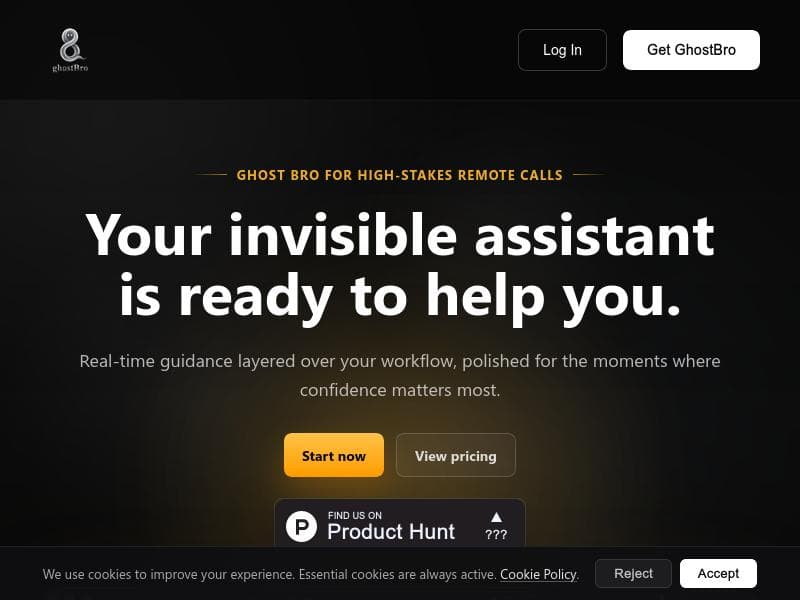
Ghost Bro is a real-time invisible assistant that enhances high-stakes remote calls by analyzing your screen and transcribing meetings to provide actionable insights exactly when you need them. Perfect for professionals who demand confidence and productivity during critical conversations, it uniquely balances powerful AI capabilities with privacy-focused options.

Description
GhostBro is a desktop AI companion for live work: calls, screen context, transcripts, summaries, translation, and follow-ups. Use local models when privacy matters, or connect your own AI providers when you want more speed or depth. Pay once for lifetime access. No subscription, no provider markup.
Detailed Description
Ghost Bro is an innovative AI-powered invisible assistant designed specifically to enhance performance during high-stakes remote calls. Its core purpose is to provide real-time guidance seamlessly integrated into your workflow, helping users maintain confidence and productivity when it matters most. By analyzing your screen content, transcribing conversations, and delivering actionable insights, Ghost Bro acts as a silent partner that supports decision-making and communication without interrupting the flow of your meetings. At the heart of Ghost Bro’s capabilities is its advanced screen analysis feature. It captures your active screen and processes the visual data either through local AI models or external providers such as OpenAI and Claude. This allows the assistant to understand the context of what you’re working on, whether it’s code, documents, or presentations, and provide relevant insights or answers in real time. Users can keep a history of interactions for follow-up questions or reset the context when switching tasks, ensuring the assistant remains focused and relevant. Complementing screen analysis is Ghost Bro’s transcription functionality. It leverages powerful speech-to-text engines like local Whisper or cloud services such as OpenAI and Deepgram to convert meeting audio into clean, searchable text. This transcription not only aids in documentation but also enables the assistant to listen actively and offer contextual suggestions or reminders during calls. The transcription is tightly integrated with the screen analysis, creating a multi-layered understanding of the meeting environment. Interaction with Ghost Bro is designed to be intuitive and flexible. It supports multiple modes, including a combined mouse and keyboard shortcut interface as well as a shortcut-only mode for users who prefer minimal hand movement. This adaptability ensures that the assistant can fit naturally into various workflows without causing distraction or requiring extensive training. Ghost Bro is ideal for professionals who frequently engage in critical remote meetings where quick, informed decisions are necessary. This includes software developers debugging live code, salespeople navigating complex negotiations, customer support agents handling sensitive issues, and executives managing strategic discussions. Its ability to provide discreet, context-aware assistance makes it invaluable in scenarios where confidence and accuracy are paramount. Regarding pricing, Ghost Bro offers tiered plans tailored to different user needs, though specific pricing details should be confirmed on their official website or Product Hunt page. The platform emphasizes privacy and security, offering options to run AI models locally to keep sensitive data on-device rather than relying solely on cloud providers. Compared to other AI meeting assistants, Ghost Bro stands out by focusing on real-time screen analysis combined with transcription, rather than just meeting notes or summaries. Its integration with both local and external AI providers offers a unique balance between power and privacy, catering to users who require robust AI capabilities without compromising data security. While many alternatives focus on post-meeting insights, Ghost Bro’s live guidance feature provides immediate value during the call itself. Potential limitations include the dependency on compatible AI models and providers, which may affect performance or feature availability depending on user setup. Additionally, while the tool supports multiple interaction modes, users may face a learning curve to fully leverage its capabilities. As with any AI assistant, the quality of insights depends on the accuracy of screen capture and transcription, which can vary based on environment and hardware. In summary, Ghost Bro is a sophisticated AI assistant tailored for professionals who need discreet, real-time support during remote calls. Its combination of screen analysis, transcription, and flexible interaction modes makes it a powerful tool for boosting confidence and productivity in high-pressure situations, with a strong emphasis on privacy and adaptability.
Tool Features
- Screen analysis: Capture your active screen and send it to a local model or an external provider for enhanced AI-powered insights.
- Transcription: Turn meetings into clean, searchable text using local Whisper or external providers like OpenAI and Deepgram.
- Real-time guidance layered over your workflow to help in moments where confidence matters most.
- Supports multiple interaction modes including mouse + shortcuts and shortcut-only mode.
- Keeps history for follow-up answers or allows starting fresh when the task changes.
- Integrates with local AI and external providers such as OpenAI and Claude for screen analysis.
- Offers privacy-focused options by running local models when needed.
Description
Ghost Bro is a real-time invisible assistant that enhances high-stakes remote calls by analyzing your screen and transcribing meetings to provide actionable insights exactly when you need them. Perfect for professionals who demand confidence and productivity during critical conversations, it uniquely balances powerful AI capabilities with privacy-focused options.
GhostBro is a desktop AI companion for live work: calls, screen context, transcripts, summaries, translation, and follow-ups. Use local models when privacy matters, or connect your own AI providers when you want more speed or depth. Pay once for lifetime access. No subscription, no provider markup.
Detailed Description
Ghost Bro is an innovative AI-powered invisible assistant designed specifically to enhance performance during high-stakes remote calls. Its core purpose is to provide real-time guidance seamlessly integrated into your workflow, helping users maintain confidence and productivity when it matters most. By analyzing your screen content, transcribing conversations, and delivering actionable insights, Ghost Bro acts as a silent partner that supports decision-making and communication without interrupting the flow of your meetings. At the heart of Ghost Bro’s capabilities is its advanced screen analysis feature. It captures your active screen and processes the visual data either through local AI models or external providers such as OpenAI and Claude. This allows the assistant to understand the context of what you’re working on, whether it’s code, documents, or presentations, and provide relevant insights or answers in real time. Users can keep a history of interactions for follow-up questions or reset the context when switching tasks, ensuring the assistant remains focused and relevant. Complementing screen analysis is Ghost Bro’s transcription functionality. It leverages powerful speech-to-text engines like local Whisper or cloud services such as OpenAI and Deepgram to convert meeting audio into clean, searchable text. This transcription not only aids in documentation but also enables the assistant to listen actively and offer contextual suggestions or reminders during calls. The transcription is tightly integrated with the screen analysis, creating a multi-layered understanding of the meeting environment. Interaction with Ghost Bro is designed to be intuitive and flexible. It supports multiple modes, including a combined mouse and keyboard shortcut interface as well as a shortcut-only mode for users who prefer minimal hand movement. This adaptability ensures that the assistant can fit naturally into various workflows without causing distraction or requiring extensive training. Ghost Bro is ideal for professionals who frequently engage in critical remote meetings where quick, informed decisions are necessary. This includes software developers debugging live code, salespeople navigating complex negotiations, customer support agents handling sensitive issues, and executives managing strategic discussions. Its ability to provide discreet, context-aware assistance makes it invaluable in scenarios where confidence and accuracy are paramount. Regarding pricing, Ghost Bro offers tiered plans tailored to different user needs, though specific pricing details should be confirmed on their official website or Product Hunt page. The platform emphasizes privacy and security, offering options to run AI models locally to keep sensitive data on-device rather than relying solely on cloud providers. Compared to other AI meeting assistants, Ghost Bro stands out by focusing on real-time screen analysis combined with transcription, rather than just meeting notes or summaries. Its integration with both local and external AI providers offers a unique balance between power and privacy, catering to users who require robust AI capabilities without compromising data security. While many alternatives focus on post-meeting insights, Ghost Bro’s live guidance feature provides immediate value during the call itself. Potential limitations include the dependency on compatible AI models and providers, which may affect performance or feature availability depending on user setup. Additionally, while the tool supports multiple interaction modes, users may face a learning curve to fully leverage its capabilities. As with any AI assistant, the quality of insights depends on the accuracy of screen capture and transcription, which can vary based on environment and hardware. In summary, Ghost Bro is a sophisticated AI assistant tailored for professionals who need discreet, real-time support during remote calls. Its combination of screen analysis, transcription, and flexible interaction modes makes it a powerful tool for boosting confidence and productivity in high-pressure situations, with a strong emphasis on privacy and adaptability.
Frequently Asked Questions
What is Ghost Bro?
Ghost Bro is an AI-powered invisible assistant designed to provide real-time guidance during high-stakes remote calls by analyzing your screen, transcribing meetings, and delivering actionable insights to boost confidence and productivity.
How much does Ghost Bro cost?
Ghost Bro offers tiered pricing plans tailored to different user needs. For detailed and up-to-date pricing information, it is best to visit their official website or Product Hunt page.
Who is Ghost Bro best for?
Ghost Bro is ideal for professionals engaged in critical remote meetings such as software developers, salespeople, customer support agents, and executives who require real-time assistance to make informed decisions confidently.
What are the main features of Ghost Bro?
Key features include AI-powered screen analysis with local or external providers, real-time transcription using Whisper or cloud services, multi-mode interaction (mouse + shortcuts or shortcut-only), history management for follow-ups, and privacy-focused options to run local AI models.
Does Ghost Bro offer a free trial?
Information about a free trial is not explicitly stated. Interested users should check the official Ghost Bro website or Product Hunt listing for any trial offers or demo options.
What integrations does Ghost Bro support?
Ghost Bro integrates with local AI models and external AI providers including OpenAI, Claude, and Deepgram for screen analysis and transcription, allowing flexible deployment based on user preferences and privacy requirements.
How does Ghost Bro work?
Ghost Bro captures your active screen and meeting audio, processes this data through AI models locally or via external providers, and overlays real-time guidance and insights directly onto your workflow to assist you during remote calls.
Reviews
No reviews yet. Be the first to share your experience.




















































