
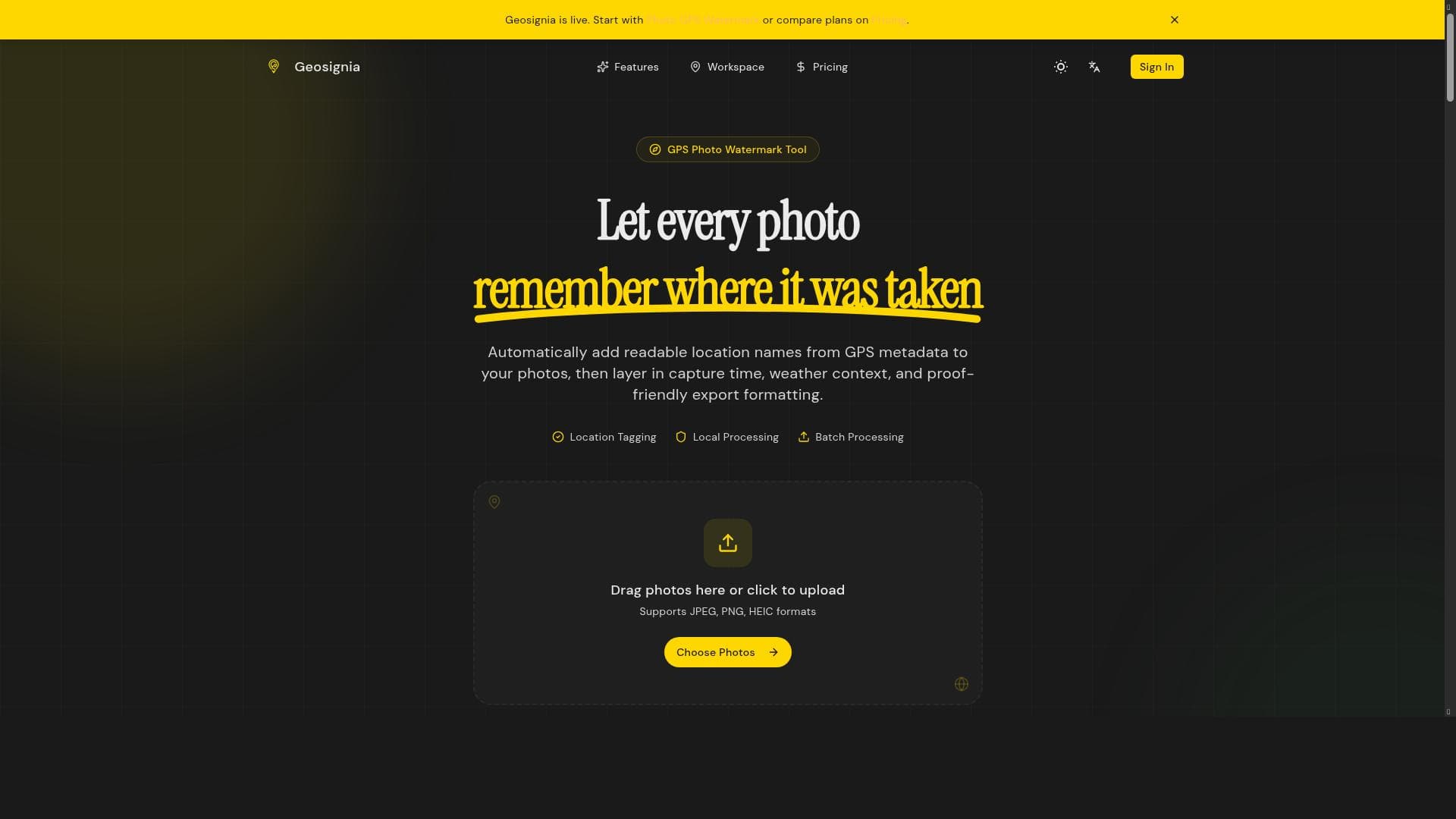


Geosignia is a privacy-first photo GPS watermark tool that processes images locally in your browser, ensuring no photos are uploaded to servers. Ideal for photographers, real estate agents, and content creators, it offers instant GPS watermarking with batch processing—all completely free.
Description
Geosignia is a photo GPS watermark tool that allows users to add GPS location watermarks to photos instantly. It prioritizes privacy by processing photos locally in the user's browser without uploading them to any server. The tool supports batch processing for efficiency.
Detailed Description
Geosignia is a specialized photo GPS watermark tool designed to seamlessly embed geographic location data onto your images. Its core purpose is to allow users to add GPS location watermarks instantly to photos, enhancing the contextual information of images without compromising privacy. Unlike many other watermarking tools that rely on cloud processing, Geosignia processes all photos locally within the user's browser. This means that no images are uploaded to any external servers, ensuring complete privacy and security of your visual content. This local processing approach is particularly valuable for users concerned about data privacy and confidentiality, such as photographers, journalists, and businesses handling sensitive images. The tool’s key features revolve around its ease of use, privacy-first design, and efficiency. Geosignia allows users to add GPS watermarks instantly, which means you can quickly tag your photos with precise location data without any delay. The batch processing capability is a standout feature, enabling users to watermark multiple photos simultaneously, saving significant time and effort compared to processing images one by one. This is especially beneficial for professionals who manage large volumes of photos, such as real estate agents, travel bloggers, and event photographers. Since all processing happens locally in the browser, users do not need to worry about internet connectivity or data breaches, making it a secure and reliable solution. Geosignia is best suited for individuals and professionals who require accurate geotagging of their photos while maintaining strict control over their data. Travel photographers can use it to document the exact locations of their shots, enhancing storytelling and authenticity. Real estate professionals can watermark property images with location data to prevent unauthorized use and provide clear geographic context. Additionally, social media influencers and content creators who want to share location-specific content without exposing their photos to third-party servers will find this tool highly valuable. Its batch processing feature also makes it ideal for businesses and agencies that need to watermark large photo libraries efficiently. One of the most attractive aspects of Geosignia is its pricing model — it is completely free to use. This makes it accessible to a wide range of users, from hobbyists to professionals, without any financial commitment. The free access combined with its privacy-centric design and batch processing capabilities offers a compelling value proposition compared to paid alternatives. When compared to other photo watermarking tools, Geosignia stands out primarily due to its local processing feature. Many watermarking tools require uploading photos to cloud servers, which can raise privacy concerns and slow down the workflow depending on internet speed. Geosignia’s browser-based processing eliminates these issues, providing faster and more secure watermarking. However, unlike some advanced photo editing suites, Geosignia focuses specifically on GPS watermarking and does not offer broader photo editing or metadata management features. This specialization makes it a niche but highly effective tool for users specifically looking to add location watermarks. Despite its strengths, there are some limitations to consider. Since Geosignia operates entirely in the browser, its performance may depend on the user’s device capabilities and browser compatibility. Users with very large photo batches or extremely high-resolution images might experience slower processing times compared to desktop applications optimized for heavy workloads. Additionally, the tool’s focus on GPS watermarking means it does not provide other watermark types or advanced customization options that some users might require. Finally, as a free tool, it may not offer dedicated customer support or advanced integrations that enterprise users might expect. In summary, Geosignia is a powerful, privacy-conscious GPS watermarking tool ideal for users who want to add location data to their photos quickly and securely. Its local processing and batch capabilities make it a standout choice for photographers, real estate professionals, and content creators who prioritize data privacy and efficiency. While it may not replace full-featured photo editing software, its specialized focus and free access make it a valuable addition to any digital photography toolkit.
Tool Features
- Add GPS location watermarks to photos instantly
- Photos processed locally in your browser
- No photos uploaded to any server
- Batch processing supported
Description
Geosignia is a privacy-first photo GPS watermark tool that processes images locally in your browser, ensuring no photos are uploaded to servers. Ideal for photographers, real estate agents, and content creators, it offers instant GPS watermarking with batch processing—all completely free.
Geosignia is a photo GPS watermark tool that allows users to add GPS location watermarks to photos instantly. It prioritizes privacy by processing photos locally in the user's browser without uploading them to any server. The tool supports batch processing for efficiency.
Detailed Description
Geosignia is a specialized photo GPS watermark tool designed to seamlessly embed geographic location data onto your images. Its core purpose is to allow users to add GPS location watermarks instantly to photos, enhancing the contextual information of images without compromising privacy. Unlike many other watermarking tools that rely on cloud processing, Geosignia processes all photos locally within the user's browser. This means that no images are uploaded to any external servers, ensuring complete privacy and security of your visual content. This local processing approach is particularly valuable for users concerned about data privacy and confidentiality, such as photographers, journalists, and businesses handling sensitive images. The tool’s key features revolve around its ease of use, privacy-first design, and efficiency. Geosignia allows users to add GPS watermarks instantly, which means you can quickly tag your photos with precise location data without any delay. The batch processing capability is a standout feature, enabling users to watermark multiple photos simultaneously, saving significant time and effort compared to processing images one by one. This is especially beneficial for professionals who manage large volumes of photos, such as real estate agents, travel bloggers, and event photographers. Since all processing happens locally in the browser, users do not need to worry about internet connectivity or data breaches, making it a secure and reliable solution. Geosignia is best suited for individuals and professionals who require accurate geotagging of their photos while maintaining strict control over their data. Travel photographers can use it to document the exact locations of their shots, enhancing storytelling and authenticity. Real estate professionals can watermark property images with location data to prevent unauthorized use and provide clear geographic context. Additionally, social media influencers and content creators who want to share location-specific content without exposing their photos to third-party servers will find this tool highly valuable. Its batch processing feature also makes it ideal for businesses and agencies that need to watermark large photo libraries efficiently. One of the most attractive aspects of Geosignia is its pricing model — it is completely free to use. This makes it accessible to a wide range of users, from hobbyists to professionals, without any financial commitment. The free access combined with its privacy-centric design and batch processing capabilities offers a compelling value proposition compared to paid alternatives. When compared to other photo watermarking tools, Geosignia stands out primarily due to its local processing feature. Many watermarking tools require uploading photos to cloud servers, which can raise privacy concerns and slow down the workflow depending on internet speed. Geosignia’s browser-based processing eliminates these issues, providing faster and more secure watermarking. However, unlike some advanced photo editing suites, Geosignia focuses specifically on GPS watermarking and does not offer broader photo editing or metadata management features. This specialization makes it a niche but highly effective tool for users specifically looking to add location watermarks. Despite its strengths, there are some limitations to consider. Since Geosignia operates entirely in the browser, its performance may depend on the user’s device capabilities and browser compatibility. Users with very large photo batches or extremely high-resolution images might experience slower processing times compared to desktop applications optimized for heavy workloads. Additionally, the tool’s focus on GPS watermarking means it does not provide other watermark types or advanced customization options that some users might require. Finally, as a free tool, it may not offer dedicated customer support or advanced integrations that enterprise users might expect. In summary, Geosignia is a powerful, privacy-conscious GPS watermarking tool ideal for users who want to add location data to their photos quickly and securely. Its local processing and batch capabilities make it a standout choice for photographers, real estate professionals, and content creators who prioritize data privacy and efficiency. While it may not replace full-featured photo editing software, its specialized focus and free access make it a valuable addition to any digital photography toolkit.
Frequently Asked Questions
What is Geosignia?
Geosignia is a photo GPS watermark tool that allows users to add geographic location watermarks to their photos instantly. It processes images locally in the user's browser, ensuring privacy by not uploading any photos to external servers.
How much does Geosignia cost?
Geosignia is completely free to use, offering all its features without any subscription or payment.
Who is Geosignia best for?
Geosignia is best suited for photographers, real estate professionals, travel bloggers, social media influencers, and anyone who wants to add GPS location watermarks to photos while maintaining privacy and processing efficiency.
What are the main features of Geosignia?
The main features include instant GPS location watermarking, local photo processing within the browser, no photo uploads to servers, and support for batch processing multiple photos at once.
Does Geosignia offer a free trial?
Geosignia is free to use, so there is no need for a trial period or subscription to access its features.
What integrations does Geosignia support?
Geosignia operates as a standalone browser-based tool and does not currently offer integrations with other software or platforms.
How does Geosignia work?
Geosignia works by processing your photos locally in your web browser, allowing you to add GPS location watermarks instantly without uploading images to any server. It supports batch processing to watermark multiple photos efficiently.
Reviews
No reviews yet. Be the first to share your experience.















































