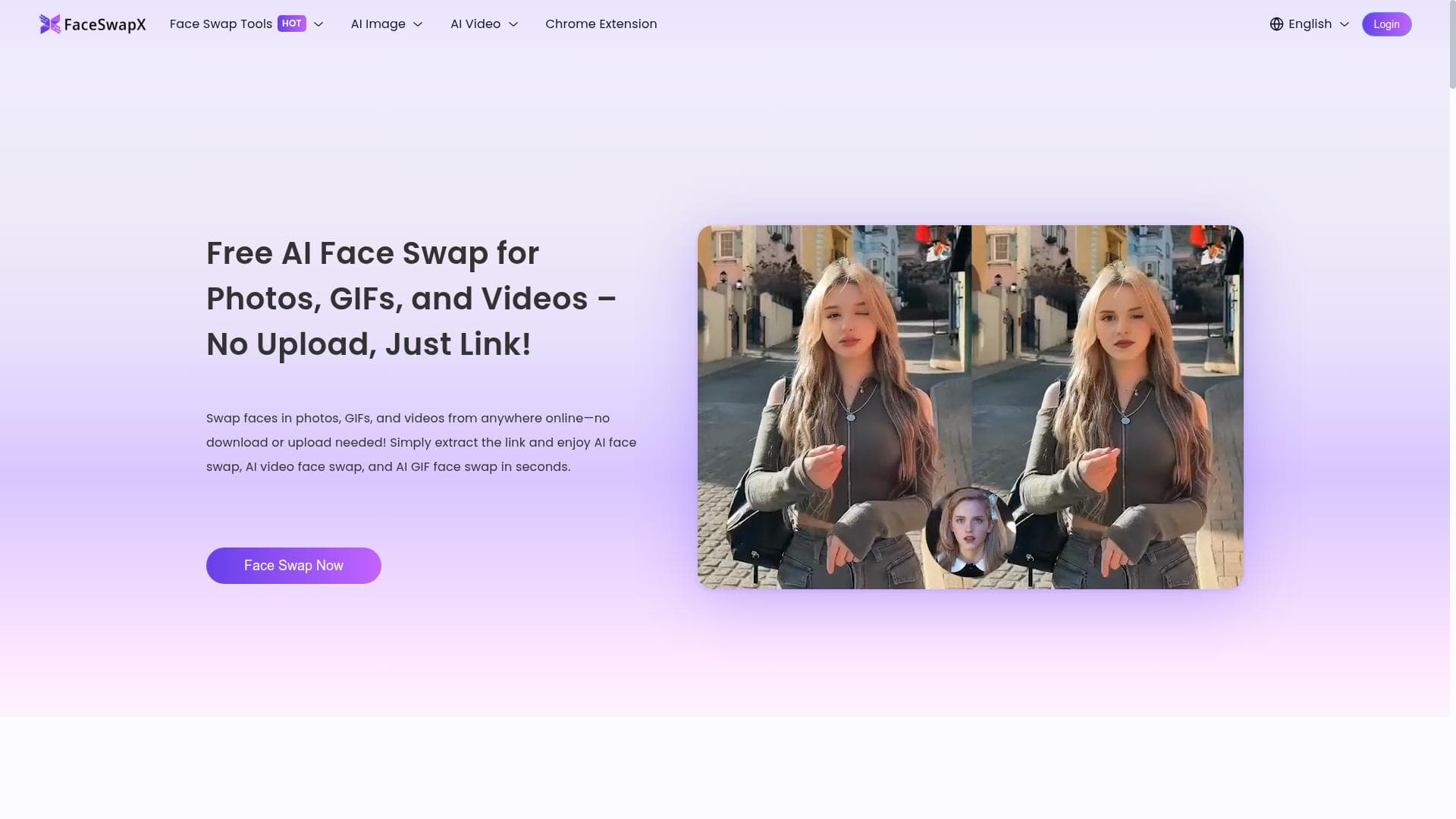


FaceSwapX revolutionizes face swapping by enabling users to swap faces in photos, GIFs, and videos directly from online links—no downloads, uploads, or sign-ups required. Perfect for content creators and social media enthusiasts, it offers fast, free, and privacy-conscious AI face swaps in seconds.

Description
Swap faces in photos, GIFs, and videos from anywhere online—no download or upload needed! Simply extract the link and enjoy AI face swap, AI video face swap, and AI GIF face swap in seconds.
Detailed Description
FaceSwapX is an innovative AI-powered tool designed to seamlessly swap faces in photos, GIFs, and videos directly from any online source without the need for downloads or uploads. Its core purpose is to provide users with a fast, convenient, and privacy-conscious way to perform face swaps using only a URL link, eliminating the traditional hurdles of file handling and software installation. By leveraging advanced AI models, FaceSwapX enables users to transform visual content effortlessly, making it accessible for casual users, content creators, and professionals alike. At the heart of FaceSwapX's capabilities is its ability to perform face swaps across multiple media formats. Whether you want to swap faces in a static photo, an animated GIF, or a full-length video, FaceSwapX handles the process smoothly and efficiently. The tool extracts the media from the provided online link and applies AI-driven face replacement algorithms that maintain natural expressions and realistic blending. This ensures that the swapped faces look authentic and integrated within the original media context. Additionally, FaceSwapX requires no downloads or uploads, which means users do not have to worry about storage space or lengthy upload times. The entire process is conducted online, making it accessible from any device with internet access. FaceSwapX is particularly well-suited for social media enthusiasts, digital marketers, meme creators, and video editors who want to add a creative twist to their content without investing in complex software or technical expertise. It is also a valuable tool for educators and entertainers who can use face swaps for engaging presentations or humorous content. The ease of use and instant results make it ideal for quick experimentation and sharing on platforms like Instagram, TikTok, and Twitter. Since no sign-up is required, users can jump straight into creating content without barriers. One of the most attractive aspects of FaceSwapX is its pricing model—it is completely free to use. This democratizes access to advanced face swapping technology, allowing anyone to experiment and create without financial commitment. Unlike many competitors that require subscriptions or pay-per-use fees, FaceSwapX offers full functionality at no cost, making it an excellent choice for budget-conscious users and hobbyists. When compared to alternative face swapping tools, FaceSwapX stands out due to its zero-download, zero-upload approach and its ability to work solely from online links. Many other face swap applications require users to upload files manually or install software, which can be time-consuming and raise privacy concerns. FaceSwapX’s streamlined process reduces friction and enhances user privacy by minimizing data transfers. However, some alternatives might offer more advanced editing features or higher resolution outputs, so users with professional-grade needs might consider those options. Despite its many strengths, FaceSwapX has some limitations to consider. Since it operates entirely online and relies on external links, the quality and availability of source media can affect the final output. Users may experience variability in face swap accuracy depending on the complexity of the original image or video, lighting conditions, and facial angles. Additionally, while the tool supports multiple formats, it may not handle extremely large video files or highly compressed GIFs as effectively as dedicated desktop software. Finally, because it is free and does not require sign-up, there is limited customer support or advanced customization options compared to premium services. In summary, FaceSwapX offers a unique, user-friendly, and cost-free solution for anyone looking to perform AI-driven face swaps in photos, GIFs, and videos directly from online sources. Its combination of convenience, speed, and accessibility makes it a standout choice for casual users and content creators seeking quick and impressive face swap results without technical hurdles.
Tool Features
- Face swap in photos
- Face swap in GIFs
- Face swap in videos
- No downloads required
- No uploads needed
- Works from anywhere online
- No sign-up required
Description
FaceSwapX revolutionizes face swapping by enabling users to swap faces in photos, GIFs, and videos directly from online links—no downloads, uploads, or sign-ups required. Perfect for content creators and social media enthusiasts, it offers fast, free, and privacy-conscious AI face swaps in seconds.
Swap faces in photos, GIFs, and videos from anywhere online—no download or upload needed! Simply extract the link and enjoy AI face swap, AI video face swap, and AI GIF face swap in seconds.
Detailed Description
FaceSwapX is an innovative AI-powered tool designed to seamlessly swap faces in photos, GIFs, and videos directly from any online source without the need for downloads or uploads. Its core purpose is to provide users with a fast, convenient, and privacy-conscious way to perform face swaps using only a URL link, eliminating the traditional hurdles of file handling and software installation. By leveraging advanced AI models, FaceSwapX enables users to transform visual content effortlessly, making it accessible for casual users, content creators, and professionals alike. At the heart of FaceSwapX's capabilities is its ability to perform face swaps across multiple media formats. Whether you want to swap faces in a static photo, an animated GIF, or a full-length video, FaceSwapX handles the process smoothly and efficiently. The tool extracts the media from the provided online link and applies AI-driven face replacement algorithms that maintain natural expressions and realistic blending. This ensures that the swapped faces look authentic and integrated within the original media context. Additionally, FaceSwapX requires no downloads or uploads, which means users do not have to worry about storage space or lengthy upload times. The entire process is conducted online, making it accessible from any device with internet access. FaceSwapX is particularly well-suited for social media enthusiasts, digital marketers, meme creators, and video editors who want to add a creative twist to their content without investing in complex software or technical expertise. It is also a valuable tool for educators and entertainers who can use face swaps for engaging presentations or humorous content. The ease of use and instant results make it ideal for quick experimentation and sharing on platforms like Instagram, TikTok, and Twitter. Since no sign-up is required, users can jump straight into creating content without barriers. One of the most attractive aspects of FaceSwapX is its pricing model—it is completely free to use. This democratizes access to advanced face swapping technology, allowing anyone to experiment and create without financial commitment. Unlike many competitors that require subscriptions or pay-per-use fees, FaceSwapX offers full functionality at no cost, making it an excellent choice for budget-conscious users and hobbyists. When compared to alternative face swapping tools, FaceSwapX stands out due to its zero-download, zero-upload approach and its ability to work solely from online links. Many other face swap applications require users to upload files manually or install software, which can be time-consuming and raise privacy concerns. FaceSwapX’s streamlined process reduces friction and enhances user privacy by minimizing data transfers. However, some alternatives might offer more advanced editing features or higher resolution outputs, so users with professional-grade needs might consider those options. Despite its many strengths, FaceSwapX has some limitations to consider. Since it operates entirely online and relies on external links, the quality and availability of source media can affect the final output. Users may experience variability in face swap accuracy depending on the complexity of the original image or video, lighting conditions, and facial angles. Additionally, while the tool supports multiple formats, it may not handle extremely large video files or highly compressed GIFs as effectively as dedicated desktop software. Finally, because it is free and does not require sign-up, there is limited customer support or advanced customization options compared to premium services. In summary, FaceSwapX offers a unique, user-friendly, and cost-free solution for anyone looking to perform AI-driven face swaps in photos, GIFs, and videos directly from online sources. Its combination of convenience, speed, and accessibility makes it a standout choice for casual users and content creators seeking quick and impressive face swap results without technical hurdles.
Frequently Asked Questions
What is FaceSwapX?
FaceSwapX is an AI-powered online tool that allows users to swap faces in photos, GIFs, and videos using only a link to the media, without requiring any downloads, uploads, or sign-ups.
How much does FaceSwapX cost?
FaceSwapX is completely free to use, offering all its features without any subscription or payment.
Who is FaceSwapX best for?
FaceSwapX is ideal for social media users, digital marketers, meme creators, video editors, educators, and anyone looking to quickly and easily create face swap content without technical barriers.
What are the main features of FaceSwapX?
Its main features include face swapping in photos, GIFs, and videos directly from online links, no downloads or uploads required, no sign-up needed, and the ability to work from any device with internet access.
Does FaceSwapX offer a free trial?
FaceSwapX does not require a trial because it is fully free to use with no restrictions or paid tiers.
What integrations does FaceSwapX support?
FaceSwapX works by extracting media from any online link, so it effectively integrates with any platform or website that hosts photos, GIFs, or videos accessible via URL.
How does FaceSwapX work?
Users provide a URL link to the photo, GIF, or video they want to edit. FaceSwapX then uses AI algorithms to detect and swap faces within the media directly online, delivering the modified content without requiring file uploads or downloads.
Reviews
No reviews yet. Be the first to share your experience.




















































