Computer Use in Claude Code
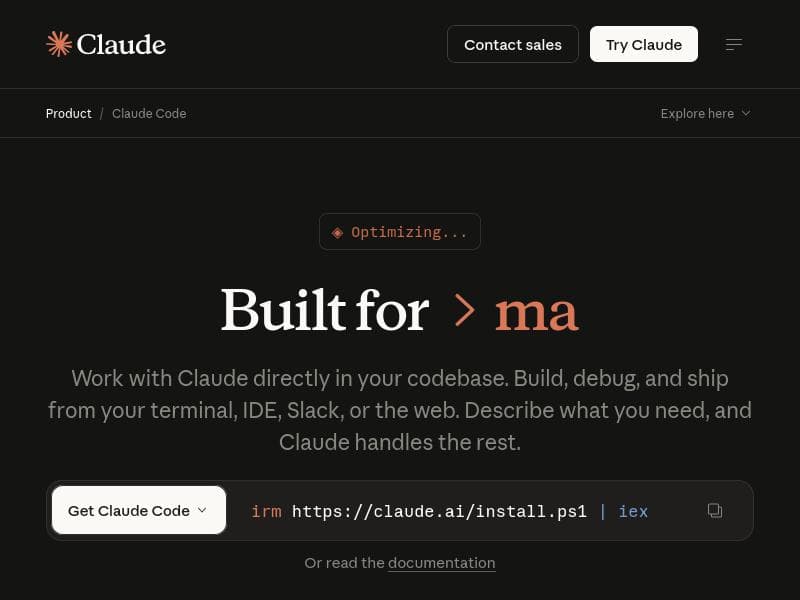


Computer Use in Claude Code uniquely empowers the Claude AI assistant to control and interact with native macOS applications directly from the terminal, enabling advanced GUI automation, testing, and debugging. It’s ideal for developers and QA professionals looking to automate complex workflows involving GUI-only tools without leaving their CLI environment.

Description
Enable computer use in the Claude Code CLI so Claude can open apps, click, type, and see your screen on macOS. Test native apps, debug visual issues, and automate GUI-only tools without leaving your terminal.
Detailed Description
Computer Use in Claude Code is an innovative CLI extension designed to empower the Claude AI assistant with direct control over your macOS computer environment. Its core purpose is to bridge the gap between AI-driven automation and native graphical user interface (GUI) interactions, enabling Claude to open applications, perform mouse clicks, type text, and visually interpret the screen in real time. This capability transforms Claude from a purely conversational AI into a powerful tool capable of automating complex workflows that involve native apps and GUI elements, all without leaving the terminal interface. At its heart, Computer Use in Claude Code offers several key features that make it uniquely valuable for developers, testers, and automation enthusiasts. First, it enables computer use directly within the Claude Code CLI, allowing seamless integration of AI commands with system-level operations. Claude can open any installed macOS app, navigate through interfaces by clicking buttons or menus, and input text as needed. Moreover, it can visually analyze the screen, which is crucial for debugging visual issues or verifying UI states. This visual feedback loop allows Claude to interact with GUI-only tools that traditionally require manual operation, automating tasks that were previously inaccessible to command-line automation. The tool is particularly well-suited for testing native applications where traditional automated testing frameworks may fall short. By leveraging Claude’s ability to see and interact with the screen, developers can script complex test scenarios that mimic real user interactions more accurately. Additionally, it excels at debugging visual problems by allowing the AI to identify and respond to UI anomalies dynamically. Automation of GUI-only tools, which often lack APIs or scripting interfaces, becomes feasible, saving time and reducing human error. Computer Use in Claude Code is ideal for software developers, quality assurance engineers, and technical professionals who require advanced automation capabilities on macOS. It is especially beneficial for teams working with native macOS applications or legacy GUI tools that cannot be automated through conventional means. Use cases include automated UI testing, visual debugging, repetitive task automation involving GUI apps, and integrating AI-driven workflows directly within development pipelines. The pricing model for Computer Use in Claude Code follows a freemium approach. Users can access core functionalities for free, which is suitable for individual developers or small-scale projects. Premium features or higher usage tiers may require a subscription or one-time payment, although specific pricing details are available on the official website. This model allows users to evaluate the tool’s capabilities before committing financially. Compared to alternative automation tools, Computer Use in Claude Code stands out by combining AI-driven decision-making with direct GUI interaction on macOS. While traditional automation tools like AppleScript or Automator provide scripting capabilities, they often lack the AI intelligence to adapt to dynamic UI changes or complex workflows. Other AI assistants may offer conversational help but do not extend control to native app interaction with screen reading. This tool uniquely integrates AI with native GUI control, offering a more flexible and intelligent automation experience. However, there are some limitations and considerations. Currently, the tool is macOS-specific, limiting its use to Apple environments. Users must be comfortable working within a command-line interface and have some technical proficiency to maximize its potential. Additionally, while the AI can see and interact with the screen, complex visual recognition tasks may require fine-tuning or additional configuration. Users should also consider privacy and security implications when granting AI access to control and view their screen. In summary, Computer Use in Claude Code is a cutting-edge solution that extends AI capabilities into native macOS GUI automation, testing, and debugging. Its combination of AI intelligence with direct computer control opens new possibilities for developers and technical users seeking to streamline workflows and automate tasks that were previously manual and time-consuming.
Tool Features
- Enable computer use in the Claude Code CLI
- Open apps, click, type, and see your screen on macOS
- Test native apps
- Debug visual issues
- Automate GUI-only tools without leaving your terminal
Description
Computer Use in Claude Code uniquely empowers the Claude AI assistant to control and interact with native macOS applications directly from the terminal, enabling advanced GUI automation, testing, and debugging. It’s ideal for developers and QA professionals looking to automate complex workflows involving GUI-only tools without leaving their CLI environment.
Enable computer use in the Claude Code CLI so Claude can open apps, click, type, and see your screen on macOS. Test native apps, debug visual issues, and automate GUI-only tools without leaving your terminal.
Detailed Description
Computer Use in Claude Code is an innovative CLI extension designed to empower the Claude AI assistant with direct control over your macOS computer environment. Its core purpose is to bridge the gap between AI-driven automation and native graphical user interface (GUI) interactions, enabling Claude to open applications, perform mouse clicks, type text, and visually interpret the screen in real time. This capability transforms Claude from a purely conversational AI into a powerful tool capable of automating complex workflows that involve native apps and GUI elements, all without leaving the terminal interface. At its heart, Computer Use in Claude Code offers several key features that make it uniquely valuable for developers, testers, and automation enthusiasts. First, it enables computer use directly within the Claude Code CLI, allowing seamless integration of AI commands with system-level operations. Claude can open any installed macOS app, navigate through interfaces by clicking buttons or menus, and input text as needed. Moreover, it can visually analyze the screen, which is crucial for debugging visual issues or verifying UI states. This visual feedback loop allows Claude to interact with GUI-only tools that traditionally require manual operation, automating tasks that were previously inaccessible to command-line automation. The tool is particularly well-suited for testing native applications where traditional automated testing frameworks may fall short. By leveraging Claude’s ability to see and interact with the screen, developers can script complex test scenarios that mimic real user interactions more accurately. Additionally, it excels at debugging visual problems by allowing the AI to identify and respond to UI anomalies dynamically. Automation of GUI-only tools, which often lack APIs or scripting interfaces, becomes feasible, saving time and reducing human error. Computer Use in Claude Code is ideal for software developers, quality assurance engineers, and technical professionals who require advanced automation capabilities on macOS. It is especially beneficial for teams working with native macOS applications or legacy GUI tools that cannot be automated through conventional means. Use cases include automated UI testing, visual debugging, repetitive task automation involving GUI apps, and integrating AI-driven workflows directly within development pipelines. The pricing model for Computer Use in Claude Code follows a freemium approach. Users can access core functionalities for free, which is suitable for individual developers or small-scale projects. Premium features or higher usage tiers may require a subscription or one-time payment, although specific pricing details are available on the official website. This model allows users to evaluate the tool’s capabilities before committing financially. Compared to alternative automation tools, Computer Use in Claude Code stands out by combining AI-driven decision-making with direct GUI interaction on macOS. While traditional automation tools like AppleScript or Automator provide scripting capabilities, they often lack the AI intelligence to adapt to dynamic UI changes or complex workflows. Other AI assistants may offer conversational help but do not extend control to native app interaction with screen reading. This tool uniquely integrates AI with native GUI control, offering a more flexible and intelligent automation experience. However, there are some limitations and considerations. Currently, the tool is macOS-specific, limiting its use to Apple environments. Users must be comfortable working within a command-line interface and have some technical proficiency to maximize its potential. Additionally, while the AI can see and interact with the screen, complex visual recognition tasks may require fine-tuning or additional configuration. Users should also consider privacy and security implications when granting AI access to control and view their screen. In summary, Computer Use in Claude Code is a cutting-edge solution that extends AI capabilities into native macOS GUI automation, testing, and debugging. Its combination of AI intelligence with direct computer control opens new possibilities for developers and technical users seeking to streamline workflows and automate tasks that were previously manual and time-consuming.
Frequently Asked Questions
What is Computer Use in Claude Code?
Computer Use in Claude Code is a CLI extension that enables the Claude AI assistant to control and interact with native macOS applications by opening apps, clicking, typing, and visually interpreting the screen, allowing for advanced GUI automation and testing.
How much does Computer Use in Claude Code cost?
Computer Use in Claude Code follows a freemium pricing model, offering core features for free with optional premium plans or higher usage tiers available. Detailed pricing information can be found on the official website.
Who is Computer Use in Claude Code best for?
It is best suited for software developers, QA engineers, and technical professionals on macOS who need to automate GUI-only tools, test native applications, or debug visual issues using AI-driven automation within the terminal.
What are the main features of Computer Use in Claude Code?
Main features include enabling computer use within the Claude Code CLI, opening macOS apps, performing clicks and typing, visually analyzing the screen, testing native apps, debugging visual issues, and automating GUI-only tools without leaving the terminal.
Does Computer Use in Claude Code offer a free trial?
Yes, the tool offers a freemium model that allows users to access core functionalities for free, effectively serving as a free trial to evaluate its capabilities before opting for premium features.
What integrations does Computer Use in Claude Code support?
Computer Use in Claude Code primarily integrates with the Claude Code CLI on macOS, enabling AI-driven control of native macOS applications and GUI elements directly through the terminal environment.
How does Computer Use in Claude Code work?
It works by extending the Claude AI assistant’s capabilities within the CLI to interact with the macOS environment—opening apps, clicking, typing, and visually interpreting the screen—allowing AI-driven automation and testing of GUI applications without manual intervention.
Socials
Use ToolReviews
No reviews yet. Be the first to share your experience.




















































