Capacities Mobile App


Is this your AI tool? Claim it today.
Verify ownership, manage your profile, and unlock growth features.
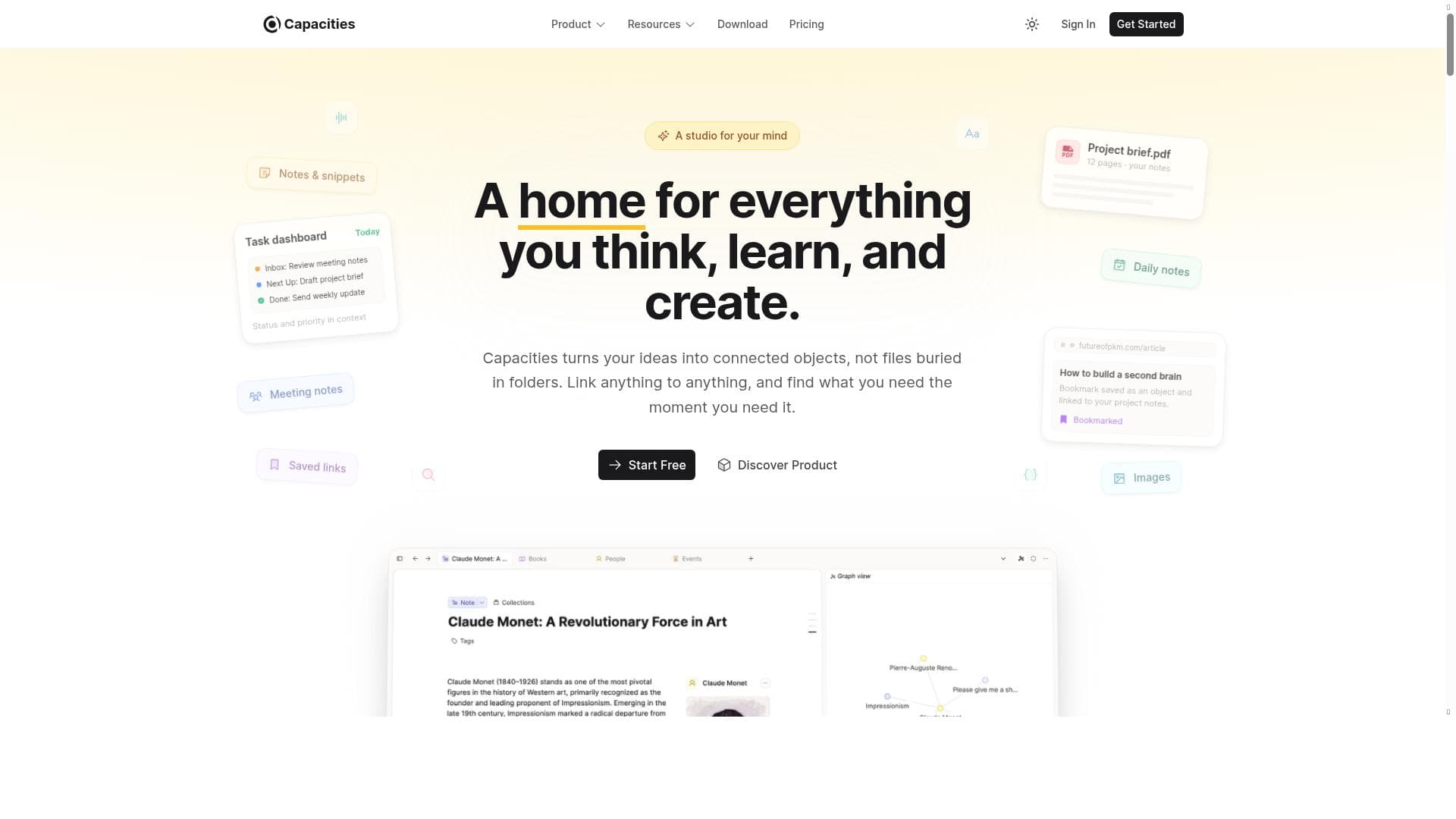
Capacities Mobile App is a powerful note-taking and productivity tool that combines seamless mobile access with an AI assistant to boost mental efficiency. Ideal for professionals, students, and creatives, it streamlines workflow and keeps your ideas organized wherever you are.

Description
The Capacities Mobile App is your note-taking companion when you're on the go. Access all your notes, quickly save important info, and create new content. If you're stuck, ask our integrated AI assistant (Pro-only). Works great together with the desktop app.
Detailed Description
Capacities Mobile App is designed to be the ultimate note-taking and productivity companion for users who need seamless access to their information on the go. Its core purpose is to provide a comprehensive platform where users can quickly capture ideas, organize notes, and manage various types of content from their mobile devices. Whether you are a student, professional, or creative individual, Capacities Mobile App ensures that your important information is always at your fingertips, synchronized with the desktop app for a unified experience. This makes it ideal for users who require flexibility and efficiency in their workflow, especially when away from their primary workstation. The app boasts a range of powerful features that enhance productivity and organization. It integrates multiple organizational tools, allowing users to categorize and link notes, tasks, and projects effortlessly. The user-friendly interface is designed to streamline workflow, reducing friction when saving or retrieving information. One standout capability is the integrated AI assistant, available exclusively to Pro subscribers, which helps users overcome creative blocks or find relevant information quickly by providing intelligent suggestions and answers. This AI integration elevates the app beyond a simple note-taking tool, making it a smart assistant that adapts to your needs. Capacities Mobile App is best suited for individuals who juggle multiple projects or ideas and need a reliable system to keep everything organized. Professionals who attend frequent meetings, students managing coursework, and creatives brainstorming ideas will find the app particularly useful. Its ability to sync with the desktop version means users can start a note on their phone and continue working on it later with a full keyboard and larger screen. This cross-device functionality ensures continuity and reduces the risk of losing important information. The app operates on a freemium pricing model. The free version provides access to core note-taking and organizational features, making it accessible to casual users or those just starting to explore productivity tools. For users seeking advanced capabilities, the Pro plan unlocks the AI assistant and potentially other premium features, offering enhanced support for complex workflows. This tiered approach allows users to choose the level of functionality that best fits their needs and budget. When compared to alternatives like Evernote, Notion, or Microsoft OneNote, Capacities Mobile App stands out due to its integrated AI assistant and seamless synchronization with its desktop counterpart. While many note-taking apps offer organizational tools, Capacities emphasizes mental efficiency and workflow streamlining through AI-powered assistance. However, it may have fewer third-party integrations than some competitors, which could be a consideration for users relying heavily on ecosystem connectivity. Notable limitations include the AI assistant being restricted to Pro users, which might limit the appeal for those unwilling to subscribe. Additionally, as a relatively newer app, it may lack some advanced features or extensive community support found in more established platforms. Users should also consider that full functionality is optimized when used alongside the desktop app, so those seeking a purely mobile solution might find it less comprehensive. Overall, Capacities Mobile App offers a robust, AI-enhanced note-taking experience that caters well to users looking to boost productivity and organization on the move.
Tool Features
- Comprehensive platform for productivity
- Integrates various organizational tools
- User-friendly interface
- Streamlines workflow
- Boosts mental efficiency
Description
Capacities Mobile App is a powerful note-taking and productivity tool that combines seamless mobile access with an AI assistant to boost mental efficiency. Ideal for professionals, students, and creatives, it streamlines workflow and keeps your ideas organized wherever you are.
The Capacities Mobile App is your note-taking companion when you're on the go. Access all your notes, quickly save important info, and create new content. If you're stuck, ask our integrated AI assistant (Pro-only). Works great together with the desktop app.
Detailed Description
Capacities Mobile App is designed to be the ultimate note-taking and productivity companion for users who need seamless access to their information on the go. Its core purpose is to provide a comprehensive platform where users can quickly capture ideas, organize notes, and manage various types of content from their mobile devices. Whether you are a student, professional, or creative individual, Capacities Mobile App ensures that your important information is always at your fingertips, synchronized with the desktop app for a unified experience. This makes it ideal for users who require flexibility and efficiency in their workflow, especially when away from their primary workstation. The app boasts a range of powerful features that enhance productivity and organization. It integrates multiple organizational tools, allowing users to categorize and link notes, tasks, and projects effortlessly. The user-friendly interface is designed to streamline workflow, reducing friction when saving or retrieving information. One standout capability is the integrated AI assistant, available exclusively to Pro subscribers, which helps users overcome creative blocks or find relevant information quickly by providing intelligent suggestions and answers. This AI integration elevates the app beyond a simple note-taking tool, making it a smart assistant that adapts to your needs. Capacities Mobile App is best suited for individuals who juggle multiple projects or ideas and need a reliable system to keep everything organized. Professionals who attend frequent meetings, students managing coursework, and creatives brainstorming ideas will find the app particularly useful. Its ability to sync with the desktop version means users can start a note on their phone and continue working on it later with a full keyboard and larger screen. This cross-device functionality ensures continuity and reduces the risk of losing important information. The app operates on a freemium pricing model. The free version provides access to core note-taking and organizational features, making it accessible to casual users or those just starting to explore productivity tools. For users seeking advanced capabilities, the Pro plan unlocks the AI assistant and potentially other premium features, offering enhanced support for complex workflows. This tiered approach allows users to choose the level of functionality that best fits their needs and budget. When compared to alternatives like Evernote, Notion, or Microsoft OneNote, Capacities Mobile App stands out due to its integrated AI assistant and seamless synchronization with its desktop counterpart. While many note-taking apps offer organizational tools, Capacities emphasizes mental efficiency and workflow streamlining through AI-powered assistance. However, it may have fewer third-party integrations than some competitors, which could be a consideration for users relying heavily on ecosystem connectivity. Notable limitations include the AI assistant being restricted to Pro users, which might limit the appeal for those unwilling to subscribe. Additionally, as a relatively newer app, it may lack some advanced features or extensive community support found in more established platforms. Users should also consider that full functionality is optimized when used alongside the desktop app, so those seeking a purely mobile solution might find it less comprehensive. Overall, Capacities Mobile App offers a robust, AI-enhanced note-taking experience that caters well to users looking to boost productivity and organization on the move.
Frequently Asked Questions
What is Capacities Mobile App?
Capacities Mobile App is a note-taking and productivity application designed to help users capture, organize, and access their notes and ideas on the go. It integrates various organizational tools and features an AI assistant for enhanced workflow management.
How much does Capacities Mobile App cost?
Capacities Mobile App offers a freemium pricing model. The free version includes core note-taking and organizational features, while the Pro plan unlocks premium capabilities such as the integrated AI assistant.
Who is Capacities Mobile App best for?
The app is ideal for professionals, students, and creatives who need a reliable and efficient way to manage notes and projects across devices, especially those who benefit from AI-powered assistance to enhance productivity.
What are the main features of Capacities Mobile App?
Key features include a comprehensive productivity platform, integration of various organizational tools, a user-friendly interface, workflow streamlining, and an AI assistant available to Pro users.
Does Capacities Mobile App offer a free trial?
While the app offers a free version with essential features, details about a specific free trial for the Pro plan are not explicitly stated. Users can start with the free tier and upgrade to access premium features.
What integrations does Capacities Mobile App support?
Capacities Mobile App integrates various organizational tools within its platform and syncs seamlessly with its desktop application. However, specific third-party integrations are limited compared to some competitors.
How does Capacities Mobile App work?
The app allows users to create, save, and organize notes on their mobile devices, with all data synchronized to the desktop app. Pro users can also interact with the integrated AI assistant for help with content creation and information retrieval.
Socials
Use ToolReviews
No reviews yet. Be the first to share your experience.




















































