Buildform - AI Form Builder


Is this your AI tool? Claim it today.
Verify ownership, manage your profile, and unlock growth features.
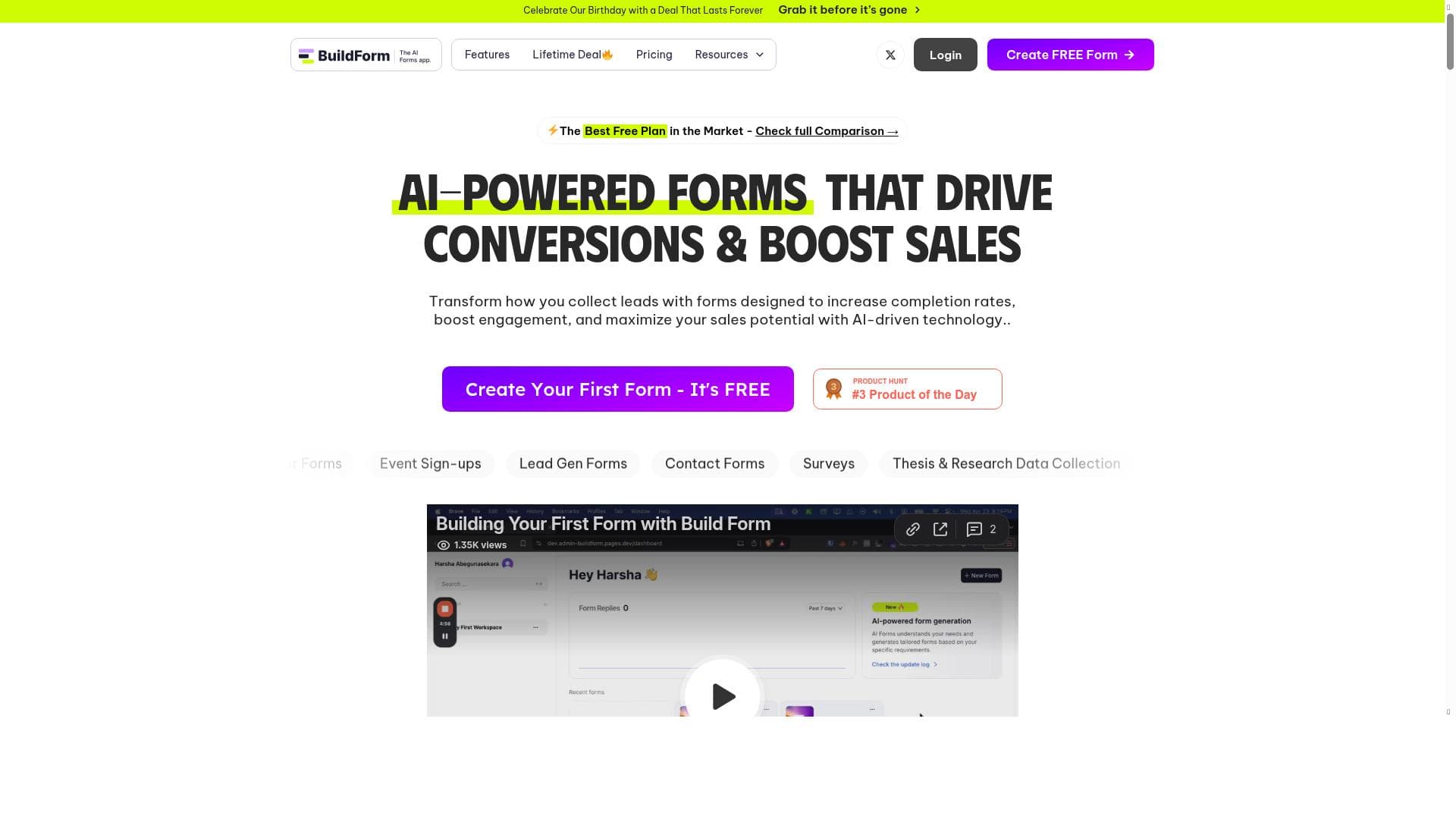
BuildForm - AI Form Builder harnesses the power of artificial intelligence to create unlimited, customizable forms with ease, while providing deep insights into user engagement and data trends. Ideal for marketers, educators, and businesses seeking smarter form solutions, it combines AI-driven creation, automated data collection, and seamless integrations to streamline workflows and boost productivity.

Description
🚀 BuildForm is the AI-powered form builder that’s limitless! Create unlimited forms, capture AI-driven insights, track drop-off rates, partial submissions, integrate with Google Sheets, Zapier & more. Sign up today with code PH0316 for 3 months free Pro! 🎉
Detailed Description
BuildForm - AI Form Builder is a cutting-edge, AI-powered platform designed to revolutionize the way users create, manage, and analyze online forms. Its core purpose is to provide an intuitive, limitless form-building experience that leverages artificial intelligence to streamline form creation, enhance data collection, and deliver actionable insights. Whether you are a marketer, researcher, educator, or business owner, BuildForm empowers you to design unlimited forms tailored to your specific needs without any coding knowledge, making it accessible for users of all skill levels. One of the standout features of BuildForm is its AI-powered form creation capability. The platform intelligently assists users in generating forms by suggesting relevant questions, optimizing form flow, and ensuring higher completion rates. This AI-driven approach reduces the time and effort traditionally required to build effective forms. Additionally, BuildForm offers automated data collection, which means responses are gathered and organized seamlessly, allowing users to focus on analyzing results rather than managing data entry. The platform also provides customizable form templates, enabling users to start quickly with professionally designed layouts that can be tailored to match branding and specific use cases. Beyond creation and data collection, BuildForm excels in providing deep insights into form performance. Users can track drop-off rates to understand where respondents lose interest, monitor partial submissions to capture incomplete data for follow-up, and gain AI-driven analytics that highlight trends and actionable points. Integration capabilities further enhance its utility, with support for Google Sheets, Zapier, and other popular tools, enabling users to automate workflows and connect form data with their existing systems effortlessly. BuildForm is ideal for a wide range of users and industries. Marketing teams can use it to create lead generation forms and surveys that adapt dynamically to respondent behavior. Educators and trainers can build quizzes and feedback forms that provide instant insights. Researchers benefit from streamlined data collection and analysis, while businesses can automate customer feedback, order forms, and event registrations. Its versatility makes it suitable for freelancers, startups, SMEs, and large enterprises alike. Regarding pricing, BuildForm operates on a freemium model, allowing users to start building forms at no cost with basic features. For more advanced capabilities, such as AI-driven insights, unlimited forms, and integrations, users can upgrade to the Pro plan. Currently, new users can sign up with the code PH0316 to receive three months of the Pro plan free, providing an excellent opportunity to explore premium features without immediate commitment. When compared to alternative form builders, BuildForm stands out due to its AI integration and comprehensive analytics. While many form tools offer templates and basic data collection, BuildForm’s AI assistance in form creation and its focus on tracking user engagement metrics like drop-off rates and partial submissions provide a more intelligent and data-driven approach. Its seamless integrations with popular productivity tools further enhance its appeal. However, users should consider that as a relatively new entrant, some advanced customization options or niche integrations available in more established platforms might be limited. In summary, BuildForm - AI Form Builder is a powerful, AI-enhanced solution that simplifies form creation and elevates data collection and analysis. Its user-friendly interface, combined with intelligent features and integration options, makes it a compelling choice for anyone looking to optimize their form workflows. While it offers a generous freemium plan and a valuable free Pro trial, potential users should evaluate their specific needs and integration requirements to ensure it aligns perfectly with their workflow.
Tool Features
- AI-powered form creation
- Automated data collection
- Customizable form templates
Description
BuildForm - AI Form Builder harnesses the power of artificial intelligence to create unlimited, customizable forms with ease, while providing deep insights into user engagement and data trends. Ideal for marketers, educators, and businesses seeking smarter form solutions, it combines AI-driven creation, automated data collection, and seamless integrations to streamline workflows and boost productivity.
🚀 BuildForm is the AI-powered form builder that’s limitless! Create unlimited forms, capture AI-driven insights, track drop-off rates, partial submissions, integrate with Google Sheets, Zapier & more. Sign up today with code PH0316 for 3 months free Pro! 🎉
Detailed Description
BuildForm - AI Form Builder is a cutting-edge, AI-powered platform designed to revolutionize the way users create, manage, and analyze online forms. Its core purpose is to provide an intuitive, limitless form-building experience that leverages artificial intelligence to streamline form creation, enhance data collection, and deliver actionable insights. Whether you are a marketer, researcher, educator, or business owner, BuildForm empowers you to design unlimited forms tailored to your specific needs without any coding knowledge, making it accessible for users of all skill levels. One of the standout features of BuildForm is its AI-powered form creation capability. The platform intelligently assists users in generating forms by suggesting relevant questions, optimizing form flow, and ensuring higher completion rates. This AI-driven approach reduces the time and effort traditionally required to build effective forms. Additionally, BuildForm offers automated data collection, which means responses are gathered and organized seamlessly, allowing users to focus on analyzing results rather than managing data entry. The platform also provides customizable form templates, enabling users to start quickly with professionally designed layouts that can be tailored to match branding and specific use cases. Beyond creation and data collection, BuildForm excels in providing deep insights into form performance. Users can track drop-off rates to understand where respondents lose interest, monitor partial submissions to capture incomplete data for follow-up, and gain AI-driven analytics that highlight trends and actionable points. Integration capabilities further enhance its utility, with support for Google Sheets, Zapier, and other popular tools, enabling users to automate workflows and connect form data with their existing systems effortlessly. BuildForm is ideal for a wide range of users and industries. Marketing teams can use it to create lead generation forms and surveys that adapt dynamically to respondent behavior. Educators and trainers can build quizzes and feedback forms that provide instant insights. Researchers benefit from streamlined data collection and analysis, while businesses can automate customer feedback, order forms, and event registrations. Its versatility makes it suitable for freelancers, startups, SMEs, and large enterprises alike. Regarding pricing, BuildForm operates on a freemium model, allowing users to start building forms at no cost with basic features. For more advanced capabilities, such as AI-driven insights, unlimited forms, and integrations, users can upgrade to the Pro plan. Currently, new users can sign up with the code PH0316 to receive three months of the Pro plan free, providing an excellent opportunity to explore premium features without immediate commitment. When compared to alternative form builders, BuildForm stands out due to its AI integration and comprehensive analytics. While many form tools offer templates and basic data collection, BuildForm’s AI assistance in form creation and its focus on tracking user engagement metrics like drop-off rates and partial submissions provide a more intelligent and data-driven approach. Its seamless integrations with popular productivity tools further enhance its appeal. However, users should consider that as a relatively new entrant, some advanced customization options or niche integrations available in more established platforms might be limited. In summary, BuildForm - AI Form Builder is a powerful, AI-enhanced solution that simplifies form creation and elevates data collection and analysis. Its user-friendly interface, combined with intelligent features and integration options, makes it a compelling choice for anyone looking to optimize their form workflows. While it offers a generous freemium plan and a valuable free Pro trial, potential users should evaluate their specific needs and integration requirements to ensure it aligns perfectly with their workflow.
Frequently Asked Questions
What is Buildform - AI Form Builder?
BuildForm - AI Form Builder is an AI-powered platform that enables users to create unlimited, customizable online forms with intelligent assistance, automated data collection, and advanced analytics to optimize form performance.
How much does Buildform - AI Form Builder cost?
BuildForm offers a freemium pricing model with basic features available for free. For advanced features like AI-driven insights, unlimited forms, and integrations, users can upgrade to the Pro plan. New users can also use the code PH0316 to get three months of the Pro plan free.
Who is Buildform - AI Form Builder best for?
BuildForm is ideal for marketers, educators, researchers, business owners, freelancers, startups, and enterprises who need an intelligent, easy-to-use form builder that provides deep insights and integrates with popular productivity tools.
What are the main features of Buildform - AI Form Builder?
Key features include AI-powered form creation that suggests questions and optimizes flow, automated data collection, customizable form templates, tracking of drop-off rates and partial submissions, AI-driven analytics, and integrations with Google Sheets, Zapier, and more.
Does Buildform - AI Form Builder offer a free trial?
Yes, BuildForm offers a freemium plan with basic features for free, and new users can sign up with the code PH0316 to receive three months of the Pro plan free, allowing access to premium features without immediate payment.
What integrations does Buildform - AI Form Builder support?
BuildForm supports integrations with Google Sheets, Zapier, and other popular tools, enabling users to automate workflows and connect form data with various applications and services.
How does Buildform - AI Form Builder work?
BuildForm uses artificial intelligence to assist users in creating optimized forms by suggesting relevant questions and improving form flow. It automates data collection and provides analytics on user engagement, while allowing customization and integration with other tools to streamline form management.
Reviews
No reviews yet. Be the first to share your experience.




















































