AI Styling Studio — Infinite avatar looks from just 1 photo.Try it now.

AVCLabs Video Enhancer AI
support

support-26

support

Views39

Impression7

Tool Pricingfreemium

Tool Features

  • AI Video Enhancer and Upscaler to Improve Video Quality
  • Automatically Blur Video to Reduce 99% Blurring Workload
  • Restore old photos
  • Blur faces in videos
  • Remove unwanted objects from videos and photos
  • Available as desktop software and online tools

Description

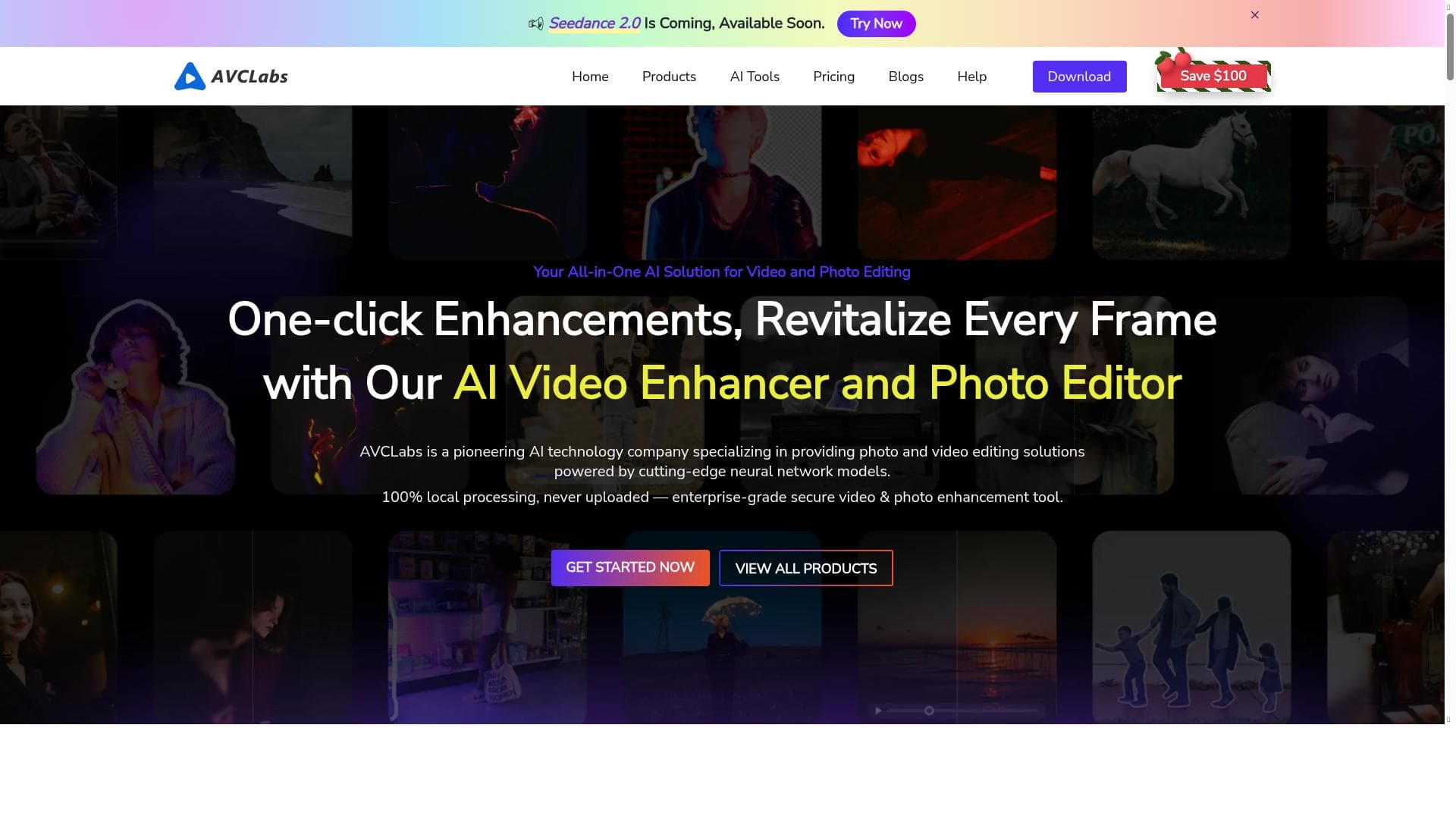
AVCLabs Video Enhancer AI is a powerful all-in-one video enhancement tool that uses advanced AI to upscale, deblur, colorize, and restore videos and photos with minimal manual effort. It’s perfect for content creators, archivists, and anyone looking to breathe new life into old or low-quality footage with professional-grade results.

Compared to alternatives, AVCLabs Video Enhancer AI stands out due to its comprehensive suite of features that combine video enhancement, face refinement, colorization, and object removal in one package. Many competing tools focus solely on upscaling or colorization, but AVCLabs offers a more holistic approach to video restoration and enhancement. Its automatic blur reduction system is particularly advanced, significantly reducing manual editing time. However, some limitations include the reliance on paid plans for full feature access and potentially high system requirements for the desktop version to process high-resolution videos efficiently. Users should also consider that while AI enhancement can dramatically improve video quality, it may not perfectly restore severely damaged footage or replace professional manual editing in all cases.

Frequently Asked Questions

What is AVCLabs Video Enhancer AI?

AVCLabs Video Enhancer AI is an AI-powered software tool designed to enhance video quality by upscaling resolution, reducing blur and grain, recovering facial details, colorizing black and white videos, and removing unwanted objects from videos and photos.

How much does AVCLabs Video Enhancer AI cost?

AVCLabs Video Enhancer AI is a paid product with various pricing plans available. Specific pricing details can be found on their official website, typically offering subscription or one-time purchase options tailored to different user needs.

Who is AVCLabs Video Enhancer AI best for?

This tool is best suited for video editors, content creators, filmmakers, archivists, and individuals looking to restore or improve the quality of old, blurry, or low-resolution videos and photos.

What are the main features of AVCLabs Video Enhancer AI?

Key features include AI-powered video enhancement and upscaling, automatic blur reduction, face recovery and refinement, colorization of black and white videos, photo restoration, face blurring for privacy, and removal of unwanted objects from videos and photos.

Does AVCLabs Video Enhancer AI offer a free trial?

While the provided information does not specify a free trial, many AI enhancement tools offer limited free trials or demo versions. It is recommended to check AVCLabs’ official website for the most current trial or demo availability.

What integrations does AVCLabs Video Enhancer AI support?

AVCLabs Video Enhancer AI is available as standalone desktop software and online tools. There is no specific information about integrations with other software platforms, so it primarily functions as an independent application.

How does AVCLabs Video Enhancer AI work?

The tool uses advanced AI algorithms to analyze video frames individually or in sequences, enhancing resolution, reducing blur and noise, refining facial features, and colorizing black and white footage. It automates much of the enhancement process to minimize manual editing workload.

Socials

Use Tool

Sponsored Tools

Reviews

0 reviews

No reviews yet. Be the first to share your experience.

Recommended Tools

Repairit

Verified

Repairit is an AI-powered data repair tool by Wondershare designed to fix corrupted or damaged videos, photos, files, audio, and emails quickly and efficiently. It leverages artificial intelligence to restore various types of corrupted data in minutes, ensuring data integrity and usability. Wondershare Repairit is an intelligent data repair solution designed to recover and enhance your most important digital assets. It repairs corrupted or damaged videos, photos, audio, documents, ZIP archives, and other files, using AI-driven models to restore quality while preserving original content. You can repair files from a wide range of formats and devices, run batch repairs, preview results before export, and choose between quick repair and advanced repair modes for severely damaged media. Online and desktop plans are available, including AI photo restoration, colorization, and enhancement, with paid subscriptions starting from approximately $9.99 per month and flexible pay-per-use options. Its core capabilities include: AI-Powered Video Repair: Repairit utilizes deep learning algorithms to analyze corrupted video data structures. It fixes issues such as stuttering, flickering, black screens, and sync errors caused by recording, transfer, or editing mishaps. Through its AI-driven "Advanced Repair" mode, the system intelligently matches sample file metadata to restore severely damaged videos with industry-leading precision. AI Photo Repair & Enhancement: Beyond fixing broken image files, Repairit integrates advanced generative AI technology. It can automatically detect facial details for reconstruction, remove blur, and provide one-click colorization and scratch removal for old photographs, transforming weathered memories into high-definition masterpieces. Comprehensive Document & Audio Restoration: Repairit handles inaccessible Word, Excel, PDF, and PowerPoint files, along with corrupted audio files affected by background noise or system crashes. It ensures data integrity for both enterprise environments and personal use cases. ________________________________________ Key Features of Wondershare Repairit • AI Video Repair: Uses intelligent algorithms to identify corrupted bitstreams. It supports 8K/4K high-definition formats and provides tailored optimization for major camera brands (Sony, Canon, GoPro, etc.), ensuring broken videos become playable again. • AI Photo Repair & Quality Enhancement: Fixes corrupted images and employs AI models for face restoration, image denoising, and lossless upscaling, delivering professional-grade results for damaged or low-quality photos. • Multi-format Document Repair: A one-stop solution for resolving garbled text, formatting errors, or file-opening failures across all major office software formats, salvaging critical information. • AI Intelligent Audio Repair: Automatically detects abnormal frequencies and noise while repairing damaged file headers to restore clear, natural sound quality. • Cross-Platform Compatibility: Fully compatible with Windows 11/10 and the latest macOS versions. It supports over 1,000 storage devices, including SD cards, USB drives, NAS, and professional camera memory cards. ________________________________________ Wondershare Repairit Use Cases • Fixing Recording Accidents: Restore vital footage when camera power failure or SD card corruption makes videos unwatchable. • Reviving Old Memories: Use AI to colorize black-and-white photos, repair physical scratches, and sharpen blurry faces in vintage family portraits. • Emergency Document Recovery: Fix corrupted Word or PDF files caused by system crashes or virus infections to keep your workflow on track. • Upscaling Low-Quality Assets: Utilize AI enhancement to upgrade low-resolution or poorly shot photos and videos to high-definition standards. • Resolving Transfer Failures: Repair file header damage caused by network fluctuations or cross-platform transfers, ensuring files open correctly on any device.

  • Repair corrupted or damaged videos
  • Fix corrupted photos and image files
  • Repair corrupted documents and project files

28

VIEWS

0

UPVOTES

$35.99

/MO

Recoverit

Verified

Recoverit is an AI-powered data recovery software designed to help users recover deleted files, photos, videos, and documents from various storage devices including hard drives, SD cards, USB drives, crashed PCs, and Mac devices. It offers a reliable solution for data loss scenarios with an easy-to-use interface and powerful recovery capabilities. Core AI Features AI-Accelerated Data Recovery: Instead of wasting hours on blind linear scans, the tool instantly analyzes how your data was lost to map out the fastest, most efficient retrieval route. AI-Powered Drive Scanning: Built for severe hardware failure. If an external drive or USB becomes corrupted and unreadable by your computer, Recoverit bypasses software blocks to read the drive sectors directly and pull your files out safely. AI-Powered Video & SD Card Recovery: Tailored for content creators using drones, GoPros, or professional cameras. It stabilizes data extraction from unstable memory cards and automatically pieces together scattered 4K/8K video fragments so they play flawlessly after recovery. AI-Powered File Categorization: Even if your files have lost their original names and folder structures, the built-in recognition engine inspects the raw file data to accurately identify and organize over 1,000 file types. AI-Driven File Repair: If a recovered photo, document, or video comes back damaged or refuses to open, the intelligent repair module will help you fix the broken internal data blocks. Practical Use Cases Camera & Drone Mishaps: Safely pull raw photos and 4K/8K footage from corrupted or improperly ejected SD cards used in DJI drones, GoPros, Sony, or Canon cameras. Accidental Formatting or Deletion: Instantly reverse data loss from emptying the Recycle Bin, formatting the wrong drive partition, or losing files during a cut-and-paste transfer. Workplace Emergencies: Salvage missing client spreadsheets, key presentations, or essential database files right before critical deadlines. Crashed Computer Rescue: Create an AI-assisted bootable USB drive to securely boot up and extract files from a dead computer or a blue-screened system.

  • AI-powered data recovery
  • Supports recovery from hard drives, SD cards, USB drives
  • Recovers deleted files, photos, videos, and documents

49

VIEWS

3

UPVOTES

$64.99

/MO

Alternative Tools

Stay updated on latest Ai tools

Get the latest insights, Join our newsletter

Read and trusted by 50,000+ readers

Join the biggest AI Community

Our community and staff are here to help!
Your feedback will help Alice AI improve in future versions.

https://x.com/poweredbyai_app?utm_source=PoweredbyAI&utm_medium=Discord&utm_campaign=main_sitehttps://discord.gg/kzca34z2AQ?utm_source=PoweredbyAI&utm_medium=Discord&utm_campaign=main_sitehttps://www.linkedin.com/company/poweredbyai/?utm_source=PoweredbyAI&utm_medium=LinkedIn_footer&utm_campaign=main_sitehttps://www.instagram.com/poweredbyai.app?utm_source=PoweredbyAI&utm_medium=Instagram_footer&utm_campaign=main_sitehttps://www.youtube.com/@Poweredbyai_official?utm_source=PoweredbyAI&utm_medium=YouTube_footer&utm_campaign=main_sitehttps://www.facebook.com/poweredbyaiapp?utm_source=PoweredbyAI&utm_medium=Facebook&utm_campaign=main_sitemailto:support@poweredbyai.app?utm_source=PoweredbyAI&utm_medium=Email_footer&utm_campaign=main_site
Use Tool

Submit your Tool

Submit AI Tools – The ultimate platform to discover, submit, and explore the best AI tools across various categories.Listed on codetrendy.com

PoweredByAI.app is an AI Tools Directory helping individuals, businesses, and creators discover the best AI tools for writing, coding, design, productivity, and more.

© 2026 , Product of011BQ. All rights reserved.





























