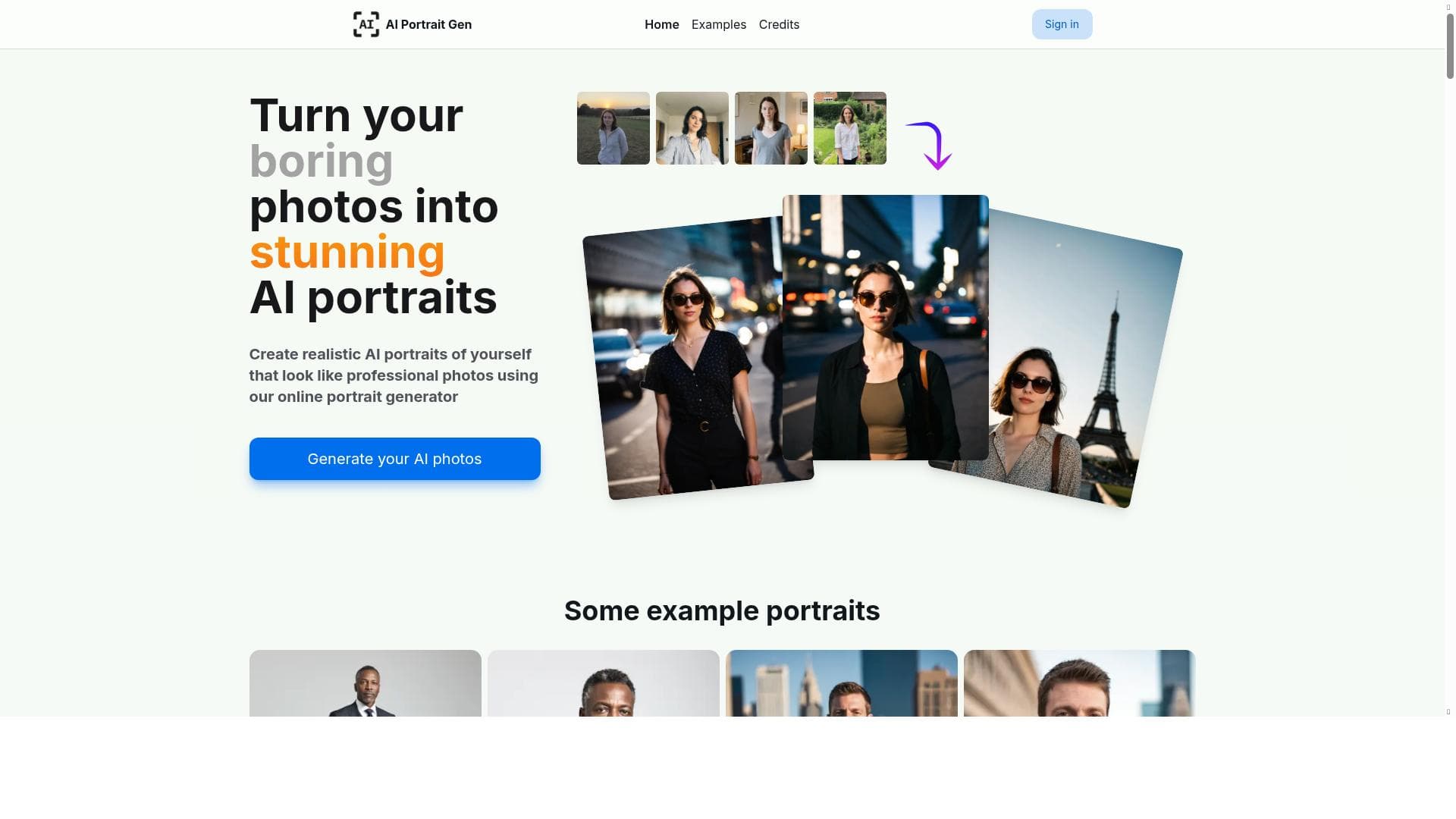


AI Portrait Gen transforms a few simple photos into stunning, professional-quality portraits with customizable outfits, locations, and styles—all through an easy online interface. Ideal for professionals, social media users, and creatives, it delivers realistic headshots and profile pictures quickly and effortlessly.

Views106
Impression175
Tool Pricingpaid • Pay as you go, from $10
Description
AI Portrait Gen lets you create realistic portrait photos of yourself or your friends that look like professional photography. It's as simple as following a few steps. Select your outfit, pick a location, decide on a style, and get stunning results within minutes, all from the comfort of your own home. Use these incredible AI-generated photos for your profile pictures, social media platforms, sharing with friends, or simply for fun!
Detailed Description
AI Portrait Gen is an innovative online tool designed to create highly realistic portrait photos using artificial intelligence. Its core purpose is to enable users to generate professional-quality portrait images effortlessly, without the need for expensive photography sessions or advanced photo editing skills. By simply uploading a few photos, users can customize their portraits by selecting outfits, locations, and artistic styles, resulting in stunning images that look as if they were taken by a professional photographer. This process is streamlined and user-friendly, making it accessible to anyone from casual users to professionals seeking polished headshots. The tool’s key features revolve around its AI-driven image generation capabilities. It can produce lifelike portraits from just a handful of input photos, intelligently synthesizing details to create consistent and natural results. Users can choose from various outfit options, backgrounds, and stylistic effects to tailor the portraits to their preferences or specific needs. This flexibility makes it ideal for creating profile pictures for social media, professional headshots for LinkedIn or corporate use, or simply fun and creative images to share with friends. The entire process is completed online, requiring no downloads or complex software installations, which adds to its convenience. AI Portrait Gen is best suited for individuals who want high-quality portraits without the hassle or cost of traditional photography. This includes professionals needing polished headshots for resumes or business profiles, social media users looking to enhance their online presence, and creative individuals who enjoy experimenting with digital images. It also benefits influencers, marketers, and content creators who require consistent and visually appealing portraits for branding purposes. The tool’s ease of use and quick turnaround time make it a practical choice for anyone needing impressive portraits on demand. Regarding pricing, AI Portrait Gen operates on a freemium model. Users can start generating portraits for free, which allows them to test the tool’s capabilities and create basic images. For more advanced features, higher resolution outputs, or additional customization options, premium plans are available. These paid tiers offer enhanced functionality and priority processing, catering to users who require more frequent or professional-grade portrait generation. This flexible pricing structure ensures accessibility for casual users while providing value for professionals. When compared to alternative portrait generation tools, AI Portrait Gen stands out due to its combination of simplicity, customization, and quality. Many AI portrait generators either require extensive input or produce less realistic results. AI Portrait Gen’s ability to create natural-looking images from minimal input photos, along with its easy-to-navigate interface and diverse styling options, gives it a competitive edge. However, unlike some tools that may integrate with broader design platforms, AI Portrait Gen focuses specifically on portrait generation, which may limit its use for users seeking multi-purpose image editing solutions. Notable limitations include the reliance on the quality and variety of input photos; the AI performs best when given clear, diverse images to work from. Additionally, while the tool offers impressive realism, certain stylistic or highly specific portrait requests might not be fully achievable. Users should also consider privacy and data security when uploading personal photos to any online AI service. Overall, AI Portrait Gen provides a powerful and accessible solution for generating professional portraits quickly, with some considerations regarding input quality and feature scope.
Tool Features
- Generate realistic AI portraits from a few photos
- Perfect for professional headshots
- Create profile pictures
- Online AI portrait generator
Description
AI Portrait Gen transforms a few simple photos into stunning, professional-quality portraits with customizable outfits, locations, and styles—all through an easy online interface. Ideal for professionals, social media users, and creatives, it delivers realistic headshots and profile pictures quickly and effortlessly.
AI Portrait Gen lets you create realistic portrait photos of yourself or your friends that look like professional photography. It's as simple as following a few steps. Select your outfit, pick a location, decide on a style, and get stunning results within minutes, all from the comfort of your own home. Use these incredible AI-generated photos for your profile pictures, social media platforms, sharing with friends, or simply for fun!
Detailed Description
AI Portrait Gen is an innovative online tool designed to create highly realistic portrait photos using artificial intelligence. Its core purpose is to enable users to generate professional-quality portrait images effortlessly, without the need for expensive photography sessions or advanced photo editing skills. By simply uploading a few photos, users can customize their portraits by selecting outfits, locations, and artistic styles, resulting in stunning images that look as if they were taken by a professional photographer. This process is streamlined and user-friendly, making it accessible to anyone from casual users to professionals seeking polished headshots. The tool’s key features revolve around its AI-driven image generation capabilities. It can produce lifelike portraits from just a handful of input photos, intelligently synthesizing details to create consistent and natural results. Users can choose from various outfit options, backgrounds, and stylistic effects to tailor the portraits to their preferences or specific needs. This flexibility makes it ideal for creating profile pictures for social media, professional headshots for LinkedIn or corporate use, or simply fun and creative images to share with friends. The entire process is completed online, requiring no downloads or complex software installations, which adds to its convenience. AI Portrait Gen is best suited for individuals who want high-quality portraits without the hassle or cost of traditional photography. This includes professionals needing polished headshots for resumes or business profiles, social media users looking to enhance their online presence, and creative individuals who enjoy experimenting with digital images. It also benefits influencers, marketers, and content creators who require consistent and visually appealing portraits for branding purposes. The tool’s ease of use and quick turnaround time make it a practical choice for anyone needing impressive portraits on demand. Regarding pricing, AI Portrait Gen operates on a freemium model. Users can start generating portraits for free, which allows them to test the tool’s capabilities and create basic images. For more advanced features, higher resolution outputs, or additional customization options, premium plans are available. These paid tiers offer enhanced functionality and priority processing, catering to users who require more frequent or professional-grade portrait generation. This flexible pricing structure ensures accessibility for casual users while providing value for professionals. When compared to alternative portrait generation tools, AI Portrait Gen stands out due to its combination of simplicity, customization, and quality. Many AI portrait generators either require extensive input or produce less realistic results. AI Portrait Gen’s ability to create natural-looking images from minimal input photos, along with its easy-to-navigate interface and diverse styling options, gives it a competitive edge. However, unlike some tools that may integrate with broader design platforms, AI Portrait Gen focuses specifically on portrait generation, which may limit its use for users seeking multi-purpose image editing solutions. Notable limitations include the reliance on the quality and variety of input photos; the AI performs best when given clear, diverse images to work from. Additionally, while the tool offers impressive realism, certain stylistic or highly specific portrait requests might not be fully achievable. Users should also consider privacy and data security when uploading personal photos to any online AI service. Overall, AI Portrait Gen provides a powerful and accessible solution for generating professional portraits quickly, with some considerations regarding input quality and feature scope.
Frequently Asked Questions
What is AI Portrait Gen?
AI Portrait Gen is an online AI-powered tool that creates realistic and professional-looking portrait photos from a few user-provided images. It allows customization of outfits, backgrounds, and styles to generate stunning portraits quickly.
How much does AI Portrait Gen cost?
AI Portrait Gen offers a freemium pricing model. Users can generate portraits for free with basic features, while premium plans provide access to higher resolution images, advanced customization, and faster processing.
Who is AI Portrait Gen best for?
It is best suited for professionals needing polished headshots, social media users wanting standout profile pictures, content creators, influencers, and anyone looking for high-quality portraits without traditional photography.
What are the main features of AI Portrait Gen?
Key features include generating realistic AI portraits from a few photos, selecting outfits and locations, choosing artistic styles, creating professional headshots, and an entirely online portrait generation process.
Does AI Portrait Gen offer a free trial?
Yes, AI Portrait Gen allows users to create portraits for free with limited features, effectively serving as a trial to explore the tool before opting for premium plans.
What integrations does AI Portrait Gen support?
AI Portrait Gen primarily functions as a standalone online tool and does not currently offer integrations with other platforms or software.
How does AI Portrait Gen work?
Users upload a few photos, then select outfit options, locations, and styles. The AI processes these inputs to generate realistic portraits that look professionally photographed, all within minutes via the online interface.
Socials
Use ToolReviews
No reviews yet. Be the first to share your experience.






















































