
YouTube Transcript Generator
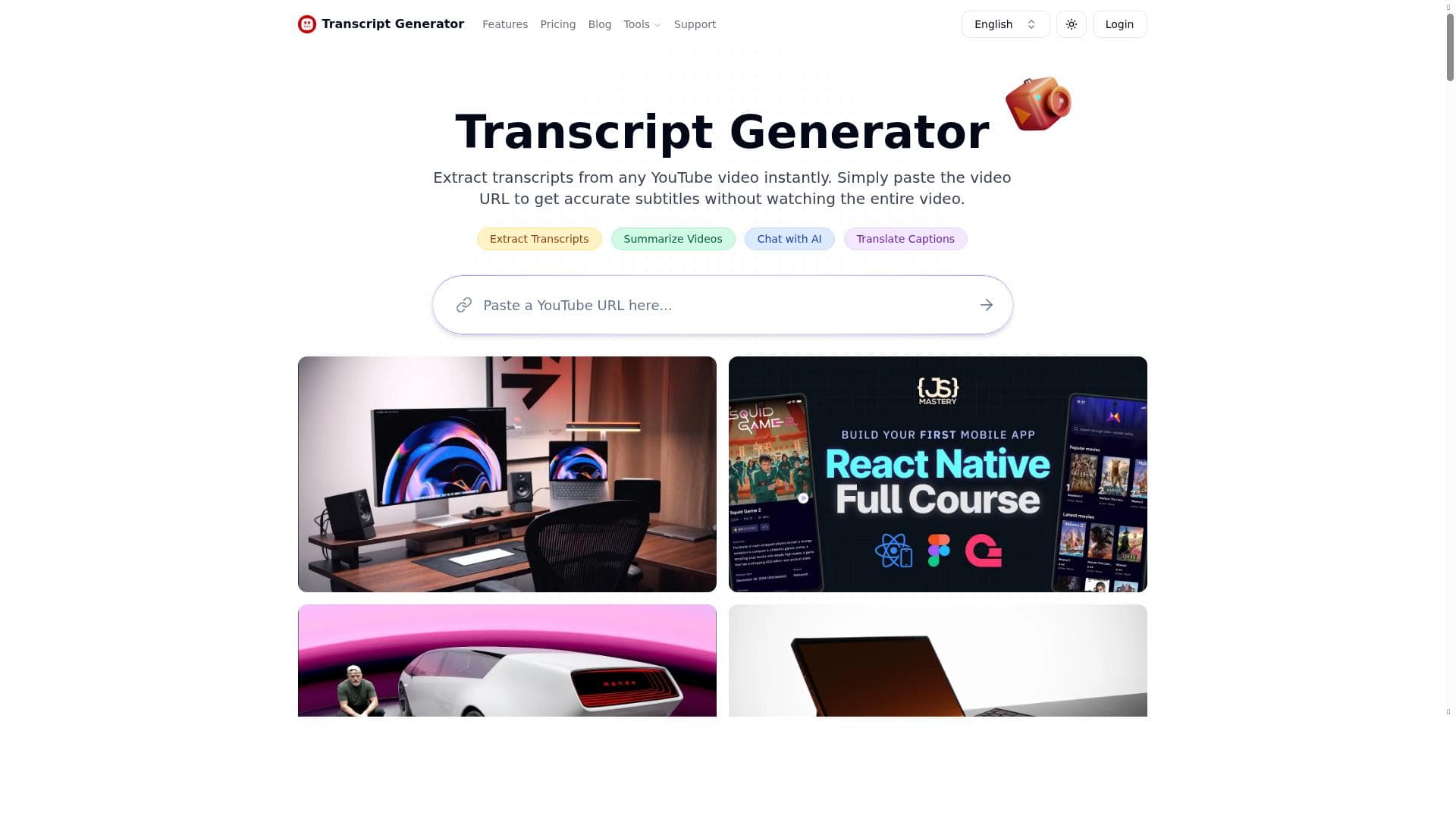


YouTube Transcript Generator instantly extracts accurate transcripts from any YouTube video by simply pasting the URL, saving users time and effort. Ideal for educators, content creators, and researchers, it also offers AI-powered summaries and conversational insights to transform lengthy videos into actionable knowledge—all completely free.

Description
YouTube Transcript Generator extracts and displays the complete transcripts from any YouTube video. Beyond just reading, you can easily gain insights through AI conversations, repurpose video content, and create concise summaries instantly. Transform lengthy videos into actionable knowledge that meets your specific needs.
Detailed Description
YouTube Transcript Generator is a powerful and user-friendly tool designed to extract and display complete transcripts from any YouTube video quickly and accurately. Its core purpose is to transform video content into readable text, enabling users to access the full dialogue or narration without having to watch the entire video. This functionality is particularly valuable for those who want to save time, improve accessibility, or repurpose video content for other formats such as articles, presentations, or study materials. By converting spoken words into text, the tool helps users engage with video content in a more flexible and efficient manner. The tool's key features include instant transcript extraction by simply pasting the YouTube video URL. This eliminates the need for manual transcription or downloading third-party software. The transcripts generated are accurate and comprehensive, capturing the full dialogue and subtitles where available. Beyond basic transcription, YouTube Transcript Generator offers AI-powered capabilities such as generating concise summaries and facilitating AI-driven conversations based on the transcript content. These advanced features allow users to gain deeper insights, quickly understand the main points of lengthy videos, and repurpose content creatively. The interface is straightforward and requires no technical expertise, making it accessible to a wide range of users. YouTube Transcript Generator is ideal for content creators, educators, students, researchers, marketers, and professionals who regularly consume video content on YouTube. For educators and students, it provides an easy way to obtain study notes or reference materials from educational videos. Content creators and marketers can repurpose transcripts into blog posts, social media content, or newsletters, enhancing content reach and engagement. Researchers and analysts benefit from the ability to quickly scan through video data without watching entire videos, streamlining their workflow. Additionally, the tool supports users with hearing impairments by providing readable transcripts that improve accessibility. One of the most attractive aspects of YouTube Transcript Generator is that it is completely free to use. There are no subscription fees or hidden costs, making it an excellent choice for individuals and organizations with limited budgets. This free pricing model ensures that anyone can leverage the tool’s capabilities without financial barriers, promoting widespread adoption and utility. Compared to alternative transcription services, YouTube Transcript Generator stands out due to its simplicity, speed, and zero cost. Many transcription tools require account creation, payment, or complex setups, whereas this tool offers instant results with minimal input. While some competitors may provide more advanced editing or export options, YouTube Transcript Generator’s focus on quick, accurate transcript extraction combined with AI-powered summarization and conversational insights makes it uniquely versatile. However, it is primarily designed for YouTube videos and may not support other video platforms or offline files. Notable limitations include the reliance on YouTube’s auto-generated captions or embedded subtitles, which means transcript accuracy can vary depending on the video’s audio quality and language clarity. The tool may not perform as well with videos that have heavy background noise, multiple speakers, or non-standard accents. Additionally, since it is a free service, there may be occasional usage limits or slower processing times during peak demand. Users should also be aware that the tool does not currently offer direct integration with other software or platforms, which might limit workflow automation for some professional use cases. In summary, YouTube Transcript Generator is a highly effective, no-cost solution for anyone needing quick and accurate transcripts from YouTube videos. Its ease of use, combined with AI-driven features for summarization and content repurposing, makes it a valuable asset for a wide range of users seeking to maximize the value of video content without the time investment of watching full-length videos.
Tool Features
- Extract transcripts from any YouTube video instantly
- Simply paste the video URL to get accurate subtitles
- No need to watch the entire video to get subtitles
Description
YouTube Transcript Generator instantly extracts accurate transcripts from any YouTube video by simply pasting the URL, saving users time and effort. Ideal for educators, content creators, and researchers, it also offers AI-powered summaries and conversational insights to transform lengthy videos into actionable knowledge—all completely free.
YouTube Transcript Generator extracts and displays the complete transcripts from any YouTube video. Beyond just reading, you can easily gain insights through AI conversations, repurpose video content, and create concise summaries instantly. Transform lengthy videos into actionable knowledge that meets your specific needs.
Detailed Description
YouTube Transcript Generator is a powerful and user-friendly tool designed to extract and display complete transcripts from any YouTube video quickly and accurately. Its core purpose is to transform video content into readable text, enabling users to access the full dialogue or narration without having to watch the entire video. This functionality is particularly valuable for those who want to save time, improve accessibility, or repurpose video content for other formats such as articles, presentations, or study materials. By converting spoken words into text, the tool helps users engage with video content in a more flexible and efficient manner. The tool's key features include instant transcript extraction by simply pasting the YouTube video URL. This eliminates the need for manual transcription or downloading third-party software. The transcripts generated are accurate and comprehensive, capturing the full dialogue and subtitles where available. Beyond basic transcription, YouTube Transcript Generator offers AI-powered capabilities such as generating concise summaries and facilitating AI-driven conversations based on the transcript content. These advanced features allow users to gain deeper insights, quickly understand the main points of lengthy videos, and repurpose content creatively. The interface is straightforward and requires no technical expertise, making it accessible to a wide range of users. YouTube Transcript Generator is ideal for content creators, educators, students, researchers, marketers, and professionals who regularly consume video content on YouTube. For educators and students, it provides an easy way to obtain study notes or reference materials from educational videos. Content creators and marketers can repurpose transcripts into blog posts, social media content, or newsletters, enhancing content reach and engagement. Researchers and analysts benefit from the ability to quickly scan through video data without watching entire videos, streamlining their workflow. Additionally, the tool supports users with hearing impairments by providing readable transcripts that improve accessibility. One of the most attractive aspects of YouTube Transcript Generator is that it is completely free to use. There are no subscription fees or hidden costs, making it an excellent choice for individuals and organizations with limited budgets. This free pricing model ensures that anyone can leverage the tool’s capabilities without financial barriers, promoting widespread adoption and utility. Compared to alternative transcription services, YouTube Transcript Generator stands out due to its simplicity, speed, and zero cost. Many transcription tools require account creation, payment, or complex setups, whereas this tool offers instant results with minimal input. While some competitors may provide more advanced editing or export options, YouTube Transcript Generator’s focus on quick, accurate transcript extraction combined with AI-powered summarization and conversational insights makes it uniquely versatile. However, it is primarily designed for YouTube videos and may not support other video platforms or offline files. Notable limitations include the reliance on YouTube’s auto-generated captions or embedded subtitles, which means transcript accuracy can vary depending on the video’s audio quality and language clarity. The tool may not perform as well with videos that have heavy background noise, multiple speakers, or non-standard accents. Additionally, since it is a free service, there may be occasional usage limits or slower processing times during peak demand. Users should also be aware that the tool does not currently offer direct integration with other software or platforms, which might limit workflow automation for some professional use cases. In summary, YouTube Transcript Generator is a highly effective, no-cost solution for anyone needing quick and accurate transcripts from YouTube videos. Its ease of use, combined with AI-driven features for summarization and content repurposing, makes it a valuable asset for a wide range of users seeking to maximize the value of video content without the time investment of watching full-length videos.
Frequently Asked Questions
What is YouTube Transcript Generator?
YouTube Transcript Generator is a free online tool that extracts and displays complete transcripts from any YouTube video by simply pasting the video URL. It helps users access video content in text form for easier reading, summarization, and repurposing.
How much does YouTube Transcript Generator cost?
YouTube Transcript Generator is completely free to use with no subscription fees or hidden charges.
Who is YouTube Transcript Generator best for?
It is best suited for educators, students, content creators, marketers, researchers, and anyone who wants to quickly access, analyze, or repurpose YouTube video content without watching the entire video.
What are the main features of YouTube Transcript Generator?
Key features include instant transcript extraction from any YouTube video via URL, accurate subtitle generation, AI-powered concise summaries, and the ability to engage in AI conversations based on the transcript content.
Does YouTube Transcript Generator offer a free trial?
Since the tool is entirely free to use, there is no need for a trial period or subscription.
What integrations does YouTube Transcript Generator support?
Currently, YouTube Transcript Generator does not offer direct integrations with other software or platforms; it functions as a standalone web-based tool.
How does YouTube Transcript Generator work?
Users paste the URL of a YouTube video into the tool, which then extracts the transcript by accessing the video’s subtitles or auto-generated captions. The transcript is displayed instantly, and users can also generate summaries or interact with the content through AI-powered features.
Socials
Use ToolReviews
No reviews yet. Be the first to share your experience.




















































