YouTube Title Generator


Description
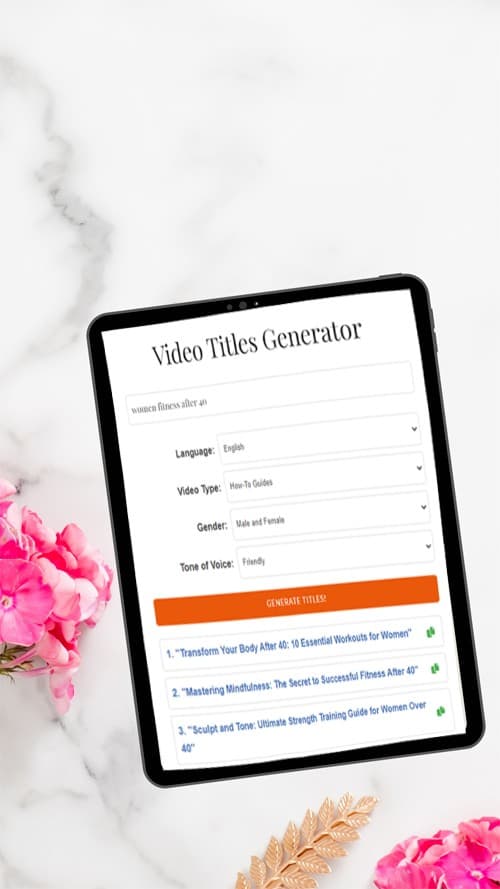
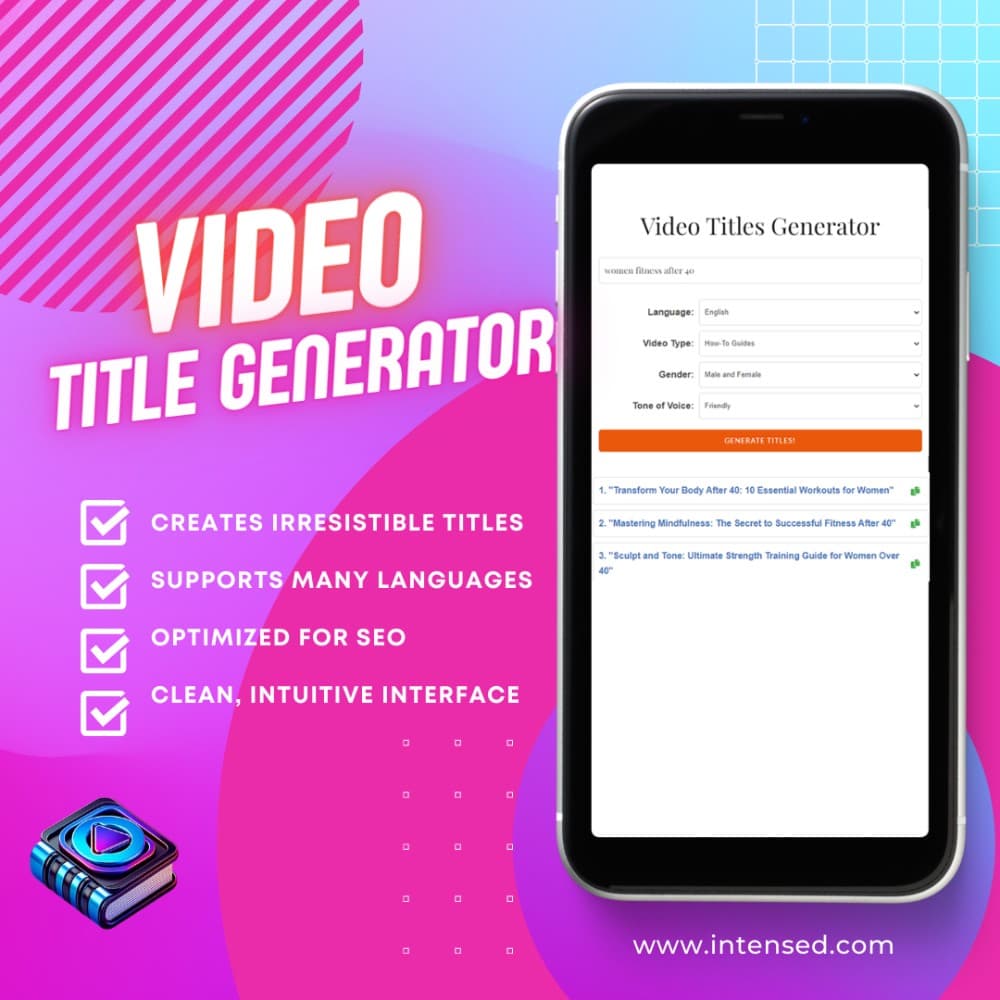
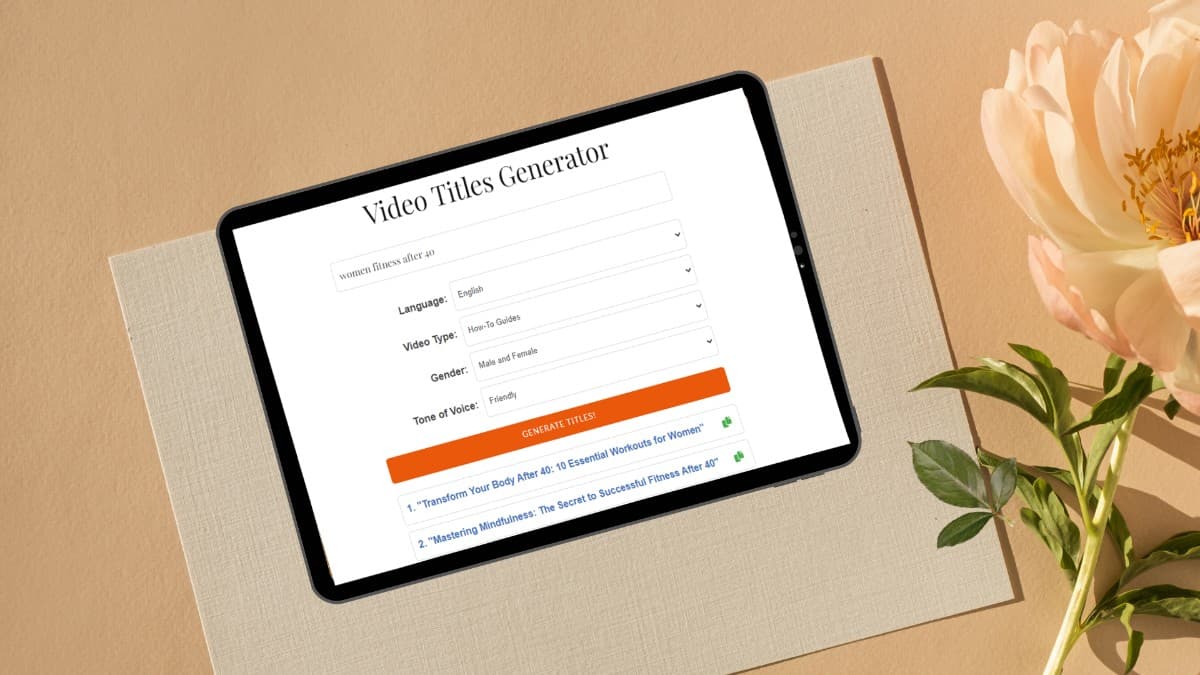
Standing out on YouTube is more challenging than ever. With over 500 hours of video uploaded every minute, creating the perfect video title is crucial for attracting viewers and driving engagement. This is where AI-powered video title generators come in, promising to simplify the process and deliver compelling, SEO-optimized titles with just a few clicks. One such tool is Intensed's Free AI Video Title Generator. Let's take a closer look at its features, pros, and cons. ** Key Features: 1. AI-powered suggestions: The core of Intensed's tool is its AI algorithm, which generates title suggestions based on your video's keywords, language, target audience, and video type. This context-aware approach aims to deliver titles that are not only catchy but also relevant to your content and audience. 2. Multilingual support: Recognizing YouTube's global reach, the tool supports multiple languages, including English, Spanish, French, and more. This feature is particularly valuable for creators looking to expand their international audience. 3. SEO optimization: Intensed's title generator is designed with search engine optimization (SEO) in mind. It creates titles that incorporate relevant keywords, helping your videos rank higher in YouTube search results and potentially driving more organic traffic to your channel. 4. Customization: While the AI generates title suggestions, creators still have the flexibility to customize and tweak the titles to their liking. Additionally, the tool allows you to copy your favorite title for use. 5. User-friendly interface: Intensed boasts a clean, intuitive interface that is easy to navigate, even for those new to AI-powered tools. The simple step-by-step process involves entering your video details, selecting options, and generating titles with a single click. ** How It Works: 1. Enter a few keywords describing your video. 2. Select your video language, target audience, and video type. 3. Get a list of 10 engaging, relevant title suggestions in seconds. 4. Pick your favorite or generate more options. 5. Copy and paste the perfect title to your YouTube video. ** Pros 1. Time-saving: Brainstorming effective video titles can be time-consuming, especially for creators who publish content frequently. Intensed's AI-powered tool significantly reduces this burden, generating multiple title options in seconds. 2. Improved discoverability: By creating SEO-optimized titles that incorporate relevant keywords, the tool can help boost your videos' visibility in YouTube search results. This increased discoverability can lead to more views, likes, and subscribers. 3. Multilingual support: The tool's support for various languages is a significant advantage for creators aiming to cater to a diverse, global audience. It enables them to generate titles tailored to specific language preferences. 4. Beginner-friendly: Intensed's user-friendly interface and straightforward process make it accessible to creators at all levels, even those with limited technical expertise. Intensed's Free AI Video Title Generator is a powerful tool that can significantly simplify the process of creating compelling, SEO-optimized video titles. Its AI-powered suggestions, multilingual support, and user-friendly interface make it an attractive option for creators looking to save time and boost their videos' discoverability. However, it's essential to remember that AI is a tool, not a replacement for human creativity and judgment. Creators should use the title generator as a starting point, refining and customizing the suggestions to ensure they align with their unique content and brand voice. Overall, for creators seeking to streamline their workflow and improve their YouTube SEO, Intensed's AI Video Title Generator is definitely worth exploring. By using its features strategically and combining them with their own insights, creators can create titles that stand out in the crowded YouTube landscape, ultimately driving more views, engagement, and growth for their channels.
Description
Standing out on YouTube is more challenging than ever. With over 500 hours of video uploaded every minute, creating the perfect video title is crucial for attracting viewers and driving engagement. This is where AI-powered video title generators come in, promising to simplify the process and deliver compelling, SEO-optimized titles with just a few clicks. One such tool is Intensed's Free AI Video Title Generator. Let's take a closer look at its features, pros, and cons. ** Key Features: 1. AI-powered suggestions: The core of Intensed's tool is its AI algorithm, which generates title suggestions based on your video's keywords, language, target audience, and video type. This context-aware approach aims to deliver titles that are not only catchy but also relevant to your content and audience. 2. Multilingual support: Recognizing YouTube's global reach, the tool supports multiple languages, including English, Spanish, French, and more. This feature is particularly valuable for creators looking to expand their international audience. 3. SEO optimization: Intensed's title generator is designed with search engine optimization (SEO) in mind. It creates titles that incorporate relevant keywords, helping your videos rank higher in YouTube search results and potentially driving more organic traffic to your channel. 4. Customization: While the AI generates title suggestions, creators still have the flexibility to customize and tweak the titles to their liking. Additionally, the tool allows you to copy your favorite title for use. 5. User-friendly interface: Intensed boasts a clean, intuitive interface that is easy to navigate, even for those new to AI-powered tools. The simple step-by-step process involves entering your video details, selecting options, and generating titles with a single click. ** How It Works: 1. Enter a few keywords describing your video. 2. Select your video language, target audience, and video type. 3. Get a list of 10 engaging, relevant title suggestions in seconds. 4. Pick your favorite or generate more options. 5. Copy and paste the perfect title to your YouTube video. ** Pros 1. Time-saving: Brainstorming effective video titles can be time-consuming, especially for creators who publish content frequently. Intensed's AI-powered tool significantly reduces this burden, generating multiple title options in seconds. 2. Improved discoverability: By creating SEO-optimized titles that incorporate relevant keywords, the tool can help boost your videos' visibility in YouTube search results. This increased discoverability can lead to more views, likes, and subscribers. 3. Multilingual support: The tool's support for various languages is a significant advantage for creators aiming to cater to a diverse, global audience. It enables them to generate titles tailored to specific language preferences. 4. Beginner-friendly: Intensed's user-friendly interface and straightforward process make it accessible to creators at all levels, even those with limited technical expertise. Intensed's Free AI Video Title Generator is a powerful tool that can significantly simplify the process of creating compelling, SEO-optimized video titles. Its AI-powered suggestions, multilingual support, and user-friendly interface make it an attractive option for creators looking to save time and boost their videos' discoverability. However, it's essential to remember that AI is a tool, not a replacement for human creativity and judgment. Creators should use the title generator as a starting point, refining and customizing the suggestions to ensure they align with their unique content and brand voice. Overall, for creators seeking to streamline their workflow and improve their YouTube SEO, Intensed's AI Video Title Generator is definitely worth exploring. By using its features strategically and combining them with their own insights, creators can create titles that stand out in the crowded YouTube landscape, ultimately driving more views, engagement, and growth for their channels.
Frequently Asked Questions
What is YouTube Title Generator?
Standing out on YouTube is more challenging than ever. With over 500 hours of video uploaded every minute, creating the perfect video title is crucial for attracting viewers and driving engagement. This is where AI-powered video title generators come in, promising to simplify the process and deliver compelling, SEO-optimized titles with just a few clicks. One such tool is Intensed's Free AI Video Title Generator. Let's take a closer look at its features, pros, and cons. ** Key Features: 1. AI-powered suggestions: The core of Intensed's tool is its AI algorithm, which generates title suggestions based on your video's keywords, language, target audience, and video type. This context-aware approach aims to deliver titles that are not only catchy but also relevant to your content and audience. 2. Multilingual support: Recognizing YouTube's global reach, the tool supports multiple languages, including English, Spanish, French, and more. This feature is particularly valuable for creators looking to expand their international audience. 3. SEO optimization: Intensed's title generator is designed with search engine optimization (SEO) in mind. It creates titles that incorporate relevant keywords, helping your videos rank higher in YouTube search results and potentially driving more organic traffic to your channel. 4. Customization: While the AI generates title suggestions, creators still have the flexibility to customize and tweak the titles to their liking. Additionally, the tool allows you to copy your favorite title for use. 5. User-friendly interface: Intensed boasts a clean, intuitive interface that is easy to navigate, even for those new to AI-powered tools. The simple step-by-step process involves entering your video details, selecting options, and generating titles with a single click. ** How It Works: 1. Enter a few keywords describing your video. 2. Select your video language, target audience, and video type. 3. Get a list of 10 engaging, relevant title suggestions in seconds. 4. Pick your favorite or generate more options. 5. Copy and paste the perfect title to your YouTube video. ** Pros 1. Time-saving: Brainstorming effective video titles can be time-consuming, especially for creators who publish content frequently. Intensed's AI-powered tool significantly reduces this burden, generating multiple title options in seconds. 2. Improved discoverability: By creating SEO-optimized titles that incorporate relevant keywords, the tool can help boost your videos' visibility in YouTube search results. This increased discoverability can lead to more views, likes, and subscribers. 3. Multilingual support: The tool's support for various languages is a significant advantage for creators aiming to cater to a diverse, global audience. It enables them to generate titles tailored to specific language preferences. 4. Beginner-friendly: Intensed's user-friendly interface and straightforward process make it accessible to creators at all levels, even those with limited technical expertise. Intensed's Free AI Video Title Generator is a powerful tool that can significantly simplify the process of creating compelling, SEO-optimized video titles. Its AI-powered suggestions, multilingual support, and user-friendly interface make it an attractive option for creators looking to save time and boost their videos' discoverability. However, it's essential to remember that AI is a tool, not a replacement for human creativity and judgment. Creators should use the title generator as a starting point, refining and customizing the suggestions to ensure they align with their unique content and brand voice. Overall, for creators seeking to streamline their workflow and improve their YouTube SEO, Intensed's AI Video Title Generator is definitely worth exploring. By using its features strategically and combining them with their own insights, creators can create titles that stand out in the crowded YouTube landscape, ultimately driving more views, engagement, and growth for their channels.
Is YouTube Title Generator free?
Yes, YouTube Title Generator offers a free plan.
What can YouTube Title Generator do?
Standing out on YouTube is more challenging than ever. With over 500 hours of video uploaded every minute, creating the perfect video title is crucial for attracting viewers and driving engagement. This is where AI-powered video title generators come in, promising to simplify the process and deliver compelling, SEO-optimized titles with just a few clicks. One such tool is Intensed's Free AI Video Title Generator. Let's take a closer look at its features, pros, and cons. ** Key Features: 1. AI-powered suggestions: The core of Intensed's tool is its AI algorithm, which generates title suggestions based on your video's keywords, language, target audience, and video type. This context-aware approach aims to deliver titles that are not only catchy but also relevant to your content and audience. 2. Multilingual support: Recognizing YouTube's global reach, the tool supports multiple languages, including English, Spanish, French, and more. This feature is particularly valuable for creators looking to expand their international audience. 3. SEO optimization: Intensed's title generator is designed with search engine optimization (SEO) in mind. It creates titles that incorporate relevant keywords, helping your videos rank higher in YouTube search results and potentially driving more organic traffic to your channel. 4. Customization: While the AI generates title suggestions, creators still have the flexibility to customize and tweak the titles to their liking. Additionally, the tool allows you to copy your favorite title for use. 5. User-friendly interface: Intensed boasts a clean, intuitive interface that is easy to navigate, even for those new to AI-powered tools. The simple step-by-step process involves entering your video details, selecting options, and generating titles with a single click. ** How It Works: 1. Enter a few keywords describing your video. 2. Select your video language, target audience, and video type. 3. Get a list of 10 engaging, relevant title suggestions in seconds. 4. Pick your favorite or generate more options. 5. Copy and paste the perfect title to your YouTube video. ** Pros 1. Time-saving: Brainstorming effective video titles can be time-consuming, especially for creators who publish content frequently. Intensed's AI-powered tool significantly reduces this burden, generating multiple title options in seconds. 2. Improved discoverability: By creating SEO-optimized titles that incorporate relevant keywords, the tool can help boost your videos' visibility in YouTube search results. This increased discoverability can lead to more views, likes, and subscribers. 3. Multilingual support: The tool's support for various languages is a significant advantage for creators aiming to cater to a diverse, global audience. It enables them to generate titles tailored to specific language preferences. 4. Beginner-friendly: Intensed's user-friendly interface and straightforward process make it accessible to creators at all levels, even those with limited technical expertise. Intensed's Free AI Video Title Generator is a powerful tool that can significantly simplify the process of creating compelling, SEO-optimized video titles. Its AI-powered suggestions, multilingual support, and user-friendly interface make it an attractive option for creators looking to save time and boost their videos' discoverability. However, it's essential to remember that AI is a tool, not a replacement for human creativity and judgment. Creators should use the title generator as a starting point, refining and customizing the suggestions to ensure they align with their unique content and brand voice. Overall, for creators seeking to streamline their workflow and improve their YouTube SEO, Intensed's AI Video Title Generator is definitely worth exploring. By using its features strategically and combining them with their own insights, creators can create titles that stand out in the crowded YouTube landscape, ultimately driving more views, engagement, and growth for their channels.
Reviews
No reviews yet. Be the first to share your experience.