
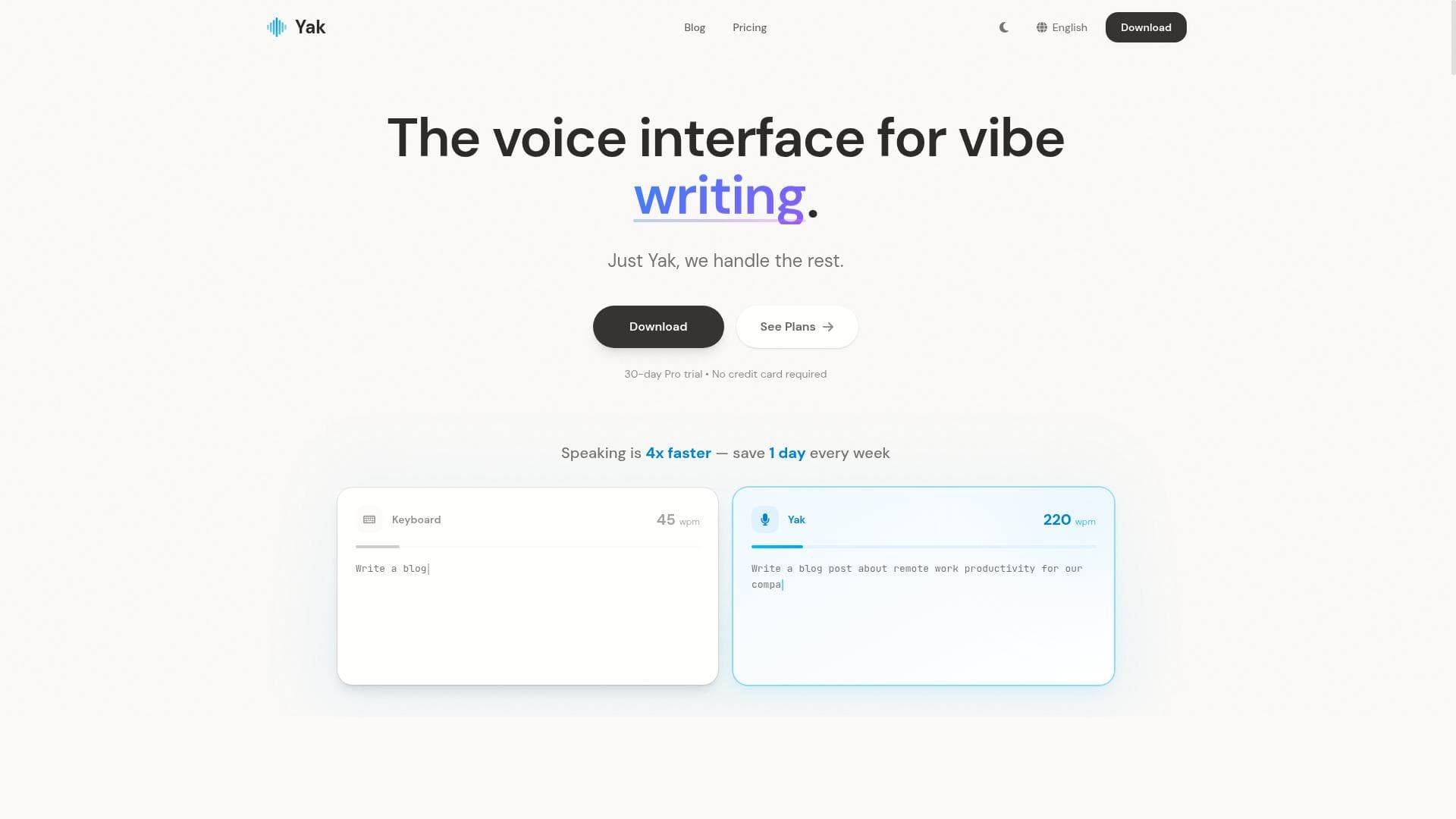


Yak is a cutting-edge voice-powered productivity tool that delivers fast, highly accurate transcription combined with AI-driven auto-editing and intelligent voice commands. Designed for professionals and power users who type extensively or interact with AI, Yak enables hands-free computer control while ensuring user privacy with no data stored on servers.

Description
Yak is a voice-powered productivity interface that dramatically speeds up how you interact with your computer. It delivers industry-leading transcription quality and speed, with built-in AI auto-editing that removes filler words, false starts, and self-corrections while formatting numbers and symbols automatically. Supports personal dictionaries (auto-detection), context-aware styles, BYOK mode, and intelligent voice commands. Launch apps and execute actions by voice — like Raycast, but hands-free. Built for professionals who type all day and power users who interact heavily with AI. No data is stored on our servers — your privacy is always protected.
Detailed Description
Yak is an innovative voice-powered productivity interface designed to transform the way users interact with their computers by enabling hands-free operation with exceptional speed and accuracy. At its core, Yak leverages advanced AI-driven transcription technology to convert spoken words into text with industry-leading quality and rapid processing times. Beyond simple transcription, Yak incorporates built-in AI auto-editing capabilities that intelligently remove filler words, false starts, and self-corrections, resulting in clean, polished output without the need for manual editing. It also automatically formats numbers and symbols, enhancing readability and professional presentation. This combination of features makes Yak a powerful tool for professionals who spend long hours typing or engaging with AI systems, offering a seamless voice interface that significantly boosts productivity and reduces physical strain. Key features of Yak include support for personal dictionaries with auto-detection, allowing the system to adapt to individual vocabulary and terminology preferences for even more accurate transcription. Context-aware styles enable the tool to adjust formatting and tone based on the content or user preferences, providing a tailored experience. The BYOK (Bring Your Own Key) mode offers enhanced security by allowing users to manage their encryption keys, ensuring that sensitive data remains private and secure. Yak also supports intelligent voice commands that let users launch applications and execute complex actions without touching the keyboard or mouse, similar to tools like Raycast but entirely hands-free. This makes workflow automation and task management more efficient, while collaboration tools integrated into the platform facilitate teamwork and communication. Yak is ideally suited for professionals who rely heavily on typing, such as writers, coders, analysts, and administrative staff, as well as power users who frequently interact with AI-driven applications. Its ability to speed up text input and streamline command execution makes it valuable in fast-paced work environments where multitasking and rapid response are critical. Use cases include drafting documents, managing tasks via voice commands, automating repetitive workflows, and collaborating with colleagues through voice-enabled interfaces. The privacy-first approach, with no data stored on Yak's servers, appeals to users concerned about confidentiality and data security. Regarding pricing, Yak operates on a freemium model, allowing users to access core features at no cost with options to upgrade for enhanced capabilities. This approach makes it accessible to a broad audience, from individual users to teams seeking scalable voice productivity solutions. Specific details about premium plans and additional features can be found on their official website. Compared to alternatives, Yak stands out due to its combination of high transcription accuracy, AI-powered auto-editing, and comprehensive voice command functionality. While other voice interfaces may offer transcription or command execution separately, Yak integrates these seamlessly with privacy-centric design and customizable dictionaries. Its BYOK mode is a notable differentiator for users with stringent security requirements. However, users should consider that voice interfaces may require a learning curve to master voice commands effectively, and ambient noise can impact transcription quality despite Yak’s advanced processing. In summary, Yak offers a robust, privacy-conscious voice productivity platform that accelerates computer interaction through superior transcription and intelligent automation. It is best for professionals and power users seeking to reduce typing fatigue, enhance workflow efficiency, and maintain data privacy. While it excels in transcription and voice command integration, prospective users should evaluate their environment and specific needs to maximize its benefits.
Tool Features
- Task management
- Collaboration tools
- Workflow automation
Description
Yak is a cutting-edge voice-powered productivity tool that delivers fast, highly accurate transcription combined with AI-driven auto-editing and intelligent voice commands. Designed for professionals and power users who type extensively or interact with AI, Yak enables hands-free computer control while ensuring user privacy with no data stored on servers.
Yak is a voice-powered productivity interface that dramatically speeds up how you interact with your computer. It delivers industry-leading transcription quality and speed, with built-in AI auto-editing that removes filler words, false starts, and self-corrections while formatting numbers and symbols automatically. Supports personal dictionaries (auto-detection), context-aware styles, BYOK mode, and intelligent voice commands. Launch apps and execute actions by voice — like Raycast, but hands-free. Built for professionals who type all day and power users who interact heavily with AI. No data is stored on our servers — your privacy is always protected.
Detailed Description
Yak is an innovative voice-powered productivity interface designed to transform the way users interact with their computers by enabling hands-free operation with exceptional speed and accuracy. At its core, Yak leverages advanced AI-driven transcription technology to convert spoken words into text with industry-leading quality and rapid processing times. Beyond simple transcription, Yak incorporates built-in AI auto-editing capabilities that intelligently remove filler words, false starts, and self-corrections, resulting in clean, polished output without the need for manual editing. It also automatically formats numbers and symbols, enhancing readability and professional presentation. This combination of features makes Yak a powerful tool for professionals who spend long hours typing or engaging with AI systems, offering a seamless voice interface that significantly boosts productivity and reduces physical strain. Key features of Yak include support for personal dictionaries with auto-detection, allowing the system to adapt to individual vocabulary and terminology preferences for even more accurate transcription. Context-aware styles enable the tool to adjust formatting and tone based on the content or user preferences, providing a tailored experience. The BYOK (Bring Your Own Key) mode offers enhanced security by allowing users to manage their encryption keys, ensuring that sensitive data remains private and secure. Yak also supports intelligent voice commands that let users launch applications and execute complex actions without touching the keyboard or mouse, similar to tools like Raycast but entirely hands-free. This makes workflow automation and task management more efficient, while collaboration tools integrated into the platform facilitate teamwork and communication. Yak is ideally suited for professionals who rely heavily on typing, such as writers, coders, analysts, and administrative staff, as well as power users who frequently interact with AI-driven applications. Its ability to speed up text input and streamline command execution makes it valuable in fast-paced work environments where multitasking and rapid response are critical. Use cases include drafting documents, managing tasks via voice commands, automating repetitive workflows, and collaborating with colleagues through voice-enabled interfaces. The privacy-first approach, with no data stored on Yak's servers, appeals to users concerned about confidentiality and data security. Regarding pricing, Yak operates on a freemium model, allowing users to access core features at no cost with options to upgrade for enhanced capabilities. This approach makes it accessible to a broad audience, from individual users to teams seeking scalable voice productivity solutions. Specific details about premium plans and additional features can be found on their official website. Compared to alternatives, Yak stands out due to its combination of high transcription accuracy, AI-powered auto-editing, and comprehensive voice command functionality. While other voice interfaces may offer transcription or command execution separately, Yak integrates these seamlessly with privacy-centric design and customizable dictionaries. Its BYOK mode is a notable differentiator for users with stringent security requirements. However, users should consider that voice interfaces may require a learning curve to master voice commands effectively, and ambient noise can impact transcription quality despite Yak’s advanced processing. In summary, Yak offers a robust, privacy-conscious voice productivity platform that accelerates computer interaction through superior transcription and intelligent automation. It is best for professionals and power users seeking to reduce typing fatigue, enhance workflow efficiency, and maintain data privacy. While it excels in transcription and voice command integration, prospective users should evaluate their environment and specific needs to maximize its benefits.
Frequently Asked Questions
What is Yak?
Yak is a voice-powered productivity interface that allows users to interact with their computers hands-free by converting speech into text with high accuracy and speed. It features AI auto-editing to clean up transcriptions and supports intelligent voice commands to launch apps and automate workflows.
How much does Yak cost?
Yak offers a freemium pricing model, providing access to core features for free with options to upgrade for additional capabilities. Detailed pricing information is available on their official website.
Who is Yak best for?
Yak is ideal for professionals who spend significant time typing, such as writers, coders, and analysts, as well as power users who frequently interact with AI tools and want to streamline their workflows with voice commands.
What are the main features of Yak?
Key features include industry-leading transcription quality and speed, AI auto-editing that removes filler words and false starts, automatic formatting of numbers and symbols, support for personal dictionaries, context-aware styles, BYOK mode for enhanced security, and intelligent voice commands for hands-free computer control.
Does Yak offer a free trial?
Yak operates on a freemium model, allowing users to try core features for free without a time-limited trial. Users can upgrade to premium plans for additional features as needed.
What integrations does Yak support?
Yak supports launching applications and executing actions via voice commands, similar to Raycast, enabling integration with various apps and workflows. Specific third-party integrations are not detailed but the platform is designed for flexible workflow automation.
How does Yak work?
Yak uses advanced AI to transcribe spoken words into text rapidly and accurately, while auto-editing the output to remove unnecessary speech elements. It also recognizes voice commands to control apps and automate tasks, all while ensuring user data privacy by not storing information on its servers.
Socials
Use ToolReviews
No reviews yet. Be the first to share your experience.




















































