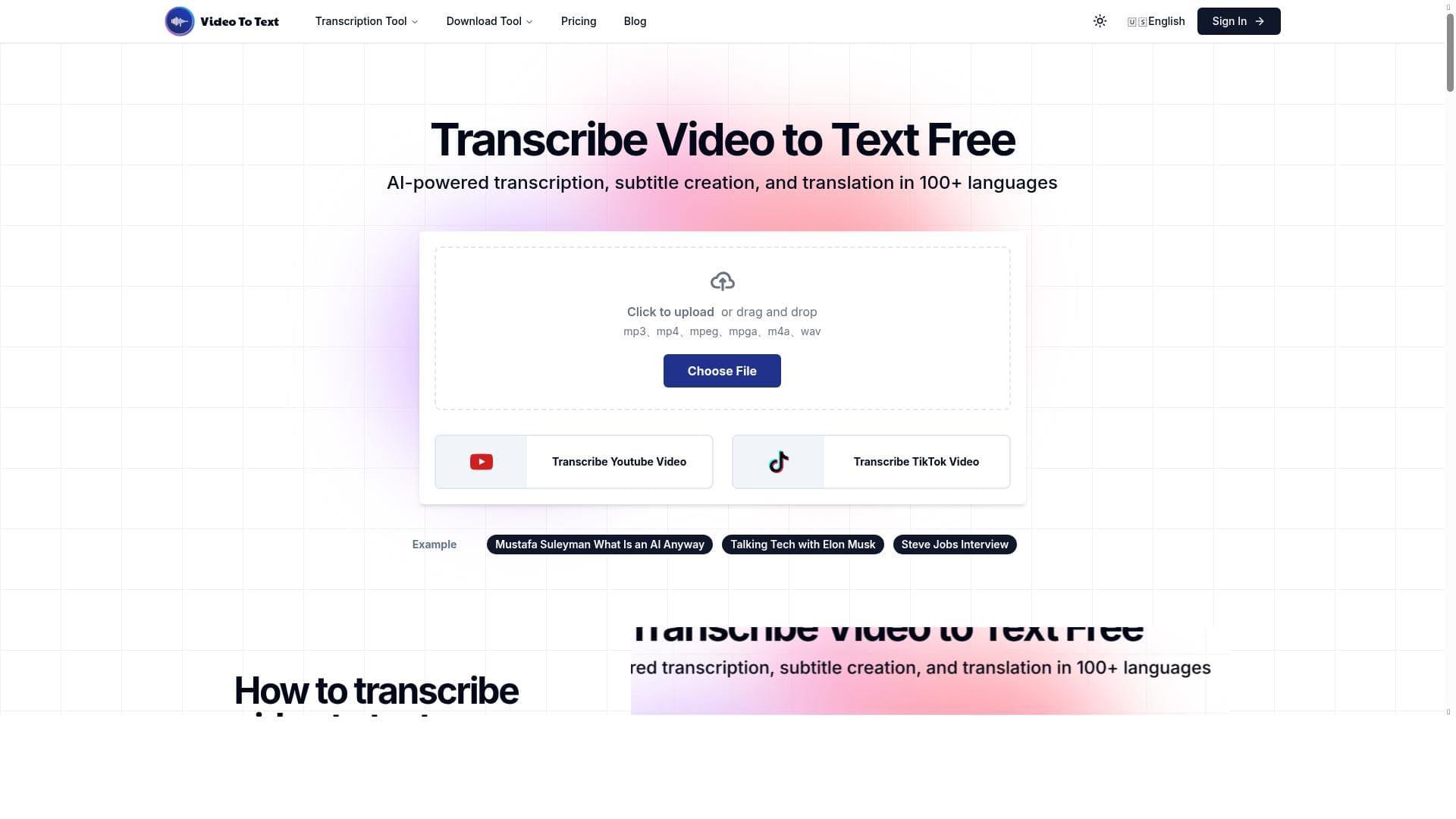


XRan Video To Text is a free, AI-powered tool that converts videos into accurate transcripts, subtitles, and translations in over 100 languages. Ideal for content creators, marketers, and educators, it simplifies video transcription while enhancing SEO and accessibility without any cost.

Description
Free Video to Text Converter. AI-powered transcription, subtitle creation, and translation in 100+ languages
Detailed Description
XRan Video To Text is a powerful AI-driven tool designed to convert video content into accurate, editable text transcripts quickly and efficiently. Its core purpose is to simplify the process of extracting spoken words from videos, enabling users to generate subtitles, transcriptions, and translations across more than 100 languages. This makes it an invaluable resource for content creators, marketers, educators, and businesses looking to enhance accessibility, improve SEO, and repurpose video content for various platforms. By leveraging advanced AI algorithms, XRan Video To Text ensures high accuracy and speed, making transcription tasks less time-consuming and more reliable. One of the standout features of XRan Video To Text is its ability to transcribe videos from multiple sources, including direct uploads and YouTube links. This flexibility allows users to work seamlessly with existing video content without the need for complex downloads or conversions. The tool excels in generating subtitles, which are crucial for improving viewer engagement and accessibility, especially for audiences who are deaf or hard of hearing or those who prefer watching videos without sound. Additionally, the platform supports translation into over 100 languages, broadening the reach of video content to global audiences and facilitating multilingual communication. Beyond transcription and subtitle creation, XRan Video To Text enhances video SEO by providing text-based content that search engines can crawl and index. This helps increase the discoverability of videos on search platforms, driving more organic traffic. The tool also empowers users to repurpose video content effectively by transforming spoken words into blog posts, articles, social media captions, or training materials, maximizing the value derived from original video assets. XRan Video To Text is best suited for a diverse range of users including digital marketers, video producers, educators, journalists, and businesses that rely heavily on video content. For marketers, it offers a way to boost SEO and engagement. Educators and trainers benefit from creating accessible learning materials, while journalists and content creators can quickly generate transcripts for interviews, podcasts, or reports. The tool’s ease of use and free pricing model make it accessible to freelancers and small businesses as well. In terms of pricing, XRan Video To Text is offered completely free, which is a significant advantage compared to many transcription services that charge per minute or require subscriptions. This zero-cost access lowers barriers for users who need reliable transcription without financial commitment. However, users should verify any usage limits or premium features that might be introduced in the future. When compared to alternatives, XRan Video To Text stands out due to its combination of free access, support for over 100 languages, and direct YouTube transcription capabilities. Many competing tools either lack multi-language support or require paid plans for subtitle generation and translation. While some platforms may offer more advanced editing features or integrations, XRan Video To Text provides a straightforward, no-cost solution that covers essential transcription and subtitle needs effectively. Notable limitations include the absence of detailed information on integration with third-party apps or platforms, which might restrict workflow automation for some users. Additionally, as a free tool, it may not offer the same level of customer support or advanced customization options found in premium transcription services. Users with highly specialized transcription needs or those requiring bulk processing might find these aspects limiting. Nonetheless, for most standard video-to-text conversion tasks, XRan Video To Text delivers a robust and accessible solution.
Tool Features
- Quick and accurate video to text conversion
- Supports transcription of YouTube videos
- Ideal for creating subtitles
- Enhances SEO through video transcription
- Enables video content repurposing
Description
XRan Video To Text is a free, AI-powered tool that converts videos into accurate transcripts, subtitles, and translations in over 100 languages. Ideal for content creators, marketers, and educators, it simplifies video transcription while enhancing SEO and accessibility without any cost.
Free Video to Text Converter. AI-powered transcription, subtitle creation, and translation in 100+ languages
Detailed Description
XRan Video To Text is a powerful AI-driven tool designed to convert video content into accurate, editable text transcripts quickly and efficiently. Its core purpose is to simplify the process of extracting spoken words from videos, enabling users to generate subtitles, transcriptions, and translations across more than 100 languages. This makes it an invaluable resource for content creators, marketers, educators, and businesses looking to enhance accessibility, improve SEO, and repurpose video content for various platforms. By leveraging advanced AI algorithms, XRan Video To Text ensures high accuracy and speed, making transcription tasks less time-consuming and more reliable. One of the standout features of XRan Video To Text is its ability to transcribe videos from multiple sources, including direct uploads and YouTube links. This flexibility allows users to work seamlessly with existing video content without the need for complex downloads or conversions. The tool excels in generating subtitles, which are crucial for improving viewer engagement and accessibility, especially for audiences who are deaf or hard of hearing or those who prefer watching videos without sound. Additionally, the platform supports translation into over 100 languages, broadening the reach of video content to global audiences and facilitating multilingual communication. Beyond transcription and subtitle creation, XRan Video To Text enhances video SEO by providing text-based content that search engines can crawl and index. This helps increase the discoverability of videos on search platforms, driving more organic traffic. The tool also empowers users to repurpose video content effectively by transforming spoken words into blog posts, articles, social media captions, or training materials, maximizing the value derived from original video assets. XRan Video To Text is best suited for a diverse range of users including digital marketers, video producers, educators, journalists, and businesses that rely heavily on video content. For marketers, it offers a way to boost SEO and engagement. Educators and trainers benefit from creating accessible learning materials, while journalists and content creators can quickly generate transcripts for interviews, podcasts, or reports. The tool’s ease of use and free pricing model make it accessible to freelancers and small businesses as well. In terms of pricing, XRan Video To Text is offered completely free, which is a significant advantage compared to many transcription services that charge per minute or require subscriptions. This zero-cost access lowers barriers for users who need reliable transcription without financial commitment. However, users should verify any usage limits or premium features that might be introduced in the future. When compared to alternatives, XRan Video To Text stands out due to its combination of free access, support for over 100 languages, and direct YouTube transcription capabilities. Many competing tools either lack multi-language support or require paid plans for subtitle generation and translation. While some platforms may offer more advanced editing features or integrations, XRan Video To Text provides a straightforward, no-cost solution that covers essential transcription and subtitle needs effectively. Notable limitations include the absence of detailed information on integration with third-party apps or platforms, which might restrict workflow automation for some users. Additionally, as a free tool, it may not offer the same level of customer support or advanced customization options found in premium transcription services. Users with highly specialized transcription needs or those requiring bulk processing might find these aspects limiting. Nonetheless, for most standard video-to-text conversion tasks, XRan Video To Text delivers a robust and accessible solution.
Frequently Asked Questions
What is XRan Video To Text?
XRan Video To Text is a free AI-powered tool that converts video content into text transcripts, creates subtitles, and offers translation services in over 100 languages.
How much does XRan Video To Text cost?
XRan Video To Text is completely free to use, providing transcription, subtitle creation, and translation services without any charges.
Who is XRan Video To Text best for?
It is ideal for content creators, digital marketers, educators, journalists, and businesses looking to transcribe videos, create subtitles, enhance SEO, and repurpose video content.
What are the main features of XRan Video To Text?
Key features include quick and accurate video-to-text conversion, support for YouTube video transcription, subtitle creation, SEO enhancement through transcription, and translation in over 100 languages.
Does XRan Video To Text offer a free trial?
The tool itself is free to use, so no separate trial is necessary.
What integrations does XRan Video To Text support?
Currently, XRan Video To Text supports direct transcription from YouTube videos and video uploads, but detailed third-party integrations are not specified.
How does XRan Video To Text work?
Users upload a video file or provide a YouTube link, and the AI-powered system processes the audio to generate accurate text transcripts, subtitles, and translations quickly and efficiently.
Reviews
No reviews yet. Be the first to share your experience.




















































