Featured in:Best AI Writing Tools
Get featured →🚀 Zaprep: Your Socials on Steroids. Start free — automate 1,000 DMs/month & turn engagement into leads. with 1,000 automated DMs/month.


Is this your AI tool? Claim it today.
Verify ownership, manage your profile, and unlock growth features.
✦
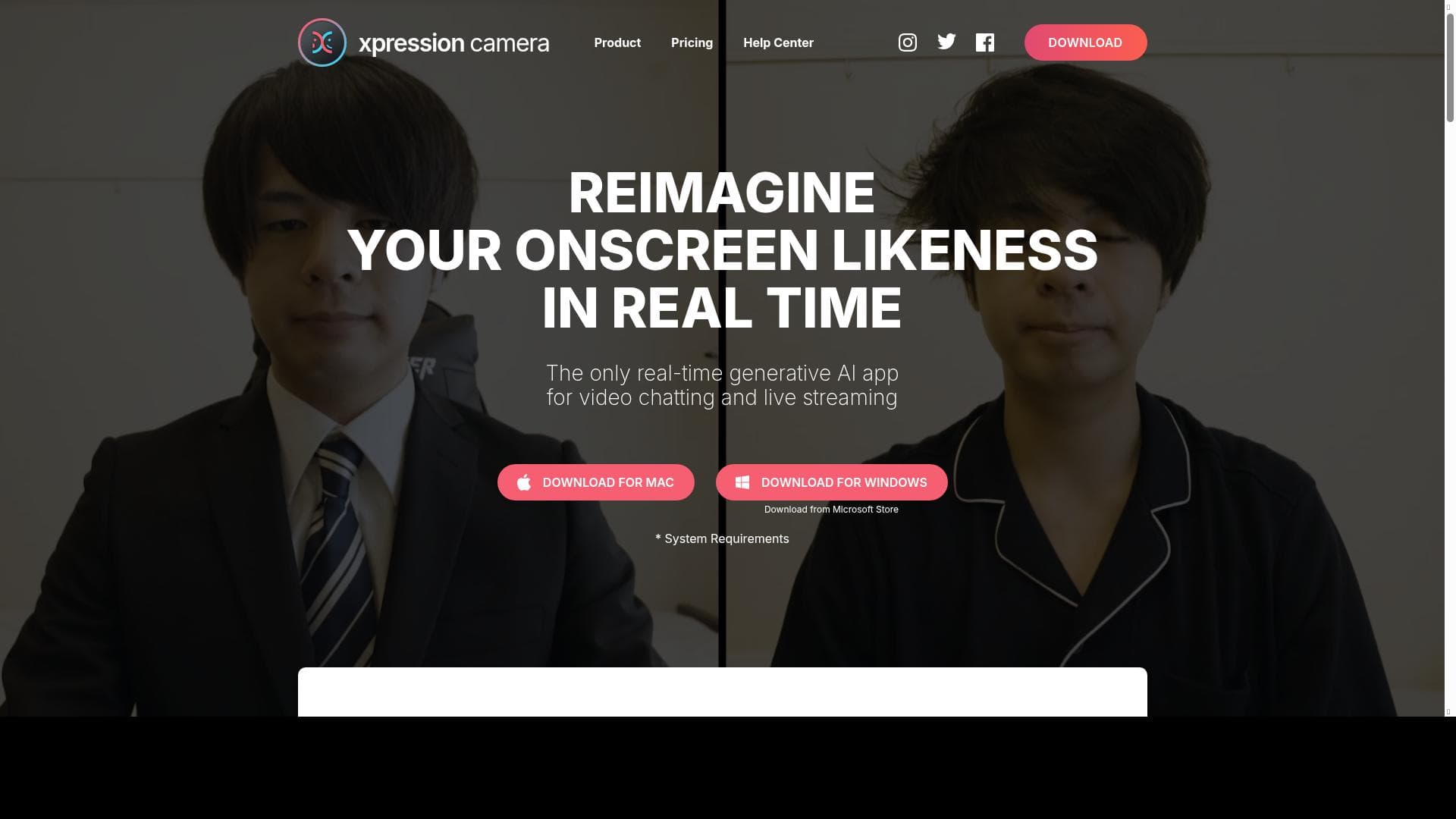
Xpression Camera instantly transforms your video presence by animating avatars from a single photo in real-time, with zero processing delay. Perfect for professionals, streamers, and casual users alike, it brings fun, privacy, and creativity to video chats, live streams, and online content creation.

Description
Xpression Camera is an award-winning virtual camera app that allows users to instantly transform into anyone or anything with a face with a single photo without any processing time. xpression camera enables users to redefine their onscreen persona in real-time while chatting on apps like Zoom, live streaming on Twitch, or creating a YouTube video.
Detailed Description
Xpression Camera is an innovative virtual camera application designed to revolutionize the way users present themselves in video communications. At its core, the tool enables users to instantly transform their on-screen appearance by animating avatars derived from a single photo of any face, with no processing delay. This real-time transformation capability allows users to redefine their digital persona seamlessly during live video interactions, whether they are participating in professional meetings, live streaming, or content creation. By leveraging advanced facial tracking and animation technology, Xpression Camera offers a dynamic and engaging alternative to traditional webcam feeds, making virtual interactions more immersive and entertaining. The key features of Xpression Camera center around its real-time avatar animation and facial expression capture. Users can upload a single photo of a face—be it their own or any character—and the app instantly animates it to mimic their live facial movements and expressions. This includes subtle nuances such as smiles, eyebrow raises, and lip movements, ensuring that the avatar feels lifelike and responsive. The tool integrates smoothly with popular video communication platforms like Zoom and Twitch, as well as other streaming and recording software, allowing users to deploy their animated avatars in a variety of contexts without technical hassle. Additionally, Xpression Camera supports streaming video, enhancing the quality and engagement of virtual presentations or live broadcasts. Its fun and interactive nature makes it ideal for both professional and casual use, helping users maintain privacy, boost creativity, or simply entertain their audience. Xpression Camera is particularly well-suited for a diverse range of users. Professionals who frequently participate in video conferences can use it to add a layer of privacy or to inject personality into otherwise routine meetings. Content creators and streamers on platforms like Twitch and YouTube benefit from its ability to create unique avatars that help build a recognizable brand or persona. Educators and trainers can also leverage the tool to make virtual lessons more engaging and interactive. Moreover, casual users who enjoy social video chats will find Xpression Camera a fun way to express themselves and connect with others in a novel manner. The versatility of the app makes it a valuable asset across industries and use cases. In terms of pricing, Xpression Camera offers a freemium model, allowing users to access basic features at no cost while providing premium options for enhanced capabilities. This approach enables new users to try the app risk-free and explore its core functionalities before committing to a paid plan. The freemium tier typically includes access to standard avatars and basic integration features, while premium subscriptions may unlock additional avatar options, higher resolution streaming, and advanced customization settings. This flexible pricing structure ensures accessibility for casual users and scalability for professionals who require more robust features. Compared to alternatives in the virtual avatar and camera app space, Xpression Camera stands out due to its instant photo-to-avatar conversion without any processing delay, which is a significant advantage over tools that require lengthy setup or manual avatar creation. Its seamless integration with widely used platforms like Zoom and Twitch also provides a smoother user experience. While some competitors focus solely on gaming or entertainment, Xpression Camera balances professional utility with fun, making it a versatile choice. However, unlike some AI-driven avatar tools that offer extensive customization or 3D modeling, Xpression Camera focuses on simplicity and speed, which may limit users seeking highly detailed or complex avatars. Notable limitations include the reliance on a single photo for avatar creation, which may restrict the diversity and depth of avatar designs compared to fully custom 3D models. Additionally, while the app excels in real-time facial expression capture, it may require a well-lit environment and a good quality webcam to achieve optimal animation fidelity. Users should also consider privacy implications when using avatars in professional settings, ensuring that their virtual persona aligns with organizational policies. Despite these considerations, Xpression Camera remains a powerful and accessible tool for enhancing video communication and virtual presence.
Tool Features
- Real-time avatar animation
- Facial expression capture
- Integration with Zoom, Twitch, and other streaming platforms
- Enhances video communication
- Supports streaming video
- Fun and engaging virtual interactions
Description
✦
Xpression Camera instantly transforms your video presence by animating avatars from a single photo in real-time, with zero processing delay. Perfect for professionals, streamers, and casual users alike, it brings fun, privacy, and creativity to video chats, live streams, and online content creation.
Xpression Camera is an award-winning virtual camera app that allows users to instantly transform into anyone or anything with a face with a single photo without any processing time. xpression camera enables users to redefine their onscreen persona in real-time while chatting on apps like Zoom, live streaming on Twitch, or creating a YouTube video.
Detailed Description
Xpression Camera is an innovative virtual camera application designed to revolutionize the way users present themselves in video communications. At its core, the tool enables users to instantly transform their on-screen appearance by animating avatars derived from a single photo of any face, with no processing delay. This real-time transformation capability allows users to redefine their digital persona seamlessly during live video interactions, whether they are participating in professional meetings, live streaming, or content creation. By leveraging advanced facial tracking and animation technology, Xpression Camera offers a dynamic and engaging alternative to traditional webcam feeds, making virtual interactions more immersive and entertaining. The key features of Xpression Camera center around its real-time avatar animation and facial expression capture. Users can upload a single photo of a face—be it their own or any character—and the app instantly animates it to mimic their live facial movements and expressions. This includes subtle nuances such as smiles, eyebrow raises, and lip movements, ensuring that the avatar feels lifelike and responsive. The tool integrates smoothly with popular video communication platforms like Zoom and Twitch, as well as other streaming and recording software, allowing users to deploy their animated avatars in a variety of contexts without technical hassle. Additionally, Xpression Camera supports streaming video, enhancing the quality and engagement of virtual presentations or live broadcasts. Its fun and interactive nature makes it ideal for both professional and casual use, helping users maintain privacy, boost creativity, or simply entertain their audience. Xpression Camera is particularly well-suited for a diverse range of users. Professionals who frequently participate in video conferences can use it to add a layer of privacy or to inject personality into otherwise routine meetings. Content creators and streamers on platforms like Twitch and YouTube benefit from its ability to create unique avatars that help build a recognizable brand or persona. Educators and trainers can also leverage the tool to make virtual lessons more engaging and interactive. Moreover, casual users who enjoy social video chats will find Xpression Camera a fun way to express themselves and connect with others in a novel manner. The versatility of the app makes it a valuable asset across industries and use cases. In terms of pricing, Xpression Camera offers a freemium model, allowing users to access basic features at no cost while providing premium options for enhanced capabilities. This approach enables new users to try the app risk-free and explore its core functionalities before committing to a paid plan. The freemium tier typically includes access to standard avatars and basic integration features, while premium subscriptions may unlock additional avatar options, higher resolution streaming, and advanced customization settings. This flexible pricing structure ensures accessibility for casual users and scalability for professionals who require more robust features. Compared to alternatives in the virtual avatar and camera app space, Xpression Camera stands out due to its instant photo-to-avatar conversion without any processing delay, which is a significant advantage over tools that require lengthy setup or manual avatar creation. Its seamless integration with widely used platforms like Zoom and Twitch also provides a smoother user experience. While some competitors focus solely on gaming or entertainment, Xpression Camera balances professional utility with fun, making it a versatile choice. However, unlike some AI-driven avatar tools that offer extensive customization or 3D modeling, Xpression Camera focuses on simplicity and speed, which may limit users seeking highly detailed or complex avatars. Notable limitations include the reliance on a single photo for avatar creation, which may restrict the diversity and depth of avatar designs compared to fully custom 3D models. Additionally, while the app excels in real-time facial expression capture, it may require a well-lit environment and a good quality webcam to achieve optimal animation fidelity. Users should also consider privacy implications when using avatars in professional settings, ensuring that their virtual persona aligns with organizational policies. Despite these considerations, Xpression Camera remains a powerful and accessible tool for enhancing video communication and virtual presence.
Frequently Asked Questions
What is Xpression Camera?
Xpression Camera is a virtual camera app that allows users to instantly animate avatars from a single photo, capturing real-time facial expressions to transform their on-screen persona during video calls, live streams, and recordings.
How much does Xpression Camera cost?
Xpression Camera operates on a freemium model, offering basic features for free with optional premium subscriptions that unlock advanced avatars, higher resolution streaming, and additional customization options.
Who is Xpression Camera best for?
It is ideal for professionals who want to enhance video meetings, content creators and streamers seeking unique avatars, educators aiming to engage students, and casual users looking for fun and privacy in video chats.
What are the main features of Xpression Camera?
Key features include real-time avatar animation from a single photo, facial expression capture, integration with Zoom, Twitch, and other streaming platforms, support for streaming video, and tools for fun and engaging virtual interactions.
Does Xpression Camera offer a free trial?
Yes, Xpression Camera offers a freemium version that allows users to access core features for free, enabling them to try the app before opting for any premium plans.
What integrations does Xpression Camera support?
Xpression Camera integrates seamlessly with popular video communication and streaming platforms such as Zoom, Twitch, and other applications that support virtual camera input.
How does Xpression Camera work?
Users upload a single photo of a face, and Xpression Camera instantly animates it by tracking their real-time facial expressions through the webcam, allowing the avatar to mimic their movements during live video sessions.
Socials
Use ToolReviews
0 reviews
No reviews yet. Be the first to share your experience.
Sponsored Tools











































Recommended Tools
Stay updated on latest Ai tools
Get the latest insights, Join our newsletter
Read and trusted by 50,000+ readers
Join the biggest AI Community
Our community and staff are here to help!
Your feedback will help Alice AI improve in future versions.








Submit your Tool


PoweredByAI.app is an AI Tools Directory helping individuals, businesses, and creators discover the best AI tools for writing, coding, design, productivity, and more.
© 2026 , Product of011BQ. All rights reserved.