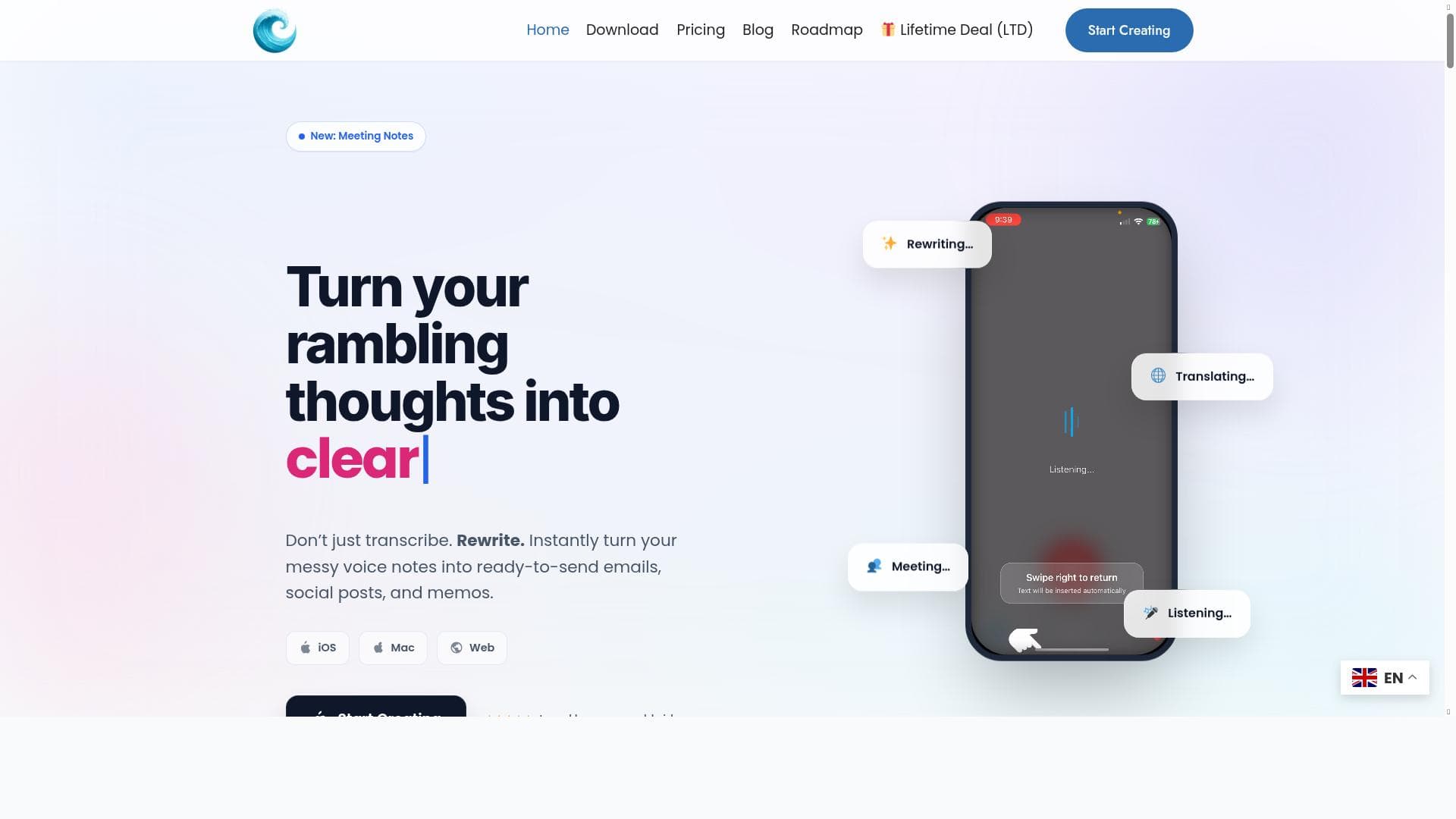


WriteVoice is a privacy-first AI dictation tool that lets you write at the speed of thought with 99% accurate voice-to-text transcription. Ideal for professionals and teams, it seamlessly integrates with any app to capture notes, draft documents, and update CRM systems faster than typing.

Description
Writevoice lets you write at the speed of thought. Click record, speak naturally, and get clean, accurate text ready for docs, tickets, or your CRM. It’s fast, precise, and privacy-first: we never store your recordings or transcripts. Teams use Writevoice to capture call notes, draft specs, and produce long-form content quickly. Works alongside your existing tools and workflows.
Detailed Description
WriteVoice is an advanced AI-powered dictation tool designed to transform the way individuals and teams create written content by enabling voice-to-text transcription with exceptional speed and accuracy. At its core, WriteVoice allows users to simply click record, speak naturally, and instantly receive clean, precisely formatted text that can be used across a variety of applications such as documents, customer relationship management (CRM) systems, support tickets, emails, and messaging platforms. This tool is built to capture thoughts as quickly as they occur, effectively letting users write at the speed of thought. Its privacy-first approach ensures that none of your recordings or transcripts are stored, providing peace of mind for sensitive or confidential information. WriteVoice integrates seamlessly with existing workflows and tools, making it a versatile addition to any productivity stack. Key features of WriteVoice include its industry-leading 99% accuracy in voice-to-text transcription, which minimizes the need for manual corrections and boosts overall efficiency. The tool works universally across any app, allowing users to dictate directly into emails, documents, chat messages, or any text input field without switching contexts. This flexibility is complemented by its ability to enable writing up to three times faster than traditional typing, significantly accelerating content creation. WriteVoice also delivers perfectly formatted text output, eliminating the need for tedious editing and formatting adjustments. Powered by cutting-edge AI dictation technology, it intelligently understands natural speech patterns, punctuation, and context to produce coherent and polished text instantly. WriteVoice is ideal for a wide range of users including professionals who need to capture call notes quickly, software developers drafting technical specifications, customer support teams managing tickets, content creators producing long-form articles, and sales teams updating CRM records efficiently. Its ease of use and integration capabilities make it suitable for both individual users and collaborative teams looking to enhance productivity and reduce the friction of manual typing. By streamlining the transcription process, WriteVoice helps users focus more on their ideas and less on the mechanics of writing. The tool follows a freemium pricing model, offering a free tier that allows users to experience its core functionalities without upfront cost. This makes it accessible for individuals and small teams to test and adopt the technology before scaling up. While detailed pricing tiers and premium features are available on the official website, the freemium plan provides a solid foundation for everyday dictation needs. Compared to other voice-to-text solutions, WriteVoice stands out due to its combination of high transcription accuracy, privacy-first design, and universal app compatibility. Many alternatives either require uploading audio files to cloud servers or offer limited integration options, whereas WriteVoice operates in real-time without storing user data and works seamlessly alongside existing tools. This makes it a superior choice for users concerned about data security and workflow disruption. However, users should consider that while WriteVoice excels in transcription accuracy and speed, it may require an initial period of acclimation to optimize voice commands and punctuation for best results. Additionally, as with any AI-driven tool, extremely noisy environments or heavy accents might slightly impact transcription quality. Despite these minor considerations, WriteVoice remains a powerful, reliable solution for anyone looking to boost their writing productivity through voice. In summary, WriteVoice is a cutting-edge dictation platform that combines speed, precision, and privacy to revolutionize how users convert speech into text. Its robust feature set, ease of integration, and user-centric design make it an indispensable tool for professionals and teams aiming to write faster and smarter.
Tool Features
- 99% accuracy in voice-to-text transcription
- Works in any app including emails, documents, and messages
- Enables writing 3x faster than typing
- Perfectly formatted text output
- AI-powered dictation technology
Description
WriteVoice is a privacy-first AI dictation tool that lets you write at the speed of thought with 99% accurate voice-to-text transcription. Ideal for professionals and teams, it seamlessly integrates with any app to capture notes, draft documents, and update CRM systems faster than typing.
Writevoice lets you write at the speed of thought. Click record, speak naturally, and get clean, accurate text ready for docs, tickets, or your CRM. It’s fast, precise, and privacy-first: we never store your recordings or transcripts. Teams use Writevoice to capture call notes, draft specs, and produce long-form content quickly. Works alongside your existing tools and workflows.
Detailed Description
WriteVoice is an advanced AI-powered dictation tool designed to transform the way individuals and teams create written content by enabling voice-to-text transcription with exceptional speed and accuracy. At its core, WriteVoice allows users to simply click record, speak naturally, and instantly receive clean, precisely formatted text that can be used across a variety of applications such as documents, customer relationship management (CRM) systems, support tickets, emails, and messaging platforms. This tool is built to capture thoughts as quickly as they occur, effectively letting users write at the speed of thought. Its privacy-first approach ensures that none of your recordings or transcripts are stored, providing peace of mind for sensitive or confidential information. WriteVoice integrates seamlessly with existing workflows and tools, making it a versatile addition to any productivity stack. Key features of WriteVoice include its industry-leading 99% accuracy in voice-to-text transcription, which minimizes the need for manual corrections and boosts overall efficiency. The tool works universally across any app, allowing users to dictate directly into emails, documents, chat messages, or any text input field without switching contexts. This flexibility is complemented by its ability to enable writing up to three times faster than traditional typing, significantly accelerating content creation. WriteVoice also delivers perfectly formatted text output, eliminating the need for tedious editing and formatting adjustments. Powered by cutting-edge AI dictation technology, it intelligently understands natural speech patterns, punctuation, and context to produce coherent and polished text instantly. WriteVoice is ideal for a wide range of users including professionals who need to capture call notes quickly, software developers drafting technical specifications, customer support teams managing tickets, content creators producing long-form articles, and sales teams updating CRM records efficiently. Its ease of use and integration capabilities make it suitable for both individual users and collaborative teams looking to enhance productivity and reduce the friction of manual typing. By streamlining the transcription process, WriteVoice helps users focus more on their ideas and less on the mechanics of writing. The tool follows a freemium pricing model, offering a free tier that allows users to experience its core functionalities without upfront cost. This makes it accessible for individuals and small teams to test and adopt the technology before scaling up. While detailed pricing tiers and premium features are available on the official website, the freemium plan provides a solid foundation for everyday dictation needs. Compared to other voice-to-text solutions, WriteVoice stands out due to its combination of high transcription accuracy, privacy-first design, and universal app compatibility. Many alternatives either require uploading audio files to cloud servers or offer limited integration options, whereas WriteVoice operates in real-time without storing user data and works seamlessly alongside existing tools. This makes it a superior choice for users concerned about data security and workflow disruption. However, users should consider that while WriteVoice excels in transcription accuracy and speed, it may require an initial period of acclimation to optimize voice commands and punctuation for best results. Additionally, as with any AI-driven tool, extremely noisy environments or heavy accents might slightly impact transcription quality. Despite these minor considerations, WriteVoice remains a powerful, reliable solution for anyone looking to boost their writing productivity through voice. In summary, WriteVoice is a cutting-edge dictation platform that combines speed, precision, and privacy to revolutionize how users convert speech into text. Its robust feature set, ease of integration, and user-centric design make it an indispensable tool for professionals and teams aiming to write faster and smarter.
Frequently Asked Questions
What is WriteVoice ?
WriteVoice is an AI-powered voice-to-text transcription tool that enables users to dictate naturally and receive clean, accurately formatted text instantly. It is designed to work across any app, helping individuals and teams write faster and more efficiently without storing recordings or transcripts.
How much does WriteVoice cost?
WriteVoice offers a freemium pricing model, allowing users to access core features for free. Additional premium features and plans are available on their website, catering to users with more advanced or higher-volume transcription needs.
Who is WriteVoice best for?
WriteVoice is best suited for professionals, teams, and content creators who need to capture call notes, draft technical specs, manage support tickets, produce long-form content, or update CRM records quickly and accurately using voice dictation.
What are the main features of WriteVoice ?
Key features include 99% accurate voice-to-text transcription, compatibility with any app including emails and documents, writing speeds up to three times faster than typing, perfectly formatted text output, and AI-powered dictation technology that respects user privacy by not storing recordings or transcripts.
Does WriteVoice offer a free trial?
Yes, WriteVoice offers a freemium plan that allows users to try the tool’s core functionalities for free without any time limitations, making it easy to test before committing to a paid plan.
What integrations does WriteVoice support?
WriteVoice works universally across all applications that accept text input, including emails, documents, messaging platforms, CRM systems, and ticketing tools. It integrates seamlessly alongside your existing workflows without requiring special setup.
How does WriteVoice work?
WriteVoice works by capturing your spoken words through a simple record button, then using AI-powered dictation technology to transcribe your speech into clean, accurately formatted text in real-time. It processes the audio locally or securely without storing recordings, ensuring privacy while delivering fast and precise transcription.
Reviews
No reviews yet. Be the first to share your experience.















































