
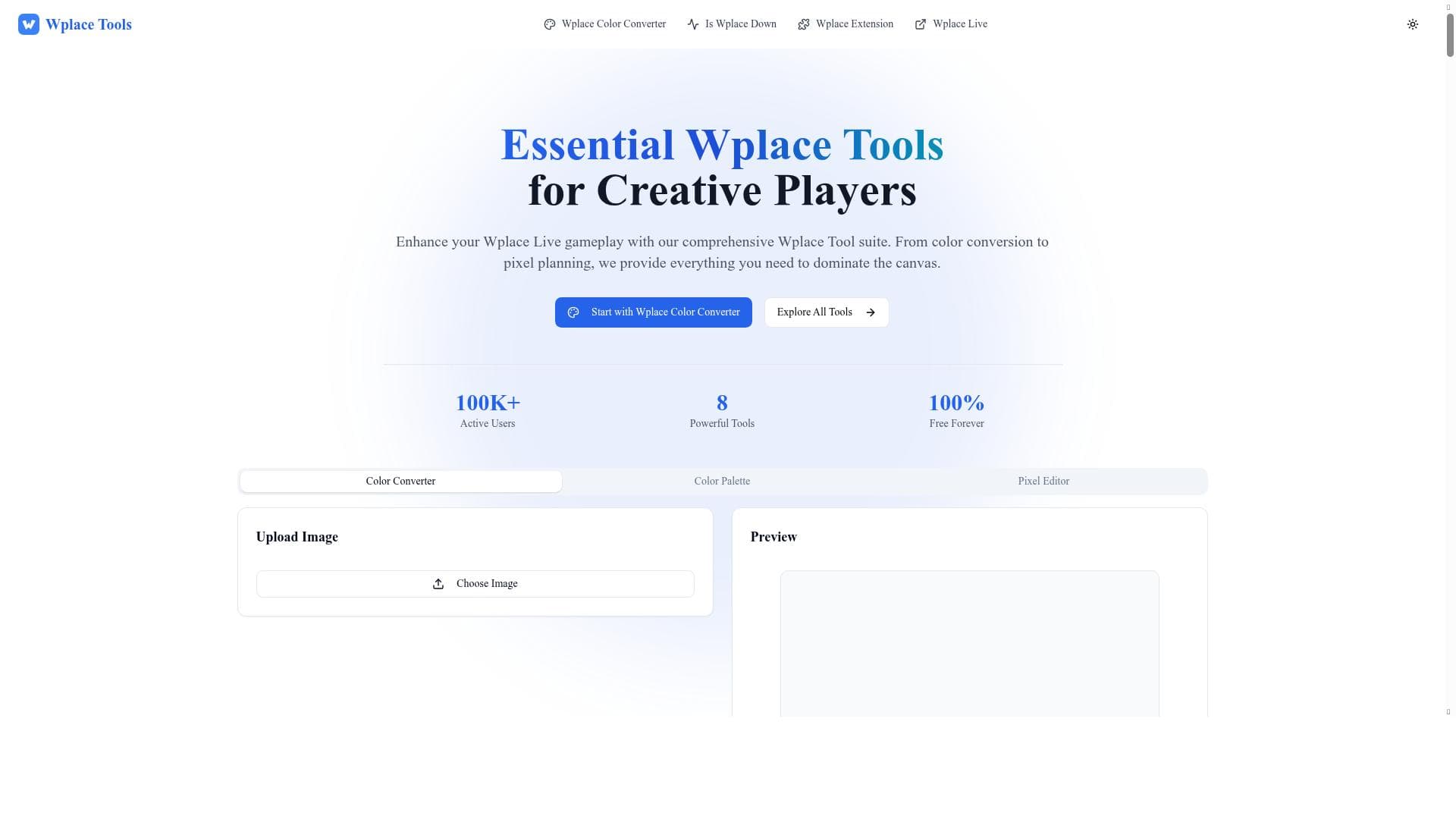


Wplace Tool is a free, browser-based suite tailored for wplace.live players, offering pixel art editing, official palette color matching, server status monitoring, and team coordination. Its specialized features make it an indispensable resource for collaborative pixel artists seeking precision and seamless teamwork on the wplace.live platform.

Description
Wplace Tool is a browser based suite that helps wplace.live players design pixel art, match official palette colors, monitor server status, and coordinate team builds.
Detailed Description
Wplace Tool is a comprehensive browser-based suite designed specifically for players of wplace.live, a collaborative pixel art platform. Its core purpose is to enhance the user experience by providing a set of integrated tools that streamline pixel art creation, color matching, server monitoring, and team coordination. By centralizing these functionalities, Wplace Tool empowers users to create detailed pixel art projects more efficiently and collaborate seamlessly with other players in real time. One of the standout features of Wplace Tool is its pixel art editor, which offers an intuitive interface tailored to the unique requirements of wplace.live. This editor allows users to design pixel art directly within their browser, leveraging tools optimized for precision and ease of use. Complementing the editor is the color converter, which ensures that all colors used in designs perfectly match the official wplace.live palette. This feature is crucial for maintaining visual consistency across collaborative builds and helps artists avoid color mismatches that could disrupt the overall aesthetic. Additionally, Wplace Tool includes a dedicated server status checker for wplace.live. This utility provides real-time updates on server availability and performance, allowing users to plan their activities around server uptime and avoid frustration caused by unexpected outages. The suite also offers a Wplace extension, which integrates with the browser to enhance the overall user experience by providing quick access to the toolset and additional functionalities directly within the wplace.live environment. Wplace Tool is best suited for both casual and serious wplace.live players who are engaged in pixel art creation and collaborative projects. Whether you are an individual artist looking to design precise pixel art or part of a team coordinating large-scale builds, this tool provides the necessary resources to improve workflow and communication. Its features support a wide range of use cases, from simple pixel art creation to complex, multi-user collaborations that require careful color coordination and real-time server monitoring. The tool is offered completely free of charge, making it accessible to all members of the wplace.live community without any financial barriers. This pricing model encourages widespread adoption and fosters a collaborative environment where users can benefit from the tool’s capabilities without worrying about subscription fees or hidden costs. Compared to alternative pixel art tools, Wplace Tool stands out due to its specialized focus on the wplace.live platform. While many pixel art editors exist, few offer integrated color conversion aligned with the official palette or real-time server status monitoring tailored to a specific community. This specialization makes Wplace Tool uniquely valuable for wplace.live users, as it addresses platform-specific challenges that generic tools do not. However, there are some considerations to keep in mind. Since Wplace Tool is browser-based, its performance may depend on the user’s internet connection and browser capabilities. Additionally, its focus on wplace.live means that it may not be suitable for pixel art projects outside of this platform. Users looking for more advanced graphic design features or offline capabilities might need to supplement Wplace Tool with other software. Nonetheless, for its intended audience, Wplace Tool offers a robust, user-friendly, and free solution that significantly enhances the pixel art creation and collaboration experience on wplace.live.
Tool Features
- Color converter for Wplace
- Wplace extension
- Pixel art editor
- Server status checker for wplace.live
Description
Wplace Tool is a free, browser-based suite tailored for wplace.live players, offering pixel art editing, official palette color matching, server status monitoring, and team coordination. Its specialized features make it an indispensable resource for collaborative pixel artists seeking precision and seamless teamwork on the wplace.live platform.
Wplace Tool is a browser based suite that helps wplace.live players design pixel art, match official palette colors, monitor server status, and coordinate team builds.
Detailed Description
Wplace Tool is a comprehensive browser-based suite designed specifically for players of wplace.live, a collaborative pixel art platform. Its core purpose is to enhance the user experience by providing a set of integrated tools that streamline pixel art creation, color matching, server monitoring, and team coordination. By centralizing these functionalities, Wplace Tool empowers users to create detailed pixel art projects more efficiently and collaborate seamlessly with other players in real time. One of the standout features of Wplace Tool is its pixel art editor, which offers an intuitive interface tailored to the unique requirements of wplace.live. This editor allows users to design pixel art directly within their browser, leveraging tools optimized for precision and ease of use. Complementing the editor is the color converter, which ensures that all colors used in designs perfectly match the official wplace.live palette. This feature is crucial for maintaining visual consistency across collaborative builds and helps artists avoid color mismatches that could disrupt the overall aesthetic. Additionally, Wplace Tool includes a dedicated server status checker for wplace.live. This utility provides real-time updates on server availability and performance, allowing users to plan their activities around server uptime and avoid frustration caused by unexpected outages. The suite also offers a Wplace extension, which integrates with the browser to enhance the overall user experience by providing quick access to the toolset and additional functionalities directly within the wplace.live environment. Wplace Tool is best suited for both casual and serious wplace.live players who are engaged in pixel art creation and collaborative projects. Whether you are an individual artist looking to design precise pixel art or part of a team coordinating large-scale builds, this tool provides the necessary resources to improve workflow and communication. Its features support a wide range of use cases, from simple pixel art creation to complex, multi-user collaborations that require careful color coordination and real-time server monitoring. The tool is offered completely free of charge, making it accessible to all members of the wplace.live community without any financial barriers. This pricing model encourages widespread adoption and fosters a collaborative environment where users can benefit from the tool’s capabilities without worrying about subscription fees or hidden costs. Compared to alternative pixel art tools, Wplace Tool stands out due to its specialized focus on the wplace.live platform. While many pixel art editors exist, few offer integrated color conversion aligned with the official palette or real-time server status monitoring tailored to a specific community. This specialization makes Wplace Tool uniquely valuable for wplace.live users, as it addresses platform-specific challenges that generic tools do not. However, there are some considerations to keep in mind. Since Wplace Tool is browser-based, its performance may depend on the user’s internet connection and browser capabilities. Additionally, its focus on wplace.live means that it may not be suitable for pixel art projects outside of this platform. Users looking for more advanced graphic design features or offline capabilities might need to supplement Wplace Tool with other software. Nonetheless, for its intended audience, Wplace Tool offers a robust, user-friendly, and free solution that significantly enhances the pixel art creation and collaboration experience on wplace.live.
Frequently Asked Questions
What is Wplace Tool?
Wplace Tool is a browser-based suite designed to assist wplace.live players in creating pixel art, matching official palette colors, monitoring server status, and coordinating team builds.
How much does Wplace Tool cost?
Wplace Tool is completely free to use, with no subscription fees or paid plans.
Who is Wplace Tool best for?
It is best suited for wplace.live players, including individual pixel artists and collaborative teams who want to design pixel art efficiently and coordinate their builds.
What are the main features of Wplace Tool?
The main features include a pixel art editor, a color converter that matches the official wplace.live palette, a server status checker, and a browser extension for enhanced integration.
Does Wplace Tool offer a free trial?
Since Wplace Tool is free to use, there is no need for a free trial.
What integrations does Wplace Tool support?
Wplace Tool integrates directly with the wplace.live platform through its browser extension and provides tools optimized for use within the wplace.live environment.
How does Wplace Tool work?
Wplace Tool operates entirely within the browser, allowing users to create pixel art, convert colors to the official palette, check server status, and coordinate with teammates without needing to install separate software.
Reviews
No reviews yet. Be the first to share your experience.















































