Featured in:Best AI Writing Tools
Get featured →🚀 Zaprep: Your Socials on Steroids. Start free — automate 1,000 DMs/month & turn engagement into leads. with 1,000 automated DMs/month.



✦
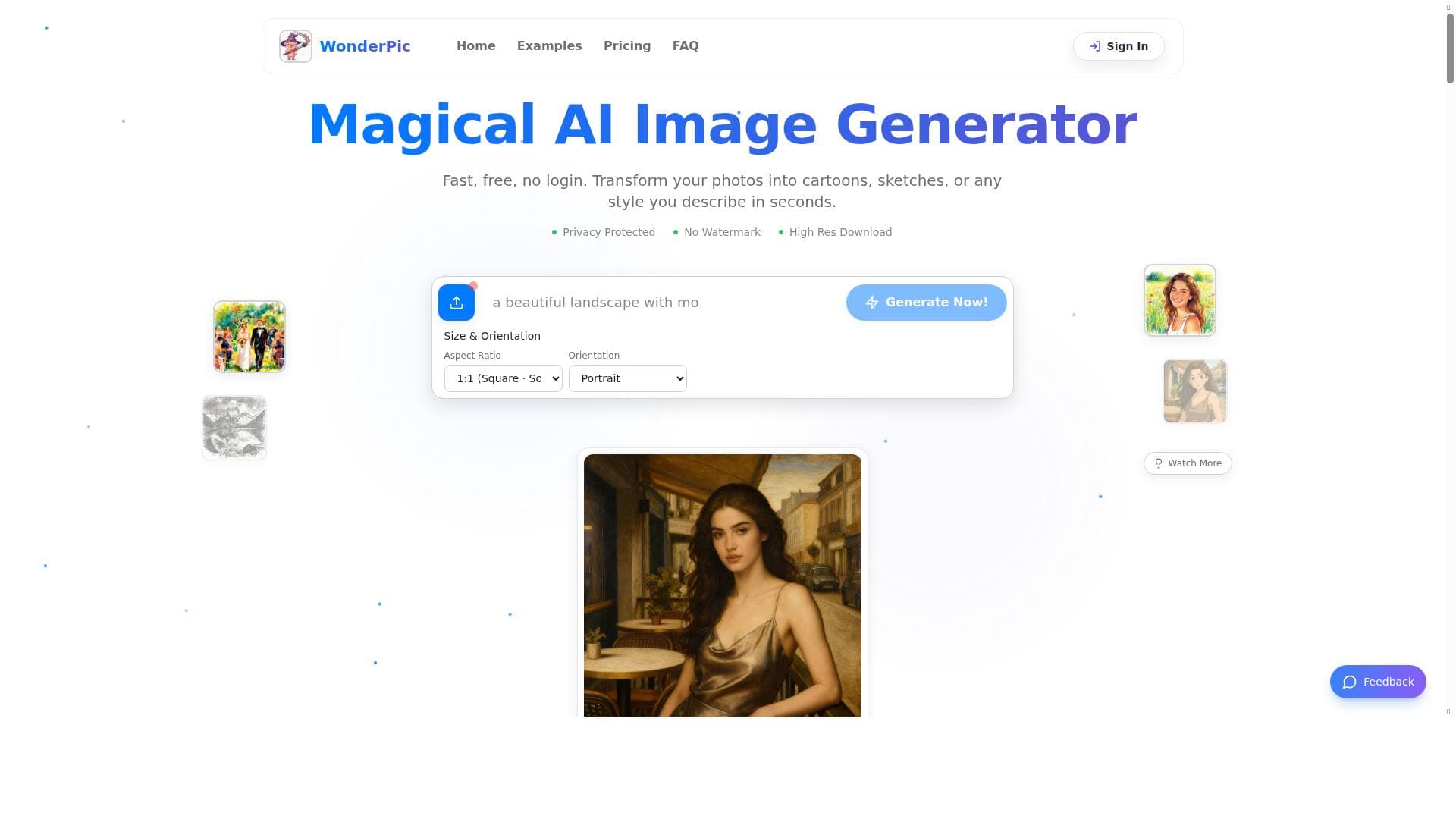
WonderPic is a versatile, free AI image editor that transforms photos into stunning cartoons, sketches, and watercolors while offering precise portrait enhancements and cleanup tools. Ideal for creators and casual users alike, it combines artistic creativity with practical editing features in one intuitive platform.

Description
WonderPic is an all-in-one AI image editor designed for creators and casual users alike. Transform your photos instantly with our precision-driven tools: AI Art Studio: Convert photos into high-quality Cartoon, Sketch, or Watercolor art. Portrait Perfection: Achieve natural, precise results with our specialized Skin Tone Adjuster. Cleanup Utility: Effortlessly remove distractions with our high-precision Watermark Remover.
Detailed Description
WonderPic is a comprehensive AI-powered image editing tool designed to cater to both creative professionals and casual users who want to enhance and transform their photos with ease and precision. Its core purpose is to provide an accessible yet powerful platform where users can convert ordinary images into stunning artistic creations or perform subtle yet impactful edits to improve portrait quality and remove unwanted elements. By leveraging advanced AI algorithms, WonderPic enables instant photo transformations that traditionally required complex software and significant manual effort. At the heart of WonderPic lies its AI Art Studio, a standout feature that allows users to convert their photos into high-quality artistic renditions such as cartoons, sketches, and watercolor paintings. This capability is particularly useful for creators seeking unique visual styles for social media content, marketing materials, or personal projects. The tool’s AI-driven approach ensures that the artistic effects maintain the integrity and details of the original image while producing visually appealing results that mimic hand-drawn or painted artwork. Another key feature is the Portrait Perfection module, which includes a specialized Skin Tone Adjuster. This tool is designed to deliver natural and precise skin color corrections, helping users achieve flawless portraits without the artificial or over-edited look common in many photo editors. This feature is ideal for photographers, influencers, and anyone looking to enhance portrait photos with subtle yet effective improvements. WonderPic also offers a Cleanup Utility that includes a high-precision Watermark Remover. This tool allows users to effortlessly eliminate distracting elements or unwanted watermarks from their images, making it easier to create clean, professional-looking photos. The precision of the AI ensures minimal impact on the surrounding image quality, preserving the original aesthetics. Additional features include the Skinny Filter, which subtly reshapes subjects in photos, and an AI Skin Color Changer that allows for creative experimentation with different skin tones. These tools expand the creative possibilities for users, whether for fun or professional purposes. WonderPic is best suited for a wide range of users, from casual photo enthusiasts who want quick and impressive edits to professional creators who need reliable AI tools to streamline their workflow. Social media content creators, digital artists, photographers, and marketers can all benefit from its intuitive interface and powerful features. The tool’s ease of use makes it accessible to those without advanced photo editing skills, while its precision and quality appeal to more experienced users. One of the most attractive aspects of WonderPic is its pricing model — it is available for free, making advanced AI image editing accessible to a broad audience without financial barriers. This free access encourages experimentation and frequent use, although users should verify if any premium features or usage limits apply. In comparison to other AI image editors, WonderPic stands out for its combination of artistic transformation tools and portrait enhancement features within a single platform. While many competitors focus solely on either artistic filters or retouching, WonderPic integrates both, providing a versatile solution. However, unlike some professional-grade software, it may lack extensive manual editing controls or batch processing capabilities, which could be a consideration for power users. Potential limitations include the reliance on AI-generated results, which may occasionally produce less predictable outcomes depending on image complexity. Additionally, as a free tool, users might encounter usage caps or limited export options compared to paid alternatives. Despite these considerations, WonderPic offers a compelling balance of quality, ease of use, and cost-effectiveness for anyone looking to enhance or artistically transform photos quickly and effectively.
Tool Features
- Photo to Cartoon Generator
- Photo to Watercolor Generator
- Photo to Sketch Generator
- AI Skin Color Changer
- Skinny Filter
Description
✦
WonderPic is a versatile, free AI image editor that transforms photos into stunning cartoons, sketches, and watercolors while offering precise portrait enhancements and cleanup tools. Ideal for creators and casual users alike, it combines artistic creativity with practical editing features in one intuitive platform.
WonderPic is an all-in-one AI image editor designed for creators and casual users alike. Transform your photos instantly with our precision-driven tools: AI Art Studio: Convert photos into high-quality Cartoon, Sketch, or Watercolor art. Portrait Perfection: Achieve natural, precise results with our specialized Skin Tone Adjuster. Cleanup Utility: Effortlessly remove distractions with our high-precision Watermark Remover.
Detailed Description
WonderPic is a comprehensive AI-powered image editing tool designed to cater to both creative professionals and casual users who want to enhance and transform their photos with ease and precision. Its core purpose is to provide an accessible yet powerful platform where users can convert ordinary images into stunning artistic creations or perform subtle yet impactful edits to improve portrait quality and remove unwanted elements. By leveraging advanced AI algorithms, WonderPic enables instant photo transformations that traditionally required complex software and significant manual effort. At the heart of WonderPic lies its AI Art Studio, a standout feature that allows users to convert their photos into high-quality artistic renditions such as cartoons, sketches, and watercolor paintings. This capability is particularly useful for creators seeking unique visual styles for social media content, marketing materials, or personal projects. The tool’s AI-driven approach ensures that the artistic effects maintain the integrity and details of the original image while producing visually appealing results that mimic hand-drawn or painted artwork. Another key feature is the Portrait Perfection module, which includes a specialized Skin Tone Adjuster. This tool is designed to deliver natural and precise skin color corrections, helping users achieve flawless portraits without the artificial or over-edited look common in many photo editors. This feature is ideal for photographers, influencers, and anyone looking to enhance portrait photos with subtle yet effective improvements. WonderPic also offers a Cleanup Utility that includes a high-precision Watermark Remover. This tool allows users to effortlessly eliminate distracting elements or unwanted watermarks from their images, making it easier to create clean, professional-looking photos. The precision of the AI ensures minimal impact on the surrounding image quality, preserving the original aesthetics. Additional features include the Skinny Filter, which subtly reshapes subjects in photos, and an AI Skin Color Changer that allows for creative experimentation with different skin tones. These tools expand the creative possibilities for users, whether for fun or professional purposes. WonderPic is best suited for a wide range of users, from casual photo enthusiasts who want quick and impressive edits to professional creators who need reliable AI tools to streamline their workflow. Social media content creators, digital artists, photographers, and marketers can all benefit from its intuitive interface and powerful features. The tool’s ease of use makes it accessible to those without advanced photo editing skills, while its precision and quality appeal to more experienced users. One of the most attractive aspects of WonderPic is its pricing model — it is available for free, making advanced AI image editing accessible to a broad audience without financial barriers. This free access encourages experimentation and frequent use, although users should verify if any premium features or usage limits apply. In comparison to other AI image editors, WonderPic stands out for its combination of artistic transformation tools and portrait enhancement features within a single platform. While many competitors focus solely on either artistic filters or retouching, WonderPic integrates both, providing a versatile solution. However, unlike some professional-grade software, it may lack extensive manual editing controls or batch processing capabilities, which could be a consideration for power users. Potential limitations include the reliance on AI-generated results, which may occasionally produce less predictable outcomes depending on image complexity. Additionally, as a free tool, users might encounter usage caps or limited export options compared to paid alternatives. Despite these considerations, WonderPic offers a compelling balance of quality, ease of use, and cost-effectiveness for anyone looking to enhance or artistically transform photos quickly and effectively.
Frequently Asked Questions
What is WonderPic?
WonderPic is an all-in-one AI image editor that allows users to transform photos into artistic styles like cartoons, sketches, and watercolors, as well as enhance portraits and remove unwanted elements with precision.
How much does WonderPic cost?
WonderPic is available for free, providing users access to its core AI image editing features without any charge.
Who is WonderPic best for?
WonderPic is ideal for creators, photographers, social media influencers, and casual users who want to quickly enhance or artistically transform their photos with minimal effort.
What are the main features of WonderPic?
Key features include Photo to Cartoon, Watercolor, and Sketch Generators, an AI Skin Color Changer, a Skinny Filter, a Skin Tone Adjuster for portraits, and a high-precision Watermark Remover.
Does WonderPic offer a free trial?
WonderPic itself is free to use, so there is no need for a separate free trial to access its features.
What integrations does WonderPic support?
Currently, WonderPic operates as a standalone web-based tool and does not advertise specific integrations with other platforms or software.
How does WonderPic work?
WonderPic uses advanced AI algorithms to analyze and transform photos instantly, applying artistic effects, adjusting skin tones, or removing unwanted elements with precision to produce high-quality edited images.
Reviews
0 reviews
No reviews yet. Be the first to share your experience.
Sponsored Tools







































Recommended Tools
Stay updated on latest Ai tools
Get the latest insights, Join our newsletter
Read and trusted by 50,000+ readers
Join the biggest AI Community
Our community and staff are here to help!
Your feedback will help Alice AI improve in future versions.







Submit your Tool


PoweredByAI.app is an AI Tools Directory helping individuals, businesses, and creators discover the best AI tools for writing, coding, design, productivity, and more.
© 2026 , Product of011BQ. All rights reserved.