Featured in:Best AI Writing Tools
Get featured →🚀 Zaprep: Your Socials on Steroids. Start free — automate 1,000 DMs/month & turn engagement into leads. with 1,000 automated DMs/month.


Is this your AI tool? Claim it today.
Verify ownership, manage your profile, and unlock growth features.
✦
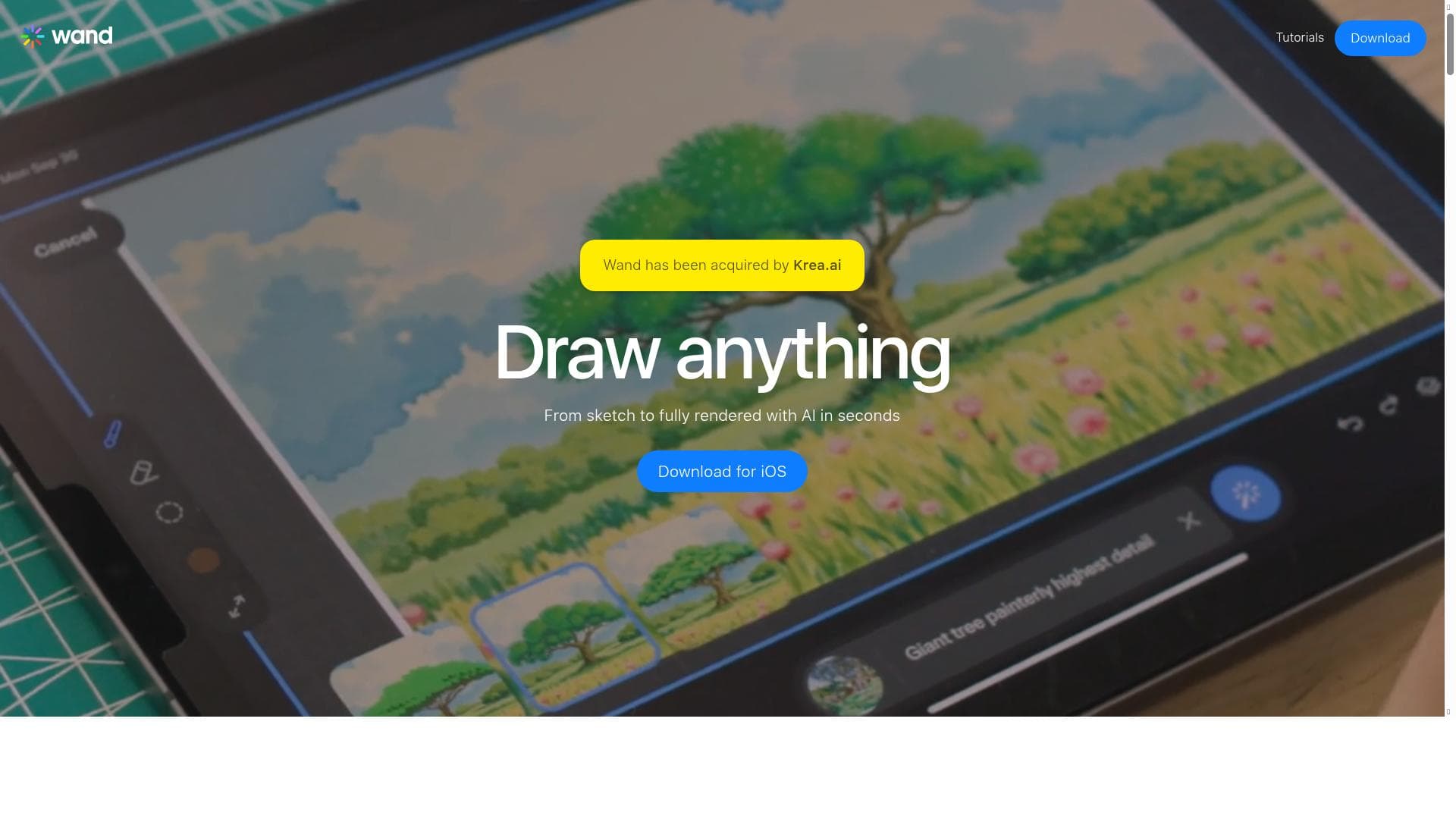
Wand is a cutting-edge AI-powered iOS design app that creates custom private art styles from your own images, enabling you to draw and edit anything with a personalized touch. Perfect for artists and creators seeking intuitive, versatile, and vibrant digital artwork tools on the go.

Description
Wand is an AI-powered design tool for iOS to draw and edit anything. Upload reference material and Wand will create a custom private style based on those images. Use that style to draw anything you can imagine.
Detailed Description
Wand is an innovative AI-powered design tool specifically crafted for iOS devices, aimed at artists and designers who want to create and edit digital artwork with ease and precision. At its core, Wand leverages artificial intelligence to transform user-uploaded reference images into a unique, custom private style. This personalized style can then be applied to any drawing, allowing users to produce artwork that is not only original but also deeply inspired by their own visual inputs. The tool’s primary purpose is to empower users to bring their creative visions to life without the steep learning curve typically associated with professional design software. One of Wand’s standout features is its intuitive drawing interface, which is designed to be user-friendly for both beginners and experienced artists. The interface allows for smooth, natural drawing experiences, making it easy to sketch, paint, and edit with precision. Wand supports multiple drawing styles, enabling users to experiment with different artistic expressions ranging from minimalist line art to vibrant, colorful compositions. This versatility makes it a powerful tool for a wide range of creative projects, from casual doodling to professional concept art. The AI-driven custom style creation is another key capability that sets Wand apart. By uploading reference images, users can teach the AI to understand and replicate specific visual elements, textures, and color schemes, resulting in a private style that is unique to each user. This feature is particularly useful for artists looking to maintain a consistent aesthetic across their work or to explore new artistic directions inspired by their own imagery. Wand is ideal for a broad audience including hobbyists, digital artists, illustrators, and content creators who want a flexible yet powerful tool on their iOS devices. It is especially beneficial for those who appreciate the convenience of mobile design tools but do not want to compromise on creative control or quality. Use cases range from creating social media graphics, concept sketches, and illustrations to experimenting with new art styles and refining ideas on the go. In terms of pricing, Wand follows a freemium model, allowing users to access basic features for free while offering premium options for advanced capabilities and additional styles. This approach makes it accessible to casual users while providing value for professionals who need more robust tools and customization options. Compared to other mobile drawing apps, Wand’s unique AI-powered style generation and private style creation offer a distinctive advantage. While many apps provide standard brushes and effects, Wand’s ability to learn from user-provided images and generate personalized styles enhances creative possibilities significantly. However, as a mobile app, it may have limitations in terms of processing power and feature depth compared to desktop-based professional design software. Users seeking highly complex vector editing or extensive layering might find Wand less comprehensive. Notable considerations include the reliance on iOS, which restricts access to Apple device users only. Additionally, while the AI style creation is powerful, it may require some experimentation to achieve the desired results, and the quality of output can depend on the quality and relevance of the uploaded reference images. Overall, Wand offers a compelling blend of AI innovation and user-friendly design tools that make digital art creation accessible and enjoyable on mobile devices.
Tool Features
- Intuitive drawing interface
- Supports multiple drawing styles
- Vibrant and colorful artwork creation
- Suitable for beginners and experienced artists
- Easy to use with creative tools
Description
✦
Wand is a cutting-edge AI-powered iOS design app that creates custom private art styles from your own images, enabling you to draw and edit anything with a personalized touch. Perfect for artists and creators seeking intuitive, versatile, and vibrant digital artwork tools on the go.
Wand is an AI-powered design tool for iOS to draw and edit anything. Upload reference material and Wand will create a custom private style based on those images. Use that style to draw anything you can imagine.
Detailed Description
Wand is an innovative AI-powered design tool specifically crafted for iOS devices, aimed at artists and designers who want to create and edit digital artwork with ease and precision. At its core, Wand leverages artificial intelligence to transform user-uploaded reference images into a unique, custom private style. This personalized style can then be applied to any drawing, allowing users to produce artwork that is not only original but also deeply inspired by their own visual inputs. The tool’s primary purpose is to empower users to bring their creative visions to life without the steep learning curve typically associated with professional design software. One of Wand’s standout features is its intuitive drawing interface, which is designed to be user-friendly for both beginners and experienced artists. The interface allows for smooth, natural drawing experiences, making it easy to sketch, paint, and edit with precision. Wand supports multiple drawing styles, enabling users to experiment with different artistic expressions ranging from minimalist line art to vibrant, colorful compositions. This versatility makes it a powerful tool for a wide range of creative projects, from casual doodling to professional concept art. The AI-driven custom style creation is another key capability that sets Wand apart. By uploading reference images, users can teach the AI to understand and replicate specific visual elements, textures, and color schemes, resulting in a private style that is unique to each user. This feature is particularly useful for artists looking to maintain a consistent aesthetic across their work or to explore new artistic directions inspired by their own imagery. Wand is ideal for a broad audience including hobbyists, digital artists, illustrators, and content creators who want a flexible yet powerful tool on their iOS devices. It is especially beneficial for those who appreciate the convenience of mobile design tools but do not want to compromise on creative control or quality. Use cases range from creating social media graphics, concept sketches, and illustrations to experimenting with new art styles and refining ideas on the go. In terms of pricing, Wand follows a freemium model, allowing users to access basic features for free while offering premium options for advanced capabilities and additional styles. This approach makes it accessible to casual users while providing value for professionals who need more robust tools and customization options. Compared to other mobile drawing apps, Wand’s unique AI-powered style generation and private style creation offer a distinctive advantage. While many apps provide standard brushes and effects, Wand’s ability to learn from user-provided images and generate personalized styles enhances creative possibilities significantly. However, as a mobile app, it may have limitations in terms of processing power and feature depth compared to desktop-based professional design software. Users seeking highly complex vector editing or extensive layering might find Wand less comprehensive. Notable considerations include the reliance on iOS, which restricts access to Apple device users only. Additionally, while the AI style creation is powerful, it may require some experimentation to achieve the desired results, and the quality of output can depend on the quality and relevance of the uploaded reference images. Overall, Wand offers a compelling blend of AI innovation and user-friendly design tools that make digital art creation accessible and enjoyable on mobile devices.
Frequently Asked Questions
What is Wand?
Wand is an AI-powered design tool for iOS that allows users to draw and edit digital artwork by creating custom private styles based on uploaded reference images.
How much does Wand cost?
Wand offers a freemium pricing model, providing basic features for free with optional premium plans that unlock advanced tools and additional styles.
Who is Wand best for?
Wand is ideal for beginners, hobbyists, digital artists, illustrators, and content creators who want an easy-to-use yet powerful drawing tool on iOS devices.
What are the main features of Wand?
Key features include an intuitive drawing interface, support for multiple drawing styles, vibrant and colorful artwork creation, AI-powered custom private style generation, and creative tools suitable for all skill levels.
Does Wand offer a free trial?
Wand operates on a freemium model, allowing users to access core features for free without a time-limited trial, with premium features available through subscription or purchase.
What integrations does Wand support?
Currently, Wand is designed as a standalone iOS app and does not list specific third-party integrations, focusing on its AI-driven style creation and drawing capabilities.
How does Wand work?
Users upload reference images to Wand, which uses AI to analyze and create a custom private style. This style can then be applied to drawings made within the app, enabling personalized and unique artwork creation.
Socials
Use ToolReviews
0 reviews
No reviews yet. Be the first to share your experience.
Sponsored Tools











































Recommended Tools
Stay updated on latest Ai tools
Get the latest insights, Join our newsletter
Read and trusted by 50,000+ readers
Join the biggest AI Community
Our community and staff are here to help!
Your feedback will help Alice AI improve in future versions.








Submit your Tool


PoweredByAI.app is an AI Tools Directory helping individuals, businesses, and creators discover the best AI tools for writing, coding, design, productivity, and more.
© 2026 , Product of011BQ. All rights reserved.