Featured in:Best AI Transcription Tools
Get featured →🚀 Zaprep: Your Socials on Steroids. Start free — automate 1,000 DMs/month & turn engagement into leads. with 1,000 automated DMs/month.


Is this your AI tool? Claim it today.
Verify ownership, manage your profile, and unlock growth features.
✦
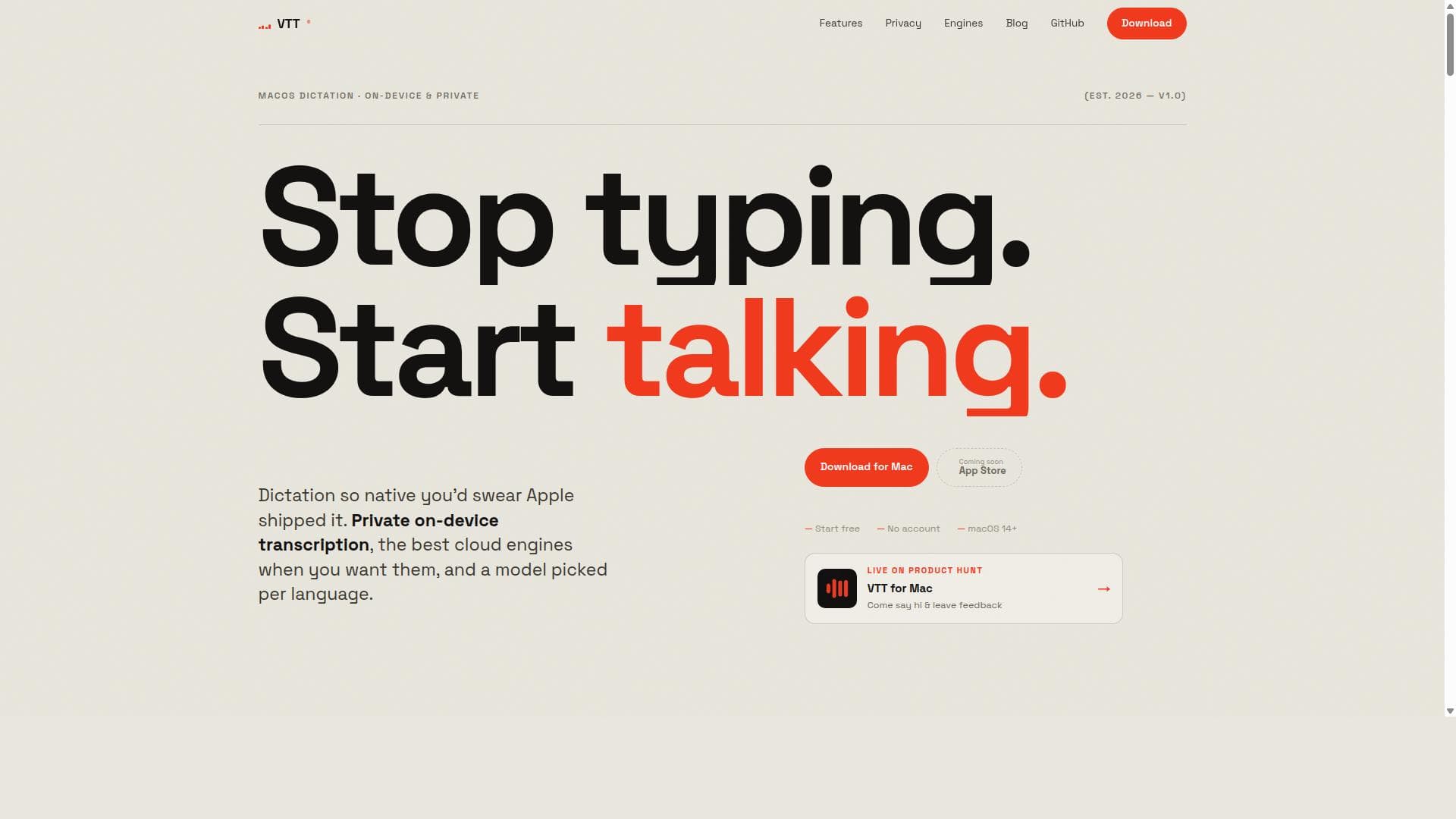
VTT is a privacy-first macOS menu-bar dictation app offering seamless offline voice-to-text transcription with optional cloud engine integration for enhanced accuracy. Ideal for multilingual users and those with strong accents, it combines local data security with flexible, per-language model selection to deliver a tailored dictation experience without compromising privacy.

Description
Dictate in the language you're already typing in — VTT detects your keyboard layout and routes to the right engine across 26 languages. Speak; text appears at your cursor in any Mac app. On-device or cloud engines, your call. No account.
Detailed Description
VTT is a native macOS menu-bar dictation application designed to provide private, on-device voice-to-text transcription with the flexibility of optional cloud-based speech engines. Its core purpose is to offer users a seamless, privacy-focused dictation experience that integrates directly into the macOS environment without requiring an internet connection for basic functionality. By leveraging Apple's on-device speech recognition technology, VTT ensures that all audio data remains local to the user's Mac, eliminating concerns about data privacy and security. Additionally, users can opt to enhance transcription accuracy and capabilities by connecting to cloud engines such as Deepgram, OpenAI Whisper, and ElevenLabs using their own API keys, allowing for more advanced and accent-friendly transcription when needed. Key features of VTT include robust on-device transcription that functions fully offline, making it ideal for users who require dictation in environments without reliable internet access or who prioritize data privacy. The app supports multiple cloud engines, enabling users to select the best transcription model per language, which is especially beneficial for multilingual users or those with strong regional or non-native accents. VTT’s menu-bar interface is designed for quick access, featuring a global hotkey to start dictation instantly without interrupting workflow. Users can download additional language models to expand offline capabilities and enjoy an accent-friendly transcription experience through cloud engines trained on diverse voice datasets. Another standout feature is that the spoken language follows the keyboard layout, meaning there is no unwanted automatic translation; what you speak is transcribed exactly in the language you are typing in. Moreover, VTT maintains a local dictation history, allowing users to easily retrieve and re-paste recent transcripts without any data leaving their device. VTT is best suited for macOS users who need a reliable, private dictation tool integrated into their daily workflow. Professionals such as writers, journalists, developers, and students who require quick and accurate transcription will find VTT particularly useful. It is also ideal for multilingual users or those with strong accents who have experienced limitations with traditional dictation tools. Because it offers both offline and cloud-based transcription options, VTT caters to a wide range of use cases—from quick note-taking and drafting to more complex transcription tasks requiring high accuracy and language model customization. Regarding pricing, VTT is free to start and does not require users to create an account. The on-device dictation functionality is completely free and does not incur any costs. Cloud engine usage, however, depends on the user’s own API keys and the pricing policies of those providers (Deepgram, OpenAI, ElevenLabs). This pay-as-you-go model allows users to control costs and only pay for cloud transcription if and when they choose to use those services. Compared to alternatives, VTT stands out by combining the privacy and offline capabilities of Apple’s native dictation with the flexibility of cloud engines, all wrapped in a lightweight menu-bar app designed specifically for macOS. Unlike Apple’s built-in dictation, VTT offers per-language engine selection, downloadable language models, and a persistent local transcript history. It also avoids the common issue of unwanted auto-translation by matching transcription language to keyboard layout. While many dictation apps require cloud connectivity or user accounts, VTT prioritizes user privacy and simplicity, making it unique in the macOS ecosystem. Notable limitations include the requirement for macOS 14 or later and compatibility only with Apple Silicon or Intel Macs, which may exclude users on older hardware or other operating systems. While the on-device transcription is robust, it may not match the accuracy of large cloud models for complex accents or noisy environments unless users opt to connect to cloud engines. Additionally, cloud engine usage requires users to manage their own API keys and bear any associated costs, which might be a barrier for some. Finally, as a menu-bar app, VTT is designed for quick dictation rather than full-featured transcription editing or collaboration, so users needing advanced text processing might need to use it alongside other tools.
Tool Features
- On-device transcription
- Cloud engines (Deepgram, OpenAI, ElevenLabs)
- Per-language model selection
- Menu-bar app with global hotkey
- Downloadable language models
- Accent-friendly cloud engines for non-native and regional accents
- Spoken language follows the keyboard layout — no unwanted auto-translation
- Local dictation history — re-paste any recent transcript
Description
✦
VTT is a privacy-first macOS menu-bar dictation app offering seamless offline voice-to-text transcription with optional cloud engine integration for enhanced accuracy. Ideal for multilingual users and those with strong accents, it combines local data security with flexible, per-language model selection to deliver a tailored dictation experience without compromising privacy.
Dictate in the language you're already typing in — VTT detects your keyboard layout and routes to the right engine across 26 languages. Speak; text appears at your cursor in any Mac app. On-device or cloud engines, your call. No account.
Detailed Description
VTT is a native macOS menu-bar dictation application designed to provide private, on-device voice-to-text transcription with the flexibility of optional cloud-based speech engines. Its core purpose is to offer users a seamless, privacy-focused dictation experience that integrates directly into the macOS environment without requiring an internet connection for basic functionality. By leveraging Apple's on-device speech recognition technology, VTT ensures that all audio data remains local to the user's Mac, eliminating concerns about data privacy and security. Additionally, users can opt to enhance transcription accuracy and capabilities by connecting to cloud engines such as Deepgram, OpenAI Whisper, and ElevenLabs using their own API keys, allowing for more advanced and accent-friendly transcription when needed. Key features of VTT include robust on-device transcription that functions fully offline, making it ideal for users who require dictation in environments without reliable internet access or who prioritize data privacy. The app supports multiple cloud engines, enabling users to select the best transcription model per language, which is especially beneficial for multilingual users or those with strong regional or non-native accents. VTT’s menu-bar interface is designed for quick access, featuring a global hotkey to start dictation instantly without interrupting workflow. Users can download additional language models to expand offline capabilities and enjoy an accent-friendly transcription experience through cloud engines trained on diverse voice datasets. Another standout feature is that the spoken language follows the keyboard layout, meaning there is no unwanted automatic translation; what you speak is transcribed exactly in the language you are typing in. Moreover, VTT maintains a local dictation history, allowing users to easily retrieve and re-paste recent transcripts without any data leaving their device. VTT is best suited for macOS users who need a reliable, private dictation tool integrated into their daily workflow. Professionals such as writers, journalists, developers, and students who require quick and accurate transcription will find VTT particularly useful. It is also ideal for multilingual users or those with strong accents who have experienced limitations with traditional dictation tools. Because it offers both offline and cloud-based transcription options, VTT caters to a wide range of use cases—from quick note-taking and drafting to more complex transcription tasks requiring high accuracy and language model customization. Regarding pricing, VTT is free to start and does not require users to create an account. The on-device dictation functionality is completely free and does not incur any costs. Cloud engine usage, however, depends on the user’s own API keys and the pricing policies of those providers (Deepgram, OpenAI, ElevenLabs). This pay-as-you-go model allows users to control costs and only pay for cloud transcription if and when they choose to use those services. Compared to alternatives, VTT stands out by combining the privacy and offline capabilities of Apple’s native dictation with the flexibility of cloud engines, all wrapped in a lightweight menu-bar app designed specifically for macOS. Unlike Apple’s built-in dictation, VTT offers per-language engine selection, downloadable language models, and a persistent local transcript history. It also avoids the common issue of unwanted auto-translation by matching transcription language to keyboard layout. While many dictation apps require cloud connectivity or user accounts, VTT prioritizes user privacy and simplicity, making it unique in the macOS ecosystem. Notable limitations include the requirement for macOS 14 or later and compatibility only with Apple Silicon or Intel Macs, which may exclude users on older hardware or other operating systems. While the on-device transcription is robust, it may not match the accuracy of large cloud models for complex accents or noisy environments unless users opt to connect to cloud engines. Additionally, cloud engine usage requires users to manage their own API keys and bear any associated costs, which might be a barrier for some. Finally, as a menu-bar app, VTT is designed for quick dictation rather than full-featured transcription editing or collaboration, so users needing advanced text processing might need to use it alongside other tools.
Frequently Asked Questions
What is VTT?
VTT is a native macOS menu-bar dictation app that provides private, on-device voice-to-text transcription with optional cloud engine support. It allows users to dictate text securely on their Mac, with the option to enhance transcription accuracy using cloud services like Deepgram, OpenAI, and ElevenLabs via their own API keys.
How much does VTT cost?
VTT is free to start and does not require an account. On-device dictation is completely free, while cloud engine usage depends on the user’s own API key and the pricing of the chosen cloud provider, making it a pay-as-you-go model only if cloud transcription is used.
Who is VTT best for?
VTT is best suited for macOS users who value privacy and need reliable dictation, including professionals like writers, journalists, and students. It is especially useful for multilingual users and those with strong regional or non-native accents who require accent-friendly transcription and flexible language model options.
What are the main features of VTT?
Key features include private on-device transcription that works offline, optional cloud engines (Deepgram, OpenAI, ElevenLabs) selectable per language, a menu-bar app with a global hotkey for quick access, downloadable language models, accent-friendly cloud transcription, spoken language matching keyboard layout to avoid auto-translation, and a local dictation history for easy transcript retrieval.
Does VTT offer a free trial?
VTT itself is free to use with on-device dictation available at no cost and no account required. Cloud engine usage is optional and based on your own API keys, so there is no separate free trial—costs depend on the cloud provider’s pricing.
What integrations does VTT support?
VTT supports integration with cloud speech engines including Deepgram, OpenAI Whisper, and ElevenLabs via user-provided API keys. It also integrates seamlessly with macOS as a menu-bar app, allowing dictation to be inserted directly into any text field or application.
How does VTT work?
VTT runs as a menu-bar app on macOS, using Apple’s on-device speech recognition by default to transcribe spoken words into text locally without sending audio off the device. Users can activate dictation with a global hotkey, select language models, and optionally connect to cloud engines for enhanced transcription. All transcripts are saved locally for easy access and re-pasting.
Socials
Use ToolReviews
0 reviews
No reviews yet. Be the first to share your experience.
Sponsored Tools











































Recommended Tools
Stay updated on latest Ai tools
Get the latest insights, Join our newsletter
Read and trusted by 50,000+ readers
Join the biggest AI Community
Our community and staff are here to help!
Your feedback will help Alice AI improve in future versions.








Submit your Tool


PoweredByAI.app is an AI Tools Directory helping individuals, businesses, and creators discover the best AI tools for writing, coding, design, productivity, and more.
© 2026 , Product of011BQ. All rights reserved.