
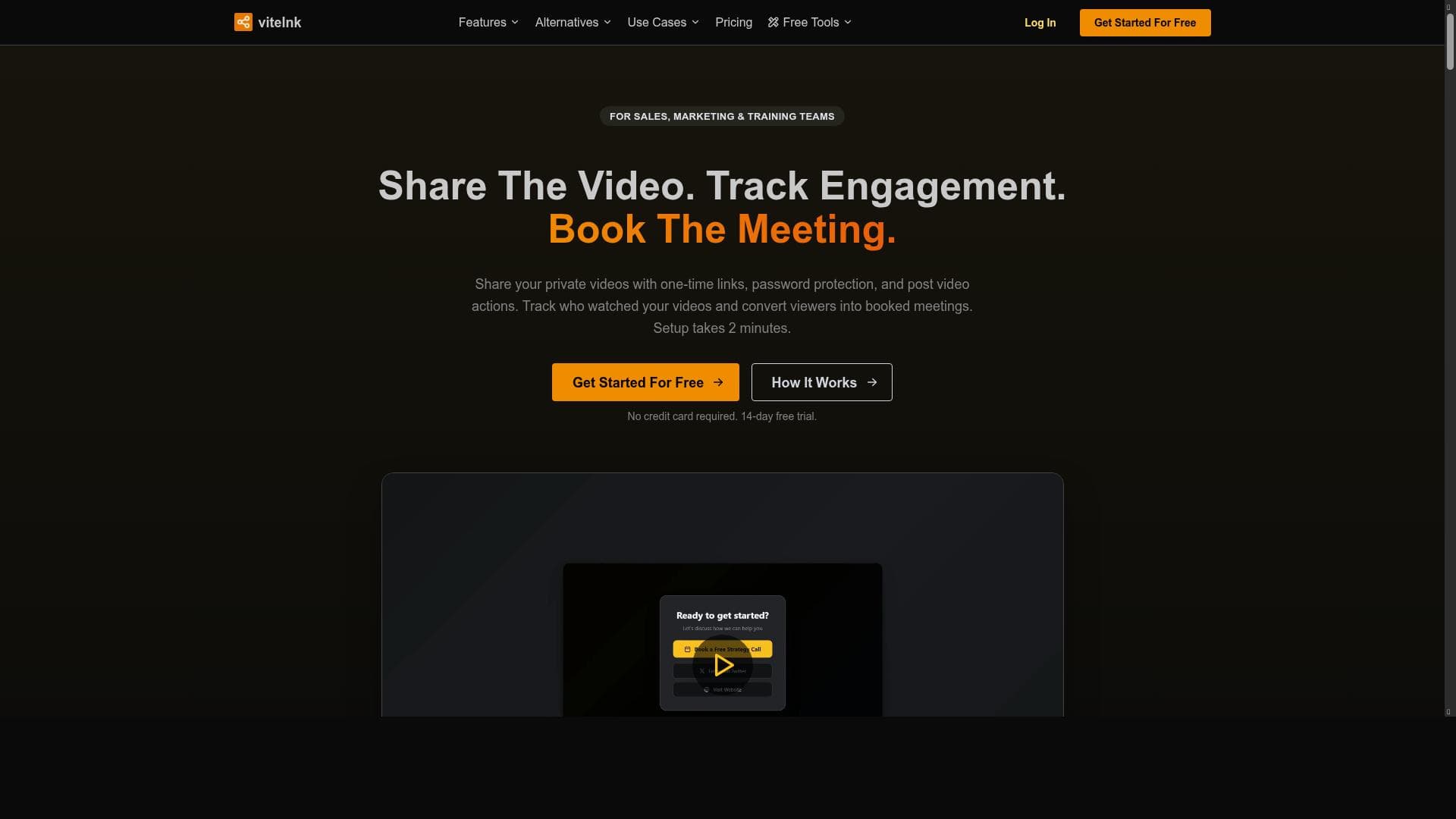


vitelnk is a secure, professional-grade video sharing platform that combines smart access control, interactive viewer guidance, and robust editing tools. Ideal for marketers, educators, and sales teams, it enables seamless video distribution with actionable insights and engagement tracking—all without viewers leaving the video.

Description
vitelnk helps professionals securely share videos with full control over access, smart share links, and analytics while guiding viewers to take the next actions you want without ever leaving the video.
Detailed Description
vitelnk is a comprehensive video sharing and editing platform designed to empower professionals with secure, controlled, and insightful video distribution. At its core, vitelnk enables users to share videos with full control over who accesses the content, leveraging smart share links that not only protect the video but also provide detailed analytics on viewer engagement. This unique approach allows content creators, marketers, educators, and business professionals to guide their audience toward specific next steps directly within the video experience, eliminating the need for viewers to leave the video environment. This seamless integration of video sharing and viewer interaction makes vitelnk a powerful tool for driving engagement and conversions. The platform offers a robust suite of video processing features that cater to a wide range of professional needs. Users can convert videos between multiple formats such as webm, mp4, mov, avi, and mkv, ensuring compatibility across different devices and platforms. Editing capabilities include trimming videos to highlight key moments and adding watermarks to protect intellectual property and reinforce branding. Additionally, vitelnk allows users to remove audio tracks from videos when necessary, providing flexibility for creating silent videos or preparing content for voiceover additions. Another notable feature is video speed adjustment, which can be used to create time-lapse effects or slow-motion sequences, enhancing the storytelling or instructional value of the content. Beyond these core features, vitelnk provides free tools for various video processing tasks, making it accessible to users with diverse requirements and budgets. vitelnk is particularly well-suited for professionals who rely heavily on video content for communication, marketing, training, or sales. Marketing teams can use vitelnk to share promotional videos with controlled access and track viewer behavior to optimize campaigns. Sales professionals benefit from the ability to embed calls to action within videos, guiding prospects through the sales funnel without distractions. Educators and trainers can securely distribute instructional videos while monitoring engagement to improve learning outcomes. Additionally, content creators and agencies can leverage the platform’s editing and conversion tools to prepare videos for multiple channels efficiently. The pricing model of vitelnk follows a freemium approach, allowing users to access essential features and free video processing tools at no cost. This makes it an attractive option for individuals and small teams looking to experiment with video sharing and editing without upfront investment. For more advanced needs, such as enhanced analytics, additional customization, and higher usage limits, paid plans are available, offering scalability for growing businesses and enterprises. This tiered pricing structure ensures that vitelnk can accommodate a wide range of users, from freelancers to large organizations. When compared to alternative video sharing and editing platforms, vitelnk stands out due to its combination of secure sharing, smart link technology, and integrated viewer action guidance. While many platforms offer video hosting or editing independently, vitelnk’s unified approach provides a more streamlined workflow and deeper insights into viewer behavior. However, unlike some specialized video editing software, vitelnk may not offer advanced post-production features such as multi-track editing or complex effects. Users primarily focused on high-end video production might find these limitations relevant. One consideration for potential users is the platform’s reliance on internet connectivity and cloud-based processing, which may impact performance depending on network conditions. Additionally, while vitelnk supports a broad range of video formats, extremely large files or uncommon codecs might require pre-processing outside the platform. Overall, vitelnk offers a compelling balance of security, control, and interactivity for professionals seeking to maximize the impact of their video content without the complexity of traditional video editing suites.
Tool Features
- Video format conversion (e.g., webm to mp4, mov to mp4)
- Video editing capabilities including trimming and adding watermarks
- Audio removal from video files
- Video speed adjustment
- Supports multiple video formats such as mp4, mov, avi, mkv, webm
- Free tools available for various video processing needs
Description
vitelnk is a secure, professional-grade video sharing platform that combines smart access control, interactive viewer guidance, and robust editing tools. Ideal for marketers, educators, and sales teams, it enables seamless video distribution with actionable insights and engagement tracking—all without viewers leaving the video.
vitelnk helps professionals securely share videos with full control over access, smart share links, and analytics while guiding viewers to take the next actions you want without ever leaving the video.
Detailed Description
vitelnk is a comprehensive video sharing and editing platform designed to empower professionals with secure, controlled, and insightful video distribution. At its core, vitelnk enables users to share videos with full control over who accesses the content, leveraging smart share links that not only protect the video but also provide detailed analytics on viewer engagement. This unique approach allows content creators, marketers, educators, and business professionals to guide their audience toward specific next steps directly within the video experience, eliminating the need for viewers to leave the video environment. This seamless integration of video sharing and viewer interaction makes vitelnk a powerful tool for driving engagement and conversions. The platform offers a robust suite of video processing features that cater to a wide range of professional needs. Users can convert videos between multiple formats such as webm, mp4, mov, avi, and mkv, ensuring compatibility across different devices and platforms. Editing capabilities include trimming videos to highlight key moments and adding watermarks to protect intellectual property and reinforce branding. Additionally, vitelnk allows users to remove audio tracks from videos when necessary, providing flexibility for creating silent videos or preparing content for voiceover additions. Another notable feature is video speed adjustment, which can be used to create time-lapse effects or slow-motion sequences, enhancing the storytelling or instructional value of the content. Beyond these core features, vitelnk provides free tools for various video processing tasks, making it accessible to users with diverse requirements and budgets. vitelnk is particularly well-suited for professionals who rely heavily on video content for communication, marketing, training, or sales. Marketing teams can use vitelnk to share promotional videos with controlled access and track viewer behavior to optimize campaigns. Sales professionals benefit from the ability to embed calls to action within videos, guiding prospects through the sales funnel without distractions. Educators and trainers can securely distribute instructional videos while monitoring engagement to improve learning outcomes. Additionally, content creators and agencies can leverage the platform’s editing and conversion tools to prepare videos for multiple channels efficiently. The pricing model of vitelnk follows a freemium approach, allowing users to access essential features and free video processing tools at no cost. This makes it an attractive option for individuals and small teams looking to experiment with video sharing and editing without upfront investment. For more advanced needs, such as enhanced analytics, additional customization, and higher usage limits, paid plans are available, offering scalability for growing businesses and enterprises. This tiered pricing structure ensures that vitelnk can accommodate a wide range of users, from freelancers to large organizations. When compared to alternative video sharing and editing platforms, vitelnk stands out due to its combination of secure sharing, smart link technology, and integrated viewer action guidance. While many platforms offer video hosting or editing independently, vitelnk’s unified approach provides a more streamlined workflow and deeper insights into viewer behavior. However, unlike some specialized video editing software, vitelnk may not offer advanced post-production features such as multi-track editing or complex effects. Users primarily focused on high-end video production might find these limitations relevant. One consideration for potential users is the platform’s reliance on internet connectivity and cloud-based processing, which may impact performance depending on network conditions. Additionally, while vitelnk supports a broad range of video formats, extremely large files or uncommon codecs might require pre-processing outside the platform. Overall, vitelnk offers a compelling balance of security, control, and interactivity for professionals seeking to maximize the impact of their video content without the complexity of traditional video editing suites.
Frequently Asked Questions
What is vitelnk?
vitelnk is a video sharing and editing platform that allows professionals to securely share videos with full control over access, use smart share links, track viewer analytics, and guide viewers to take specific actions directly within the video.
How much does vitelnk cost?
vitelnk offers a freemium pricing model with free access to essential video processing tools and features. Paid plans with advanced capabilities and higher usage limits are available for users with more demanding needs.
Who is vitelnk best for?
vitelnk is best suited for professionals such as marketers, sales teams, educators, trainers, content creators, and agencies who need secure video sharing, viewer engagement tracking, and integrated video editing capabilities.
What are the main features of vitelnk?
Key features include video format conversion (e.g., webm to mp4), video editing tools like trimming and watermarking, audio removal, video speed adjustment, support for multiple video formats (mp4, mov, avi, mkv, webm), and free video processing tools.
Does vitelnk offer a free trial?
Yes, vitelnk provides free access to basic tools and features, allowing users to try the platform without any upfront cost.
What integrations does vitelnk support?
The provided information does not specify particular integrations; however, vitelnk focuses on secure video sharing with smart links and analytics, which can often be used alongside other marketing and communication tools.
How does vitelnk work?
Users upload videos to vitelnk, where they can edit, convert formats, and adjust settings. They then create smart share links that control access and track viewer engagement, while embedding calls to action within the video to guide viewers without leaving the platform.
Reviews
No reviews yet. Be the first to share your experience.















































