Featured in:Best AI Writing Tools
Get featured →🚀 Zaprep: Your Socials on Steroids. Start free — automate 1,000 DMs/month & turn engagement into leads. with 1,000 automated DMs/month.


✦
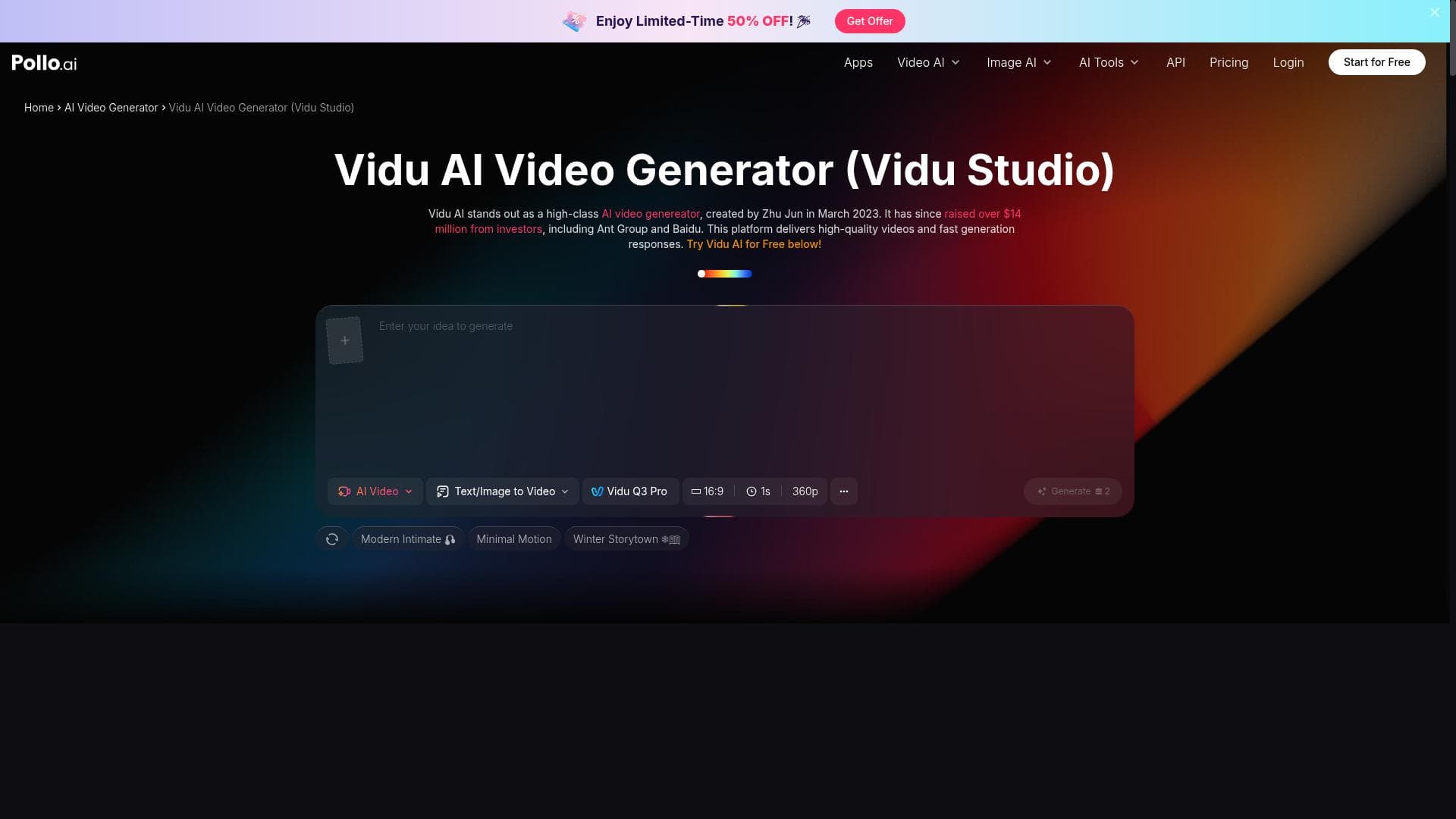
Vidu AI is a user-friendly, AI-powered video creation platform that transforms text and images into dynamic videos with ease. Perfect for both beginners and professionals, it streamlines video production through automation and enhanced visual effects, making creative video content accessible to everyone.

Description
Vidu Studio AI video generator is equipped with a streamlined and intuitive interface, making it easy for anyone to create videos. No matter your level of expertise, this platform helps you quickly bring your video concepts to life. From crafting dynamic scenes to converting text and images, Vidu AI facilitates a smooth creative process. Its simple design allows even novices to easily start creating and enjoy the experience.
Detailed Description
Vidu AI is an advanced AI-powered video creation platform designed to simplify and accelerate the process of producing high-quality videos. Its core purpose is to enable users of all skill levels, from beginners to professionals, to bring their video ideas to life quickly and efficiently. The platform achieves this through a streamlined and intuitive interface that minimizes the learning curve typically associated with video editing software. Whether you want to create dynamic scenes, convert text and images into engaging video content, or enhance your footage with visual effects, Vidu AI provides a comprehensive suite of tools to support your creative vision. One of the standout features of Vidu AI is its AI-powered video creation capability. This allows users to generate videos automatically by leveraging artificial intelligence to interpret input such as text scripts or images, transforming them into coherent and visually appealing video sequences. The platform also includes automated video editing features that handle tasks like cutting, trimming, and sequencing clips, saving users significant time and effort. Enhanced visual effects are another key component, enabling creators to add professional-grade animations, transitions, and overlays without needing advanced technical skills. The user-friendly interface is thoughtfully designed to guide users through each step of the video creation process, making it accessible for novices while still offering depth for more experienced editors. Vidu AI is ideal for a broad range of users and use cases. Content creators, marketers, educators, and social media managers can all benefit from its capabilities. For instance, marketers can quickly produce promotional videos or social media content, educators can create engaging instructional materials, and content creators can develop storytelling videos or product demos. Its ease of use makes it particularly valuable for individuals or small teams without dedicated video production resources. Additionally, professionals who require rapid prototyping or concept visualization will find Vidu AI's automated features highly efficient. Regarding pricing, Vidu AI operates on a freemium model. This means users can access a basic set of features for free, allowing them to explore the platform and create videos with some limitations. For more advanced features, higher resolution exports, or extended usage, premium plans are available. These paid tiers unlock additional functionalities such as enhanced visual effects, longer video durations, and priority support, catering to users with more demanding video production needs. Compared to alternative video creation tools, Vidu AI stands out due to its combination of AI-driven automation and user-centric design. While many video editors offer complex interfaces or require significant manual input, Vidu AI reduces friction by automating key processes and presenting a clean, easy-to-navigate workspace. This makes it more approachable than traditional professional video editing software, yet more powerful than basic video apps. However, unlike some specialized platforms that focus exclusively on one aspect like animation or live streaming, Vidu AI provides a balanced all-in-one solution. Despite its many strengths, users should consider some limitations. The AI-generated video content, while impressive, may sometimes lack the nuanced control that experienced editors desire for highly customized projects. Additionally, the freemium plan imposes restrictions on video length and export quality, which might be limiting for professional use without upgrading. Integration options with other software and platforms may also be more limited compared to some competitors, potentially requiring manual workflows for certain tasks. Nonetheless, for most users seeking an efficient, accessible, and intelligent video creation tool, Vidu AI offers a compelling solution that significantly lowers the barrier to producing polished video content.
Tool Features
- AI-powered video creation
- Automated video editing
- Enhanced visual effects
- User-friendly interface
- Supports professional and beginner users
Description
✦
Vidu AI is a user-friendly, AI-powered video creation platform that transforms text and images into dynamic videos with ease. Perfect for both beginners and professionals, it streamlines video production through automation and enhanced visual effects, making creative video content accessible to everyone.
Vidu Studio AI video generator is equipped with a streamlined and intuitive interface, making it easy for anyone to create videos. No matter your level of expertise, this platform helps you quickly bring your video concepts to life. From crafting dynamic scenes to converting text and images, Vidu AI facilitates a smooth creative process. Its simple design allows even novices to easily start creating and enjoy the experience.
Detailed Description
Vidu AI is an advanced AI-powered video creation platform designed to simplify and accelerate the process of producing high-quality videos. Its core purpose is to enable users of all skill levels, from beginners to professionals, to bring their video ideas to life quickly and efficiently. The platform achieves this through a streamlined and intuitive interface that minimizes the learning curve typically associated with video editing software. Whether you want to create dynamic scenes, convert text and images into engaging video content, or enhance your footage with visual effects, Vidu AI provides a comprehensive suite of tools to support your creative vision. One of the standout features of Vidu AI is its AI-powered video creation capability. This allows users to generate videos automatically by leveraging artificial intelligence to interpret input such as text scripts or images, transforming them into coherent and visually appealing video sequences. The platform also includes automated video editing features that handle tasks like cutting, trimming, and sequencing clips, saving users significant time and effort. Enhanced visual effects are another key component, enabling creators to add professional-grade animations, transitions, and overlays without needing advanced technical skills. The user-friendly interface is thoughtfully designed to guide users through each step of the video creation process, making it accessible for novices while still offering depth for more experienced editors. Vidu AI is ideal for a broad range of users and use cases. Content creators, marketers, educators, and social media managers can all benefit from its capabilities. For instance, marketers can quickly produce promotional videos or social media content, educators can create engaging instructional materials, and content creators can develop storytelling videos or product demos. Its ease of use makes it particularly valuable for individuals or small teams without dedicated video production resources. Additionally, professionals who require rapid prototyping or concept visualization will find Vidu AI's automated features highly efficient. Regarding pricing, Vidu AI operates on a freemium model. This means users can access a basic set of features for free, allowing them to explore the platform and create videos with some limitations. For more advanced features, higher resolution exports, or extended usage, premium plans are available. These paid tiers unlock additional functionalities such as enhanced visual effects, longer video durations, and priority support, catering to users with more demanding video production needs. Compared to alternative video creation tools, Vidu AI stands out due to its combination of AI-driven automation and user-centric design. While many video editors offer complex interfaces or require significant manual input, Vidu AI reduces friction by automating key processes and presenting a clean, easy-to-navigate workspace. This makes it more approachable than traditional professional video editing software, yet more powerful than basic video apps. However, unlike some specialized platforms that focus exclusively on one aspect like animation or live streaming, Vidu AI provides a balanced all-in-one solution. Despite its many strengths, users should consider some limitations. The AI-generated video content, while impressive, may sometimes lack the nuanced control that experienced editors desire for highly customized projects. Additionally, the freemium plan imposes restrictions on video length and export quality, which might be limiting for professional use without upgrading. Integration options with other software and platforms may also be more limited compared to some competitors, potentially requiring manual workflows for certain tasks. Nonetheless, for most users seeking an efficient, accessible, and intelligent video creation tool, Vidu AI offers a compelling solution that significantly lowers the barrier to producing polished video content.
Frequently Asked Questions
What is Vidu AI?
Vidu AI is an AI-driven video creation platform that enables users to generate and edit videos quickly using automated tools and enhanced visual effects, all within an intuitive interface.
How much does Vidu AI cost?
Vidu AI offers a freemium pricing model, providing basic features for free with limitations, and premium plans that unlock advanced features, higher resolution exports, and longer video durations.
Who is Vidu AI best for?
Vidu AI is ideal for content creators, marketers, educators, social media managers, and anyone looking to create professional-quality videos easily, regardless of their video editing experience.
What are the main features of Vidu AI?
Key features include AI-powered video creation, automated video editing, enhanced visual effects, a user-friendly interface, and support for both beginners and professional users.
Does Vidu AI offer a free trial?
Yes, Vidu AI provides a free tier that allows users to try out the platform and create videos with some feature and export limitations before opting for paid plans.
What integrations does Vidu AI support?
While Vidu AI primarily focuses on its standalone video creation capabilities, integration options may be limited; users typically import content manually or export videos for use in other platforms.
How does Vidu AI work?
Vidu AI uses artificial intelligence to convert input such as text and images into video sequences, automates editing tasks like cutting and sequencing, and applies visual effects to produce polished videos efficiently.
Socials
Use ToolReviews
0 reviews
No reviews yet. Be the first to share your experience.
Sponsored Tools











































Recommended Tools
Stay updated on latest Ai tools
Get the latest insights, Join our newsletter
Read and trusted by 50,000+ readers
Join the biggest AI Community
Our community and staff are here to help!
Your feedback will help Alice AI improve in future versions.








Submit your Tool


PoweredByAI.app is an AI Tools Directory helping individuals, businesses, and creators discover the best AI tools for writing, coding, design, productivity, and more.
© 2026 , Product of011BQ. All rights reserved.