Featured in:Best AI Writing Tools
Get featured →🚀 Zaprep: Your Socials on Steroids. Start free — automate 1,000 DMs/month & turn engagement into leads. with 1,000 automated DMs/month.


✦
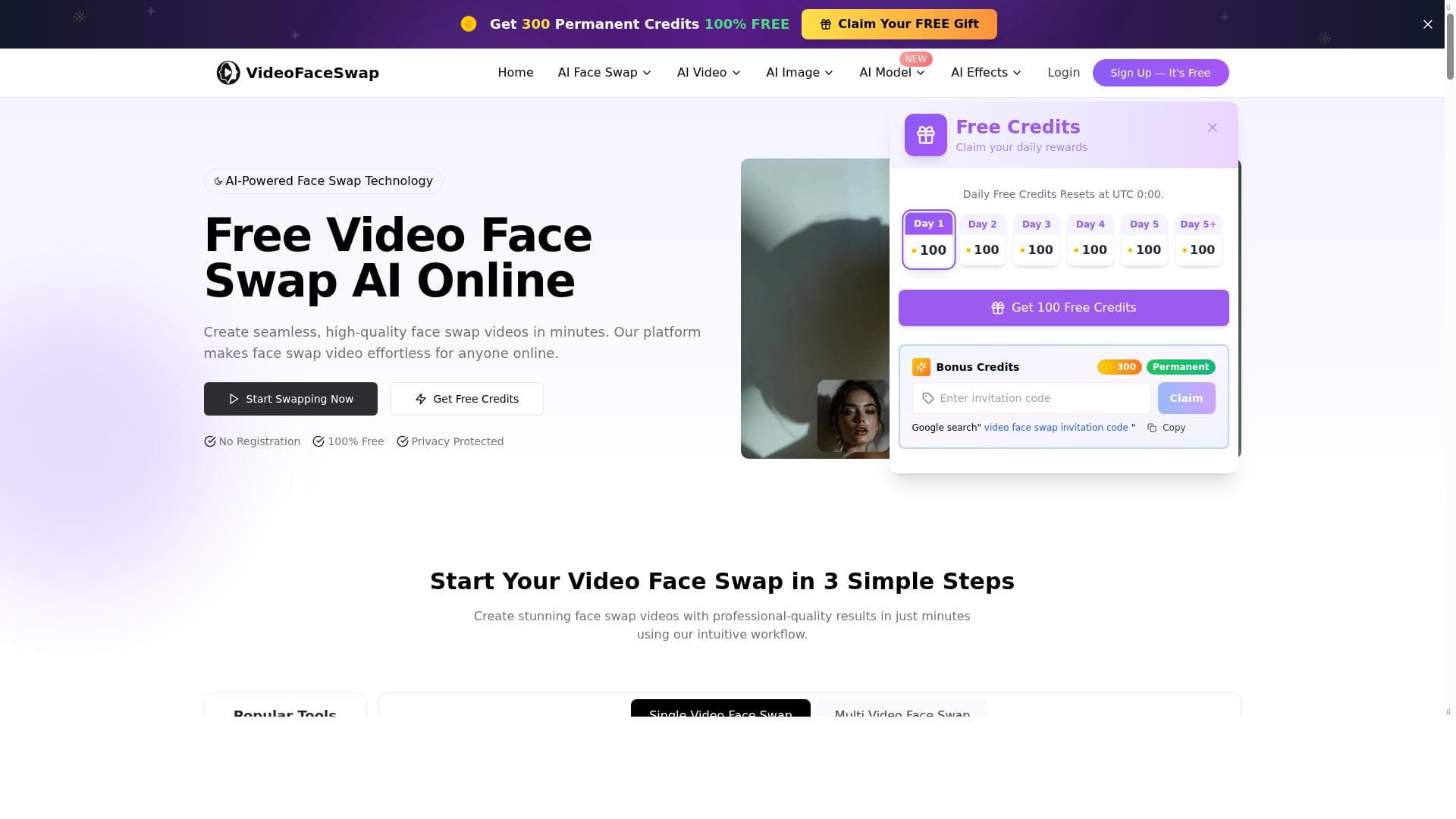
VideoFaceSwap delivers advanced, high-quality face-swapping for videos and images with multi-face and batch processing capabilities, all accessible for free online. Ideal for content creators and marketers, it combines seamless face replacement with integrated multimedia enhancements, making it a versatile tool for professional-grade media editing.

Description
VideoFaceSwap is skilled in delivering advanced face-swapping capabilities tailored for various media types. It supports video face-swapping, enabling users to replace faces in dynamic scenes with precision, and image face-swapping for creating personalized photos. The platform also specializes in multi-face processing, making it ideal for group videos or images, as well as batch face-swapping to handle multiple files efficiently. Beyond its core functionality, VideoFaceSwap integrates additional tools such as video and image enhancement, noise reduction, and background removal to ensure professional-quality results. Complementary utilities like text-to-speech conversion and audio enhancements expand creative possibilities, offering users a complete multimedia editing toolkit.
Detailed Description
VideoFaceSwap is an advanced AI-powered platform designed to provide seamless face-swapping capabilities across various media formats, including videos and images. Its core purpose is to enable users to replace faces in dynamic video scenes or static images with high precision and realism, making it a powerful tool for content creators, marketers, and entertainment professionals. By leveraging cutting-edge AI models, VideoFaceSwap ensures that swapped faces blend naturally with the original media, preserving facial expressions, lighting, and movement to maintain authenticity. This makes it ideal for applications ranging from personalized photo creation to complex video editing projects involving multiple subjects. One of the standout features of VideoFaceSwap is its support for multi-face processing, which allows users to swap faces for several individuals within a single video or image simultaneously. This capability is particularly useful for group videos, event footage, or collaborative projects where multiple faces need to be altered efficiently. Additionally, the platform offers batch face-swapping functionality, enabling users to process multiple files in one go, significantly speeding up workflows and enhancing productivity. Beyond face-swapping, VideoFaceSwap integrates a suite of complementary tools such as video and image enhancement, noise reduction, and background removal. These features help users polish their media outputs to professional standards by improving visual clarity, reducing unwanted artifacts, and isolating subjects from backgrounds for creative flexibility. Moreover, VideoFaceSwap extends its multimedia editing capabilities with utilities like text-to-speech conversion and audio enhancements. These additions allow users to generate voiceovers or improve audio quality within their projects, creating a comprehensive multimedia editing environment. The platform’s processing speed is optimized for fast turnaround times, and it supports unlimited AI video face swaps online, making it accessible for both casual users and professionals who require high-volume processing. The user interface is designed to be intuitive and user-friendly, ensuring that even those without prior video editing experience can achieve impressive results. VideoFaceSwap is best suited for a diverse audience including social media influencers, digital marketers, filmmakers, video editors, and anyone interested in creative content generation. Use cases range from creating personalized video messages and marketing campaigns to producing entertaining face-swap videos for social platforms. Educational content creators and hobbyists can also benefit from its easy-to-use features and free access. Because it supports batch processing and multi-face swaps, it is particularly advantageous for projects involving group footage or large media libraries. In terms of pricing, VideoFaceSwap is free to use, which lowers the barrier to entry and encourages experimentation and adoption by a wide user base. This contrasts with many competitors that often require paid subscriptions or impose strict usage limits. While some advanced features common in premium tools might be limited or unavailable, the free offering still delivers robust functionality suitable for most face-swapping needs. Compared to alternatives, VideoFaceSwap stands out due to its combination of unlimited online face swaps, multi-face and batch processing capabilities, and integrated multimedia enhancement tools—all accessible without cost. Many competing platforms either restrict the number of swaps, limit batch processing, or lack integrated audio and image enhancement features. However, users should be aware that as a free tool, VideoFaceSwap may have limitations in terms of processing speed during peak times or the maximum resolution supported. Additionally, while it excels in face-swapping, users requiring extensive video editing beyond face replacement might need to complement it with specialized editing software. In summary, VideoFaceSwap offers a comprehensive, easy-to-use, and free solution for anyone looking to create high-quality face-swapped videos and images. Its advanced AI technology, combined with multi-face and batch processing, plus additional multimedia tools, makes it a versatile platform well-suited for a broad spectrum of creative projects. Users seeking a cost-effective, efficient, and feature-rich face-swapping tool will find VideoFaceSwap an excellent choice, provided they consider its scope and potential limitations relative to their specific needs.
Tool Features
- High-quality video face-swapping
- Unlimited AI video face swaps online
- Fast processing
- Free to use
Description
✦
VideoFaceSwap delivers advanced, high-quality face-swapping for videos and images with multi-face and batch processing capabilities, all accessible for free online. Ideal for content creators and marketers, it combines seamless face replacement with integrated multimedia enhancements, making it a versatile tool for professional-grade media editing.
VideoFaceSwap is skilled in delivering advanced face-swapping capabilities tailored for various media types. It supports video face-swapping, enabling users to replace faces in dynamic scenes with precision, and image face-swapping for creating personalized photos. The platform also specializes in multi-face processing, making it ideal for group videos or images, as well as batch face-swapping to handle multiple files efficiently. Beyond its core functionality, VideoFaceSwap integrates additional tools such as video and image enhancement, noise reduction, and background removal to ensure professional-quality results. Complementary utilities like text-to-speech conversion and audio enhancements expand creative possibilities, offering users a complete multimedia editing toolkit.
Detailed Description
VideoFaceSwap is an advanced AI-powered platform designed to provide seamless face-swapping capabilities across various media formats, including videos and images. Its core purpose is to enable users to replace faces in dynamic video scenes or static images with high precision and realism, making it a powerful tool for content creators, marketers, and entertainment professionals. By leveraging cutting-edge AI models, VideoFaceSwap ensures that swapped faces blend naturally with the original media, preserving facial expressions, lighting, and movement to maintain authenticity. This makes it ideal for applications ranging from personalized photo creation to complex video editing projects involving multiple subjects. One of the standout features of VideoFaceSwap is its support for multi-face processing, which allows users to swap faces for several individuals within a single video or image simultaneously. This capability is particularly useful for group videos, event footage, or collaborative projects where multiple faces need to be altered efficiently. Additionally, the platform offers batch face-swapping functionality, enabling users to process multiple files in one go, significantly speeding up workflows and enhancing productivity. Beyond face-swapping, VideoFaceSwap integrates a suite of complementary tools such as video and image enhancement, noise reduction, and background removal. These features help users polish their media outputs to professional standards by improving visual clarity, reducing unwanted artifacts, and isolating subjects from backgrounds for creative flexibility. Moreover, VideoFaceSwap extends its multimedia editing capabilities with utilities like text-to-speech conversion and audio enhancements. These additions allow users to generate voiceovers or improve audio quality within their projects, creating a comprehensive multimedia editing environment. The platform’s processing speed is optimized for fast turnaround times, and it supports unlimited AI video face swaps online, making it accessible for both casual users and professionals who require high-volume processing. The user interface is designed to be intuitive and user-friendly, ensuring that even those without prior video editing experience can achieve impressive results. VideoFaceSwap is best suited for a diverse audience including social media influencers, digital marketers, filmmakers, video editors, and anyone interested in creative content generation. Use cases range from creating personalized video messages and marketing campaigns to producing entertaining face-swap videos for social platforms. Educational content creators and hobbyists can also benefit from its easy-to-use features and free access. Because it supports batch processing and multi-face swaps, it is particularly advantageous for projects involving group footage or large media libraries. In terms of pricing, VideoFaceSwap is free to use, which lowers the barrier to entry and encourages experimentation and adoption by a wide user base. This contrasts with many competitors that often require paid subscriptions or impose strict usage limits. While some advanced features common in premium tools might be limited or unavailable, the free offering still delivers robust functionality suitable for most face-swapping needs. Compared to alternatives, VideoFaceSwap stands out due to its combination of unlimited online face swaps, multi-face and batch processing capabilities, and integrated multimedia enhancement tools—all accessible without cost. Many competing platforms either restrict the number of swaps, limit batch processing, or lack integrated audio and image enhancement features. However, users should be aware that as a free tool, VideoFaceSwap may have limitations in terms of processing speed during peak times or the maximum resolution supported. Additionally, while it excels in face-swapping, users requiring extensive video editing beyond face replacement might need to complement it with specialized editing software. In summary, VideoFaceSwap offers a comprehensive, easy-to-use, and free solution for anyone looking to create high-quality face-swapped videos and images. Its advanced AI technology, combined with multi-face and batch processing, plus additional multimedia tools, makes it a versatile platform well-suited for a broad spectrum of creative projects. Users seeking a cost-effective, efficient, and feature-rich face-swapping tool will find VideoFaceSwap an excellent choice, provided they consider its scope and potential limitations relative to their specific needs.
Frequently Asked Questions
What is VideoFaceSwap?
VideoFaceSwap is an AI-powered platform that enables users to swap faces in videos and images with high precision. It supports multi-face and batch processing, along with additional tools like video enhancement, noise reduction, background removal, and audio utilities.
How much does VideoFaceSwap cost?
VideoFaceSwap is completely free to use, offering unlimited AI video face swaps online without any subscription fees.
Who is VideoFaceSwap best for?
It is ideal for content creators, social media influencers, digital marketers, filmmakers, video editors, and hobbyists who want to create personalized or professional-quality face-swapped videos and images.
What are the main features of VideoFaceSwap?
Key features include high-quality video and image face-swapping, multi-face processing, batch face-swapping, video and image enhancement, noise reduction, background removal, text-to-speech conversion, and audio enhancements.
Does VideoFaceSwap offer a free trial?
VideoFaceSwap does not require a free trial as it is free to use with unlimited face swaps available online.
What integrations does VideoFaceSwap support?
While VideoFaceSwap primarily functions as a standalone online tool, it integrates multiple multimedia editing utilities such as text-to-speech and audio enhancement within its platform. Specific third-party integrations are not detailed.
How does VideoFaceSwap work?
VideoFaceSwap uses advanced AI models to detect and replace faces in videos or images. It processes multiple faces simultaneously if needed, enhances media quality, and applies audio improvements, all through an easy-to-use online interface.
Reviews
0 reviews
No reviews yet. Be the first to share your experience.
Sponsored Tools











































Recommended Tools
Stay updated on latest Ai tools
Get the latest insights, Join our newsletter
Read and trusted by 50,000+ readers
Join the biggest AI Community
Our community and staff are here to help!
Your feedback will help Alice AI improve in future versions.








Submit your Tool


PoweredByAI.app is an AI Tools Directory helping individuals, businesses, and creators discover the best AI tools for writing, coding, design, productivity, and more.
© 2026 , Product of011BQ. All rights reserved.