🚀 Zaprep: Your Socials on Steroids. Start free — automate 1,000 DMs/month & turn engagement into leads. with 1,000 automated DMs/month.


Is this your AI tool? Claim it today.
Verify ownership, manage your profile, and unlock growth features.
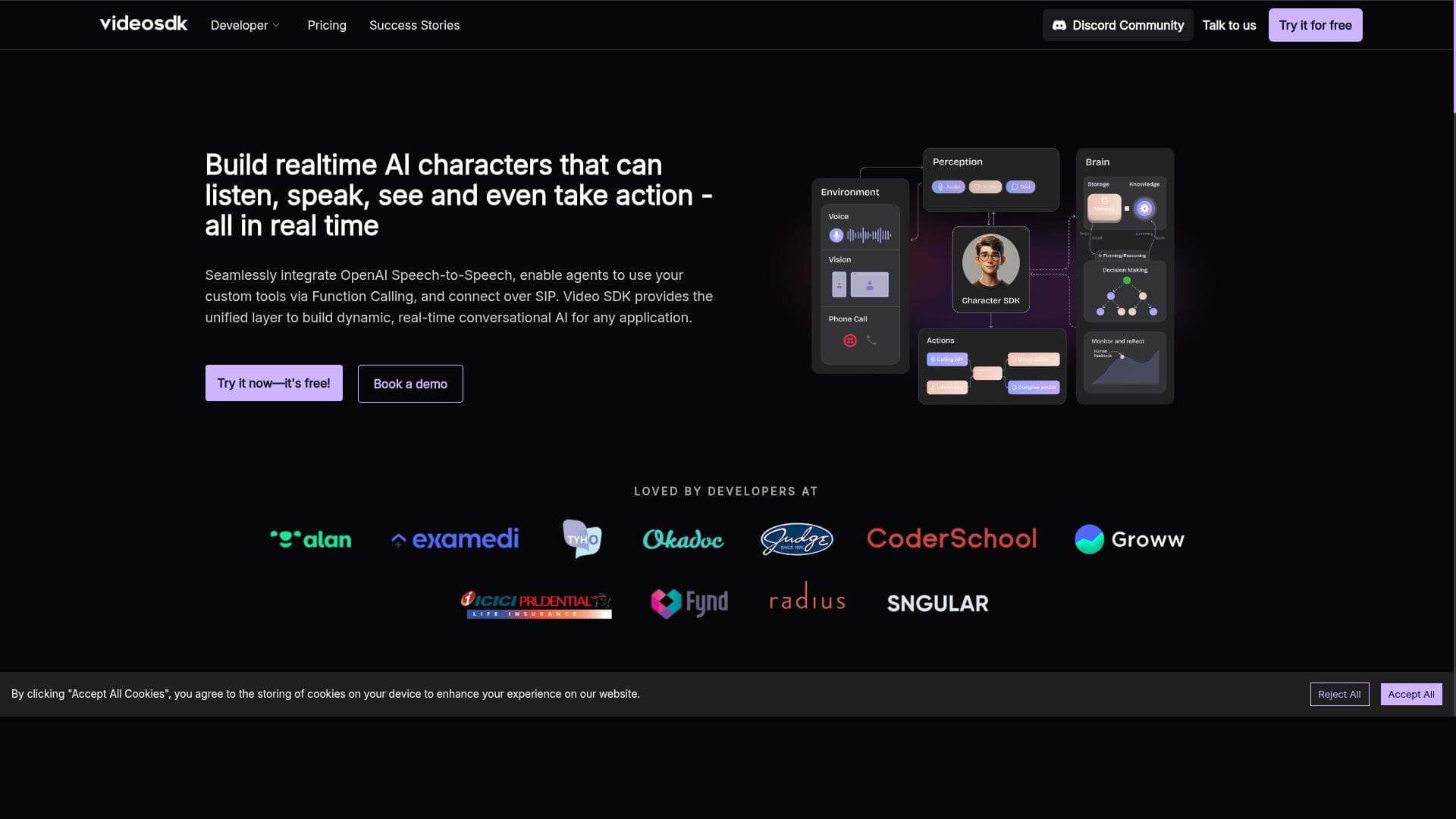
Video SDK 3.0’s CharacterSDK enables developers to create lifelike, multimodal AI characters with real-time voice and video animation, delivering deeply engaging and personalized user experiences. Ideal for gaming, training, and virtual environments, it offers flexible, scalable integration into web and mobile apps, making it a top choice for interactive AI companion development.

Description
CharacterSDK allows developers to create multimodal AI characters, capable of real-time interactions and contextual understanding. Seamlessly integrate these intelligent companions into existing workflows to provide personalized user experience.
Detailed Description
Video SDK 3.0, featuring the CharacterSDK, is an advanced development toolkit designed to empower developers to build multimodal AI characters that engage users through real-time interactions and deep contextual understanding. At its core, this tool enables the creation of lifelike virtual avatars that combine voice, video, and animation to deliver immersive, personalized experiences. By integrating these intelligent AI companions seamlessly into existing web and mobile applications, businesses and developers can elevate user engagement across various domains such as gaming, training simulations, virtual events, and customer support. One of the standout capabilities of Video SDK 3.0 is its ability to generate real-time animation for virtual avatars, allowing characters to respond dynamically with natural facial expressions and lip-syncing that match their speech. This real-time responsiveness is critical for creating believable AI assistants and virtual characters that can hold conversations and react contextually to user inputs. The SDK supports voice and video modalities, enabling developers to craft multimodal AI personas that can see, hear, and speak, thus enhancing the depth of interaction. Additionally, the platform offers complete flexibility and scalability, allowing users to customize avatars extensively and deploy them in environments ranging from small-scale apps to large enterprise solutions. Video SDK 3.0 is particularly well-suited for developers and companies focused on interactive applications such as video games, e-learning platforms, virtual training environments, and customer service bots. For example, game developers can use the SDK to create non-player characters (NPCs) that respond intelligently to player actions, making game worlds more immersive. Corporate training programs can integrate AI characters that simulate real-world scenarios, providing trainees with interactive practice opportunities. Virtual event organizers can deploy AI hosts or guides to assist attendees in real time. The SDK’s ability to integrate effortlessly into both web and mobile apps ensures broad applicability across industries and platforms. Regarding pricing, Video SDK 3.0 follows a freemium model, allowing developers to start building and testing AI characters at no initial cost. This approach lowers the barrier to entry and encourages experimentation. For production-level deployments or advanced features, paid plans offer enhanced scalability, additional customization options, and priority support. This tiered pricing structure makes Video SDK 3.0 accessible to startups and individual developers while also catering to enterprise needs. Compared to alternative AI character creation tools, Video SDK 3.0 stands out due to its multimodal capabilities and real-time animation features. Many competing platforms focus on either voice or video alone, but Video SDK 3.0’s integration of both modalities alongside contextual understanding provides a richer, more engaging user experience. Its flexibility and ease of integration also surpass some competitors that require more extensive development overhead or lack scalability. However, users should consider that achieving highly realistic AI characters may require some technical expertise and fine-tuning to optimize performance and appearance. Notable considerations include the need for adequate computational resources to support real-time animation and voice processing, especially for complex avatars or high user concurrency. Additionally, while the SDK offers extensive customization, developers must invest time in designing character personalities and dialogues to fully leverage the platform’s potential. Privacy and data security should also be addressed when deploying AI characters that process user voice and video inputs. Overall, Video SDK 3.0 provides a powerful and versatile solution for anyone looking to integrate intelligent, interactive AI characters into their digital products, with a strong balance of innovation, usability, and scalability.
Tool Features
- Create lifelike AI characters with voice and video
- Real-time animation for virtual avatars
- Perfect for games, training, and virtual experiences
- Complete flexibility, scalability, and control
- Effortless integration into web and mobile apps
Description
Video SDK 3.0’s CharacterSDK enables developers to create lifelike, multimodal AI characters with real-time voice and video animation, delivering deeply engaging and personalized user experiences. Ideal for gaming, training, and virtual environments, it offers flexible, scalable integration into web and mobile apps, making it a top choice for interactive AI companion development.
CharacterSDK allows developers to create multimodal AI characters, capable of real-time interactions and contextual understanding. Seamlessly integrate these intelligent companions into existing workflows to provide personalized user experience.
Detailed Description
Video SDK 3.0, featuring the CharacterSDK, is an advanced development toolkit designed to empower developers to build multimodal AI characters that engage users through real-time interactions and deep contextual understanding. At its core, this tool enables the creation of lifelike virtual avatars that combine voice, video, and animation to deliver immersive, personalized experiences. By integrating these intelligent AI companions seamlessly into existing web and mobile applications, businesses and developers can elevate user engagement across various domains such as gaming, training simulations, virtual events, and customer support. One of the standout capabilities of Video SDK 3.0 is its ability to generate real-time animation for virtual avatars, allowing characters to respond dynamically with natural facial expressions and lip-syncing that match their speech. This real-time responsiveness is critical for creating believable AI assistants and virtual characters that can hold conversations and react contextually to user inputs. The SDK supports voice and video modalities, enabling developers to craft multimodal AI personas that can see, hear, and speak, thus enhancing the depth of interaction. Additionally, the platform offers complete flexibility and scalability, allowing users to customize avatars extensively and deploy them in environments ranging from small-scale apps to large enterprise solutions. Video SDK 3.0 is particularly well-suited for developers and companies focused on interactive applications such as video games, e-learning platforms, virtual training environments, and customer service bots. For example, game developers can use the SDK to create non-player characters (NPCs) that respond intelligently to player actions, making game worlds more immersive. Corporate training programs can integrate AI characters that simulate real-world scenarios, providing trainees with interactive practice opportunities. Virtual event organizers can deploy AI hosts or guides to assist attendees in real time. The SDK’s ability to integrate effortlessly into both web and mobile apps ensures broad applicability across industries and platforms. Regarding pricing, Video SDK 3.0 follows a freemium model, allowing developers to start building and testing AI characters at no initial cost. This approach lowers the barrier to entry and encourages experimentation. For production-level deployments or advanced features, paid plans offer enhanced scalability, additional customization options, and priority support. This tiered pricing structure makes Video SDK 3.0 accessible to startups and individual developers while also catering to enterprise needs. Compared to alternative AI character creation tools, Video SDK 3.0 stands out due to its multimodal capabilities and real-time animation features. Many competing platforms focus on either voice or video alone, but Video SDK 3.0’s integration of both modalities alongside contextual understanding provides a richer, more engaging user experience. Its flexibility and ease of integration also surpass some competitors that require more extensive development overhead or lack scalability. However, users should consider that achieving highly realistic AI characters may require some technical expertise and fine-tuning to optimize performance and appearance. Notable considerations include the need for adequate computational resources to support real-time animation and voice processing, especially for complex avatars or high user concurrency. Additionally, while the SDK offers extensive customization, developers must invest time in designing character personalities and dialogues to fully leverage the platform’s potential. Privacy and data security should also be addressed when deploying AI characters that process user voice and video inputs. Overall, Video SDK 3.0 provides a powerful and versatile solution for anyone looking to integrate intelligent, interactive AI characters into their digital products, with a strong balance of innovation, usability, and scalability.
Frequently Asked Questions
What is Video SDK 3.0?
Video SDK 3.0 is a development toolkit featuring CharacterSDK that allows developers to create multimodal AI characters capable of real-time interactions, combining voice, video, and animation to build lifelike virtual avatars for web and mobile applications.
How much does Video SDK 3.0 cost?
Video SDK 3.0 offers a freemium pricing model, allowing free access to basic features for development and testing. Paid plans are available for advanced features, higher scalability, and production-level deployments.
Who is Video SDK 3.0 best for?
It is best suited for developers and businesses creating interactive applications such as games, virtual training, e-learning platforms, and customer service bots that require intelligent, real-time animated AI characters.
What are the main features of Video SDK 3.0?
Key features include creating lifelike AI characters with voice and video, real-time avatar animation with natural expressions, seamless integration into web and mobile apps, full flexibility and scalability, and suitability for games, training, and virtual experiences.
Does Video SDK 3.0 offer a free trial?
Yes, Video SDK 3.0 provides a freemium plan that allows developers to try out the core features at no cost before committing to paid plans.
What integrations does Video SDK 3.0 support?
Video SDK 3.0 supports effortless integration into existing web and mobile applications, enabling developers to embed AI characters within various platforms and workflows.
How does Video SDK 3.0 work?
The SDK processes voice and video inputs to animate virtual avatars in real time, combining contextual understanding with multimodal AI to enable interactive, personalized conversations and responses within integrated applications.
Socials
Use ToolReviews
No reviews yet. Be the first to share your experience.
Sponsored Tools











































Recommended Tools
Stay updated on latest Ai tools
Get the latest insights, Join our newsletter
Read and trusted by 50,000+ readers
Join the biggest AI Community
Our community and staff are here to help!
Your feedback will help Alice AI improve in future versions.








Submit your Tool


PoweredByAI.app is an AI Tools Directory helping individuals, businesses, and creators discover the best AI tools for writing, coding, design, productivity, and more.
© 2026 , Product of011BQ. All rights reserved.