🚀 Zaprep: Your Socials on Steroids. Start free — automate 1,000 DMs/month & turn engagement into leads. with 1,000 automated DMs/month.


Is this your AI tool? Claim it today.
Verify ownership, manage your profile, and unlock growth features.
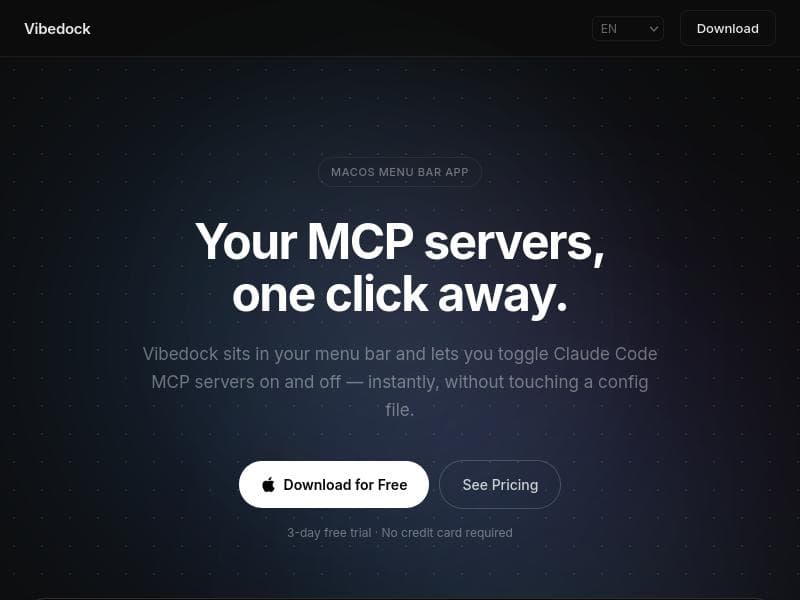
Vibedock is a macOS menu bar app that revolutionizes how developers manage Claude Code MCP servers by enabling instant toggling, killing, and relaunching of server sessions without any configuration files. Perfect for macOS users seeking a fast, intuitive, and hassle-free server management experience, Vibedock puts full control just one click away.

Description
Every MCP server you have configured injects its tool definitions into your context window on every single message — whether you use it that session or not. Vibedock sits in your macOS menu bar and lets you toggle MCPs on and off in one click. It automatically kills and relaunches your Claude sessions so the change actually takes effect.
Detailed Description
Vibedock is a specialized macOS menu bar application designed to streamline the management of Claude Code MCP servers. Its core purpose is to provide developers and system administrators with a highly efficient and user-friendly interface to control their MCP server sessions directly from the macOS menu bar. By eliminating the need to manually edit configuration files or use complex terminal commands, Vibedock simplifies the process of toggling servers on and off, killing sessions, and relaunching them instantly. This makes it an invaluable tool for anyone who regularly works with Claude Code MCP servers and desires a seamless, hassle-free server management experience. At the heart of Vibedock’s functionality is its ability to manage multiple MCP servers simultaneously without requiring any configuration files. Users can toggle individual servers on or off with a single click, instantly kill problematic sessions, and relaunch them without any downtime or manual intervention. This level of control is presented in a clean, intuitive menu bar interface that integrates naturally into the macOS environment, allowing users to monitor and manage their servers without disrupting their workflow. The app also supports quick session restarts, which is particularly useful during development or testing phases when frequent server resets are necessary. Vibedock is best suited for developers, DevOps engineers, and system administrators who work extensively with Claude Code MCP servers on macOS. It is ideal for those who require quick server management capabilities without the overhead of command-line operations or configuration file edits. Use cases include managing development environments, testing new server configurations, or maintaining multiple server instances for different projects. Its menu bar presence ensures that server controls are always accessible, reducing the friction typically associated with server management tasks. Regarding pricing, Vibedock offers a 3-day free trial that requires no credit card, allowing users to evaluate the app’s capabilities risk-free. After the trial period, users can opt for a paid plan to continue using the software, though specific pricing details are available on the official website or Product Hunt listing. This trial approach lowers the barrier to entry and encourages users to experience the convenience Vibedock provides firsthand. Compared to alternatives, Vibedock stands out by focusing exclusively on Claude Code MCP servers and integrating deeply with the macOS menu bar. While other server management tools may offer broader support or more complex features, Vibedock’s simplicity and targeted functionality make it uniquely efficient for its niche. Its no-configuration-file approach reduces setup complexity and potential errors, which can be a significant advantage over traditional terminal-based management or configuration-heavy tools. However, Vibedock’s specialization is also a limitation; it is designed specifically for macOS and Claude Code MCP servers, which means it is not suitable for users on other operating systems or those managing different types of servers. Additionally, users who require advanced server monitoring, analytics, or cross-platform support may find Vibedock’s feature set limited. Despite these considerations, for its intended audience, Vibedock offers a streamlined, reliable, and elegant solution that enhances productivity and server management efficiency on macOS.
Tool Features
- macOS menu bar app for server management
- Toggle Claude Code MCP servers on and off instantly
- Kill and relaunch server sessions without config files
- Supports managing multiple MCP servers
- No configuration files needed for operation
- 3-day free trial with no credit card required
Description
Vibedock is a macOS menu bar app that revolutionizes how developers manage Claude Code MCP servers by enabling instant toggling, killing, and relaunching of server sessions without any configuration files. Perfect for macOS users seeking a fast, intuitive, and hassle-free server management experience, Vibedock puts full control just one click away.
Every MCP server you have configured injects its tool definitions into your context window on every single message — whether you use it that session or not. Vibedock sits in your macOS menu bar and lets you toggle MCPs on and off in one click. It automatically kills and relaunches your Claude sessions so the change actually takes effect.
Detailed Description
Vibedock is a specialized macOS menu bar application designed to streamline the management of Claude Code MCP servers. Its core purpose is to provide developers and system administrators with a highly efficient and user-friendly interface to control their MCP server sessions directly from the macOS menu bar. By eliminating the need to manually edit configuration files or use complex terminal commands, Vibedock simplifies the process of toggling servers on and off, killing sessions, and relaunching them instantly. This makes it an invaluable tool for anyone who regularly works with Claude Code MCP servers and desires a seamless, hassle-free server management experience. At the heart of Vibedock’s functionality is its ability to manage multiple MCP servers simultaneously without requiring any configuration files. Users can toggle individual servers on or off with a single click, instantly kill problematic sessions, and relaunch them without any downtime or manual intervention. This level of control is presented in a clean, intuitive menu bar interface that integrates naturally into the macOS environment, allowing users to monitor and manage their servers without disrupting their workflow. The app also supports quick session restarts, which is particularly useful during development or testing phases when frequent server resets are necessary. Vibedock is best suited for developers, DevOps engineers, and system administrators who work extensively with Claude Code MCP servers on macOS. It is ideal for those who require quick server management capabilities without the overhead of command-line operations or configuration file edits. Use cases include managing development environments, testing new server configurations, or maintaining multiple server instances for different projects. Its menu bar presence ensures that server controls are always accessible, reducing the friction typically associated with server management tasks. Regarding pricing, Vibedock offers a 3-day free trial that requires no credit card, allowing users to evaluate the app’s capabilities risk-free. After the trial period, users can opt for a paid plan to continue using the software, though specific pricing details are available on the official website or Product Hunt listing. This trial approach lowers the barrier to entry and encourages users to experience the convenience Vibedock provides firsthand. Compared to alternatives, Vibedock stands out by focusing exclusively on Claude Code MCP servers and integrating deeply with the macOS menu bar. While other server management tools may offer broader support or more complex features, Vibedock’s simplicity and targeted functionality make it uniquely efficient for its niche. Its no-configuration-file approach reduces setup complexity and potential errors, which can be a significant advantage over traditional terminal-based management or configuration-heavy tools. However, Vibedock’s specialization is also a limitation; it is designed specifically for macOS and Claude Code MCP servers, which means it is not suitable for users on other operating systems or those managing different types of servers. Additionally, users who require advanced server monitoring, analytics, or cross-platform support may find Vibedock’s feature set limited. Despite these considerations, for its intended audience, Vibedock offers a streamlined, reliable, and elegant solution that enhances productivity and server management efficiency on macOS.
Frequently Asked Questions
What is Vibedock?
Vibedock is a macOS menu bar application designed to efficiently manage Claude Code MCP servers. It allows users to toggle servers on and off, kill sessions, and relaunch them instantly without needing to modify any configuration files.
How much does Vibedock cost?
Vibedock offers a 3-day free trial with no credit card required. After the trial, users can choose to purchase a subscription or license, with pricing details available on the official website or Product Hunt page.
Who is Vibedock best for?
Vibedock is best suited for developers, DevOps engineers, and system administrators who manage Claude Code MCP servers on macOS and want a quick, user-friendly way to control server sessions without dealing with configuration files.
What are the main features of Vibedock?
Key features include a macOS menu bar interface for managing multiple MCP servers, instant toggling of servers on and off, the ability to kill and relaunch server sessions without configuration files, and support for managing multiple servers simultaneously.
Does Vibedock offer a free trial?
Yes, Vibedock provides a 3-day free trial that does not require a credit card, allowing users to test the app’s features before committing to a purchase.
What integrations does Vibedock support?
Vibedock is specifically built to manage Claude Code MCP servers on macOS. It does not require or support additional integrations, focusing instead on seamless server management within the macOS menu bar.
How does Vibedock work?
Vibedock runs as a menu bar app on macOS, providing a simple interface to toggle MCP servers on and off, kill sessions, and relaunch them instantly. It operates without the need for configuration files, making server management fast and straightforward.
Socials
Use ToolReviews
No reviews yet. Be the first to share your experience.
Sponsored Tools











































Recommended Tools
Stay updated on latest Ai tools
Get the latest insights, Join our newsletter
Read and trusted by 50,000+ readers
Join the biggest AI Community
Our community and staff are here to help!
Your feedback will help Alice AI improve in future versions.








Submit your Tool


PoweredByAI.app is an AI Tools Directory helping individuals, businesses, and creators discover the best AI tools for writing, coding, design, productivity, and more.
© 2026 , Product of011BQ. All rights reserved.