Featured in:Best AI Writing Tools
Get featured →🚀 Zaprep: Your Socials on Steroids. Start free — automate 1,000 DMs/month & turn engagement into leads. with 1,000 automated DMs/month.


Is this your AI tool? Claim it today.
Verify ownership, manage your profile, and unlock growth features.
✦
Veo 2 in Gemini transforms simple text prompts into stunning, 8-second cinematic videos using advanced AI, making high-quality video creation accessible and fast. Ideal for marketers, content creators, and businesses, it offers seamless integration within Google's AI ecosystem and delivers professional-grade video content with ease.

Description
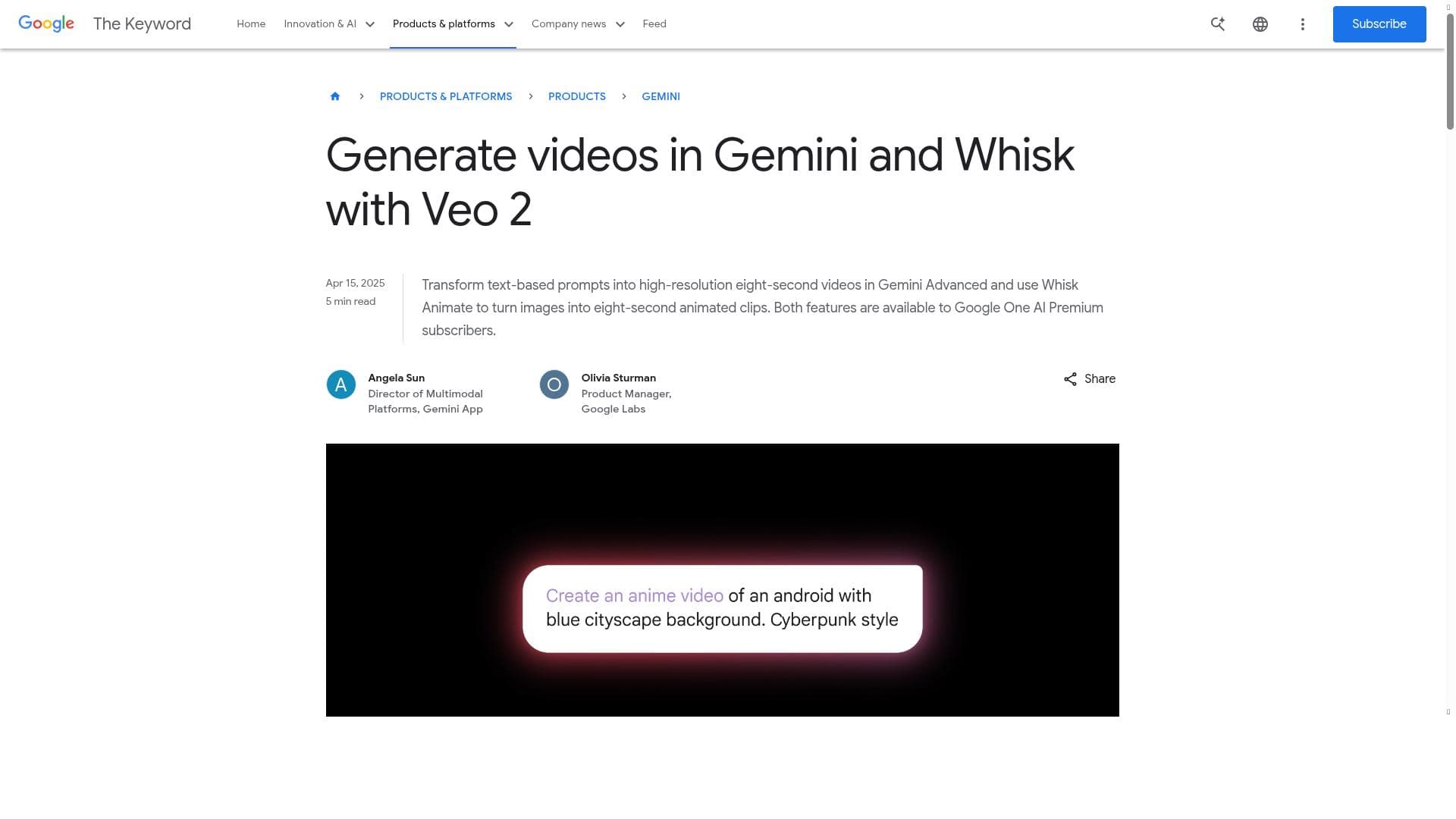
Generate high-quality, 8-sec AI videos from text with Veo 2, now available in Gemini Advanced (Google One AI Premium required). Cinematic realism.
Detailed Description
Veo 2 in Gemini is an advanced AI-powered video generation tool designed to create high-quality, 8-second cinematic videos directly from text prompts. Integrated within Google's Gemini Advanced platform, this tool leverages cutting-edge AI models to transform simple textual descriptions into visually compelling video content with remarkable realism. Its core purpose is to streamline and democratize video content creation, enabling users to produce professional-grade videos quickly and efficiently without requiring extensive video editing skills or resources. By harnessing the power of AI, Veo 2 in Gemini opens new creative possibilities for marketers, content creators, educators, and businesses seeking to enhance their digital storytelling and engagement through video. The key features of Veo 2 in Gemini center around its AI-driven video generation capabilities. Users input descriptive text, and the tool generates an 8-second video clip that reflects the content and mood of the prompt with cinematic quality. This includes realistic imagery, smooth motion, and coherent visual narratives that rival traditional video production standards. The tool is tightly integrated with the Gemini platform, which provides the underlying AI infrastructure, and Whisk, a platform for content management and recipe sharing, enabling seamless workflows and content distribution. This integration allows users to easily incorporate generated videos into broader content strategies or platforms. Additionally, Veo 2 in Gemini supports high-quality video output, ensuring that the final product is suitable for professional use across social media, advertising, presentations, and more. Veo 2 in Gemini is best suited for digital marketers, social media managers, content creators, educators, and small to medium-sized businesses looking to produce engaging video content rapidly and cost-effectively. It is particularly valuable for those who need quick turnaround times for video assets or lack access to traditional video production resources. Use cases include creating promotional clips, social media posts, educational snippets, product showcases, and creative storytelling videos. The tool’s ability to generate videos from text makes it ideal for users who want to experiment with video content without investing heavily in filming or editing equipment. Regarding pricing, Veo 2 in Gemini operates on a freemium model. Basic access may be available with limited features or video generation capacity, while full access requires a subscription to Gemini Advanced, which is part of Google One AI Premium. This premium tier unlocks the full suite of capabilities, including higher video quality, longer usage limits, and integration options. This pricing structure allows users to try the tool before committing financially, making it accessible to a broad audience while providing advanced features for professional users. Compared to alternative AI video generation tools, Veo 2 in Gemini stands out due to its integration within the Google ecosystem and its focus on cinematic realism in short video clips. Many competitors offer AI video generation but may lack the seamless integration with content platforms like Whisk or the high-fidelity output quality that Veo 2 delivers. Additionally, the requirement of Google One AI Premium ensures access to robust AI infrastructure, which can translate into more reliable and higher-quality video generation compared to standalone or less integrated solutions. However, there are some limitations and considerations to keep in mind. The tool currently generates videos limited to 8 seconds in length, which may not suit all content needs, especially for longer-form videos. Access requires a Google One AI Premium subscription, which could be a barrier for casual users or those unwilling to pay for premium services. Furthermore, as with many AI-generated media tools, the output quality can depend heavily on the specificity and clarity of the input text prompt, requiring users to experiment to achieve the desired results. Lastly, while cinematic realism is a highlight, the technology may still face challenges with complex scenes or highly detailed narratives that require nuanced human direction. Overall, Veo 2 in Gemini is a powerful and innovative tool for anyone looking to harness AI for quick, high-quality video content creation. Its integration within Google's AI ecosystem, combined with its focus on cinematic quality and ease of use, makes it a compelling choice for professionals and creatives aiming to elevate their video content with minimal effort.
Tool Features
- AI-powered video generation
- Integration with Gemini and Whisk platforms
- High-quality video content creation
Description
✦
Veo 2 in Gemini transforms simple text prompts into stunning, 8-second cinematic videos using advanced AI, making high-quality video creation accessible and fast. Ideal for marketers, content creators, and businesses, it offers seamless integration within Google's AI ecosystem and delivers professional-grade video content with ease.
Generate high-quality, 8-sec AI videos from text with Veo 2, now available in Gemini Advanced (Google One AI Premium required). Cinematic realism.
Detailed Description
Veo 2 in Gemini is an advanced AI-powered video generation tool designed to create high-quality, 8-second cinematic videos directly from text prompts. Integrated within Google's Gemini Advanced platform, this tool leverages cutting-edge AI models to transform simple textual descriptions into visually compelling video content with remarkable realism. Its core purpose is to streamline and democratize video content creation, enabling users to produce professional-grade videos quickly and efficiently without requiring extensive video editing skills or resources. By harnessing the power of AI, Veo 2 in Gemini opens new creative possibilities for marketers, content creators, educators, and businesses seeking to enhance their digital storytelling and engagement through video. The key features of Veo 2 in Gemini center around its AI-driven video generation capabilities. Users input descriptive text, and the tool generates an 8-second video clip that reflects the content and mood of the prompt with cinematic quality. This includes realistic imagery, smooth motion, and coherent visual narratives that rival traditional video production standards. The tool is tightly integrated with the Gemini platform, which provides the underlying AI infrastructure, and Whisk, a platform for content management and recipe sharing, enabling seamless workflows and content distribution. This integration allows users to easily incorporate generated videos into broader content strategies or platforms. Additionally, Veo 2 in Gemini supports high-quality video output, ensuring that the final product is suitable for professional use across social media, advertising, presentations, and more. Veo 2 in Gemini is best suited for digital marketers, social media managers, content creators, educators, and small to medium-sized businesses looking to produce engaging video content rapidly and cost-effectively. It is particularly valuable for those who need quick turnaround times for video assets or lack access to traditional video production resources. Use cases include creating promotional clips, social media posts, educational snippets, product showcases, and creative storytelling videos. The tool’s ability to generate videos from text makes it ideal for users who want to experiment with video content without investing heavily in filming or editing equipment. Regarding pricing, Veo 2 in Gemini operates on a freemium model. Basic access may be available with limited features or video generation capacity, while full access requires a subscription to Gemini Advanced, which is part of Google One AI Premium. This premium tier unlocks the full suite of capabilities, including higher video quality, longer usage limits, and integration options. This pricing structure allows users to try the tool before committing financially, making it accessible to a broad audience while providing advanced features for professional users. Compared to alternative AI video generation tools, Veo 2 in Gemini stands out due to its integration within the Google ecosystem and its focus on cinematic realism in short video clips. Many competitors offer AI video generation but may lack the seamless integration with content platforms like Whisk or the high-fidelity output quality that Veo 2 delivers. Additionally, the requirement of Google One AI Premium ensures access to robust AI infrastructure, which can translate into more reliable and higher-quality video generation compared to standalone or less integrated solutions. However, there are some limitations and considerations to keep in mind. The tool currently generates videos limited to 8 seconds in length, which may not suit all content needs, especially for longer-form videos. Access requires a Google One AI Premium subscription, which could be a barrier for casual users or those unwilling to pay for premium services. Furthermore, as with many AI-generated media tools, the output quality can depend heavily on the specificity and clarity of the input text prompt, requiring users to experiment to achieve the desired results. Lastly, while cinematic realism is a highlight, the technology may still face challenges with complex scenes or highly detailed narratives that require nuanced human direction. Overall, Veo 2 in Gemini is a powerful and innovative tool for anyone looking to harness AI for quick, high-quality video content creation. Its integration within Google's AI ecosystem, combined with its focus on cinematic quality and ease of use, makes it a compelling choice for professionals and creatives aiming to elevate their video content with minimal effort.
Frequently Asked Questions
What is Veo 2 in Gemini?
Veo 2 in Gemini is an AI-powered video generation tool that creates high-quality, 8-second cinematic videos from text prompts. It is integrated within Google's Gemini Advanced platform and requires a Google One AI Premium subscription for full access.
How much does Veo 2 in Gemini cost?
Veo 2 in Gemini operates on a freemium model. Basic features may be available for free, but full access requires a subscription to Gemini Advanced through Google One AI Premium, which unlocks advanced capabilities and higher usage limits.
Who is Veo 2 in Gemini best for?
The tool is best suited for digital marketers, content creators, educators, social media managers, and businesses seeking fast, cost-effective creation of high-quality video content without extensive video production resources.
What are the main features of Veo 2 in Gemini?
Key features include AI-powered generation of 8-second cinematic videos from text, integration with the Gemini and Whisk platforms for seamless workflows, and the ability to produce high-quality, realistic video content suitable for professional use.
Does Veo 2 in Gemini offer a free trial?
Veo 2 in Gemini offers a freemium access model, allowing users to try basic features for free. However, full functionality requires a Google One AI Premium subscription.
What integrations does Veo 2 in Gemini support?
Veo 2 in Gemini integrates with Google's Gemini platform for AI processing and the Whisk platform for content management and sharing, enabling streamlined video creation and distribution workflows.
How does Veo 2 in Gemini work?
Users input descriptive text prompts into Veo 2 in Gemini, which then uses advanced AI models within the Gemini platform to generate an 8-second video clip that visually represents the text with cinematic realism and high-quality output.
Socials
Use ToolReviews
0 reviews
No reviews yet. Be the first to share your experience.
Sponsored Tools







































Recommended Tools
Stay updated on latest Ai tools
Get the latest insights, Join our newsletter
Read and trusted by 50,000+ readers
Join the biggest AI Community
Our community and staff are here to help!
Your feedback will help Alice AI improve in future versions.







Submit your Tool


PoweredByAI.app is an AI Tools Directory helping individuals, businesses, and creators discover the best AI tools for writing, coding, design, productivity, and more.
© 2026 , Product of011BQ. All rights reserved.