🚀 Zaprep: Your Socials on Steroids. Start free — automate 1,000 DMs/month & turn engagement into leads. with 1,000 automated DMs/month.


Is this your AI tool? Claim it today.
Verify ownership, manage your profile, and unlock growth features.
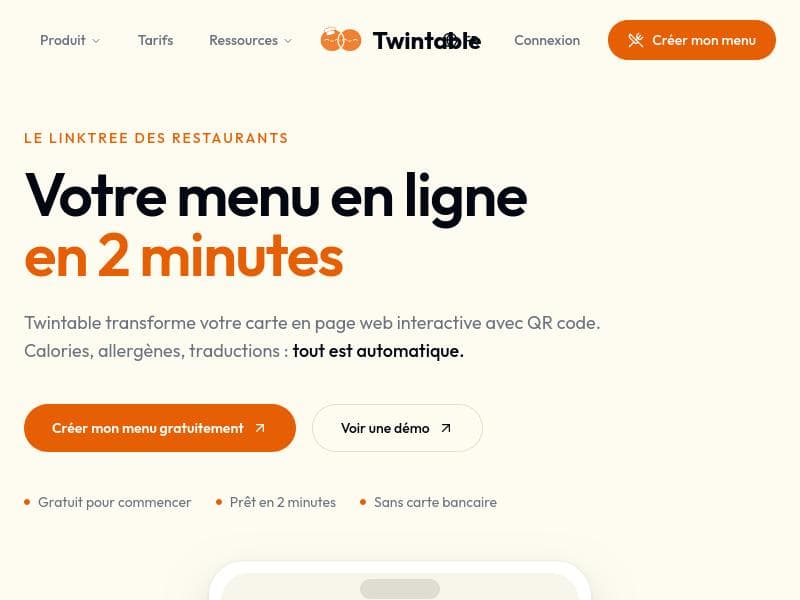
Twintable empowers restaurants to create free, multilingual digital menus in just two minutes, featuring photo menu import, dynamic QR codes, and automatic allergen detection. Ideal for eateries seeking a fast, contactless, and inclusive menu solution, Twintable streamlines menu management while enhancing customer safety and accessibility.

Description
Snap a photo of your menu, AI extracts every dish, price and description, auto-detects allergens & calories, and translates into 40+ languages. You get a beautiful hosted menu page + dynamic QR code in 2 minutes. No designer, no developer, no PDF. Beyond the menu: zero-commission reservations, Google review collection, customer CRM and analytics. Free to start, 100+ restaurants on board.
Detailed Description
Twintable is an innovative digital menu creation platform designed specifically for restaurants, enabling them to create and deploy digital menus quickly and efficiently. Its core purpose is to help restaurants transition from traditional paper menus to a modern, contactless, and multilingual digital solution that enhances customer experience and operational efficiency. With Twintable, restaurants can create a fully functional digital menu in just two minutes, making it an ideal tool for establishments looking to modernize their service without extensive technical knowledge or investment. One of the standout features of Twintable is its ability to import menus via photo, which significantly reduces the time and effort required to digitize existing menus. This feature leverages image recognition technology to convert menu photos into editable digital formats. Additionally, Twintable generates dynamic QR codes that customers can scan to access the menu on their smartphones, supporting a completely contactless dining experience. This is particularly valuable in the context of health and safety regulations and customer preferences for minimal physical contact. Twintable supports over 40 languages, making it an excellent choice for restaurants serving diverse clientele or located in tourist-heavy areas. This multilingual capability ensures that menus are accessible and understandable to a broad audience, enhancing inclusivity and customer satisfaction. Another critical feature is the automatic allergen detection system, which identifies and highlights allergens in menu items to help restaurants comply with food safety standards and provide essential information to customers with dietary restrictions. The platform is trusted by more than 500 restaurants, reflecting its reliability and effectiveness in real-world settings. It offers a seamless and user-friendly interface that requires no coding skills, enabling restaurant owners and staff to update menus, prices, and item descriptions effortlessly. This flexibility is crucial for businesses that frequently change their offerings or run seasonal promotions. Twintable is best suited for small to medium-sized restaurants, cafes, bars, and food service providers that want to adopt digital menus quickly and cost-effectively. It is particularly beneficial for establishments aiming to improve hygiene standards, cater to international customers, or streamline menu management. Use cases include quick service restaurants needing fast menu updates, fine dining venues offering detailed allergen information, and tourist-centric eateries requiring multilingual support. Regarding pricing, Twintable offers a free plan that allows restaurants to create and publish digital menus without any upfront cost, making it accessible to businesses with limited budgets. While detailed pricing tiers beyond the free plan are not explicitly stated, the free offering includes essential features such as photo menu import, dynamic QR codes, and multilingual support, providing significant value at no cost. Compared to alternatives, Twintable stands out for its speed of setup, ease of use, and comprehensive language support. Many competing digital menu solutions require manual entry or lack automatic allergen detection, whereas Twintable automates these processes to save time and reduce errors. Its dynamic QR code generation also ensures menus can be updated in real-time without reprinting codes, a feature not universally available in other platforms. However, potential users should consider that while Twintable excels in menu digitization and presentation, it may not offer advanced restaurant management features such as order processing, inventory tracking, or integrated payment systems found in some all-in-one restaurant software suites. Additionally, businesses with highly customized or complex menus might need to verify that the photo import and allergen detection meet their specific needs. In summary, Twintable is a powerful, user-friendly digital menu solution tailored for restaurants seeking a fast, free, and multilingual contactless menu system. Its combination of photo import, dynamic QR codes, and allergen detection makes it a standout choice for enhancing customer experience and operational efficiency in the hospitality industry.
Tool Features
- Create digital restaurant menus in 2 minutes
- Import menu by photo
- Dynamic QR code generation
- Supports 40+ languages
- Automatic allergen detection
- Contactless menu access
- Trusted by 500+ restaurants
Description
Twintable empowers restaurants to create free, multilingual digital menus in just two minutes, featuring photo menu import, dynamic QR codes, and automatic allergen detection. Ideal for eateries seeking a fast, contactless, and inclusive menu solution, Twintable streamlines menu management while enhancing customer safety and accessibility.
Snap a photo of your menu, AI extracts every dish, price and description, auto-detects allergens & calories, and translates into 40+ languages. You get a beautiful hosted menu page + dynamic QR code in 2 minutes. No designer, no developer, no PDF. Beyond the menu: zero-commission reservations, Google review collection, customer CRM and analytics. Free to start, 100+ restaurants on board.
Detailed Description
Twintable is an innovative digital menu creation platform designed specifically for restaurants, enabling them to create and deploy digital menus quickly and efficiently. Its core purpose is to help restaurants transition from traditional paper menus to a modern, contactless, and multilingual digital solution that enhances customer experience and operational efficiency. With Twintable, restaurants can create a fully functional digital menu in just two minutes, making it an ideal tool for establishments looking to modernize their service without extensive technical knowledge or investment. One of the standout features of Twintable is its ability to import menus via photo, which significantly reduces the time and effort required to digitize existing menus. This feature leverages image recognition technology to convert menu photos into editable digital formats. Additionally, Twintable generates dynamic QR codes that customers can scan to access the menu on their smartphones, supporting a completely contactless dining experience. This is particularly valuable in the context of health and safety regulations and customer preferences for minimal physical contact. Twintable supports over 40 languages, making it an excellent choice for restaurants serving diverse clientele or located in tourist-heavy areas. This multilingual capability ensures that menus are accessible and understandable to a broad audience, enhancing inclusivity and customer satisfaction. Another critical feature is the automatic allergen detection system, which identifies and highlights allergens in menu items to help restaurants comply with food safety standards and provide essential information to customers with dietary restrictions. The platform is trusted by more than 500 restaurants, reflecting its reliability and effectiveness in real-world settings. It offers a seamless and user-friendly interface that requires no coding skills, enabling restaurant owners and staff to update menus, prices, and item descriptions effortlessly. This flexibility is crucial for businesses that frequently change their offerings or run seasonal promotions. Twintable is best suited for small to medium-sized restaurants, cafes, bars, and food service providers that want to adopt digital menus quickly and cost-effectively. It is particularly beneficial for establishments aiming to improve hygiene standards, cater to international customers, or streamline menu management. Use cases include quick service restaurants needing fast menu updates, fine dining venues offering detailed allergen information, and tourist-centric eateries requiring multilingual support. Regarding pricing, Twintable offers a free plan that allows restaurants to create and publish digital menus without any upfront cost, making it accessible to businesses with limited budgets. While detailed pricing tiers beyond the free plan are not explicitly stated, the free offering includes essential features such as photo menu import, dynamic QR codes, and multilingual support, providing significant value at no cost. Compared to alternatives, Twintable stands out for its speed of setup, ease of use, and comprehensive language support. Many competing digital menu solutions require manual entry or lack automatic allergen detection, whereas Twintable automates these processes to save time and reduce errors. Its dynamic QR code generation also ensures menus can be updated in real-time without reprinting codes, a feature not universally available in other platforms. However, potential users should consider that while Twintable excels in menu digitization and presentation, it may not offer advanced restaurant management features such as order processing, inventory tracking, or integrated payment systems found in some all-in-one restaurant software suites. Additionally, businesses with highly customized or complex menus might need to verify that the photo import and allergen detection meet their specific needs. In summary, Twintable is a powerful, user-friendly digital menu solution tailored for restaurants seeking a fast, free, and multilingual contactless menu system. Its combination of photo import, dynamic QR codes, and allergen detection makes it a standout choice for enhancing customer experience and operational efficiency in the hospitality industry.
Frequently Asked Questions
What is Twintable?
Twintable is a digital menu creation platform that allows restaurants to quickly create and publish contactless, multilingual menus. It supports menu import via photo, dynamic QR code generation, and automatic allergen detection, enabling restaurants to modernize their menu presentation efficiently.
How much does Twintable cost?
Twintable offers a free plan that includes core features such as digital menu creation, photo import, dynamic QR codes, and support for over 40 languages. This makes it accessible for restaurants of all sizes without upfront costs.
Who is Twintable best for?
Twintable is best suited for small to medium-sized restaurants, cafes, bars, and food service providers looking for a fast, easy-to-use, and cost-effective digital menu solution. It is especially beneficial for establishments serving international customers or those prioritizing contactless service.
What are the main features of Twintable?
Key features include creating digital menus in just two minutes, importing menus via photo, generating dynamic QR codes for contactless access, supporting over 40 languages, and automatic allergen detection to highlight potential allergens in menu items.
Does Twintable offer a free trial?
Yes, Twintable offers a free plan that allows restaurants to create and publish digital menus without any cost, effectively serving as a free trial with access to essential features.
What integrations does Twintable support?
Twintable primarily focuses on digital menu creation and QR code generation. While it does not currently advertise integrations with POS or ordering systems, it seamlessly integrates with customers' mobile devices through QR code scanning for menu access.
How does Twintable work?
Restaurants upload their existing menu by taking a photo or manually entering menu details. Twintable then converts this into a digital format, generates a dynamic QR code, and supports multiple languages and allergen detection. Customers scan the QR code to access the menu on their smartphones, enabling a contactless and multilingual dining experience.
Socials
Use ToolReviews
No reviews yet. Be the first to share your experience.
Sponsored Tools













































Recommended Tools
Stay updated on latest Ai tools
Get the latest insights, Join our newsletter
Read and trusted by 50,000+ readers
Join the biggest AI Community
Our community and staff are here to help!
Your feedback will help Alice AI improve in future versions.








Submit your Tool


PoweredByAI.app is an AI Tools Directory helping individuals, businesses, and creators discover the best AI tools for writing, coding, design, productivity, and more.
© 2026 , Product of011BQ. All rights reserved.