Featured in:Best AI Writing Tools
Get featured →



✦
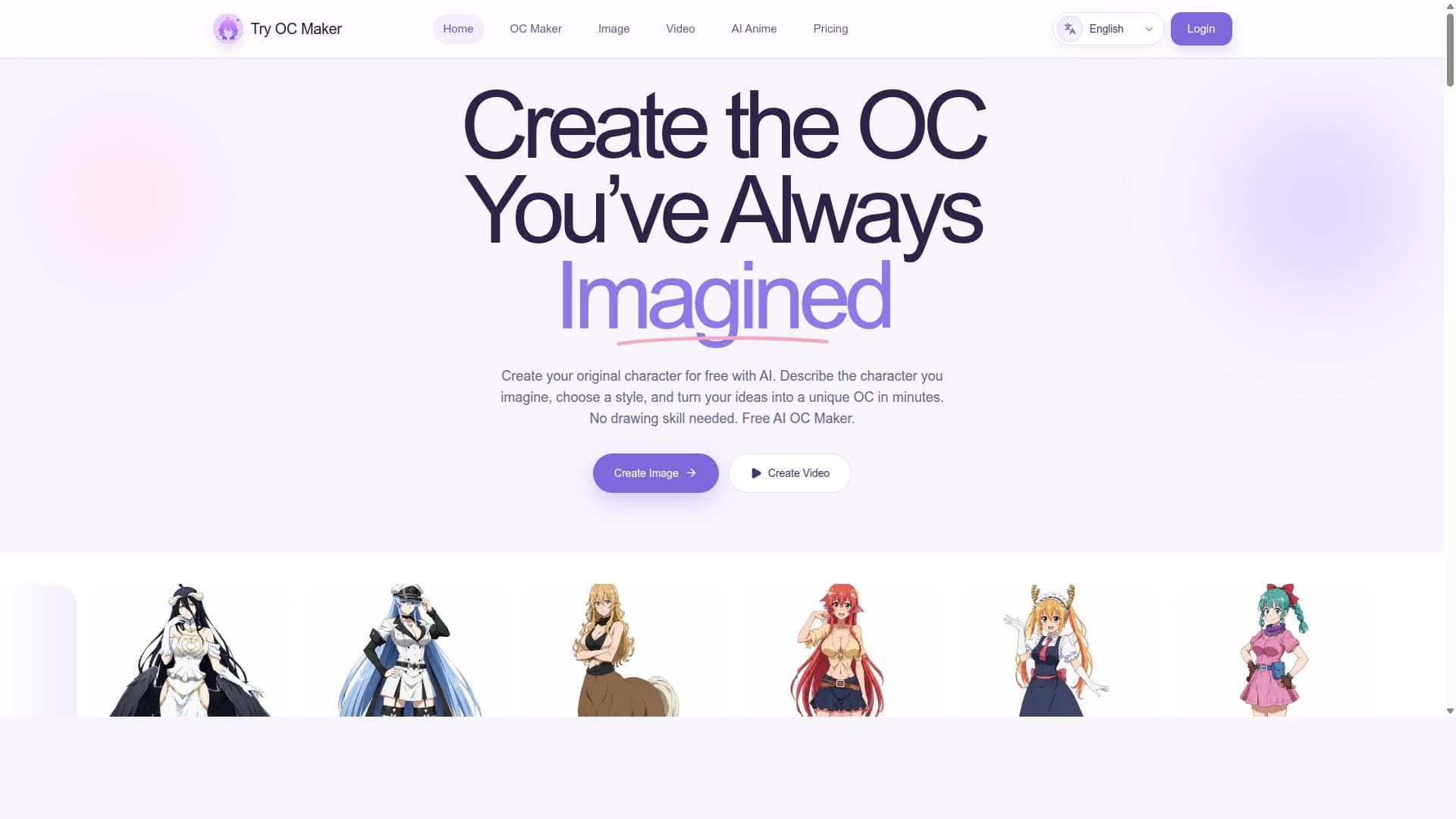
Try OC Maker harnesses AI to effortlessly transform simple text prompts into detailed anime and fantasy characters, making it ideal for creatives seeking personalized digital avatars and full-body designs. Its specialization in anime and roleplay avatars sets it apart, offering a streamlined, user-friendly experience for artists, writers, and gamers alike.
Description
Try OC Maker is an AI character creation platform for designing original characters from text prompts or reference images. Creators can describe the character they imagine and customize details such as the face, hairstyle, outfit, expression, accessories, weapons, pose, background, and full-body appearance. The platform can be used to create anime characters, fantasy OCs, roleplay avatars, game concepts, profile pictures, and character sheets. Users can also upload a reference image and create new versions of the same character with different outfits, poses, expressions, and scenes. This makes it easier to develop an OC across multiple images without redesigning the character from the beginning each time. Try OC Maker also includes video creation tools that turn still character artwork into short animated scenes. Creators can add facial movement, body motion, action, camera movement, and simple story moments to their OC images. The platform is designed for OC creators, roleplayers, anime fans, writers, comic creators, indie game teams, character designers, and social media creators.
Detailed Description
Try OC Maker is an innovative AI-powered platform designed to transform simple textual prompts into highly detailed and visually striking anime characters, fantasy original characters (OCs), roleplay avatars, and full-body character designs. Its core purpose is to empower users—whether they are artists, writers, gamers, or roleplayers—to effortlessly create unique and personalized digital characters without requiring advanced artistic skills. By leveraging advanced artificial intelligence, Try OC Maker streamlines the creative process, allowing users to bring their imaginative concepts to life through an intuitive interface. The tool's key features include the ability to generate anime-style characters from minimal text input, making it accessible for users who may only have a vague idea or a brief description of their desired character. Beyond anime, Try OC Maker supports the creation of fantasy original characters, catering to genres such as high fantasy, sci-fi, and other imaginative realms. It also specializes in designing roleplay avatars, which are essential for online communities and virtual roleplaying games, providing users with a personalized visual identity. Additionally, the platform excels at producing full-body character designs, offering comprehensive visuals that include detailed costumes, poses, and accessories. This versatility enables users to create characters suitable for various applications, from storytelling and game development to social media and personal projects. Try OC Maker is particularly well-suited for creative individuals who want to visualize their characters quickly and effectively. Writers and novelists can use it to conceptualize their protagonists and antagonists, enhancing their storytelling with vivid imagery. Roleplayers and gamers benefit from custom avatars that reflect their in-game personas, while artists can use the generated designs as inspiration or base models for further refinement. The platform's ease of use makes it accessible to beginners, while its depth and customization options appeal to more experienced users seeking detailed character creation. Regarding pricing, Try OC Maker offers a range of plans tailored to different user needs, though specific pricing details are typically available on their website. Many AI character generation tools provide free trials or limited free usage tiers, and Try OC Maker likely follows a similar model to encourage users to explore its capabilities before committing to a subscription. Paid plans usually unlock higher resolution outputs, more generation credits, and additional customization features, making it suitable for casual users and professionals alike. Compared to alternatives, Try OC Maker stands out for its focus on anime and fantasy original characters, a niche that combines popular visual styles with imaginative character creation. While other AI tools may offer broader art generation capabilities, Try OC Maker’s specialization allows it to deliver more refined and genre-specific results. Its user-friendly interface and prompt-based generation system reduce the learning curve, unlike some competitors that require more technical input or manual adjustments. However, users should consider that AI-generated art may sometimes lack the nuanced creativity of human artists, and results can vary depending on prompt clarity and complexity. Notable limitations include potential restrictions on customization depth compared to manual digital art tools, and the inherent variability in AI-generated outputs which may require multiple attempts to achieve the desired look. Additionally, users should be mindful of copyright and usage rights associated with AI-generated content, especially if used commercially. Despite these considerations, Try OC Maker remains a powerful and accessible solution for anyone looking to create distinctive anime and fantasy characters quickly and with minimal effort.
Tool Features
- Create anime characters from simple text prompts
- Generate fantasy original characters (OCs)
- Design roleplay avatars
- Produce full-body character designs
Description
✦
Try OC Maker harnesses AI to effortlessly transform simple text prompts into detailed anime and fantasy characters, making it ideal for creatives seeking personalized digital avatars and full-body designs. Its specialization in anime and roleplay avatars sets it apart, offering a streamlined, user-friendly experience for artists, writers, and gamers alike.
Try OC Maker is an AI character creation platform for designing original characters from text prompts or reference images. Creators can describe the character they imagine and customize details such as the face, hairstyle, outfit, expression, accessories, weapons, pose, background, and full-body appearance. The platform can be used to create anime characters, fantasy OCs, roleplay avatars, game concepts, profile pictures, and character sheets. Users can also upload a reference image and create new versions of the same character with different outfits, poses, expressions, and scenes. This makes it easier to develop an OC across multiple images without redesigning the character from the beginning each time. Try OC Maker also includes video creation tools that turn still character artwork into short animated scenes. Creators can add facial movement, body motion, action, camera movement, and simple story moments to their OC images. The platform is designed for OC creators, roleplayers, anime fans, writers, comic creators, indie game teams, character designers, and social media creators.
Detailed Description
Try OC Maker is an innovative AI-powered platform designed to transform simple textual prompts into highly detailed and visually striking anime characters, fantasy original characters (OCs), roleplay avatars, and full-body character designs. Its core purpose is to empower users—whether they are artists, writers, gamers, or roleplayers—to effortlessly create unique and personalized digital characters without requiring advanced artistic skills. By leveraging advanced artificial intelligence, Try OC Maker streamlines the creative process, allowing users to bring their imaginative concepts to life through an intuitive interface. The tool's key features include the ability to generate anime-style characters from minimal text input, making it accessible for users who may only have a vague idea or a brief description of their desired character. Beyond anime, Try OC Maker supports the creation of fantasy original characters, catering to genres such as high fantasy, sci-fi, and other imaginative realms. It also specializes in designing roleplay avatars, which are essential for online communities and virtual roleplaying games, providing users with a personalized visual identity. Additionally, the platform excels at producing full-body character designs, offering comprehensive visuals that include detailed costumes, poses, and accessories. This versatility enables users to create characters suitable for various applications, from storytelling and game development to social media and personal projects. Try OC Maker is particularly well-suited for creative individuals who want to visualize their characters quickly and effectively. Writers and novelists can use it to conceptualize their protagonists and antagonists, enhancing their storytelling with vivid imagery. Roleplayers and gamers benefit from custom avatars that reflect their in-game personas, while artists can use the generated designs as inspiration or base models for further refinement. The platform's ease of use makes it accessible to beginners, while its depth and customization options appeal to more experienced users seeking detailed character creation. Regarding pricing, Try OC Maker offers a range of plans tailored to different user needs, though specific pricing details are typically available on their website. Many AI character generation tools provide free trials or limited free usage tiers, and Try OC Maker likely follows a similar model to encourage users to explore its capabilities before committing to a subscription. Paid plans usually unlock higher resolution outputs, more generation credits, and additional customization features, making it suitable for casual users and professionals alike. Compared to alternatives, Try OC Maker stands out for its focus on anime and fantasy original characters, a niche that combines popular visual styles with imaginative character creation. While other AI tools may offer broader art generation capabilities, Try OC Maker’s specialization allows it to deliver more refined and genre-specific results. Its user-friendly interface and prompt-based generation system reduce the learning curve, unlike some competitors that require more technical input or manual adjustments. However, users should consider that AI-generated art may sometimes lack the nuanced creativity of human artists, and results can vary depending on prompt clarity and complexity. Notable limitations include potential restrictions on customization depth compared to manual digital art tools, and the inherent variability in AI-generated outputs which may require multiple attempts to achieve the desired look. Additionally, users should be mindful of copyright and usage rights associated with AI-generated content, especially if used commercially. Despite these considerations, Try OC Maker remains a powerful and accessible solution for anyone looking to create distinctive anime and fantasy characters quickly and with minimal effort.
Frequently Asked Questions
What is Try OC Maker?
Try OC Maker is an AI-powered tool that converts simple text prompts into detailed anime characters, fantasy original characters, roleplay avatars, and full-body character designs, enabling users to create unique digital characters quickly and easily.
How much does Try OC Maker cost?
Try OC Maker offers various pricing plans, typically including free or trial options with limited features and paid subscriptions that unlock higher resolution images, more generation credits, and advanced customization. Exact pricing details are available on their website.
Who is Try OC Maker best for?
The tool is ideal for writers, artists, roleplayers, gamers, and anyone interested in creating personalized anime or fantasy characters without needing advanced drawing skills.
What are the main features of Try OC Maker?
Key features include generating anime characters from text prompts, creating fantasy original characters, designing roleplay avatars, and producing full-body character designs with detailed costumes and poses.
Does Try OC Maker offer a free trial?
While specific details may vary, Try OC Maker generally provides free or limited trial options so users can test the platform before subscribing to paid plans.
What integrations does Try OC Maker support?
Try OC Maker primarily functions as a standalone web-based platform focused on character creation; it does not currently advertise integrations with other software or services.
How does Try OC Maker work?
Users input simple text prompts describing their desired character, and the AI processes these prompts to generate detailed anime or fantasy character images, including full-body designs and avatars, which can then be customized or downloaded.
Reviews
0 reviews
No reviews yet. Be the first to share your experience.
Sponsored Tools













































Recommended Tools
Stay updated on latest Ai tools
Get the latest insights, Join our newsletter
Read and trusted by 50,000+ readers
Join the biggest AI Community
Our community and staff are here to help!
Your feedback will help Alice AI improve in future versions.