
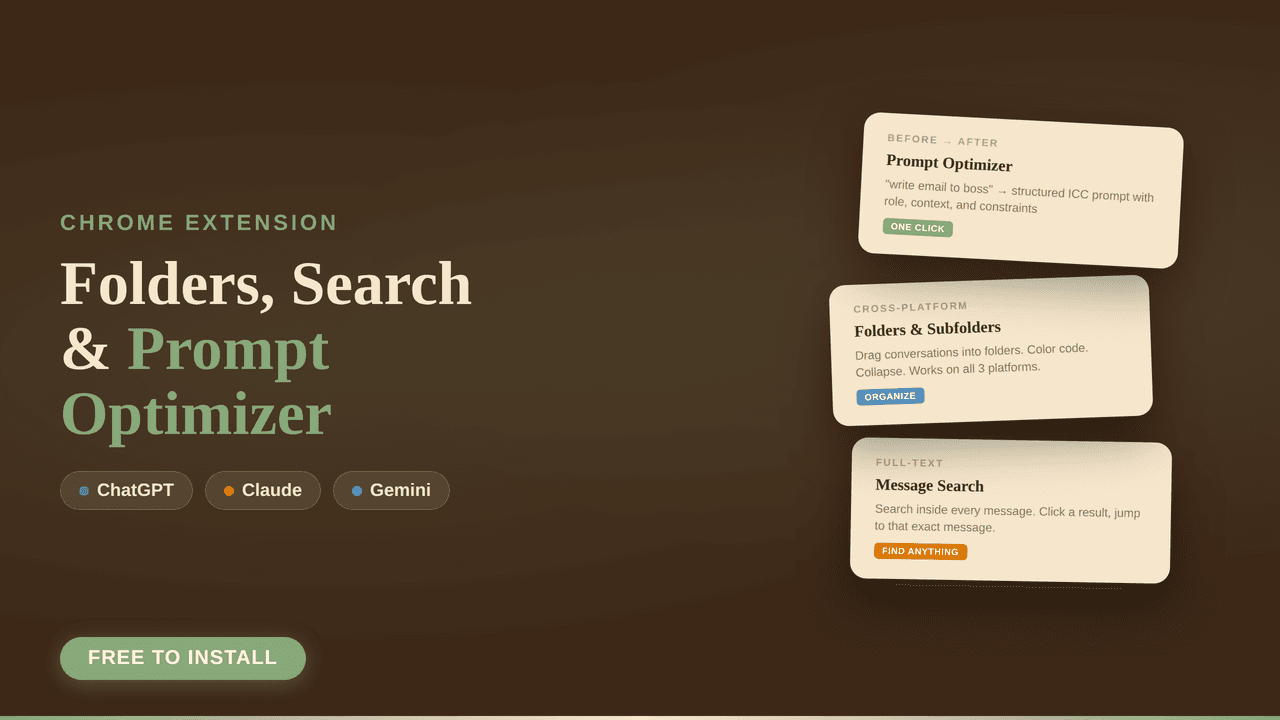
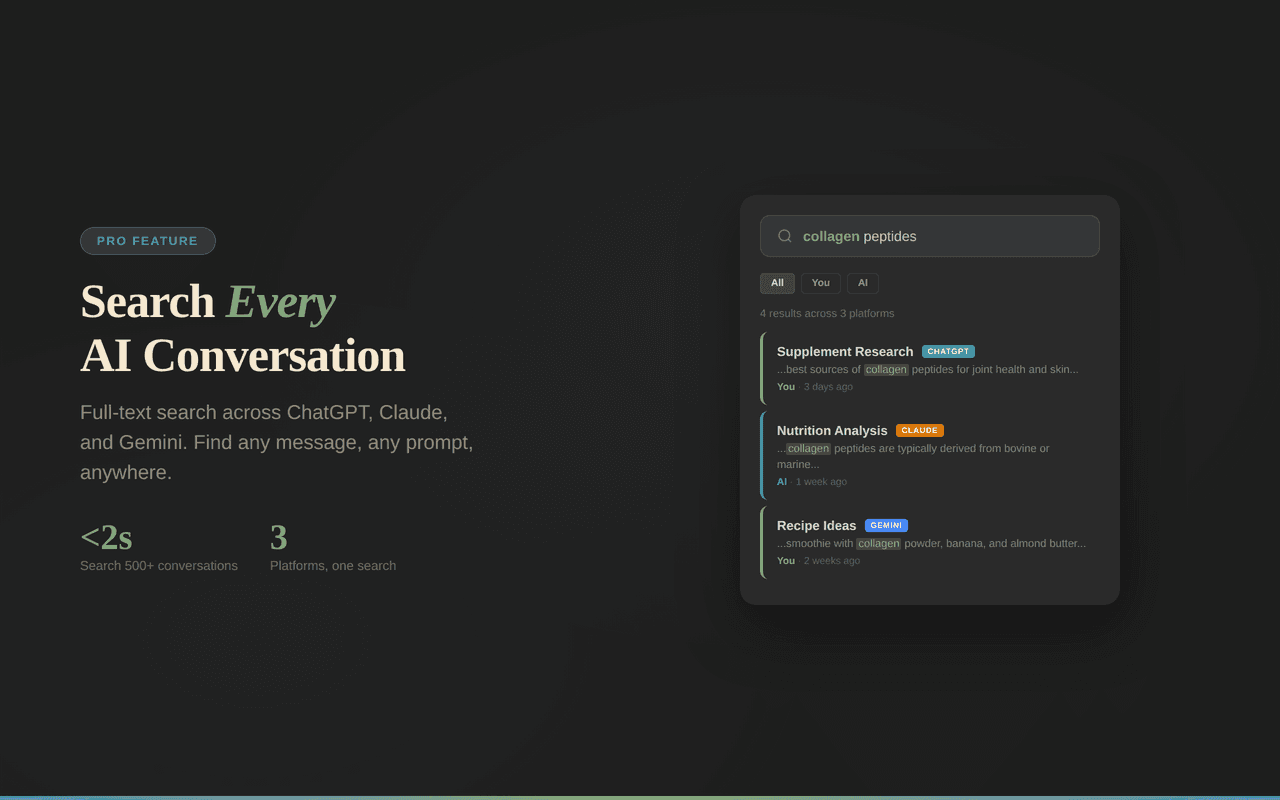


TresPrompt is a versatile Chrome extension that transforms basic AI prompts into expert-level queries with a single click while organizing and searching conversations across ChatGPT, Claude, and Gemini. Ideal for users juggling multiple AI platforms, it boosts productivity by streamlining prompt optimization, conversation management, and export capabilities all in one place.

Description
TresPrompt is a Chrome extension designed to optimize AI prompts with one click, organize conversations into folders, and enable search and export functionalities across ChatGPT, Claude, and Gemini. It transforms rough, lazy prompts into expert-level prompts, enhancing productivity and prompt engineering for users working with multiple AI chat platforms.
Detailed Description
TresPrompt is a powerful Chrome extension designed to elevate the way users interact with AI chat platforms by optimizing prompts, organizing conversations, and streamlining workflow across multiple AI models. Its core purpose is to transform rough or underdeveloped prompts into expert-level queries with just one click, significantly enhancing the quality and relevance of AI-generated responses. By integrating seamlessly with popular AI chat services such as ChatGPT, Claude, and Gemini, TresPrompt offers a unified experience that caters to users who frequently engage with multiple AI systems. This makes it an essential tool for anyone looking to maximize productivity and improve prompt engineering without switching between different interfaces or manually refining their inputs. At the heart of TresPrompt are several key features that distinguish it from standard AI chat tools. The one-click prompt optimization is its flagship capability, allowing users to instantly enhance the clarity, specificity, and effectiveness of their prompts. This feature is particularly valuable for users who may not have advanced prompt engineering skills but want to get the best possible output from AI models. Additionally, TresPrompt enables users to organize their conversations into folders, providing a structured way to manage and revisit past interactions. This organizational capability is complemented by a robust search function that spans across ChatGPT, Claude, and Gemini conversations, making it easy to locate specific dialogues or information quickly. Furthermore, users can export their conversations for offline review or sharing, adding another layer of utility for professionals who need to archive or present AI-generated content. TresPrompt is best suited for a wide range of users, including AI enthusiasts, content creators, researchers, customer support teams, and developers who rely on multiple AI chat platforms for their daily tasks. For content creators and marketers, the tool helps craft more precise prompts that yield higher-quality content ideas or drafts. Researchers and analysts benefit from the ability to organize and search through extensive AI-generated data efficiently. Customer support teams can optimize their AI-assisted responses to improve communication quality. Developers and prompt engineers gain a streamlined workflow for testing and refining prompts across different AI models, saving time and effort. Regarding pricing, TresPrompt offers a free plan that includes essential features such as folders, search, and export capabilities, along with three prompt optimizations per day. This free tier is ideal for casual users or those wanting to test the tool’s core functionalities before committing. While the details of premium plans are not specified here, users can expect expanded optimization limits and potentially additional features in paid tiers, which would cater to power users and enterprise needs. Compared to alternatives, TresPrompt stands out due to its multi-platform support and integrated organizational tools. Many prompt optimization tools focus solely on a single AI model or lack comprehensive conversation management features. TresPrompt’s ability to work across ChatGPT, Claude, and Gemini, combined with its folder organization and export options, offers a more holistic and efficient user experience. However, as a Chrome extension, it is limited to users who operate within the Chrome browser environment, which may not suit those preferring other browsers or desktop applications. Notable limitations include the daily cap on free prompt optimizations, which might restrict heavy users unless they upgrade to a paid plan. Additionally, while TresPrompt enhances prompt quality, it relies on the underlying AI models’ capabilities and cannot guarantee perfect outputs. Users should also consider privacy and data security aspects when exporting conversations or storing sensitive information within the extension. Overall, TresPrompt is a robust tool that significantly improves prompt engineering and conversation management across multiple AI chat platforms, making it a valuable asset for anyone looking to optimize their AI interactions efficiently.
Tool Features
- One-click prompt optimization
- Organize conversations into folders
- Search across ChatGPT, Claude, and Gemini
- Export conversations
- Works as a Chrome extension
- Supports multiple AI chat platforms
- Free plan includes folders, search, and export with 3 optimizations per day
Description
TresPrompt is a versatile Chrome extension that transforms basic AI prompts into expert-level queries with a single click while organizing and searching conversations across ChatGPT, Claude, and Gemini. Ideal for users juggling multiple AI platforms, it boosts productivity by streamlining prompt optimization, conversation management, and export capabilities all in one place.
TresPrompt is a Chrome extension designed to optimize AI prompts with one click, organize conversations into folders, and enable search and export functionalities across ChatGPT, Claude, and Gemini. It transforms rough, lazy prompts into expert-level prompts, enhancing productivity and prompt engineering for users working with multiple AI chat platforms.
Detailed Description
TresPrompt is a powerful Chrome extension designed to elevate the way users interact with AI chat platforms by optimizing prompts, organizing conversations, and streamlining workflow across multiple AI models. Its core purpose is to transform rough or underdeveloped prompts into expert-level queries with just one click, significantly enhancing the quality and relevance of AI-generated responses. By integrating seamlessly with popular AI chat services such as ChatGPT, Claude, and Gemini, TresPrompt offers a unified experience that caters to users who frequently engage with multiple AI systems. This makes it an essential tool for anyone looking to maximize productivity and improve prompt engineering without switching between different interfaces or manually refining their inputs. At the heart of TresPrompt are several key features that distinguish it from standard AI chat tools. The one-click prompt optimization is its flagship capability, allowing users to instantly enhance the clarity, specificity, and effectiveness of their prompts. This feature is particularly valuable for users who may not have advanced prompt engineering skills but want to get the best possible output from AI models. Additionally, TresPrompt enables users to organize their conversations into folders, providing a structured way to manage and revisit past interactions. This organizational capability is complemented by a robust search function that spans across ChatGPT, Claude, and Gemini conversations, making it easy to locate specific dialogues or information quickly. Furthermore, users can export their conversations for offline review or sharing, adding another layer of utility for professionals who need to archive or present AI-generated content. TresPrompt is best suited for a wide range of users, including AI enthusiasts, content creators, researchers, customer support teams, and developers who rely on multiple AI chat platforms for their daily tasks. For content creators and marketers, the tool helps craft more precise prompts that yield higher-quality content ideas or drafts. Researchers and analysts benefit from the ability to organize and search through extensive AI-generated data efficiently. Customer support teams can optimize their AI-assisted responses to improve communication quality. Developers and prompt engineers gain a streamlined workflow for testing and refining prompts across different AI models, saving time and effort. Regarding pricing, TresPrompt offers a free plan that includes essential features such as folders, search, and export capabilities, along with three prompt optimizations per day. This free tier is ideal for casual users or those wanting to test the tool’s core functionalities before committing. While the details of premium plans are not specified here, users can expect expanded optimization limits and potentially additional features in paid tiers, which would cater to power users and enterprise needs. Compared to alternatives, TresPrompt stands out due to its multi-platform support and integrated organizational tools. Many prompt optimization tools focus solely on a single AI model or lack comprehensive conversation management features. TresPrompt’s ability to work across ChatGPT, Claude, and Gemini, combined with its folder organization and export options, offers a more holistic and efficient user experience. However, as a Chrome extension, it is limited to users who operate within the Chrome browser environment, which may not suit those preferring other browsers or desktop applications. Notable limitations include the daily cap on free prompt optimizations, which might restrict heavy users unless they upgrade to a paid plan. Additionally, while TresPrompt enhances prompt quality, it relies on the underlying AI models’ capabilities and cannot guarantee perfect outputs. Users should also consider privacy and data security aspects when exporting conversations or storing sensitive information within the extension. Overall, TresPrompt is a robust tool that significantly improves prompt engineering and conversation management across multiple AI chat platforms, making it a valuable asset for anyone looking to optimize their AI interactions efficiently.
Frequently Asked Questions
What is TresPrompt?
TresPrompt is a Chrome extension that optimizes AI prompts with one click, organizes conversations into folders, and enables search and export functionalities across multiple AI chat platforms including ChatGPT, Claude, and Gemini.
How much does TresPrompt cost?
TresPrompt offers a free plan that includes folders, search, and export features along with three prompt optimizations per day. Details about premium plans with expanded features and limits are available on their website.
Who is TresPrompt best for?
TresPrompt is ideal for AI enthusiasts, content creators, researchers, customer support teams, and developers who use multiple AI chat platforms and want to improve prompt quality, organize conversations, and enhance productivity.
What are the main features of TresPrompt?
Key features include one-click prompt optimization, conversation organization into folders, cross-platform search across ChatGPT, Claude, and Gemini, conversation export, and seamless integration as a Chrome extension.
Does TresPrompt offer a free trial?
TresPrompt provides a free plan that allows users to access core features such as folders, search, export, and three prompt optimizations per day, effectively serving as a free trial for its capabilities.
What integrations does TresPrompt support?
TresPrompt supports integration with multiple AI chat platforms including ChatGPT, Claude, and Gemini, allowing users to optimize prompts and manage conversations across these services.
How does TresPrompt work?
TresPrompt works as a Chrome extension that enhances AI prompts with one click, organizes conversations into folders, enables searching across supported AI platforms, and allows exporting conversations for offline use or sharing.
Socials
Use ToolReviews
No reviews yet. Be the first to share your experience.


















































