

Is this your AI tool? Claim it today.
Verify ownership, manage your profile, and unlock growth features.
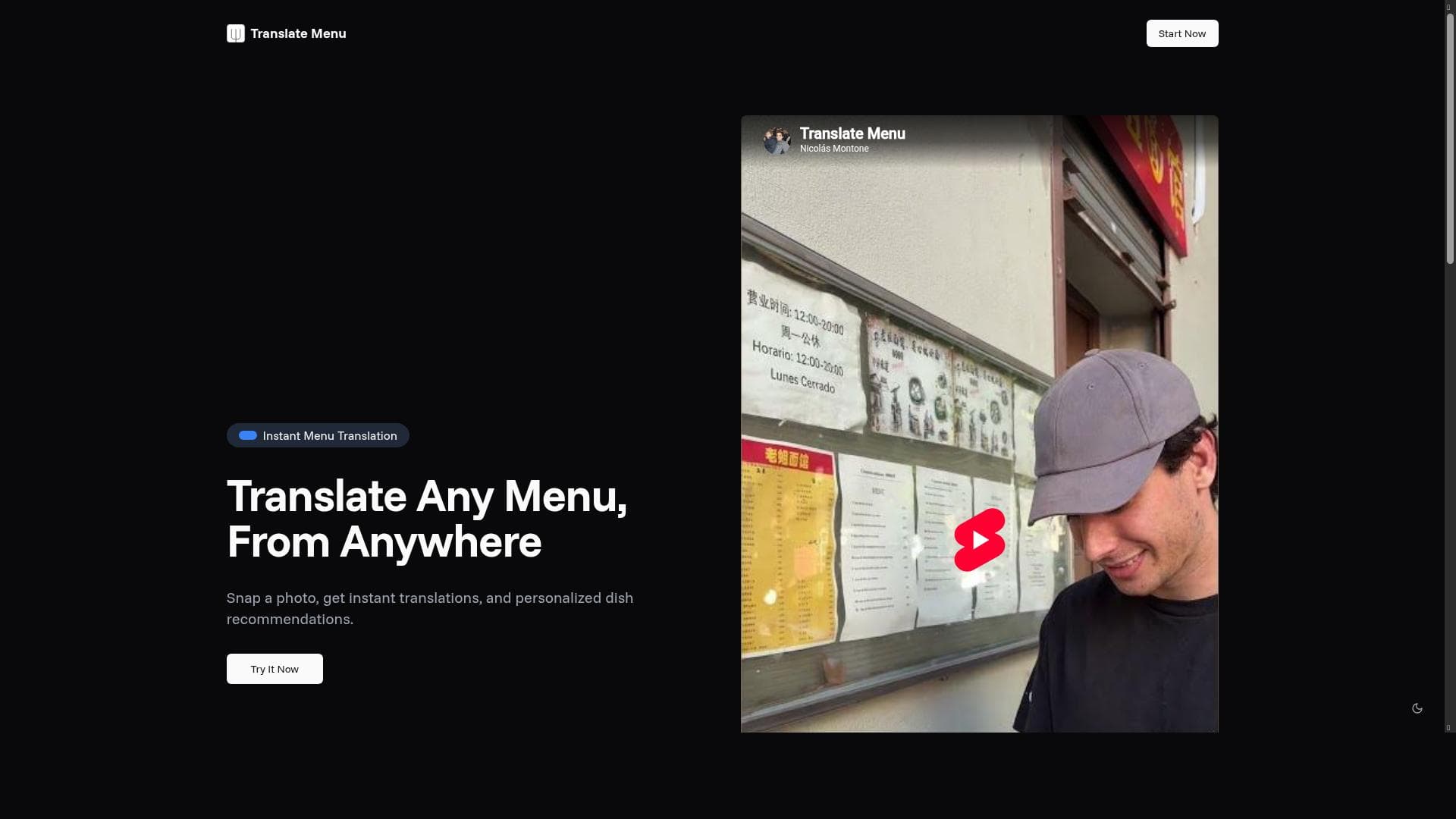
Translate Menu leverages AI to instantly translate restaurant menus and generate vivid dish images, helping diners explore new cuisines effortlessly. Ideal for travelers and food enthusiasts, it combines multi-language support with personalized recommendations to make ordering food abroad simple and confident.

Description
Translate Menu lets diners view translated menus with AI-generated dish images, making it easy to explore new cuisines and order with confidence.
Detailed Description
Translate Menu is an innovative AI-powered tool designed to revolutionize the dining experience by enabling users to instantly translate restaurant menus and visualize dishes through AI-generated images. Its core purpose is to break down language barriers and enhance culinary exploration, allowing diners to confidently order food even when faced with menus in unfamiliar languages. By combining advanced image recognition, natural language processing, and AI-generated visuals, Translate Menu transforms the way travelers, food enthusiasts, and everyday diners interact with menus worldwide. At the heart of Translate Menu’s functionality is its Instant Menu Translation feature. Users simply take a photo of any printed or digital menu, and the tool instantly translates the text into their preferred language. This eliminates the need for manual translation apps or guesswork, providing clear, accurate, and context-aware translations. Complementing this is the AI-generated dish image capability, which visually represents menu items to help users better understand what they are ordering. This feature is especially valuable for exotic or unfamiliar dishes, bridging the gap between language and culinary culture. Another standout feature is Personalized Recommendations. Translate Menu leverages user preferences and dietary restrictions to suggest dishes tailored specifically to individual tastes and needs. Whether a user is vegan, gluten-free, or has other dietary considerations, the tool filters menu options accordingly, making dining out safer and more enjoyable. Additionally, the platform supports over 50 languages, making it a versatile companion for international travelers, expatriates, and multicultural urban diners alike. Translate Menu is best suited for travelers who frequently encounter menus in foreign languages, food lovers eager to explore new cuisines without hesitation, and anyone with dietary restrictions who wants to ensure safe and suitable meal choices. Restaurants can also benefit by integrating Translate Menu to enhance customer experience, especially in tourist-heavy locations. Use cases include vacationers navigating menus abroad, expatriates dining in multicultural cities, and adventurous eaters seeking to understand and appreciate diverse culinary offerings. The tool operates on a freemium pricing model, offering basic translation and image generation features for free, which is ideal for casual users and those wanting to test the service. Premium plans unlock advanced capabilities such as personalized recommendations, higher resolution dish images, and priority support. This flexible pricing ensures accessibility while catering to power users and businesses requiring enhanced functionality. Compared to traditional translation apps, Translate Menu stands out by integrating AI-generated visuals and personalized dish suggestions, providing a richer, more interactive experience. Unlike generic translation tools, it focuses specifically on menus and food items, delivering contextual accuracy and cultural relevance. While some competitors offer menu translation, few combine instant photo translation with AI imagery and dietary personalization in a single platform. However, there are some considerations to keep in mind. The accuracy of translation may vary depending on the quality of the menu photo and the complexity of the dish descriptions. AI-generated images, while helpful, may not always perfectly represent the actual dish served. Additionally, the tool’s effectiveness depends on the availability of menu data and language support, which, although extensive, may not cover every dialect or regional variation. Users should also be aware that while the freemium plan offers substantial features, full access requires a subscription. Overall, Translate Menu is a powerful, user-friendly AI tool that enhances dining experiences by making menus accessible and understandable to a global audience. Its unique combination of instant translation, AI-generated dish visuals, and personalized recommendations makes it an indispensable companion for anyone looking to explore new cuisines with confidence and ease.
Tool Features
- Instant Menu Translation: Take a photo of any menu and get an instant translation in your preferred language.
- Personalized Recommendations: Get dish recommendations based on your preferences and dietary restrictions.
- Multi-language Support: Supports over 50 languages, making it perfect for travelers and food enthusiasts.
Description
Translate Menu leverages AI to instantly translate restaurant menus and generate vivid dish images, helping diners explore new cuisines effortlessly. Ideal for travelers and food enthusiasts, it combines multi-language support with personalized recommendations to make ordering food abroad simple and confident.
Translate Menu lets diners view translated menus with AI-generated dish images, making it easy to explore new cuisines and order with confidence.
Detailed Description
Translate Menu is an innovative AI-powered tool designed to revolutionize the dining experience by enabling users to instantly translate restaurant menus and visualize dishes through AI-generated images. Its core purpose is to break down language barriers and enhance culinary exploration, allowing diners to confidently order food even when faced with menus in unfamiliar languages. By combining advanced image recognition, natural language processing, and AI-generated visuals, Translate Menu transforms the way travelers, food enthusiasts, and everyday diners interact with menus worldwide. At the heart of Translate Menu’s functionality is its Instant Menu Translation feature. Users simply take a photo of any printed or digital menu, and the tool instantly translates the text into their preferred language. This eliminates the need for manual translation apps or guesswork, providing clear, accurate, and context-aware translations. Complementing this is the AI-generated dish image capability, which visually represents menu items to help users better understand what they are ordering. This feature is especially valuable for exotic or unfamiliar dishes, bridging the gap between language and culinary culture. Another standout feature is Personalized Recommendations. Translate Menu leverages user preferences and dietary restrictions to suggest dishes tailored specifically to individual tastes and needs. Whether a user is vegan, gluten-free, or has other dietary considerations, the tool filters menu options accordingly, making dining out safer and more enjoyable. Additionally, the platform supports over 50 languages, making it a versatile companion for international travelers, expatriates, and multicultural urban diners alike. Translate Menu is best suited for travelers who frequently encounter menus in foreign languages, food lovers eager to explore new cuisines without hesitation, and anyone with dietary restrictions who wants to ensure safe and suitable meal choices. Restaurants can also benefit by integrating Translate Menu to enhance customer experience, especially in tourist-heavy locations. Use cases include vacationers navigating menus abroad, expatriates dining in multicultural cities, and adventurous eaters seeking to understand and appreciate diverse culinary offerings. The tool operates on a freemium pricing model, offering basic translation and image generation features for free, which is ideal for casual users and those wanting to test the service. Premium plans unlock advanced capabilities such as personalized recommendations, higher resolution dish images, and priority support. This flexible pricing ensures accessibility while catering to power users and businesses requiring enhanced functionality. Compared to traditional translation apps, Translate Menu stands out by integrating AI-generated visuals and personalized dish suggestions, providing a richer, more interactive experience. Unlike generic translation tools, it focuses specifically on menus and food items, delivering contextual accuracy and cultural relevance. While some competitors offer menu translation, few combine instant photo translation with AI imagery and dietary personalization in a single platform. However, there are some considerations to keep in mind. The accuracy of translation may vary depending on the quality of the menu photo and the complexity of the dish descriptions. AI-generated images, while helpful, may not always perfectly represent the actual dish served. Additionally, the tool’s effectiveness depends on the availability of menu data and language support, which, although extensive, may not cover every dialect or regional variation. Users should also be aware that while the freemium plan offers substantial features, full access requires a subscription. Overall, Translate Menu is a powerful, user-friendly AI tool that enhances dining experiences by making menus accessible and understandable to a global audience. Its unique combination of instant translation, AI-generated dish visuals, and personalized recommendations makes it an indispensable companion for anyone looking to explore new cuisines with confidence and ease.
Frequently Asked Questions
What is Translate Menu?
Translate Menu is an AI-powered tool that allows users to instantly translate restaurant menus by taking a photo, while also providing AI-generated images of dishes and personalized recommendations based on dietary preferences.
How much does Translate Menu cost?
Translate Menu operates on a freemium model, offering basic translation and image features for free, with premium plans available that unlock advanced functionalities such as personalized recommendations and higher resolution images.
Who is Translate Menu best for?
Translate Menu is ideal for travelers, food enthusiasts, expatriates, and anyone who encounters menus in foreign languages or has dietary restrictions, helping them confidently explore and order new dishes.
What are the main features of Translate Menu?
The main features include Instant Menu Translation via photo capture, AI-generated dish images to visualize menu items, Personalized Recommendations tailored to user preferences and dietary needs, and support for over 50 languages.
Does Translate Menu offer a free trial?
Yes, Translate Menu offers a free tier that allows users to access basic translation and image generation features without cost, enabling them to try the service before opting for premium plans.
What integrations does Translate Menu support?
Currently, Translate Menu primarily functions as a standalone app accessible via its website and mobile platforms; specific third-party integrations are not prominently featured but may be available upon request or future updates.
How does Translate Menu work?
Users take a photo of a restaurant menu, and Translate Menu uses AI to instantly translate the text into the user's preferred language, generate images of the dishes, and provide personalized dish recommendations based on dietary preferences.
Reviews
No reviews yet. Be the first to share your experience.




















































