Featured in:Best AI Audio Tools
Get featured →🚀 Zaprep: Your Socials on Steroids. Start free — automate 1,000 DMs/month & turn engagement into leads. with 1,000 automated DMs/month.


Is this your AI tool? Claim it today.
Verify ownership, manage your profile, and unlock growth features.
✦
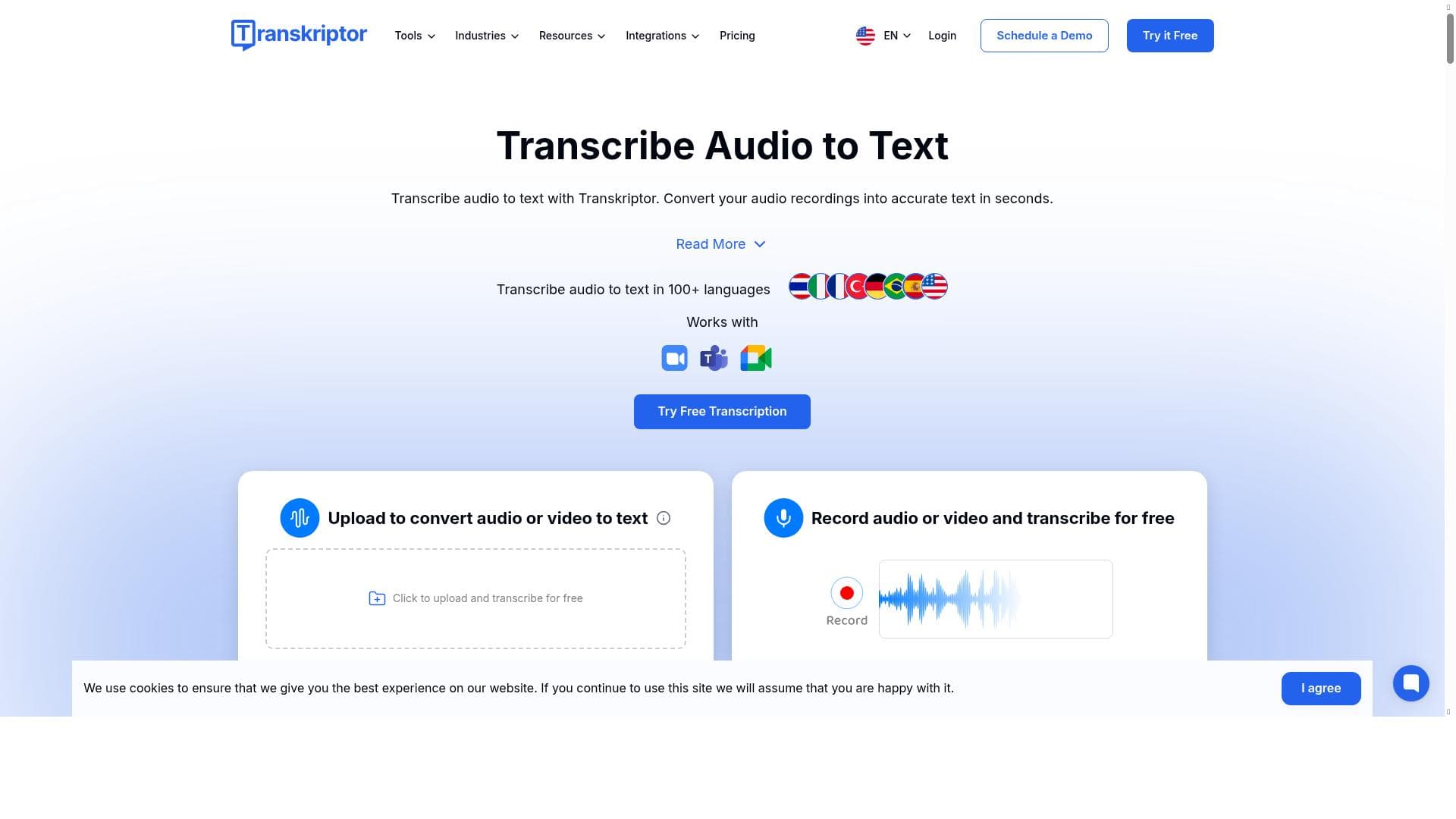
Transkriptor 2.0 is a powerful AI-driven transcription tool supporting over 100 languages, speaker identification, and multi-format exports. Ideal for professionals needing fast, accurate transcripts and insights from audio or video, it enhances accessibility and streamlines content workflows with intuitive editing and summarization features.

Description
Transkriptor is your AI-powered note-taking and transcription tool — now smarter and faster with its latest version. Capture conversations, generate summaries, and extract insights effortlessly.
Detailed Description
Transkriptor 2.0 is an advanced AI-powered transcription and note-taking tool designed to transform how individuals and organizations capture, process, and utilize spoken content. Its core purpose is to convert audio and video recordings into accurate, editable text transcripts quickly and efficiently, enabling users to focus on insights rather than manual transcription. The latest version builds on its predecessor by enhancing speed, accuracy, and usability, making it a robust solution for professionals who need reliable transcription services across multiple languages and formats. At the heart of Transkriptor 2.0 lies its AI-driven transcription engine, which supports over 100 languages, making it a versatile tool for global users. This extensive language support allows users to transcribe conversations, interviews, meetings, lectures, podcasts, and more in their native language or any preferred language. One standout feature is speaker diarization, which automatically identifies and differentiates between multiple speakers in a recording. This capability is especially valuable for meetings or interviews involving several participants, as it clarifies who said what without manual intervention. Transkriptor 2.0 also generates timestamped transcripts, allowing users to easily navigate through the text and correlate it with specific moments in the audio or video. This feature is crucial for content creators, journalists, and researchers who need to reference exact points in recordings. Additionally, the tool supports exporting transcripts in multiple popular formats including TXT, DOCX, SRT, and VTT, catering to various workflows such as subtitle creation, document archiving, or content repurposing. Beyond transcription, Transkriptor 2.0 offers users the ability to review and edit transcripts directly within the platform. This ensures that any inaccuracies can be quickly corrected, maintaining high-quality outputs. The tool also enhances accessibility by making audio and video content searchable and readable, which benefits users with hearing impairments or those who prefer reading over listening. Moreover, the ability to generate summaries and extract key insights from conversations helps users save time and focus on the most important information. Transkriptor 2.0 is best suited for professionals and organizations that rely heavily on audio and video content. This includes journalists, podcasters, researchers, educators, legal professionals, and corporate teams conducting frequent meetings or interviews. For example, journalists can quickly transcribe interviews and identify key quotes, while educators can convert lectures into study materials. Corporate users can improve meeting documentation and knowledge sharing by generating accurate transcripts and summaries. Regarding pricing, Transkriptor 2.0 offers a freemium model, allowing users to access basic transcription features for free with certain limitations. Paid plans unlock additional capabilities such as longer transcription durations, priority processing, and advanced export options. This pricing approach makes it accessible for casual users while providing scalable options for professionals and enterprises. Compared to alternatives, Transkriptor 2.0 stands out due to its extensive language support, speaker diarization, and multi-format export options. While many transcription tools offer basic speech-to-text conversion, Transkriptor’s focus on usability, editing, and insight extraction provides a more comprehensive solution. However, some competitors may offer deeper integrations with specific platforms or more specialized features like real-time transcription or advanced AI summarization. Notable considerations include the dependency on audio quality for transcription accuracy; noisy or unclear recordings may require manual corrections. Additionally, while the freemium plan is useful for testing, heavy users will likely need to upgrade to paid tiers for full functionality. Users should also evaluate if the supported export formats align with their specific workflow needs. Overall, Transkriptor 2.0 is a powerful, user-friendly tool that significantly streamlines transcription and note-taking tasks across diverse professional contexts.
Tool Features
- AI-powered transcription for audio and video
- Supports 100+ languages
- Speaker diarization to identify multiple speakers
- Timestamped transcripts
- Export in TXT, DOCX, SRT, and VTT formats
- Review and edit transcripts
- Improves accessibility and content searchability
Description
✦
Transkriptor 2.0 is a powerful AI-driven transcription tool supporting over 100 languages, speaker identification, and multi-format exports. Ideal for professionals needing fast, accurate transcripts and insights from audio or video, it enhances accessibility and streamlines content workflows with intuitive editing and summarization features.
Transkriptor is your AI-powered note-taking and transcription tool — now smarter and faster with its latest version. Capture conversations, generate summaries, and extract insights effortlessly.
Detailed Description
Transkriptor 2.0 is an advanced AI-powered transcription and note-taking tool designed to transform how individuals and organizations capture, process, and utilize spoken content. Its core purpose is to convert audio and video recordings into accurate, editable text transcripts quickly and efficiently, enabling users to focus on insights rather than manual transcription. The latest version builds on its predecessor by enhancing speed, accuracy, and usability, making it a robust solution for professionals who need reliable transcription services across multiple languages and formats. At the heart of Transkriptor 2.0 lies its AI-driven transcription engine, which supports over 100 languages, making it a versatile tool for global users. This extensive language support allows users to transcribe conversations, interviews, meetings, lectures, podcasts, and more in their native language or any preferred language. One standout feature is speaker diarization, which automatically identifies and differentiates between multiple speakers in a recording. This capability is especially valuable for meetings or interviews involving several participants, as it clarifies who said what without manual intervention. Transkriptor 2.0 also generates timestamped transcripts, allowing users to easily navigate through the text and correlate it with specific moments in the audio or video. This feature is crucial for content creators, journalists, and researchers who need to reference exact points in recordings. Additionally, the tool supports exporting transcripts in multiple popular formats including TXT, DOCX, SRT, and VTT, catering to various workflows such as subtitle creation, document archiving, or content repurposing. Beyond transcription, Transkriptor 2.0 offers users the ability to review and edit transcripts directly within the platform. This ensures that any inaccuracies can be quickly corrected, maintaining high-quality outputs. The tool also enhances accessibility by making audio and video content searchable and readable, which benefits users with hearing impairments or those who prefer reading over listening. Moreover, the ability to generate summaries and extract key insights from conversations helps users save time and focus on the most important information. Transkriptor 2.0 is best suited for professionals and organizations that rely heavily on audio and video content. This includes journalists, podcasters, researchers, educators, legal professionals, and corporate teams conducting frequent meetings or interviews. For example, journalists can quickly transcribe interviews and identify key quotes, while educators can convert lectures into study materials. Corporate users can improve meeting documentation and knowledge sharing by generating accurate transcripts and summaries. Regarding pricing, Transkriptor 2.0 offers a freemium model, allowing users to access basic transcription features for free with certain limitations. Paid plans unlock additional capabilities such as longer transcription durations, priority processing, and advanced export options. This pricing approach makes it accessible for casual users while providing scalable options for professionals and enterprises. Compared to alternatives, Transkriptor 2.0 stands out due to its extensive language support, speaker diarization, and multi-format export options. While many transcription tools offer basic speech-to-text conversion, Transkriptor’s focus on usability, editing, and insight extraction provides a more comprehensive solution. However, some competitors may offer deeper integrations with specific platforms or more specialized features like real-time transcription or advanced AI summarization. Notable considerations include the dependency on audio quality for transcription accuracy; noisy or unclear recordings may require manual corrections. Additionally, while the freemium plan is useful for testing, heavy users will likely need to upgrade to paid tiers for full functionality. Users should also evaluate if the supported export formats align with their specific workflow needs. Overall, Transkriptor 2.0 is a powerful, user-friendly tool that significantly streamlines transcription and note-taking tasks across diverse professional contexts.
Frequently Asked Questions
What is Transkriptor 2.0?
Transkriptor 2.0 is an AI-powered transcription and note-taking tool that converts audio and video recordings into editable, timestamped text transcripts. It supports multiple languages, identifies different speakers, and allows users to generate summaries and extract insights from conversations.
How much does Transkriptor 2.0 cost?
Transkriptor 2.0 offers a freemium pricing model with basic transcription features available for free. Paid plans provide additional transcription minutes, faster processing, and advanced export options. Specific pricing details can be found on their website.
Who is Transkriptor 2.0 best for?
It is best suited for journalists, podcasters, educators, researchers, legal professionals, and corporate teams who need accurate, fast transcription and note-taking capabilities across multiple languages and formats.
What are the main features of Transkriptor 2.0?
Key features include AI-powered transcription for audio and video, support for over 100 languages, speaker diarization to distinguish multiple speakers, timestamped transcripts, export options in TXT, DOCX, SRT, and VTT formats, and the ability to review and edit transcripts.
Does Transkriptor 2.0 offer a free trial?
Yes, Transkriptor 2.0 provides a freemium plan that allows users to try basic transcription features for free before upgrading to paid plans.
What integrations does Transkriptor 2.0 support?
While specific integrations are not detailed, Transkriptor 2.0 supports exporting transcripts in common formats compatible with many platforms, facilitating easy integration into various workflows.
How does Transkriptor 2.0 work?
Users upload audio or video files to the platform, which then uses AI models to transcribe the content, identify speakers, and generate timestamped transcripts. Users can review, edit, export, and generate summaries or insights from the transcripts within the tool.
Socials
Use ToolReviews
0 reviews
No reviews yet. Be the first to share your experience.
Sponsored Tools











































Recommended Tools
Stay updated on latest Ai tools
Get the latest insights, Join our newsletter
Read and trusted by 50,000+ readers
Join the biggest AI Community
Our community and staff are here to help!
Your feedback will help Alice AI improve in future versions.








Submit your Tool


PoweredByAI.app is an AI Tools Directory helping individuals, businesses, and creators discover the best AI tools for writing, coding, design, productivity, and more.
© 2026 , Product of011BQ. All rights reserved.