Featured in:Best AI Audio Tools
Get featured →🚀 Zaprep: Your Socials on Steroids. Start free — automate 1,000 DMs/month & turn engagement into leads. with 1,000 automated DMs/month.
AI Transcription Tool


✦
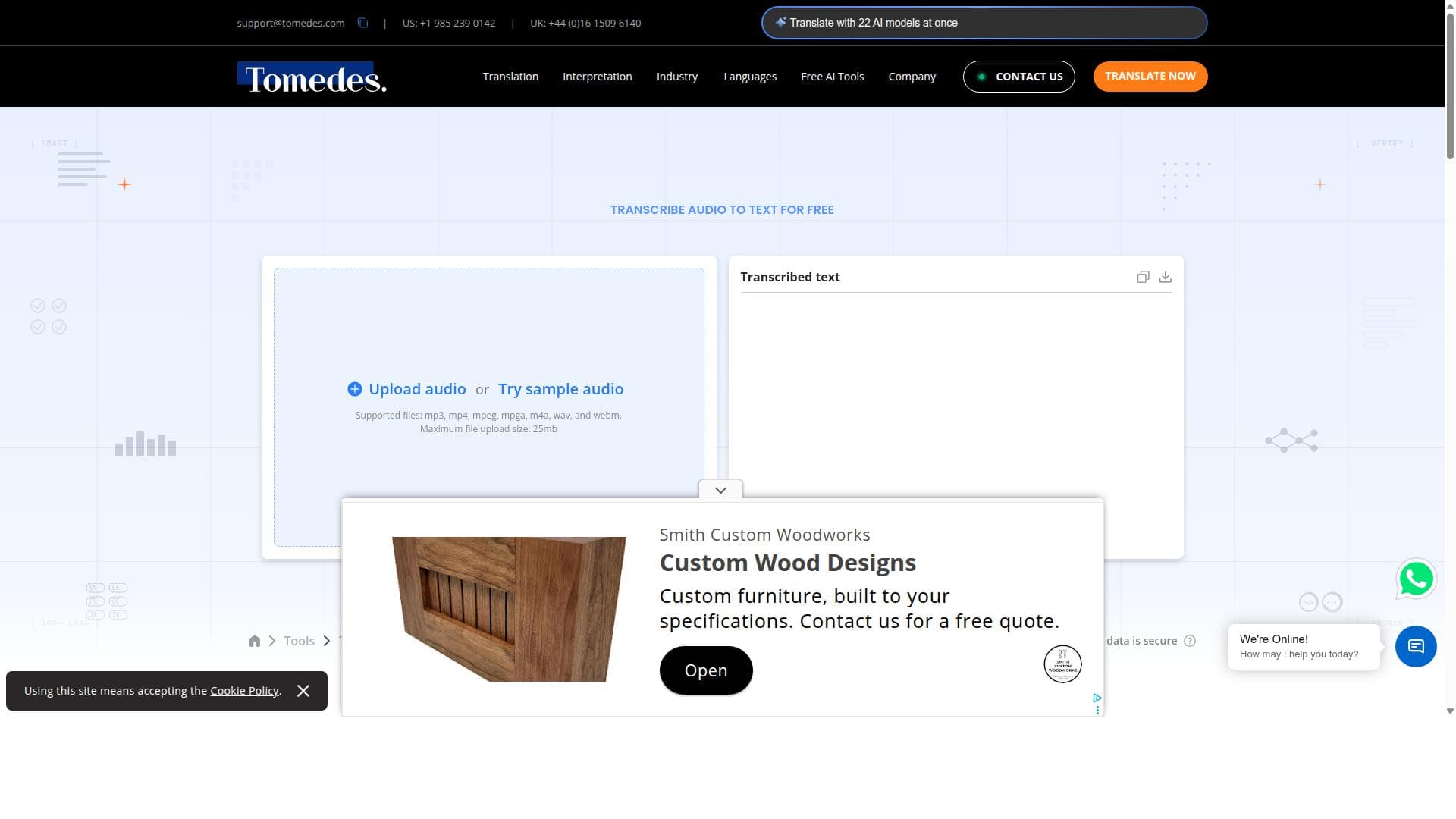
AI Transcription Tool offers fast, accurate, and free audio-to-text transcription without requiring any sign-up, supporting multiple popular audio formats. It's perfect for journalists, students, podcasters, and anyone needing quick, hassle-free transcription services.
Description
The AI Transcription Tool allows users to transcribe audio to text quickly and accurately. It supports multiple audio file formats including MP3, WAV, and MP4. The tool is free to use and does not require any sign-up, making it accessible and convenient for users needing fast transcription services.
Detailed Description
The AI Transcription Tool is designed to convert audio files into accurate text transcriptions quickly and efficiently. Its core purpose is to provide users with a seamless and hassle-free experience in transcribing spoken content from various audio formats into readable text. This tool leverages advanced AI algorithms to ensure high accuracy in transcription, making it suitable for a wide range of applications such as note-taking, content creation, interviews, and accessibility improvements. By supporting multiple popular audio formats like MP3, WAV, and MP4, it caters to diverse user needs without requiring any additional file conversion steps. One of the standout features of the AI Transcription Tool is its speed and accuracy. The tool uses state-of-the-art speech recognition technology to deliver transcriptions that closely match the original audio content, minimizing errors and the need for manual correction. Its support for multiple audio formats means users can upload files directly without worrying about compatibility issues. Additionally, the tool is completely free to use and does not require any sign-up or account creation, which significantly lowers the barrier to entry and enhances user convenience. This makes it an ideal choice for users who need quick transcription without the hassle of subscriptions or lengthy onboarding processes. This tool is best suited for individuals and professionals who require fast and reliable transcription services without incurring costs or committing to subscriptions. Journalists, students, content creators, podcasters, and researchers can all benefit from its capabilities. For example, journalists can quickly transcribe interviews for easier editing and quoting, while students can convert lecture recordings into study notes. Content creators and podcasters can generate transcripts to improve SEO and accessibility. The tool’s simplicity and no-sign-up model also make it appealing for casual users who occasionally need transcription services without long-term commitments. Regarding pricing, the AI Transcription Tool is entirely free to use, with no hidden fees or premium plans. This is a significant advantage for users seeking cost-effective transcription solutions. Unlike many competitors that offer limited free tiers or require paid subscriptions for full functionality, this tool provides unlimited access without any financial commitment. This free access model, combined with no sign-up requirement, positions it as an accessible option for users worldwide. When compared to alternative transcription services, the AI Transcription Tool stands out for its ease of use and zero-cost offering. Many transcription platforms require account creation, subscription fees, or impose limits on free usage, which can be barriers for casual or first-time users. While some alternatives may offer more advanced features like speaker identification, multi-language support, or integration with other software, the AI Transcription Tool focuses on delivering fast, accurate, and straightforward transcription without complexity or cost. This makes it particularly attractive for users prioritizing speed and simplicity over advanced customization. However, there are some limitations to consider. The tool does not currently offer features such as speaker diarization, punctuation customization, or support for languages beyond English, which may be important for professional transcription needs. Additionally, since it is free and requires no sign-up, it may lack customer support or advanced security features found in paid services. Users with highly specialized transcription requirements or those needing guaranteed confidentiality might find more comprehensive solutions elsewhere. Nonetheless, for general transcription tasks, the AI Transcription Tool provides an excellent balance of accuracy, speed, and accessibility. In summary, the AI Transcription Tool is a powerful, user-friendly, and cost-free solution for converting audio files into text. Its support for multiple audio formats, no sign-up policy, and fast, accurate transcription make it an ideal choice for a wide range of users seeking efficient transcription without financial or procedural barriers. While it may lack some advanced features found in premium services, its simplicity and accessibility ensure it remains a valuable tool for everyday transcription needs.
Tool Features
- Fast and accurate AI transcription
- Supports multiple audio file formats including MP3, WAV, and MP4
- No sign-up required
- Free to use
Description
✦
AI Transcription Tool offers fast, accurate, and free audio-to-text transcription without requiring any sign-up, supporting multiple popular audio formats. It's perfect for journalists, students, podcasters, and anyone needing quick, hassle-free transcription services.
The AI Transcription Tool allows users to transcribe audio to text quickly and accurately. It supports multiple audio file formats including MP3, WAV, and MP4. The tool is free to use and does not require any sign-up, making it accessible and convenient for users needing fast transcription services.
Detailed Description
The AI Transcription Tool is designed to convert audio files into accurate text transcriptions quickly and efficiently. Its core purpose is to provide users with a seamless and hassle-free experience in transcribing spoken content from various audio formats into readable text. This tool leverages advanced AI algorithms to ensure high accuracy in transcription, making it suitable for a wide range of applications such as note-taking, content creation, interviews, and accessibility improvements. By supporting multiple popular audio formats like MP3, WAV, and MP4, it caters to diverse user needs without requiring any additional file conversion steps. One of the standout features of the AI Transcription Tool is its speed and accuracy. The tool uses state-of-the-art speech recognition technology to deliver transcriptions that closely match the original audio content, minimizing errors and the need for manual correction. Its support for multiple audio formats means users can upload files directly without worrying about compatibility issues. Additionally, the tool is completely free to use and does not require any sign-up or account creation, which significantly lowers the barrier to entry and enhances user convenience. This makes it an ideal choice for users who need quick transcription without the hassle of subscriptions or lengthy onboarding processes. This tool is best suited for individuals and professionals who require fast and reliable transcription services without incurring costs or committing to subscriptions. Journalists, students, content creators, podcasters, and researchers can all benefit from its capabilities. For example, journalists can quickly transcribe interviews for easier editing and quoting, while students can convert lecture recordings into study notes. Content creators and podcasters can generate transcripts to improve SEO and accessibility. The tool’s simplicity and no-sign-up model also make it appealing for casual users who occasionally need transcription services without long-term commitments. Regarding pricing, the AI Transcription Tool is entirely free to use, with no hidden fees or premium plans. This is a significant advantage for users seeking cost-effective transcription solutions. Unlike many competitors that offer limited free tiers or require paid subscriptions for full functionality, this tool provides unlimited access without any financial commitment. This free access model, combined with no sign-up requirement, positions it as an accessible option for users worldwide. When compared to alternative transcription services, the AI Transcription Tool stands out for its ease of use and zero-cost offering. Many transcription platforms require account creation, subscription fees, or impose limits on free usage, which can be barriers for casual or first-time users. While some alternatives may offer more advanced features like speaker identification, multi-language support, or integration with other software, the AI Transcription Tool focuses on delivering fast, accurate, and straightforward transcription without complexity or cost. This makes it particularly attractive for users prioritizing speed and simplicity over advanced customization. However, there are some limitations to consider. The tool does not currently offer features such as speaker diarization, punctuation customization, or support for languages beyond English, which may be important for professional transcription needs. Additionally, since it is free and requires no sign-up, it may lack customer support or advanced security features found in paid services. Users with highly specialized transcription requirements or those needing guaranteed confidentiality might find more comprehensive solutions elsewhere. Nonetheless, for general transcription tasks, the AI Transcription Tool provides an excellent balance of accuracy, speed, and accessibility. In summary, the AI Transcription Tool is a powerful, user-friendly, and cost-free solution for converting audio files into text. Its support for multiple audio formats, no sign-up policy, and fast, accurate transcription make it an ideal choice for a wide range of users seeking efficient transcription without financial or procedural barriers. While it may lack some advanced features found in premium services, its simplicity and accessibility ensure it remains a valuable tool for everyday transcription needs.
Frequently Asked Questions
What is AI Transcription Tool?
AI Transcription Tool is a free online service that converts audio files into accurate text transcriptions quickly and easily, supporting multiple audio formats like MP3, WAV, and MP4 without requiring user registration.
How much does AI Transcription Tool cost?
The AI Transcription Tool is completely free to use with no hidden fees or subscription plans.
Who is AI Transcription Tool best for?
It is ideal for journalists, students, podcasters, content creators, researchers, and anyone needing fast, accurate transcription without the need for sign-up or payment.
What are the main features of AI Transcription Tool?
Key features include fast and accurate AI-powered transcription, support for multiple audio formats (MP3, WAV, MP4), no sign-up requirement, and completely free usage.
Does AI Transcription Tool offer a free trial?
Since the tool is free to use with no sign-up required, there is no need for a free trial; users can access the full functionality immediately.
What integrations does AI Transcription Tool support?
The AI Transcription Tool currently does not offer integrations with other software or platforms; it functions as a standalone web-based transcription service.
How does AI Transcription Tool work?
Users upload an audio file in supported formats, and the tool uses advanced AI speech recognition algorithms to transcribe the spoken content into text quickly and accurately, which can then be copied or downloaded.
Socials
Use ToolReviews
0 reviews
No reviews yet. Be the first to share your experience.
Sponsored Tools











































Recommended Tools
Stay updated on latest Ai tools
Get the latest insights, Join our newsletter
Read and trusted by 50,000+ readers
Join the biggest AI Community
Our community and staff are here to help!
Your feedback will help Alice AI improve in future versions.








Submit your Tool


PoweredByAI.app is an AI Tools Directory helping individuals, businesses, and creators discover the best AI tools for writing, coding, design, productivity, and more.
© 2026 , Product of011BQ. All rights reserved.