🚀 Zaprep: Your Socials on Steroids. Start free — automate 1,000 DMs/month & turn engagement into leads. with 1,000 automated DMs/month.
Token Calculator
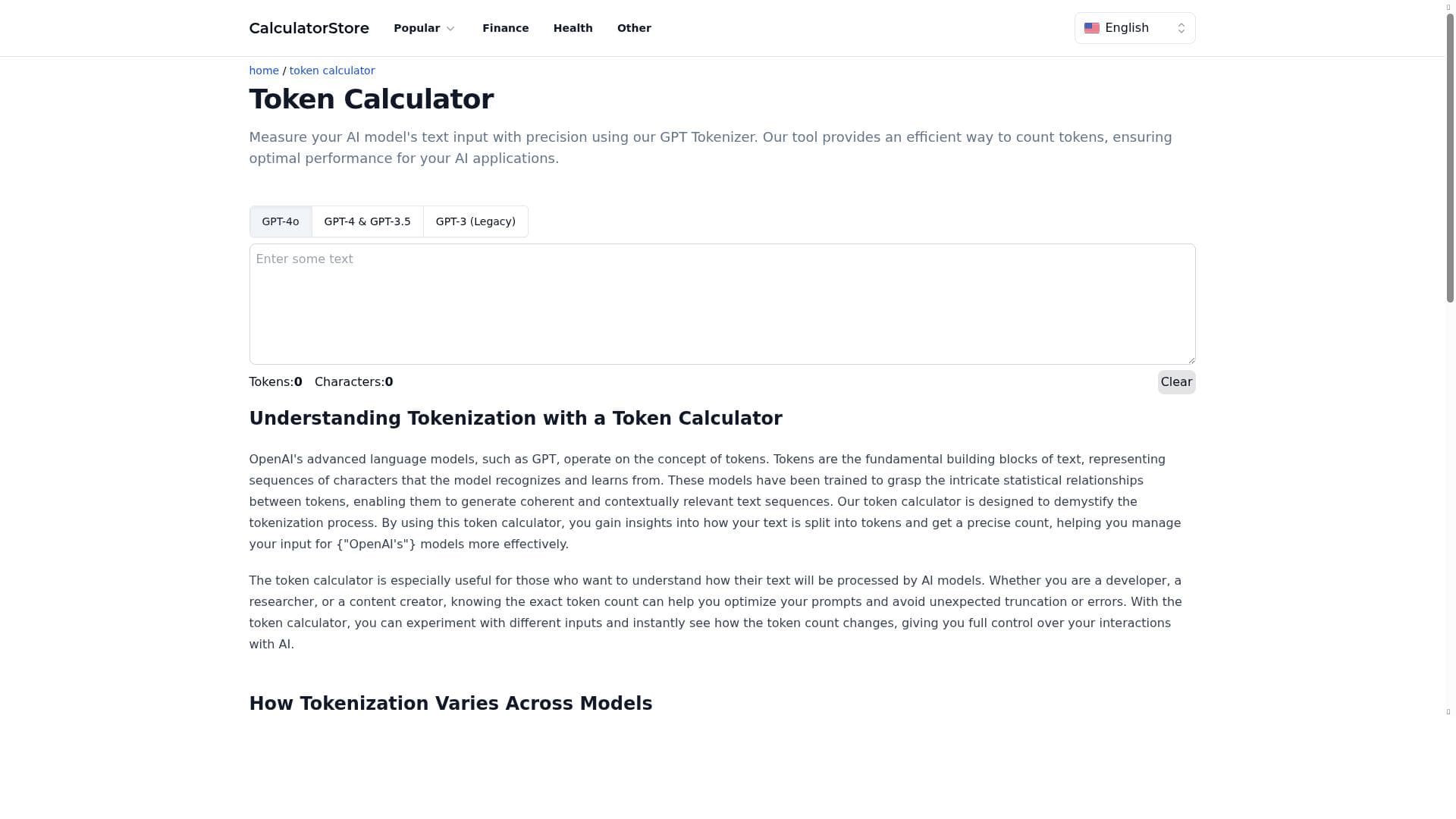


Token Calculator offers precise, real-time token counting for multiple GPT models, helping developers and AI users optimize their text inputs effortlessly. Its free, user-friendly interface makes it ideal for anyone needing accurate token measurements to enhance AI application performance and cost efficiency.

Description
Measure your AI model's text input with precision using our GPT Tokenizer. Our tool provides an efficient way to count tokens, ensuring optimal performance for your AI applications.
Detailed Description
Token Calculator is a specialized AI tool designed to precisely measure and count tokens within text inputs for various GPT models. Its core purpose is to provide developers, researchers, and AI enthusiasts with an accurate and efficient way to quantify the tokens their text consumes when processed by AI language models such as GPT-4o, GPT-4, GPT-3.5, and GPT-3 (Legacy). This capability is crucial for optimizing AI application performance, managing costs, and ensuring that inputs conform to model-specific token limits. By offering real-time token and character counts, Token Calculator empowers users to fine-tune their inputs and avoid exceeding token thresholds that could lead to errors or increased expenses in API usage. The tool's key features include support for multiple GPT model tokenization schemes, which ensures compatibility and accuracy across different versions of OpenAI's language models. Users can see token counts update instantly as they type or paste text, enabling immediate feedback on how their input size affects token consumption. Additionally, a convenient clear button allows users to reset their input quickly and start fresh without manual deletion. This streamlined interface focuses on precision and usability, making it easy to measure text inputs accurately without distractions. The tool’s efficiency in token counting supports developers in optimizing prompts, managing API usage, and improving the overall performance of AI-powered applications. Token Calculator is best suited for AI developers, data scientists, prompt engineers, and content creators who work extensively with GPT models and need to monitor token usage closely. For example, developers integrating GPT APIs into applications can use this tool to ensure their prompts stay within token limits, preventing costly overages or truncation of input. Researchers experimenting with different prompt lengths can analyze token consumption patterns to optimize model responses. Content creators aiming to generate AI-assisted text can measure their inputs to maintain clarity and conciseness. Essentially, anyone who interacts with GPT-based models and requires precise token measurement will find Token Calculator highly valuable. One of the standout advantages of Token Calculator is that it is completely free to use, making it accessible to a wide audience without financial barriers. Unlike some token counting tools that require subscriptions or have limited free tiers, this tool offers full functionality at no cost. This makes it an excellent resource for hobbyists, students, and professionals alike. While it does not currently offer paid plans or premium features, its free availability combined with robust capabilities positions it as a practical choice for token counting needs. Compared to alternative token counting tools, Token Calculator distinguishes itself through its support for multiple GPT model versions, including the latest GPT-4o, which some competitors may not yet support. Its real-time display of both token and character counts provides a dual perspective that can be helpful for detailed input analysis. The user interface is straightforward and focused, avoiding unnecessary complexity. However, unlike some integrated development environments or API platforms that embed token counting within broader toolsets, Token Calculator is a standalone web-based tool dedicated solely to token measurement. This specialization ensures accuracy but may lack integration features found in more comprehensive AI platforms. Despite its strengths, Token Calculator has some limitations to consider. It currently functions as a web tool without direct integration options or API access, which means users must manually input text rather than automate token counting within workflows. Additionally, while it supports major GPT models, it may not cover all emerging or niche language models. Users requiring batch processing or advanced analytics might find the tool’s scope limited. Furthermore, as a free tool, there is no dedicated customer support or guaranteed uptime, which could affect reliability for mission-critical applications. Nonetheless, for straightforward, precise token counting tasks, Token Calculator remains a highly effective and accessible solution.
Tool Features
- Counts tokens for GPT-4o, GPT-4, GPT-3.5, and GPT-3 (Legacy)
- Displays token and character counts in real-time
- Provides a clear button to reset input
- Supports precise measurement of AI model text input
- Efficient token counting for optimal AI application performance
Description
Token Calculator offers precise, real-time token counting for multiple GPT models, helping developers and AI users optimize their text inputs effortlessly. Its free, user-friendly interface makes it ideal for anyone needing accurate token measurements to enhance AI application performance and cost efficiency.
Measure your AI model's text input with precision using our GPT Tokenizer. Our tool provides an efficient way to count tokens, ensuring optimal performance for your AI applications.
Detailed Description
Token Calculator is a specialized AI tool designed to precisely measure and count tokens within text inputs for various GPT models. Its core purpose is to provide developers, researchers, and AI enthusiasts with an accurate and efficient way to quantify the tokens their text consumes when processed by AI language models such as GPT-4o, GPT-4, GPT-3.5, and GPT-3 (Legacy). This capability is crucial for optimizing AI application performance, managing costs, and ensuring that inputs conform to model-specific token limits. By offering real-time token and character counts, Token Calculator empowers users to fine-tune their inputs and avoid exceeding token thresholds that could lead to errors or increased expenses in API usage. The tool's key features include support for multiple GPT model tokenization schemes, which ensures compatibility and accuracy across different versions of OpenAI's language models. Users can see token counts update instantly as they type or paste text, enabling immediate feedback on how their input size affects token consumption. Additionally, a convenient clear button allows users to reset their input quickly and start fresh without manual deletion. This streamlined interface focuses on precision and usability, making it easy to measure text inputs accurately without distractions. The tool’s efficiency in token counting supports developers in optimizing prompts, managing API usage, and improving the overall performance of AI-powered applications. Token Calculator is best suited for AI developers, data scientists, prompt engineers, and content creators who work extensively with GPT models and need to monitor token usage closely. For example, developers integrating GPT APIs into applications can use this tool to ensure their prompts stay within token limits, preventing costly overages or truncation of input. Researchers experimenting with different prompt lengths can analyze token consumption patterns to optimize model responses. Content creators aiming to generate AI-assisted text can measure their inputs to maintain clarity and conciseness. Essentially, anyone who interacts with GPT-based models and requires precise token measurement will find Token Calculator highly valuable. One of the standout advantages of Token Calculator is that it is completely free to use, making it accessible to a wide audience without financial barriers. Unlike some token counting tools that require subscriptions or have limited free tiers, this tool offers full functionality at no cost. This makes it an excellent resource for hobbyists, students, and professionals alike. While it does not currently offer paid plans or premium features, its free availability combined with robust capabilities positions it as a practical choice for token counting needs. Compared to alternative token counting tools, Token Calculator distinguishes itself through its support for multiple GPT model versions, including the latest GPT-4o, which some competitors may not yet support. Its real-time display of both token and character counts provides a dual perspective that can be helpful for detailed input analysis. The user interface is straightforward and focused, avoiding unnecessary complexity. However, unlike some integrated development environments or API platforms that embed token counting within broader toolsets, Token Calculator is a standalone web-based tool dedicated solely to token measurement. This specialization ensures accuracy but may lack integration features found in more comprehensive AI platforms. Despite its strengths, Token Calculator has some limitations to consider. It currently functions as a web tool without direct integration options or API access, which means users must manually input text rather than automate token counting within workflows. Additionally, while it supports major GPT models, it may not cover all emerging or niche language models. Users requiring batch processing or advanced analytics might find the tool’s scope limited. Furthermore, as a free tool, there is no dedicated customer support or guaranteed uptime, which could affect reliability for mission-critical applications. Nonetheless, for straightforward, precise token counting tasks, Token Calculator remains a highly effective and accessible solution.
Frequently Asked Questions
What is Token Calculator?
Token Calculator is a free web-based tool that accurately counts tokens and characters in text inputs for various GPT models, helping users optimize their AI prompts and manage token limits effectively.
How much does Token Calculator cost?
Token Calculator is completely free to use with no subscription or payment required.
Who is Token Calculator best for?
It is best suited for AI developers, prompt engineers, researchers, and content creators who work with GPT models and need precise token measurement to optimize their AI inputs.
What are the main features of Token Calculator?
Key features include token counting for GPT-4o, GPT-4, GPT-3.5, and GPT-3 (Legacy), real-time token and character count display, a clear button to reset input, and support for precise measurement of AI model text inputs.
Does Token Calculator offer a free trial?
Since Token Calculator is free to use, there is no need for a trial period.
What integrations does Token Calculator support?
Currently, Token Calculator is a standalone web tool and does not offer direct integrations or API access.
How does Token Calculator work?
Users input or paste text into the tool, which then calculates and displays the number of tokens and characters in real-time based on the selected GPT model’s tokenization rules.
Reviews
No reviews yet. Be the first to share your experience.
Sponsored Tools







































Recommended Tools
Stay updated on latest Ai tools
Get the latest insights, Join our newsletter
Read and trusted by 50,000+ readers
Join the biggest AI Community
Our community and staff are here to help!
Your feedback will help Alice AI improve in future versions.







Submit your Tool


PoweredByAI.app is an AI Tools Directory helping individuals, businesses, and creators discover the best AI tools for writing, coding, design, productivity, and more.
© 2026 , Product of011BQ. All rights reserved.