

TimeTracker Pro revolutionizes project management by using AI to automate planning, scheduling, and time tracking, turning hours of work into minutes. Ideal for teams and project managers seeking efficient workflows, it combines intelligent chatbot assistance with built-in RAID logs and Gantt charts for comprehensive project oversight.

Description
TimeTracker Pro is an AI-powered project manager that turns hours of planning into minutes. Our intelligent chatbot automates project creation, scheduling, and tracking — complete with built-in RAID logs and Gantt charts.
Detailed Description
TimeTracker Pro is an advanced AI-powered project management tool designed to streamline and accelerate the entire project planning and execution process. Its core purpose is to transform what traditionally takes hours of manual scheduling, tracking, and reporting into a matter of minutes, leveraging intelligent automation to reduce human error and increase productivity. At its heart, TimeTracker Pro uses an AI chatbot that automates project creation, scheduling, and ongoing tracking, allowing teams and project managers to focus more on execution rather than administrative overhead. This makes it an indispensable tool for organizations looking to optimize project workflows and improve time management. One of the standout features of TimeTracker Pro is its AI-powered time tracking capability. Unlike conventional time tracking tools that rely heavily on manual input, TimeTracker Pro intelligently monitors work progress and automatically logs hours spent on tasks, providing accurate and real-time data. This is complemented by a robust project hierarchy and planning system that enables users to break down complex projects into manageable sub-tasks and milestones. The inclusion of built-in RAID (Risks, Assumptions, Issues, Dependencies) logs ensures that potential project risks and dependencies are tracked and managed proactively, reducing surprises and delays. Collaboration is another key strength of TimeTracker Pro. It supports seamless team collaboration features, including shared task boards, communication channels, and integrated billing systems to manage team expenses and client invoicing efficiently. Advanced reporting and analytics tools provide deep insights into project performance, resource utilization, and financial metrics, empowering managers to make data-driven decisions. The tool also generates dynamic Gantt charts that visually represent project timelines and dependencies, making it easier to monitor progress and adjust plans as needed. TimeTracker Pro is best suited for project managers, team leads, and businesses of all sizes that require efficient project planning and time management. It is particularly valuable for industries such as software development, marketing agencies, consulting firms, and any organization managing multiple concurrent projects with complex task dependencies. Use cases include automating project setup, tracking billable hours for client projects, managing team workloads, and generating comprehensive reports for stakeholders. Regarding pricing, TimeTracker Pro operates on a freemium model, allowing users to access basic features at no cost, which is ideal for small teams or individuals just getting started. More advanced capabilities, such as enhanced analytics, larger team collaboration, and premium support, are available through paid subscription plans. This flexible pricing structure makes it accessible to a wide range of users while providing scalability as organizational needs grow. When compared to alternatives, TimeTracker Pro stands out due to its AI-driven automation and integrated RAID logs, which are not commonly found together in many project management tools. While competitors may offer time tracking or Gantt charts, the combination of intelligent chatbot assistance, automated project creation, and comprehensive risk management provides a unique value proposition. However, some users may find the learning curve steep initially, especially if they are new to AI-powered tools or complex project management methodologies. Notable considerations include the reliance on AI automation, which, while highly efficient, may occasionally require manual oversight to ensure accuracy in complex scenarios. Additionally, integration options with other enterprise software may be limited depending on the subscription tier, so users should verify compatibility with their existing toolsets. Overall, TimeTracker Pro offers a powerful, AI-enhanced solution for modern project management, significantly reducing planning time and improving project visibility and control.
Tool Features
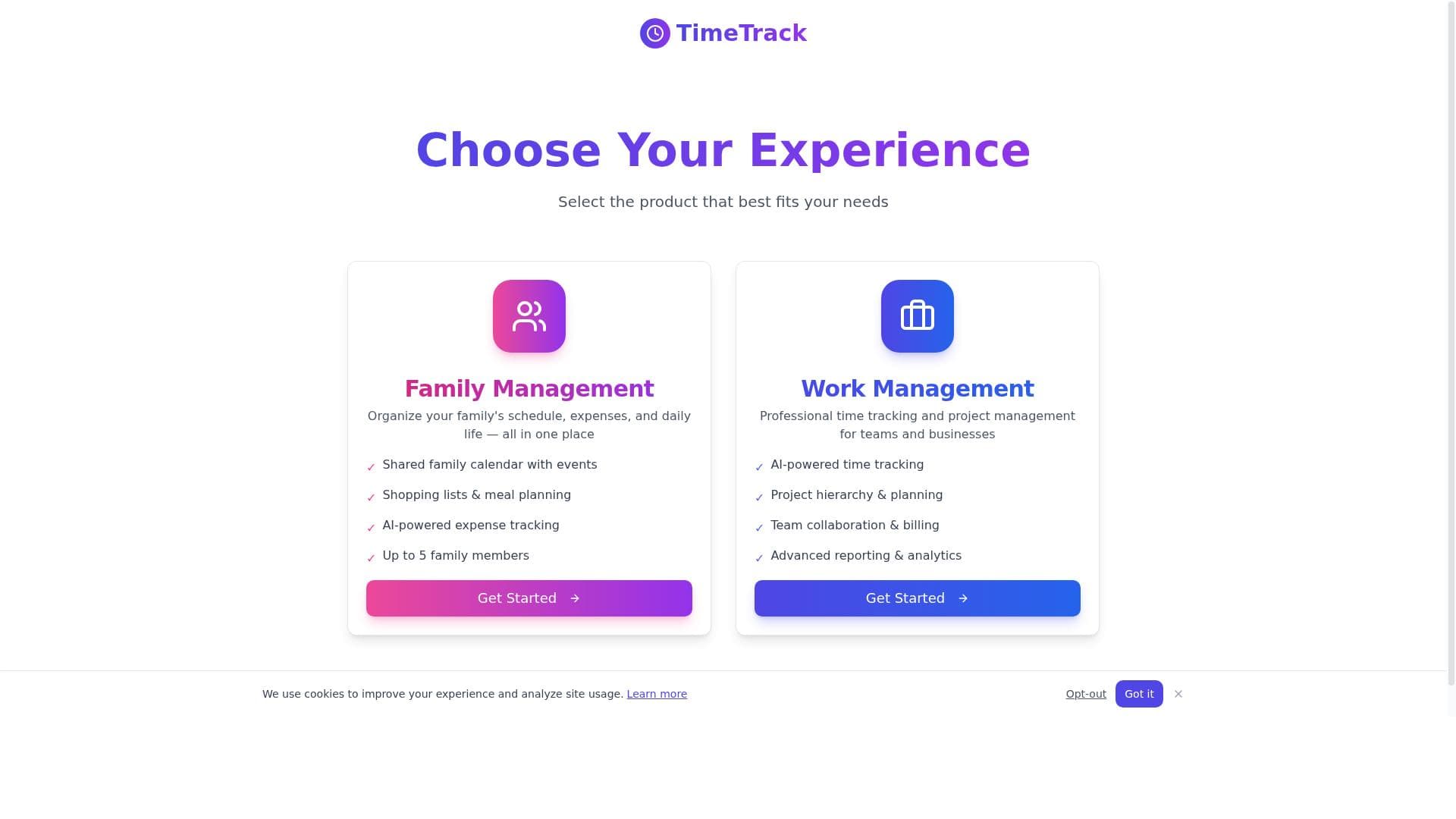
- AI-powered time tracking
- Project hierarchy & planning
- Team collaboration & billing
- Advanced reporting & analytics
Description
TimeTracker Pro revolutionizes project management by using AI to automate planning, scheduling, and time tracking, turning hours of work into minutes. Ideal for teams and project managers seeking efficient workflows, it combines intelligent chatbot assistance with built-in RAID logs and Gantt charts for comprehensive project oversight.
TimeTracker Pro is an AI-powered project manager that turns hours of planning into minutes. Our intelligent chatbot automates project creation, scheduling, and tracking — complete with built-in RAID logs and Gantt charts.
Detailed Description
TimeTracker Pro is an advanced AI-powered project management tool designed to streamline and accelerate the entire project planning and execution process. Its core purpose is to transform what traditionally takes hours of manual scheduling, tracking, and reporting into a matter of minutes, leveraging intelligent automation to reduce human error and increase productivity. At its heart, TimeTracker Pro uses an AI chatbot that automates project creation, scheduling, and ongoing tracking, allowing teams and project managers to focus more on execution rather than administrative overhead. This makes it an indispensable tool for organizations looking to optimize project workflows and improve time management. One of the standout features of TimeTracker Pro is its AI-powered time tracking capability. Unlike conventional time tracking tools that rely heavily on manual input, TimeTracker Pro intelligently monitors work progress and automatically logs hours spent on tasks, providing accurate and real-time data. This is complemented by a robust project hierarchy and planning system that enables users to break down complex projects into manageable sub-tasks and milestones. The inclusion of built-in RAID (Risks, Assumptions, Issues, Dependencies) logs ensures that potential project risks and dependencies are tracked and managed proactively, reducing surprises and delays. Collaboration is another key strength of TimeTracker Pro. It supports seamless team collaboration features, including shared task boards, communication channels, and integrated billing systems to manage team expenses and client invoicing efficiently. Advanced reporting and analytics tools provide deep insights into project performance, resource utilization, and financial metrics, empowering managers to make data-driven decisions. The tool also generates dynamic Gantt charts that visually represent project timelines and dependencies, making it easier to monitor progress and adjust plans as needed. TimeTracker Pro is best suited for project managers, team leads, and businesses of all sizes that require efficient project planning and time management. It is particularly valuable for industries such as software development, marketing agencies, consulting firms, and any organization managing multiple concurrent projects with complex task dependencies. Use cases include automating project setup, tracking billable hours for client projects, managing team workloads, and generating comprehensive reports for stakeholders. Regarding pricing, TimeTracker Pro operates on a freemium model, allowing users to access basic features at no cost, which is ideal for small teams or individuals just getting started. More advanced capabilities, such as enhanced analytics, larger team collaboration, and premium support, are available through paid subscription plans. This flexible pricing structure makes it accessible to a wide range of users while providing scalability as organizational needs grow. When compared to alternatives, TimeTracker Pro stands out due to its AI-driven automation and integrated RAID logs, which are not commonly found together in many project management tools. While competitors may offer time tracking or Gantt charts, the combination of intelligent chatbot assistance, automated project creation, and comprehensive risk management provides a unique value proposition. However, some users may find the learning curve steep initially, especially if they are new to AI-powered tools or complex project management methodologies. Notable considerations include the reliance on AI automation, which, while highly efficient, may occasionally require manual oversight to ensure accuracy in complex scenarios. Additionally, integration options with other enterprise software may be limited depending on the subscription tier, so users should verify compatibility with their existing toolsets. Overall, TimeTracker Pro offers a powerful, AI-enhanced solution for modern project management, significantly reducing planning time and improving project visibility and control.
Frequently Asked Questions
What is TimeTrackerPro?
TimeTrackerPro is an AI-powered project management tool that automates project creation, scheduling, and time tracking, helping teams plan and execute projects more efficiently with features like RAID logs and Gantt charts.
How much does TimeTrackerPro cost?
TimeTrackerPro offers a freemium pricing model with basic features available for free, while advanced features, including enhanced analytics and larger team collaboration, are accessible through paid subscription plans.
Who is TimeTrackerPro best for?
It is best suited for project managers, team leads, and businesses of all sizes, especially those in industries like software development, marketing, and consulting that require efficient project planning and time management.
What are the main features of TimeTrackerPro?
Key features include AI-powered time tracking, project hierarchy and planning, team collaboration and billing, built-in RAID logs, dynamic Gantt charts, and advanced reporting and analytics.
Does TimeTrackerPro offer a free trial?
Yes, TimeTrackerPro provides a freemium version that allows users to access basic functionalities for free, enabling them to try the tool before opting for paid plans.
What integrations does TimeTrackerPro support?
While specific integrations depend on the subscription plan, TimeTrackerPro supports integration with common business tools to facilitate seamless workflow, though users should verify compatibility based on their needs.
How does TimeTrackerPro work?
TimeTrackerPro uses an intelligent AI chatbot to automate the creation and scheduling of projects, automatically tracks time spent on tasks, manages risks via RAID logs, and provides visual project timelines through Gantt charts.
Socials
Use ToolReviews
No reviews yet. Be the first to share your experience.















































