Featured in:Best AI Writing Tools
Get featured →🚀 Zaprep: Your Socials on Steroids. Start free — automate 1,000 DMs/month & turn engagement into leads. with 1,000 automated DMs/month.


Is this your AI tool? Claim it today.
Verify ownership, manage your profile, and unlock growth features.
✦
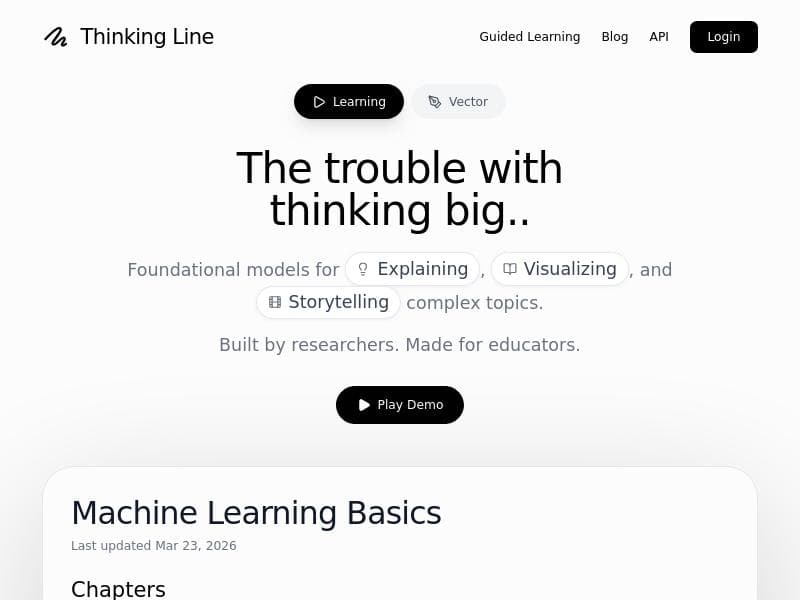
Thinking Line harnesses AI to transform prompts and images into editable SVG vectors and engaging explainer videos, streamlining creative workflows for designers, marketers, and educators. Its unique blend of vectorization, doodle creation, and animation makes it ideal for users seeking versatile, scalable visuals with minimal manual effort.

Description
AI-powered image vectorization and doodle creation. Turn prompts into editable SVGs and engaging explainer videos with Thinking Line.
Detailed Description
Thinking Line is an innovative AI-powered tool designed to revolutionize the way users create vector images and doodles. At its core, Thinking Line leverages advanced artificial intelligence models to transform simple text prompts or raster images into editable vector graphics, specifically SVG files. This capability allows users to generate high-quality, scalable visuals without the need for complex graphic design software or extensive manual tracing. Beyond static images, Thinking Line also enables the creation of engaging explainer videos, making it a versatile solution for content creators, marketers, educators, and designers seeking dynamic visual storytelling tools. One of the standout features of Thinking Line is its AI-powered image vectorization. Traditional vectorization often requires manual adjustment and technical expertise, but Thinking Line automates this process, producing clean, editable SVG outputs that maintain the integrity of the original design while offering flexibility for customization. Users can input simple sketches, photographs, or conceptual prompts, and the AI interprets these inputs to generate precise vector lines and shapes. This is particularly useful for designers who want to quickly convert hand-drawn doodles or logos into professional-grade digital assets. In addition to vectorization, Thinking Line excels at doodle creation from prompts. Users can describe a concept or idea in natural language, and the AI generates playful, creative doodles that can be used for presentations, social media content, or educational materials. This feature taps into the growing demand for unique, hand-drawn style visuals that add personality and engagement to digital content. The tool’s ability to produce editable SVG outputs is crucial for users who require further customization. Unlike static image formats, SVGs allow for easy modifications in vector graphic editors, enabling users to tweak colors, shapes, and sizes without quality loss. This flexibility makes Thinking Line an excellent asset for graphic designers, illustrators, and marketing professionals who need adaptable visuals. Moreover, Thinking Line supports the creation of explainer videos, combining the vectorized images and doodles into animated sequences. This feature is ideal for businesses and educators aiming to communicate complex ideas in a simple, visually appealing manner. The explainer videos generated are engaging and can be customized to fit branding and messaging requirements, enhancing the effectiveness of digital campaigns and instructional content. Thinking Line operates on a freemium pricing model, allowing users to access basic features at no cost while offering premium plans with enhanced capabilities and higher usage limits. This approach makes the tool accessible to individuals and small teams while providing scalability for larger organizations or professional users who demand more extensive functionality. Compared to alternative vectorization and doodle creation tools, Thinking Line stands out due to its seamless integration of AI-driven prompt-based generation and editable output formats. While other tools may offer vectorization or animation separately, Thinking Line combines these features into a unified platform, streamlining the creative workflow. However, users should note that as with many AI-generated graphics, the quality and accuracy of outputs can vary depending on the complexity of the input prompts or images. Some manual refinement may be necessary for highly detailed projects. In summary, Thinking Line is a powerful AI tool that simplifies the creation of vector graphics and doodle animations through intelligent automation. Its combination of editable SVG outputs, prompt-based doodle generation, and explainer video production makes it a valuable resource for designers, marketers, educators, and content creators looking to enhance their visual communication. With a flexible freemium pricing structure and user-friendly interface, Thinking Line offers an accessible yet sophisticated solution for modern digital design challenges.
Tool Features
- AI-powered image vectorization
- Doodle creation from prompts
- Editable SVG output
- Creation of engaging explainer videos
Description
✦
Thinking Line harnesses AI to transform prompts and images into editable SVG vectors and engaging explainer videos, streamlining creative workflows for designers, marketers, and educators. Its unique blend of vectorization, doodle creation, and animation makes it ideal for users seeking versatile, scalable visuals with minimal manual effort.
AI-powered image vectorization and doodle creation. Turn prompts into editable SVGs and engaging explainer videos with Thinking Line.
Detailed Description
Thinking Line is an innovative AI-powered tool designed to revolutionize the way users create vector images and doodles. At its core, Thinking Line leverages advanced artificial intelligence models to transform simple text prompts or raster images into editable vector graphics, specifically SVG files. This capability allows users to generate high-quality, scalable visuals without the need for complex graphic design software or extensive manual tracing. Beyond static images, Thinking Line also enables the creation of engaging explainer videos, making it a versatile solution for content creators, marketers, educators, and designers seeking dynamic visual storytelling tools. One of the standout features of Thinking Line is its AI-powered image vectorization. Traditional vectorization often requires manual adjustment and technical expertise, but Thinking Line automates this process, producing clean, editable SVG outputs that maintain the integrity of the original design while offering flexibility for customization. Users can input simple sketches, photographs, or conceptual prompts, and the AI interprets these inputs to generate precise vector lines and shapes. This is particularly useful for designers who want to quickly convert hand-drawn doodles or logos into professional-grade digital assets. In addition to vectorization, Thinking Line excels at doodle creation from prompts. Users can describe a concept or idea in natural language, and the AI generates playful, creative doodles that can be used for presentations, social media content, or educational materials. This feature taps into the growing demand for unique, hand-drawn style visuals that add personality and engagement to digital content. The tool’s ability to produce editable SVG outputs is crucial for users who require further customization. Unlike static image formats, SVGs allow for easy modifications in vector graphic editors, enabling users to tweak colors, shapes, and sizes without quality loss. This flexibility makes Thinking Line an excellent asset for graphic designers, illustrators, and marketing professionals who need adaptable visuals. Moreover, Thinking Line supports the creation of explainer videos, combining the vectorized images and doodles into animated sequences. This feature is ideal for businesses and educators aiming to communicate complex ideas in a simple, visually appealing manner. The explainer videos generated are engaging and can be customized to fit branding and messaging requirements, enhancing the effectiveness of digital campaigns and instructional content. Thinking Line operates on a freemium pricing model, allowing users to access basic features at no cost while offering premium plans with enhanced capabilities and higher usage limits. This approach makes the tool accessible to individuals and small teams while providing scalability for larger organizations or professional users who demand more extensive functionality. Compared to alternative vectorization and doodle creation tools, Thinking Line stands out due to its seamless integration of AI-driven prompt-based generation and editable output formats. While other tools may offer vectorization or animation separately, Thinking Line combines these features into a unified platform, streamlining the creative workflow. However, users should note that as with many AI-generated graphics, the quality and accuracy of outputs can vary depending on the complexity of the input prompts or images. Some manual refinement may be necessary for highly detailed projects. In summary, Thinking Line is a powerful AI tool that simplifies the creation of vector graphics and doodle animations through intelligent automation. Its combination of editable SVG outputs, prompt-based doodle generation, and explainer video production makes it a valuable resource for designers, marketers, educators, and content creators looking to enhance their visual communication. With a flexible freemium pricing structure and user-friendly interface, Thinking Line offers an accessible yet sophisticated solution for modern digital design challenges.
Frequently Asked Questions
What is Thinking Line?
Thinking Line is an AI-powered tool that converts prompts and images into editable vector graphics (SVGs) and creates engaging explainer videos, enabling users to generate scalable visuals and animations with ease.
How much does Thinking Line cost?
Thinking Line offers a freemium pricing model, providing basic features for free with options to upgrade to premium plans that include enhanced capabilities and higher usage limits.
Who is Thinking Line best for?
Thinking Line is ideal for graphic designers, marketers, educators, content creators, and anyone needing quick, editable vector images or animated explainer videos to enhance their visual content.
What are the main features of Thinking Line?
Key features include AI-powered image vectorization, doodle creation from text prompts, editable SVG output, and the ability to produce engaging explainer videos combining vector graphics and animations.
Does Thinking Line offer a free trial?
Yes, Thinking Line provides free access to basic features under its freemium plan, allowing users to try the tool before opting for premium subscriptions.
What integrations does Thinking Line support?
Currently, Thinking Line primarily functions as a standalone platform focused on vectorization and video creation; specific third-party integrations are not prominently featured.
How does Thinking Line work?
Users input text prompts or images, and Thinking Line’s AI processes these inputs to generate editable SVG vector graphics or doodles, which can then be animated into explainer videos within the platform.
Reviews
0 reviews
No reviews yet. Be the first to share your experience.
Sponsored Tools







































Recommended Tools
Stay updated on latest Ai tools
Get the latest insights, Join our newsletter
Read and trusted by 50,000+ readers
Join the biggest AI Community
Our community and staff are here to help!
Your feedback will help Alice AI improve in future versions.







Submit your Tool


PoweredByAI.app is an AI Tools Directory helping individuals, businesses, and creators discover the best AI tools for writing, coding, design, productivity, and more.
© 2026 , Product of011BQ. All rights reserved.